
Configure Data Purge
The instruction describes how to enable and set up the Data Purge function for information acquired during Business Process (BP) execution.
warning
The Data Purge function does not work with Data Stores. Refer to Purge Data Stores to get information about cleaning data from Data Stores.
Modify Data Purge settings
Data Purge increases the load on the DB server disk. The Data Purge job deletes obsolete operational data from the IA Cloud instance according to the following settings:
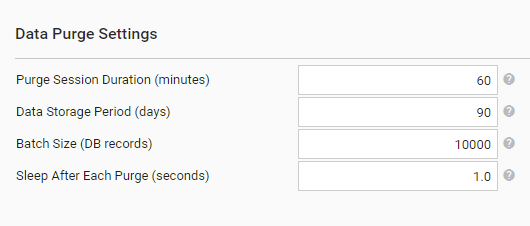
| Parameter | Default | Description |
|---|---|---|
| Sleep After Each Purge (seconds) | 1 | Make a pause after each BP purged to minimize any impact on performance. |
| Purge Session Duration (minutes) | 60 | Define how long each purge session lasts after the purge is triggered by the Scheduler. Set to 0 to disable Data Purge. |
| Data Storage Period (days) | 90 | Define the number of days to keep BP data after the BP completes. Only data of the BP exceeded the period is purged. |
| Batch Size (DB records) | 10 000 | Specify the number of DB records to purge at once. |
The Data Purge job clears the data of completed or marked as deleted BPs:
- BP and BP step input data
- BP and BP step output data
- Output data snapshots
- Generated events
The Data Purge job does not delete the following:
- Any data of Active, Draft, Not-started, or Failed BPs
- Data Stores
- S3 File Storage data
- Activity logs
Example of a BP after the Data Purge operation:
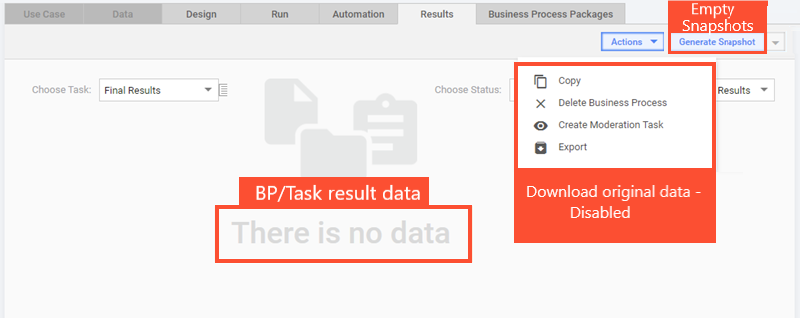
- Results Data: empty.
- Snapshots: empty.
- Download original data: disabled.
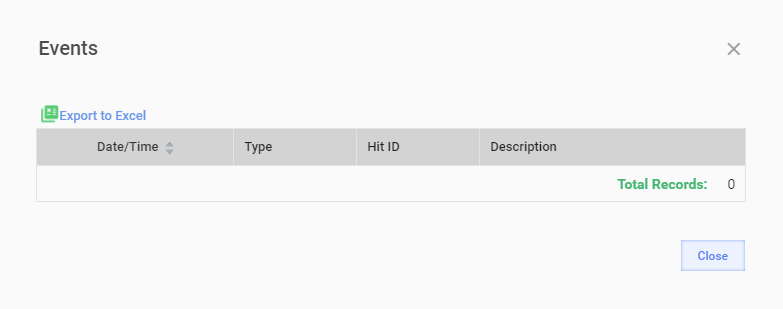
- Events: empty.
Manage roles
Perform the following steps to grant a user the Manage Data Purge permission:
- Go to Configuration > Role Management. For more details, refer to Role management.
- Select the role the user belongs to, for example,
ROLE_SUPER_ADMINISTRATOR. - Select the Manage Data Purge permission.
- Save the changes.
- Log in to Control Tower again.
- Go to Configuration > System Preferences > Schedule settings. Data Purge Settings should be available.
Utilize space
View affected tables
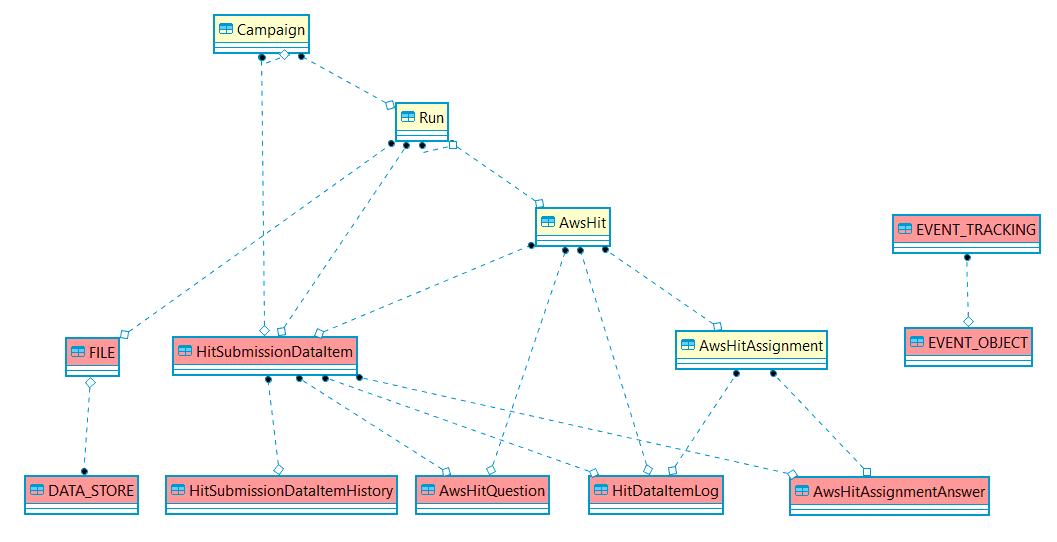
When you enable Data Purge, the function affects the following SQL Server tables in the WorkFusion database:
| Table | Description |
|---|---|
AwsHitQuestion | Contains a JSON with the output of the record answers processing. |
AwsHitAssignmentAnswer | Contains raw answers given by the worker to a record. |
HitSubmissionDataItem | Contains JSON data with the record input. |
HitSubmissionDataItemHistory | Contains snapshots of the existing record input data if modified by step transition; for example, two records are merged. |
HitDataItemLog | Contains a log of the record life cycle events, for example, posting, submission, approval. |
FILE | Contains file description, for example, a name and a type. |
DATA_STORE | Contains the binary content of files. |
EVENT_TRACKING | Contains the event text description, for example, a message or an exception stacktrace. |
EVENT_OBJECT | Contains a reference to the object-induced event, for example, a BP step or a definition. |
The entity-relationship diagram is as follows:
Additional reading
For information about other means to optimize Business Process data, refer to the article.