
Configure multiple OCR providers
Originally, OCR supported only one OCR provider—ABBYY. Now, two more OCR providers are available:
- Azure Form Recognition
- Google Vision API
For the end-user, nothing changes significantly. Any response by an alternative OCR provider is converted to the ABBYY output format.
New OCR providers are available only via the Bridge entry point. ABBYY is available via REST API and Bridge.
To enable users to choose OCR providers, use a new OCR ETL configuration for your Business Process. The configuration supports the selection of different OCR providers as shown in the figure below:
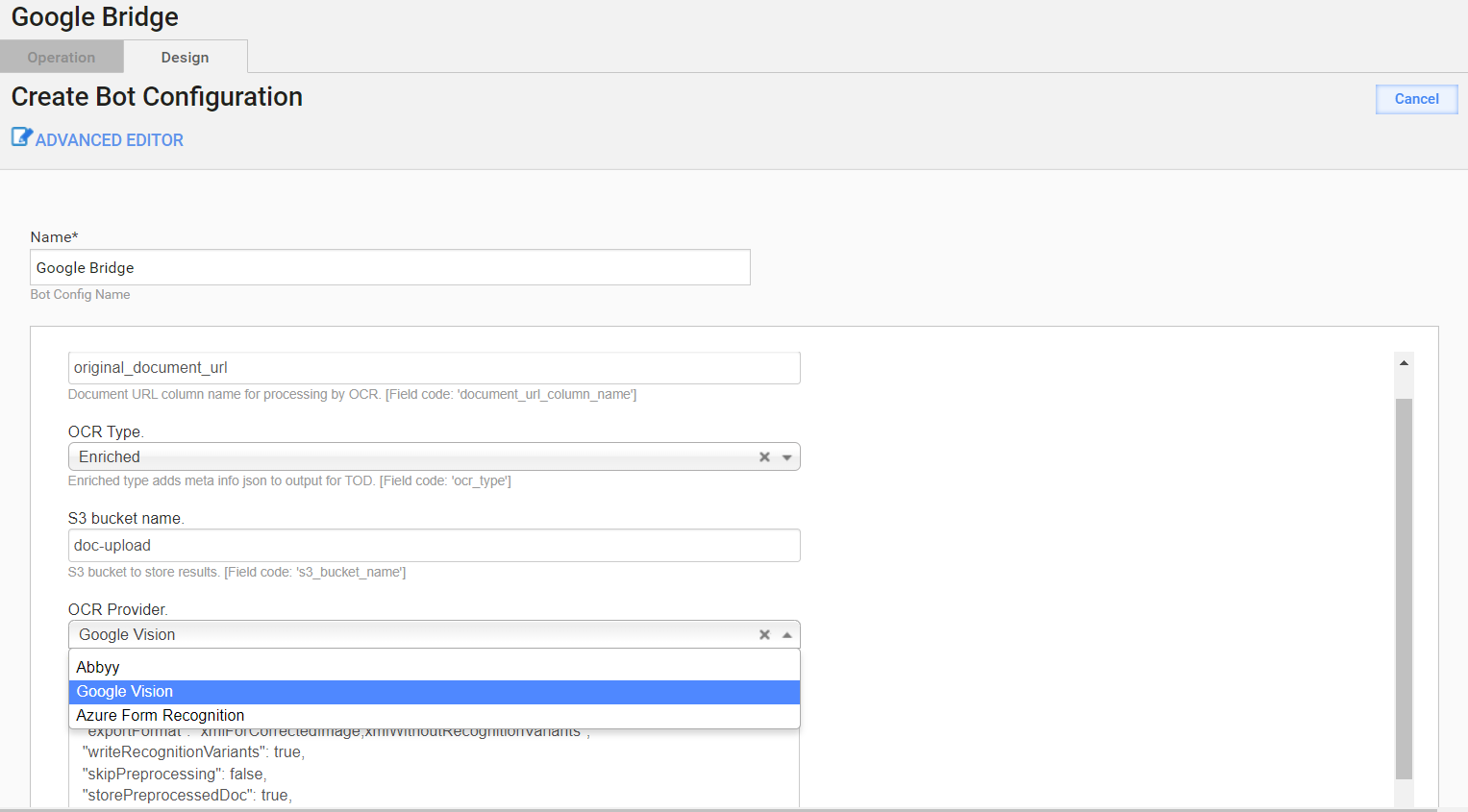
Set Secrets Vault credentials
To use an alternative OCR provider, setting up additional Secrets Vault credentials is also obligatory. Since WorkFusion does not manage Google secret keys and Azure credentials, customers are expected to provide the credentials using the standard approach—via config.yml.
There are two ways to provide vault credentials for Google and Azure:
note
ocr_google_key must have a Base64 encoded JSON Google key. Otherwise, there can be issues with different escaping for Ansible. If you pass the key as JSON or as separate properties, there can be problems with the private key containing \n new lines and vault values with new lines.
When there is no existing installation, set the following properties in
config.yml:ocr_google_keyocr_azure_passwordocr_azure_endpoint
Otherwise, set (create if needed) the same properties in
config_overrides.ymlat the following path:/opt/workfusion/wf_installer. To override those parameters in backup, run the following command:./install.sh install installer-backup -e @config_overrides.yml.Execute
./install.sh configure ocr -e @config_overrides.ymlto restart the OCR application with parameters fromconfig_overrides.yml.
If the above steps cause errors, make sure that the Ansible vault pass and key properties are set by running the following commands:
cd /opt/workfusion/wf_installer

export ANSIBLE_VAULT_PASS=$(cat config_overrides.yml | grep ansible_vault_password | cut -c 25- | tail -1)

export ANSIBLE_PRIVATE_KEY_FILE="id_rsa"