
Add OCR Bridge step
OCR Bridge is introduced to improve:
- Performance. The new OCR Bridge step reduces throughput due to processing documents asynchronously without submitting redundant tasks to Control Tower workers and receiving responses instantly in Control Tower.
- Usability. Only one step is needed to recognize a document whose output is compatible with the ToD Manual Task.
OCR REST configuration properties
| Property | Default value | Description |
|---|---|---|
execution.bridge.task.queue | exec.<CT_HOST>.result.ocr | Name of the OCR Bridge queue. |
execution.bridge.prefetch.count | 100 | Prefetch count of the Bridge queue. |
execution.bridge.thread.count | 20 | Count of threads for consuming messages of the Bridge queue. |
OCR Bridge Step
Input parameters
| Parameter | Code | Default value | Description |
|---|---|---|---|
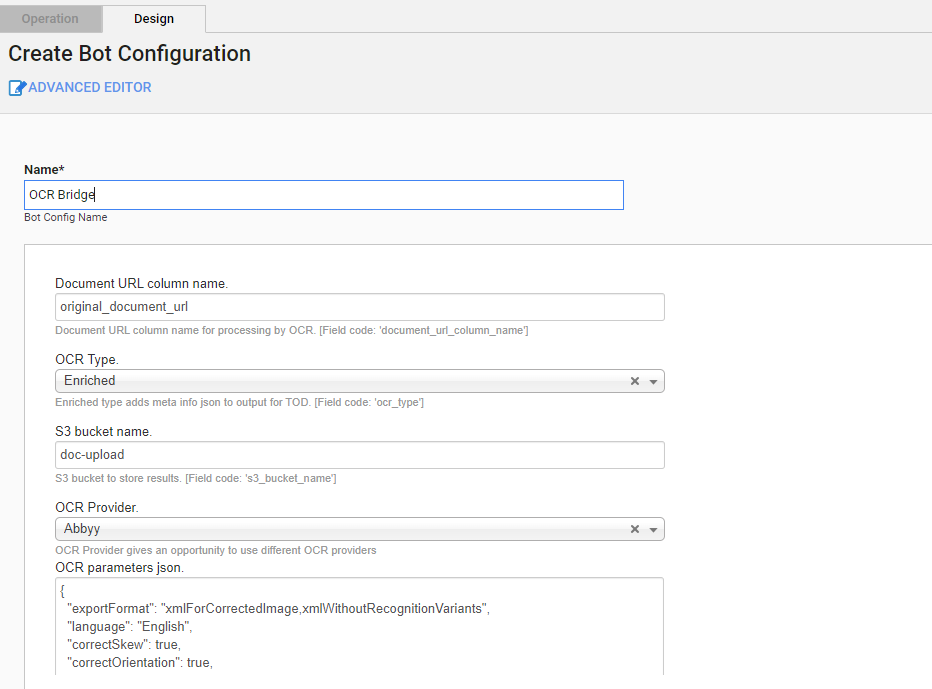
| Document URL column name | document_url_column_name | `original_document_url | Document URL column name for processing by OCR. |
| OCR Type | ocr_type | enriched | OCR Type values: Standard and Enriched (prepare output for TOD Manual Task). |
| S3 bucket name | s3_bucket_name | doc-upload | An S3 bucket to store results. |
| OCR Provider | ocr_provider | Abbyy | Type of the OCR provider:
|
| OCR parameters JSON | ocr_parameters | See later | See parameters in the table below. |
OCR JSON. Default values
{
    "exportFormat":"xmlForCorrectedImage,xmlWithoutRecognitionVariants",
    "language": "English",
    "correctSkew": true,
    "correctOrientation": true,
    "writeRecognitionVariants": true,
    "invertImage": false,
    "discardColorImage": false,
    "skipPreprocessing": false,
    "useOnlyCustomRegions": false,
    "useDefaultPattern": false,
    "profile": "documentConversion",
    "removeGarbageSize": 0,
    "lowResolutionMode": false,
    "enhanceLocalContrast": false,
    "allowedRegionTypes": null,
    "changeDPI": 0,
    "version": "V_2",
    "storePreprocessedDoc": true,
    "textTypes": ["normal"],
    "timeout": 60
}
OCR parameters
| Parameter | Values | Description |
|---|---|---|
exportFormat |
| Step's export format. |
language |
| Predefined language. You can also define multiple languages using a comma as a separator: English,German,Polish |
correctSkew | boolean | The page skew is detected and automatically corrected. |
correctOrientation | boolean | The page orientation is detected and if differs from normal, it is rotated automatically. |
writeRecognitionVariants | boolean | Causes the xml/xmlForCorrectedImage formats to include all variants of character or word, OCR considered as a possible recognition. |
invertImage | boolean | Inverts image. |
discardColorImage | boolean | Leaves only black-and-white plane in the prepared image. |
skipPreprocessing | boolean | Skips preprocessing stage. It increases performance up to 30%. |
useOnlyCustomRegions | boolean | Skips original analyzing stage and extracts information from custom regions only. |
useDefaultPattern | boolean | If true, it requires to apply the default pattern from the OCR application bundle. |
profile | documentConversion | Converts documents into editable formats. |
textExtraction | Extracts text from documents. | |
barcodeRecognition | Extracts barcodes. | |
removeGarbageSize | integer | Removes garbage: excess dots that are smaller than a certain size from the image. Optinal, valid value > 0 and -1 for automatically detect garbage size. |
lowResolutionMode | boolean | Improves recognition of images with low resolution. |
enhanceLocalContrast | boolean | Specifies whether the local contrast of the image should be increased. |
allowedRegionTypes |
| Deprecated. Specifies allowed region types for identified blocks classification. NOTE: narrowing down type of regions can break page layout. Do not use it if you’re not sure you need it. |
changeDPI | integer [50 : 3200] valid range null or 0 for disable | Specifies the new value for the resolution. |
version | V_2 | ABBYY FRE 12 |
| V_1 | ABBYY FRE 11 | |
storePreprocessedDoc | boolean | Specifies whether preprocessed documents should be saved into data storage. |
textTypes |
| Specifies the type of the text in the document. This parameter can also contain several text types separated with commas, for example 'normal,matrix'. See Text type. |
timeout | integer | Sets a timeout in seconds for task execution. |
Output parameters
OCR Result: document processing result in the JSON format.
Code:
ocr_resultExample:
{
    "originalDocument": "https://minio-host/doc-upload/1.pdf",
    "documents": {
        "xmlForCorrectedImage": "https://minio-host/doc-upload/bp-id/task-id/1- xmlForCorrectedImage.xml",
        "xmlWithoutRecognitionVariants": "https://minio-host/doc-upload/bp-id/task-id/1-xmlWithoutRecognitionVariants.xml"
    },
    "pageDetails": "https://minio-host/doc-upload/bp-id/task-id/preprocessed/links.json"
}
Task id: the ID of an OCR task.
- Code:
task_id - Example:
066416ed-20e8-4e96-9df1-7f7e133f1211
- Code:
Meta Info JSON extended info for the ToD Manual Task.
- Code:
meta_info_json - Example:
{ "pages": "https://minio-host/doc-upload/bp-id/task-id/preprocessed/links.json", "ocrXmlUrl": "https://minio-host/doc-upload/bp-id/task-id/1-xmlWithoutRecognitionVariants.xml", "imageUrl": "https://minio-host/doc-upload/1.pdf" }- Code:
Process time: record's process time in milliseconds.
- Code:
_sys_ocr_process_time - Example: 24053
- Code:
Page details json example https://minio-host/doc-upload/bp-id/task-id/preprocessed/links.json
[
    {
        "imgUrl": "https://minio-host/doc-upload/bp-id/task-id/preprocessed/1.png",
        "charsUrl": "https://minio-host/doc-upload/bp-id/task-id/preprocessed/1.json",
        "height": 3300,
        "width": 2550,
        "charsCount": 2216
    }
]
Build BP with OCR and ToD Manual Task
To build a Business Process with the OCR and ToD Manual Task, do the following:
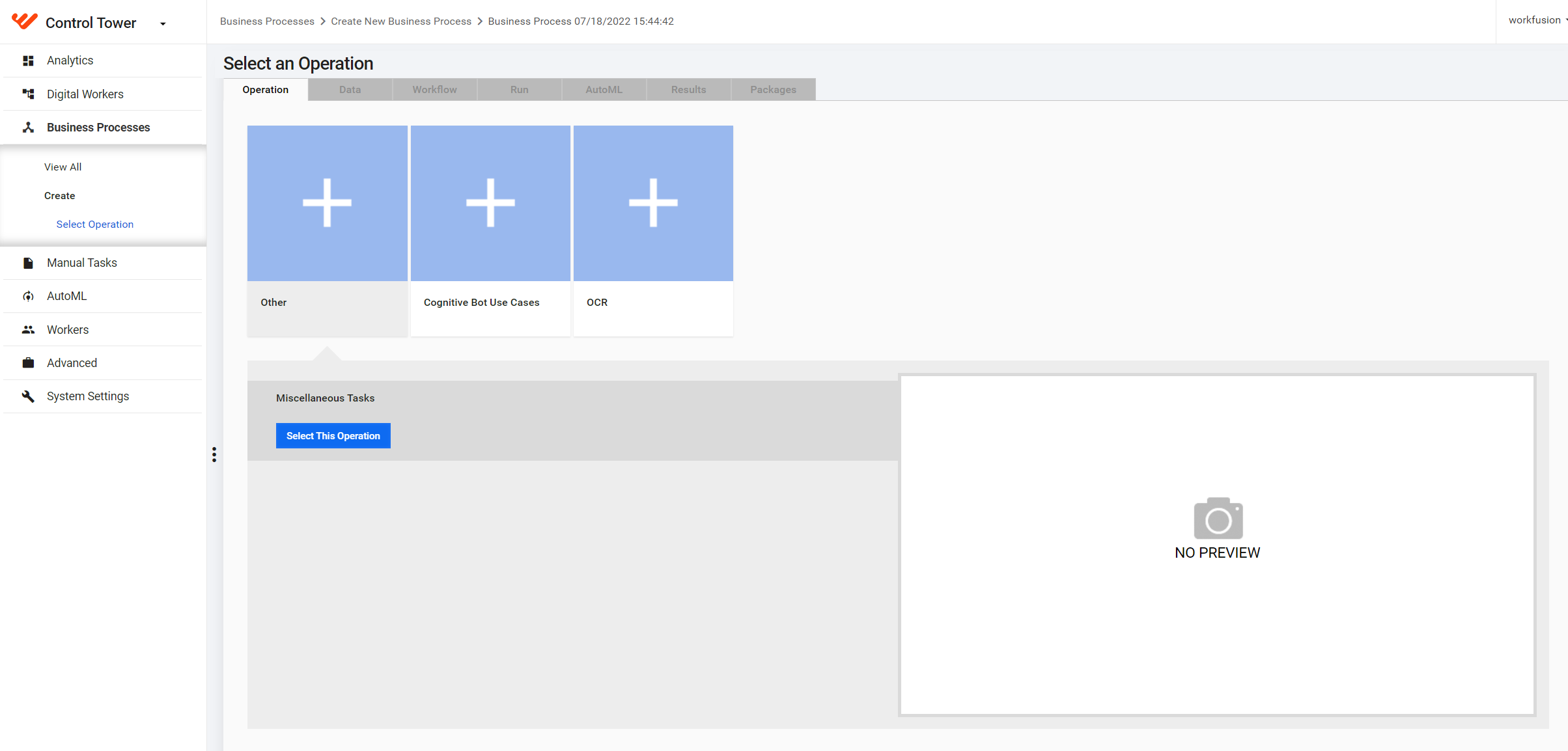
Create a Business Process.
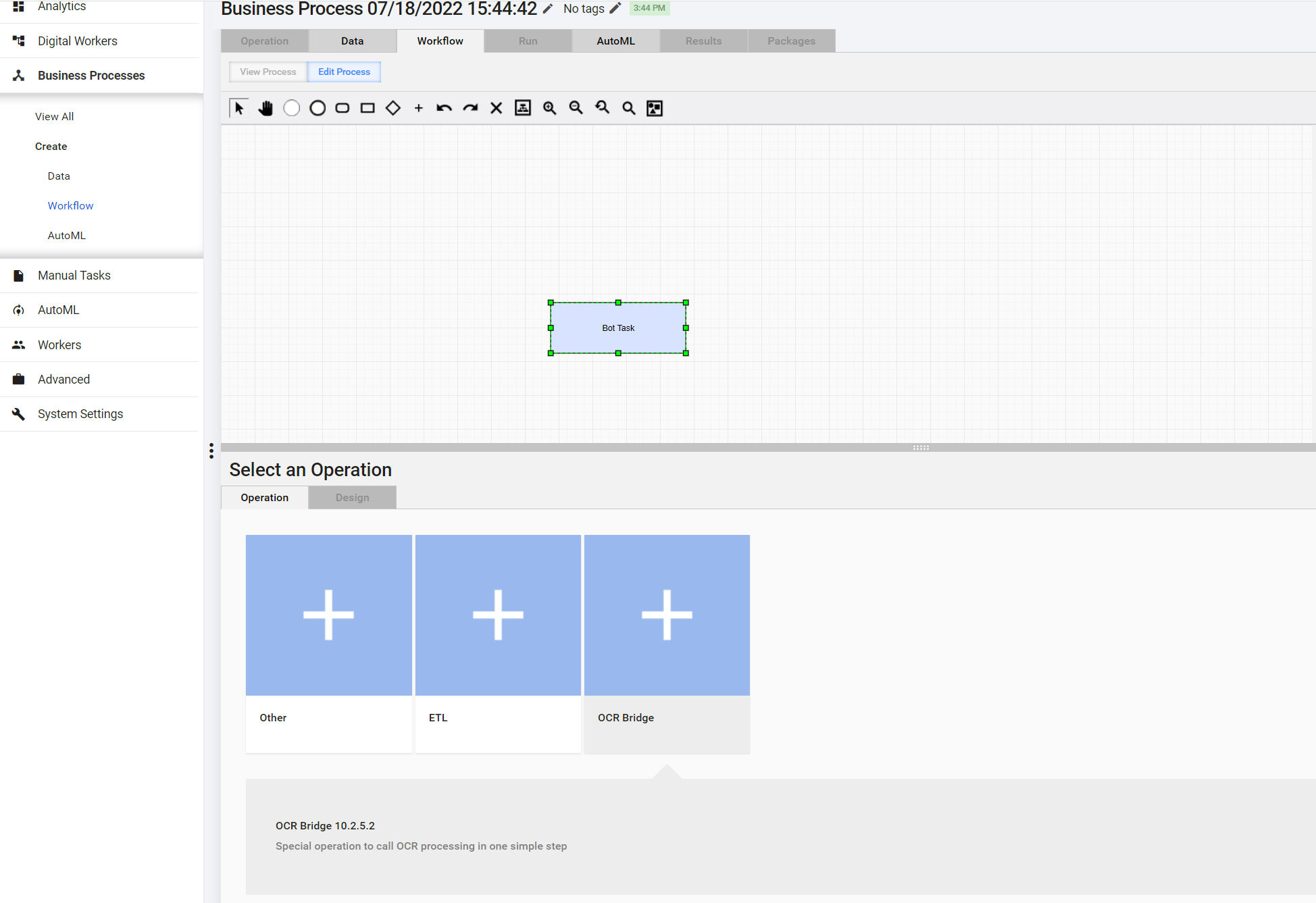
Create an OCR Bridge step.
Configure OCR Bridge.
The Business Process is now ready to process incoming documents by OCR and Manual Task.