
Database Connection Encryption
General
The document provides the guidelines on database connection encryption for MySQL, PostgreSQL, MongoDB using SSL certificates.
SSL certificates solve two problems: traffic encryption and verification of trust.
Data transfer encryption includes:
- Connect encryption
- Authentication methods (classic login and password or client certificates)
Self-signed certificates:
Connection encryption configuration requires generated ssl key pair for the service (MySQL, Postgres, MongoDB). For general flow, independent generation of key pairs for the service need be used.
Authentication method:
Classical login and password authentication through SSL connection.
Document terms
The approach described in this document will be valid for:
- MySQL 5.7
- WorkFusion 8.5.x
It’s better to test compatibility of suggested approach, as previous tests were performed on one of the versions above.
Wherever “[ ]” are used - user values need be entered.
Application level encryption of data in transit
PostgreSQL
Generate
server.key:openssl req -new -text -out server.reqEnter the following values:
Country Name (2 letter code) [XX]:US
Country Name (2 letter code) [XX]:US
State or Province Name (full name) []:New York
Locality Name (for example, city) [Default City]:New York
Organization Name (for example, company) [Default Company Ltd]:CUSTOMERNAME
Organizational Unit Name (for example, section) []:
Common Name (for example, your name or your server's hostname) []:ec2-34-206-252-0.compute-1.amazonaws.com
Email Address []:
The following extra attributes are to be entered and sent with your certificate request:
A challenge password []:
An optional company name []:
Remove passphrase from
server.key:openssl rsa -in privkey.pem -out server.key rm privkey.pemFix permissions:
chmod og-rwx server.keyGenerate a certificate:
openssl req -x509 -in server.req -text -key server.key -out server.crtCopy generated certificates to the postgresql data directory:
mv server.crt /opt/workfusion/apps/pgsql/9.4/data
mv server.key /opt/workfusion/apps/pgsql/9.4
cd .../pgsql/9.4/data/
As we are using self-signed certificates, we will use same certificate as
root.crt:cp server.crt root.crtEnable SSL support in
postgresql.conf:Do changes in the host-based access file
pg_hba.conf. Allow only SSL for non-local connections:Turn on SSL:
ssl on
hostssl all all 0.0.0.0/0 md5Apply correct permissions and ownership on
server.key:chown wfuser server.key chmod og-rwx server.keyStart server and try to connect without SSL from APP Server:
psql "sslmode=disable host=dbhost_ip_adress -p"Because we disabled non-SSL connections, we are getting the error:
psql: FATAL: no pg_hba.conf entry for host " dbhost_ip_adress ", user "ec2-user", database "ec2-user", SSL off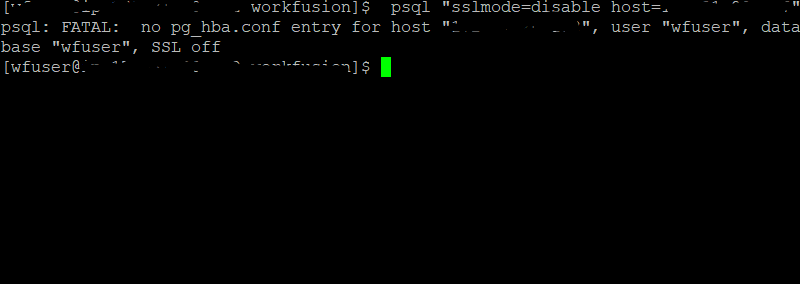
Try to connect with SSL from APP Server:
psql "sslmode=require host=172.31.29.177 -p dbname=wfml_automation" -U mturk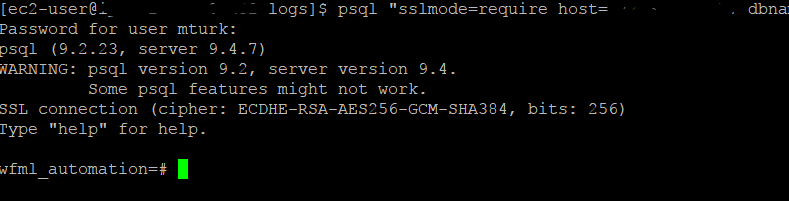
MySQL
Generate
server.key:Cd /opt/workfusion/apps/mysql/etc openssl req -new -text -out server.reqEnter values:
Country Name (2 letter code) [XX]:US
State or Province Name (full name) []:New York
Locality Name (eg, city) [Default City]:New York
Organization Name (eg, company) [Default Company Ltd]:CUSTOMERNAME
Organizational Unit Name (eg, section) []:
Common Name (eg, your name or your server's hostname) []:your_ip
Email Address []:
Enter the following extra attributes to be sent with your certificate request:
- A challenge password []:
- An optional company name []:
Remove passphrase from
server.key:openssl rsa -in privkey.pem -out server.key rm privkey.pemFix permissions:
chmod og-rwx server.keyGenerate a certificate:
openssl req -x509 -in server.req -text -key server.key -out server.crtAs we are using self-signed certificates, we will use the same certificate as
root.crt:cp server.crt root.crt chown wfuser server.keyDo the following changes in the MySQL configuration (
my.cnf) to enable SSL support.my.cnf [mysqld] ssl-ca=/opt/workfusion/apps/mysql/etc/root.crt ssl-cert=/opt/workfusion/apps/mysql/etc/server.crt ssl-key=/opt/workfusion/apps/mysql/etc/server.keyRestart MySQL.
Connect to MySQL with SSL from APP Server:
mysql -h dbhost_ip_adress -u mysqluser -p --ssl
MySQL [(none)]> status;
SSL: Cipher in use is DHE-RSA-AES256-SHA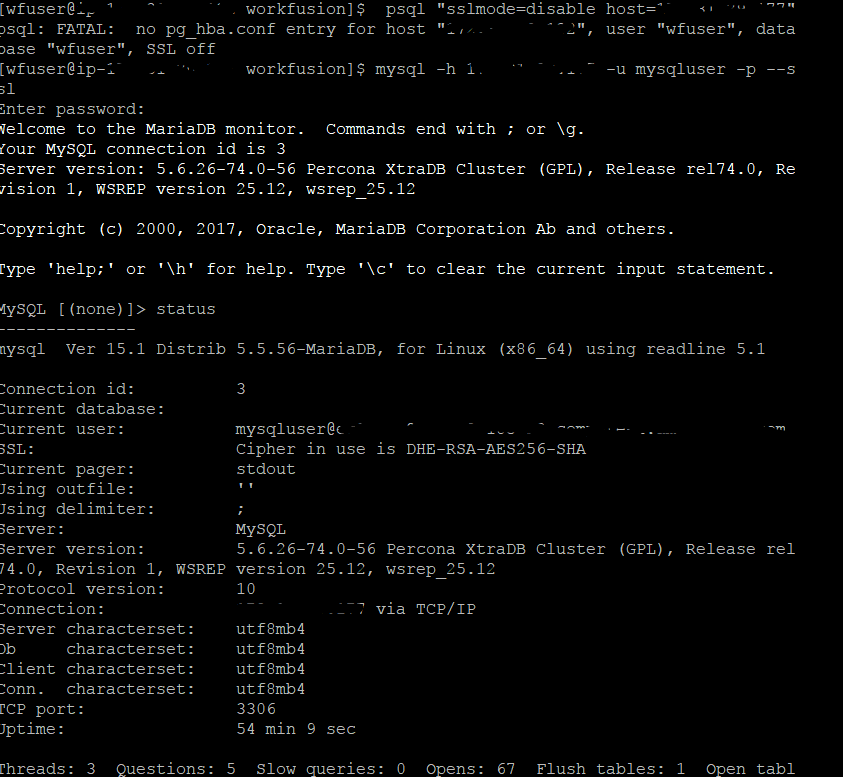
MySQL 5.6 does not have a simple way to restrict non-SSL connections on the server side. This can be done in MySQL 5.7 by using the below setting:
require_secure_transport = yes
[mysqld]
secure-file-priv=""
show_compatibility_56=ON
sql_mode = 'ERROR_FOR_DIVISION_BY_ZERO,NO_AUTO_CREATE_USER,NO_ENGINE_SUBSTITUTION'


require_secure_transport=ON
ssl-ca=/opt/workfusion/apps/mysql/etc/root.crt
ssl-cert=/opt/workfusion/apps/mysql/etc/server.crt
ssl-key=/opt/workfusion/apps/mysql/etc/server.key
datadir=/opt/workfusion/apps/mysql/data
port=13306
socket=/opt/workfusion/apps/mysql/mysql.sock
user=wfuser
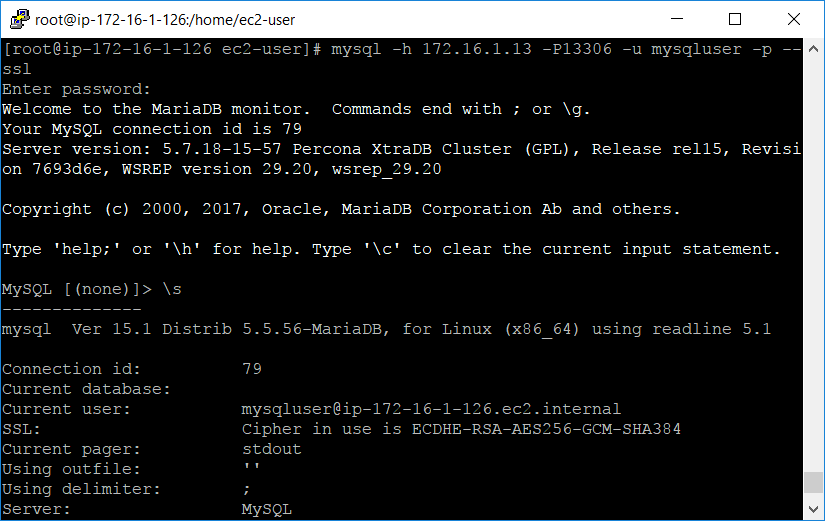
For 5.6 version, restrict for every user.
Execute the following command:
GRANT USAGE ON *.* TO 'username'@'server_ip' REQUIRE SSL
MongoDB
Generate
server.key:openssl req -new -text -out server.req cd /opt/workfusion/apps/mongodb/etc/Enter values:
Country Name (2 letter code) [XX]:US
State or Province Name (full name) []:New York
Locality Name (eg, city) [Default City]:New York
Organization Name (eg, company) [Default Company Ltd]:CUSTOMERNAME
Organizational Unit Name (eg, section) []:
Common Name, for example, your name or your server hostname: http://ec2-34-206-252-0.compute-1.amazonaws.com.
Email Address []:
Enter the following 'extra' attributes to be sent with your certificate request:
A challenge password []:
An optional company name []:
Remove passphrase from
server.key:openssl rsa -in privkey.pem -out server.key rm privkey.pemFix permissions:
chmod og-rwx server.key
chown wfuser server.key
Generate a certificate:
openssl req -x509 -in
server.req -text -key server.key -out server.crt
As we are using self-signed certificates, we will use the same certificate as
root.crt:cp server.crt root.crt MongoDB uses only one file that holds certificate and serverkey cat server.key server.crt > servermongodb.pemDo the following changes in the MongoDB configuration (
mongod.conf) to enable SSL support:/opt/workfusion/apps/mongodb/etc/mongod.conf sslMode = requireSSL sslPEMKeyFile = /opt/workfusion/apps/mongodb/etc/servermongodb.pemIf you use the YAML configuration file format:
net:
ssl:
mode: requireSSL
PEMKeyFile:
/opt/workfusion/apps/mongodb/etc/servermongodb.pem
Restart MongoDB.
Check that SSL works:
mongo --ssl --sslAllowInvalidCertificates --host your_ip_adress:27017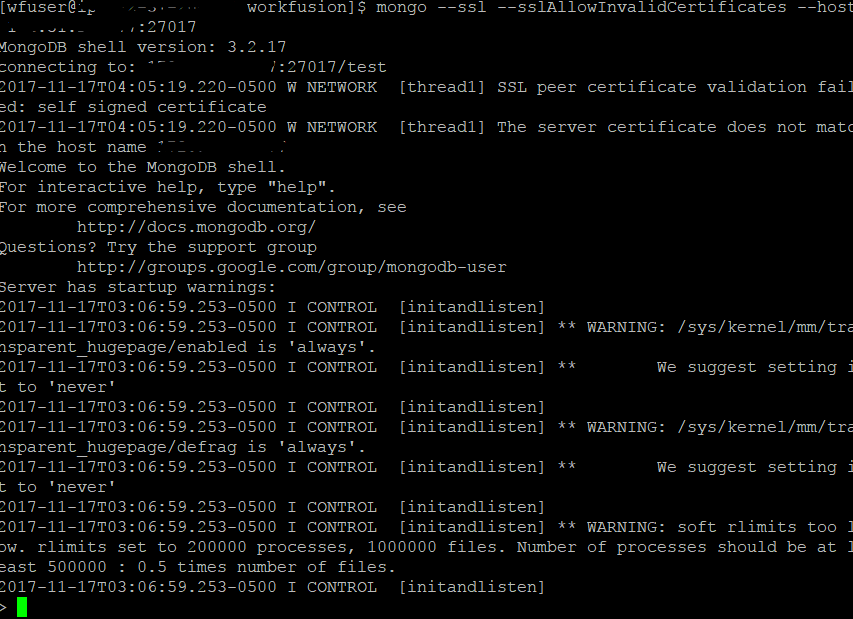
WorkFusion settings
Change datasource URL in
/opt/workfusion/apps/wfbi/application.properties:spring.datasource.url=jdbc:postgresql://hostname:port/wfml_automation?sslmode=require&ssl=true&sslfactory=org.postgresql.ssl.NonValidatingFactoryChange datasource URL in
/opt/workfusion/apps/webapps/tomcat/conf/workspace-sandbox.properties.dataSource.url=jdbc:postgresql://hostname:port/virtualizer_sandbox?targetServerType=master&sslmode=require&ssl=true&sslfactory=org.postgresql.ssl.NonValidatingFactoryChange datasource URL in
/opt/workfusion/apps/webapps/tomcat/conf/workspace.properties:dataSource.url=jdbc:postgresql://hostname:port/virtualizer?targetServerType=master&sslmode=require&ssl=true&sslfactory=org.postgresql.ssl.NonValidatingFactory cd /opt/workfusion/apps/webapps/wf_sec_storage ./loader.sh workfusion review touch config.propertiesAdd value in
config.properties:mturkds.database.url=jdbc:mysql://hostname:port/wfdb?noAccessToProcedureBodies=true&useLegacyDatetimeCode=false&noAccessToProcedureBodies=true&serverTimezone=UTC&rewriteBatchedStatements=true&failOverReadOnly=false&verifyServerCertificate=false&useSSL=true wf.datastore.database.url=jdbc:postgresql://hostname:port/wf_datastore?targetServerType=master&sslmode=require&ssl=true&sslfactory=org.postgresql.ssl.NonValidatingFactory tableau.db.url=jdbc:postgresql://hostname:port/wfml_automation?targetServerType=master&sslmode=require&ssl=true&sslfactory=org.postgresql.ssl.NonValidatingFactory ./loader.sh workfusion config.propertiesRestart tomcat:
The RPA Manager client fix is as follows:
Copy /opt/workfusion/apps/mongodb/etc/server.crt from DB Server to
/opt/workfusion/apps/rpa_manager/ssl on APP Server.
keytool -importcert -trustcacerts -file server.crt -keystore /opt/workfusion/apps/rpa_manager/ssl/KeyStore.jks
Application level encryption of data at rest
PostgreSQL
PostgreSQL have pgcrypto module. The pgcrypto module provides cryptographic functions for PostgreSQL, that developers (or someone who will access to the database) can use to encrypt and decrypt data. It is not a database level encryption, it is data encryption.
Check the mplementation documentation for these functions at the official site.
MySQL
MySQL 5.6 have similar functions but starting from version 5.7 it can encrypt whole tables
See more info here.
In version 5.6, there is no such possibility.
MongoDB
MongoDB support encryption at rest, you just need to generate symmetric key and start mongo DB server with next options:
--enableEncryption
--encryptionKeyFile <path to keyfile>
https://docs.mongodb.com/manual/tutorial/configure-encryption/
Even if it is possible to implement database level encryption, application-level still looks much better.