
Upgrade Guide from 8.5.2 to 8.5.2.1
This patch updates the Control Tower component.
Prerequisites
- You have WorkFusion IAC 8.5.2 up and running.
- No Business Processes are running.
Download and extract patch
To download and extract the patch, connect to the APP server via SSH,
and run the following commands as the runtime user (<wf_user>):
Change directory to
<install_dir>, and create thepatchesdirectory.$ export INSTALL_DIR=/opt/workfusion $ cd $INSTALL_DIR $ mkdir patches $ cd patches/Download the patch to the
<install_dir>/patches/directory with any available method, for example:curl -o 'patch_8.5.2-8.5.2.1.tar.gz' '<patch download url>'Extract the patch:
tar xzf patch_8.5.2-8.5.2.1.tar.gzAfter the extraction, you'll see the
patch_8.5.2-8.5.2.1directory: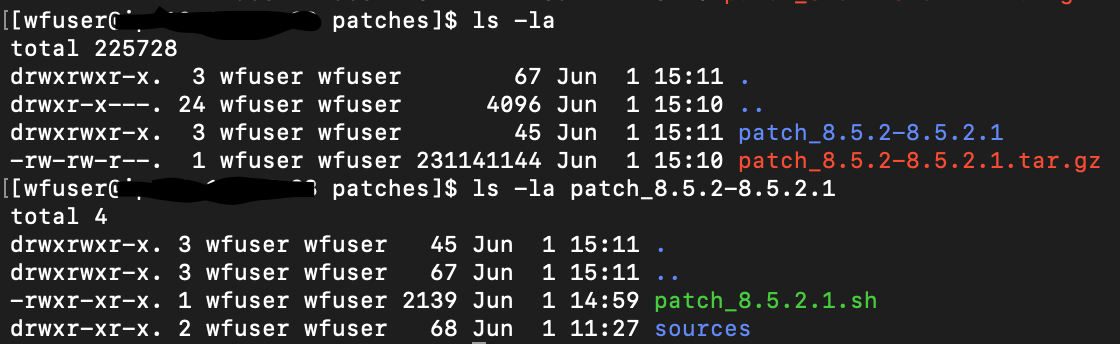
Apply patch
To apply the patch, on the APP server, go to the patch_8.5.2-8.5.2.1 directory and run the following command:
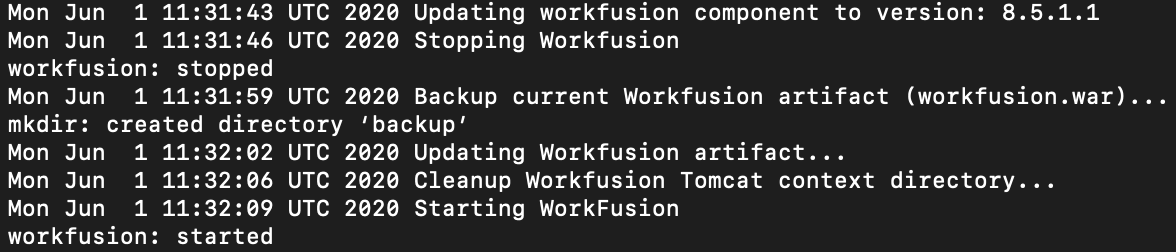
./patch_8.5.2.1.sh update_ct
You will see a similar output:
Verify update
To verify that the update is successful, wait for the Control Tower service initialization (that means wait for the availability of the web interface in your browser). For that, go to the directory where the installer was extracted, and run the command:
./install.sh check app
Rollback to CT 8.5.1 version
To roll back to a previous version, on the APP server, go to the patch_8.5.2-8.5.2.1/ directory and run the following command:
./patch_8.5.2.1.sh rollback_ct