Application Platform Monitor
Features
Platform Monitor functions:
- Monitor and troubleshoot the issues of WorkFusion components.
- Manage RPA services
- Maintains active RDP session
Main options
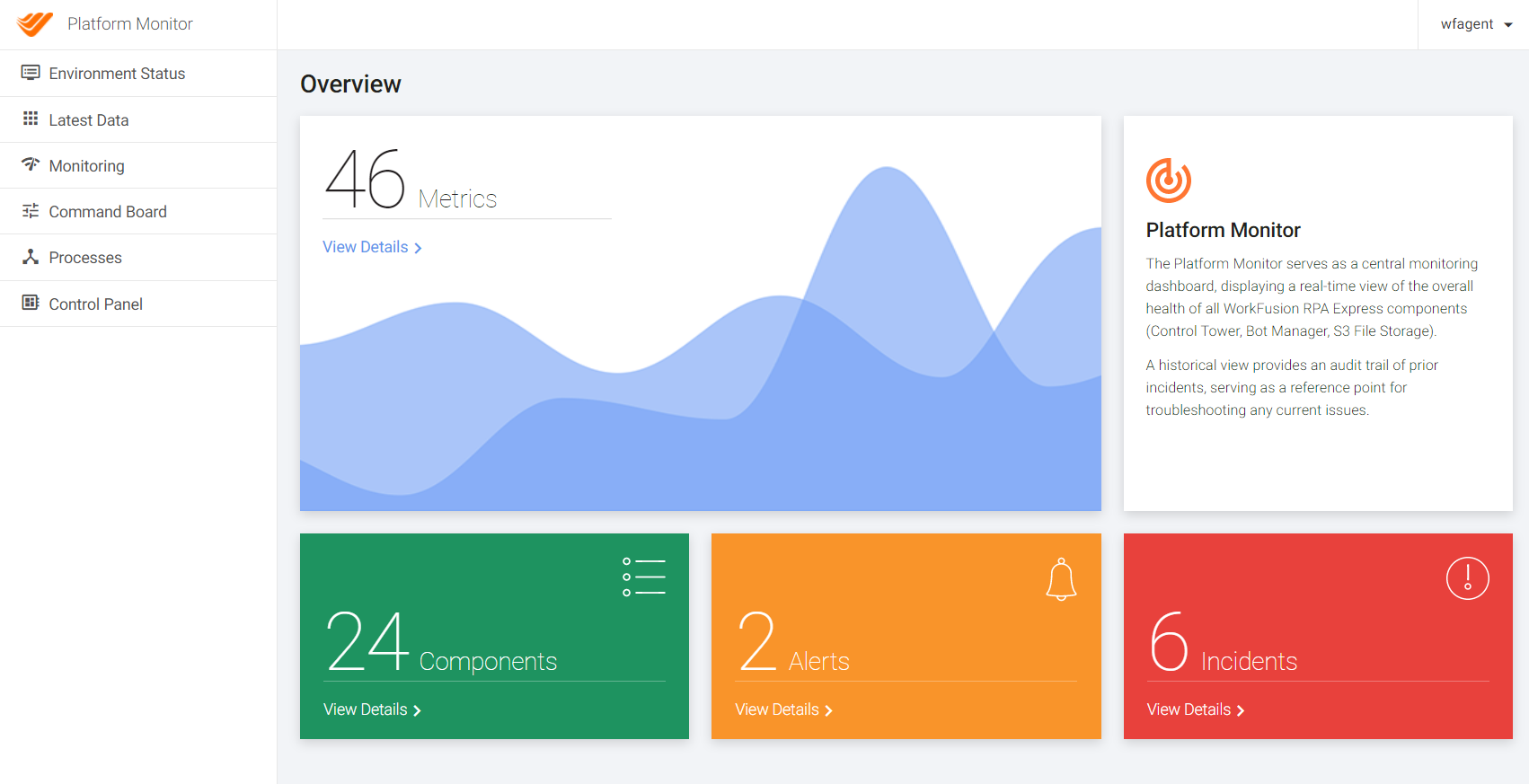
Environment Status: health status page with automated incident management
- Components Statuses and Health Checks. Check system component health and important information about the components versions and licensees.
- Incidents. Check current incidents timeline.
- Email Notifications of Incidents. Get the notifications about incidents and its resolution to your email.
Latest Data. Check the details of the components monitoring.
Monitoring
- Alerting and Notifications. Check specific metrics in time like CPU or HDD usage, availability of the components by the system.
Proactive monitoring. Forecast the system resources usage (requires separate configuration for usage).
Metrics collection and storage.
Command board. Manage the components (adhoc and scheduled).
Bot management:
- Process management. Manage your RPA Processes.
- Control Panel (Bot management). Manage and monitor your RPAs.
Terminology
- Platform Monitor. Application that collects, aggregates and processes information about WorkFusion components. PM Agents are installed on all WorkFusion servers for gathering required metrics. Typically there is a main Platform Monitor instance which is responsible for aggregation of metrics from all servers, central management using web interface and heavy processing tasks (proactive monitoring):
- PM Server. Name of server were central Platform Monitor application is installed.
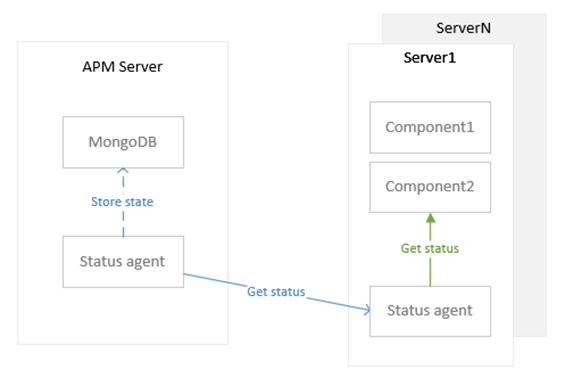
- PM Agent. Application installed on the servers of WorkFusion ecosystem that collects metrics from particular components and sends to a central Platform Monitor.
- Component Group. All components are logically subdivided into groups. Examples of groups: Control Tower, WorkSpace, OCR, RPA, Databases, Machine Learning (VDS). These groups hold number of smaller services.
- Component. Part of a service stack. Can be a single/multiple system processes, third-party service or WorkFusion applications.
- Incident. Representation of what is happening at the moment when component is not in healthy state.
- Alert. Internal object which is created when metric's value corresponds to preconfigured triggers (ex. “Response time” is large than 10 seconds). It is use to change components status and trigger arbitrary commands.
- Health Check. A periodic check of the WorkFusion components via API and shown on the Components page.
- Check. Periodic action which connects to some datasource and evaluates retrieved data. Each check usually generates a set of metrics.
- Metric. The measurement of some component's characteristic. Metrics can be retrieved via API in JSON format. When MongoDB is installed it is saved for plotting graphs.
- Datasource defines some source which can be used to retreive metrics or status with checks.
- Credential. User/password pairs to be used in checks.
- Command. Arbitrary (but pre-configured) action which can be executed via API or UI to manage WorkFusion components. All command results are saved in history for tracking purposes.
- Process. Managed RPA (Bot) process which is started by WorkFusion Agent and tracked for status (automatically restarted upon failure). Process lifecycle can be managed vi API or UI. When primary process is restarted, all child processes are terminated too.
- Notification (Email). Email notification of the Incidents via SMTP protocol.
- Bot. Single RPA entity able to execute Bot Tasks.
- Bot Relay. Local bots controller on the RPA Server instance where the Bots are deployed.
Dependencies
Platform Monitor consists of the following components:
- Platform Monitor application (JAR file)
- JRE 8 runtime
- MongoDB (optional) 3.x. It is required for the Platform Monitor to display metrics history
Metrics collection
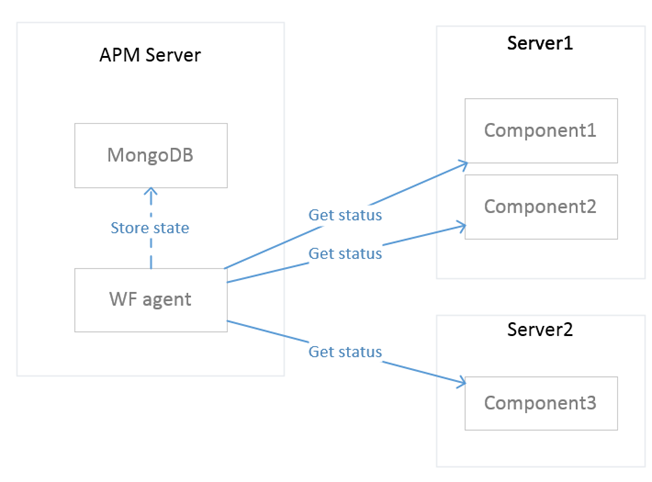
Remote. Platform Monitor collects metrics using HTTP, SQL, Mongo interfaces from components located on remote server.
Local. Platform Monitor is installed on each server and can collect metrics using the Command interface.