
Upgrade from v9.2.1.3 to v9.2.1.4
Prerequisites
- You have WorkFusion SPA 9.2.1.3 installed.
- All actions for the upgrade must be performed as <WF_USER>. The Root user is not required.
Preparation
To prepare the 9.2.1.4 service pack, on the APP server, run the following commands as <WF_USER>:
$ mkdir -pv <install_dir>/patches/patch_9.2.1.3-9.2.1.4
$ cd <install_dir>/patches/patch_9.2.1.3-9.2.1.4
$ curl -o 'patch_9.2.1.3-9.2.1.4.tar.gz' 'https://spa-releases.s3.amazonaws.com:443/9.2/9.2.1.4/patch_9.2.1.3-9.2.1.4.tar.gz?AWSAccessKeyId=AKIAIYJMMPKAN2MQSJWA&Expires=1631741445&Signature=f7SQYTK8W9oWrA%2B3OK6LQnGOYZ4%3D'

$ tar xzf patch_9.2.1.3-9.2.1.4.tar.gz
Upgrade
To upgrade, on the APP server, run the following command as <WF_USER>:
$ cd <install_dir>/patches/patch_9.2.1.3-9.2.1.4
$ ./patch_9.2.1.4.sh apply
Validate installation
To validate that you have installed the correct patch, see the following instructions.
To verify WorkSpace sandbox, do the following:
- On the APP server, go to the /opt/workfusion/workspace_sandbox/webapps/workspace-sandbox/WEB-INF/classes/ directory.
- Open file git.properties, and check the
git.build.versionandgit.commit.idproperties. The value ofgit.build.versionproperty must be 9.2.0.7.
To verify WorkSpace API sandbox, do the following:
- On the APP server, go to the /opt/workfusion/workspace_production/webapps/workspace/WEB-INF/classes/ directory.
- Open file git.properties, and check the
git.build.versionandgit.commit.idproperties. The value ofgit.build.versionproperty must be 9.2.0.7.
To verify that the CT static resources are cached:
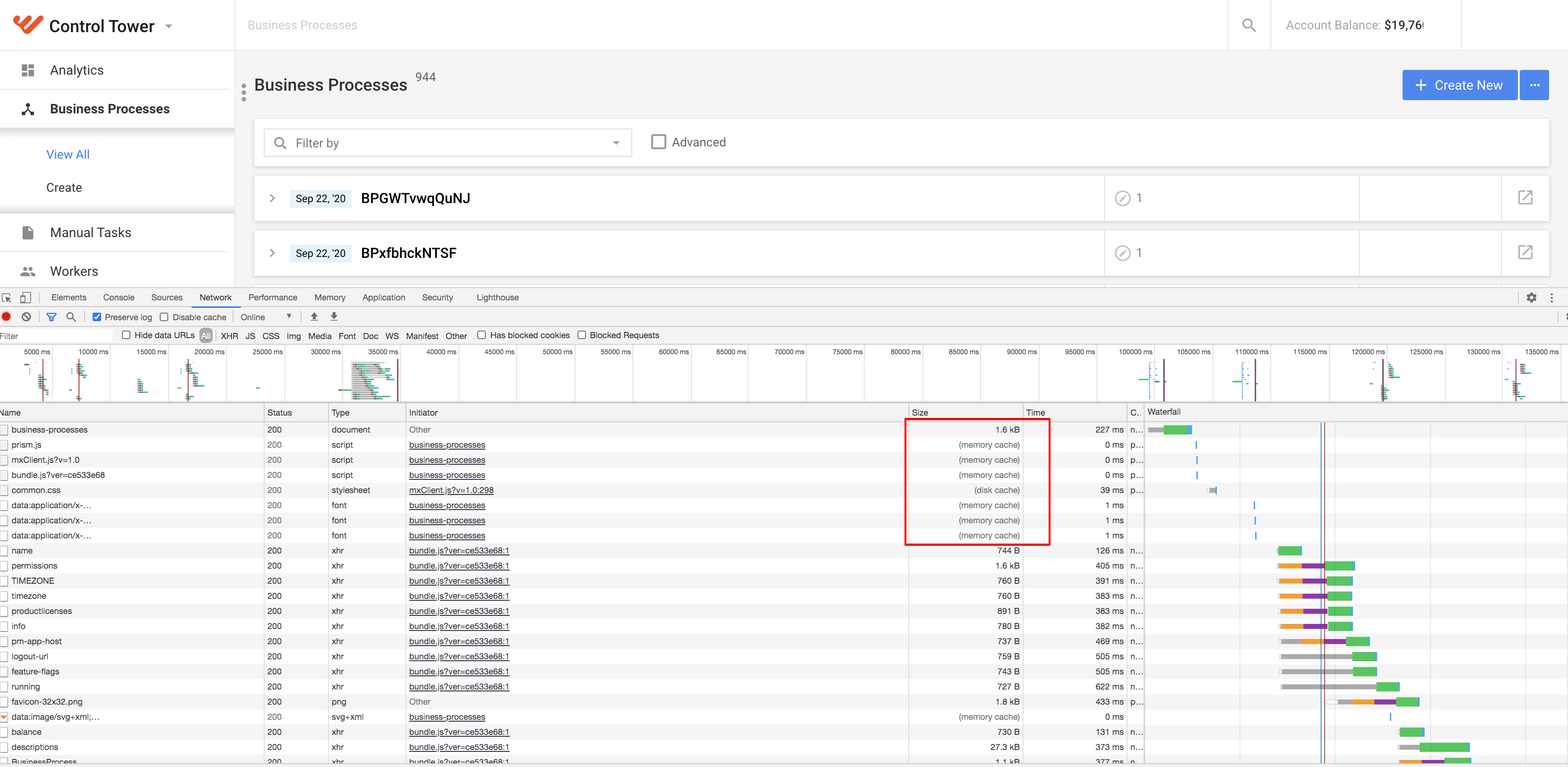
Open Control Tower in the Chrome browser, right-click the required page, and select Inspect. The development tools appear.
In the browser development tools, go to the Network tab, and check the Size column. The resources must be marked as "(disk cache)".
To verify that the WorkSpace static resources are cached:
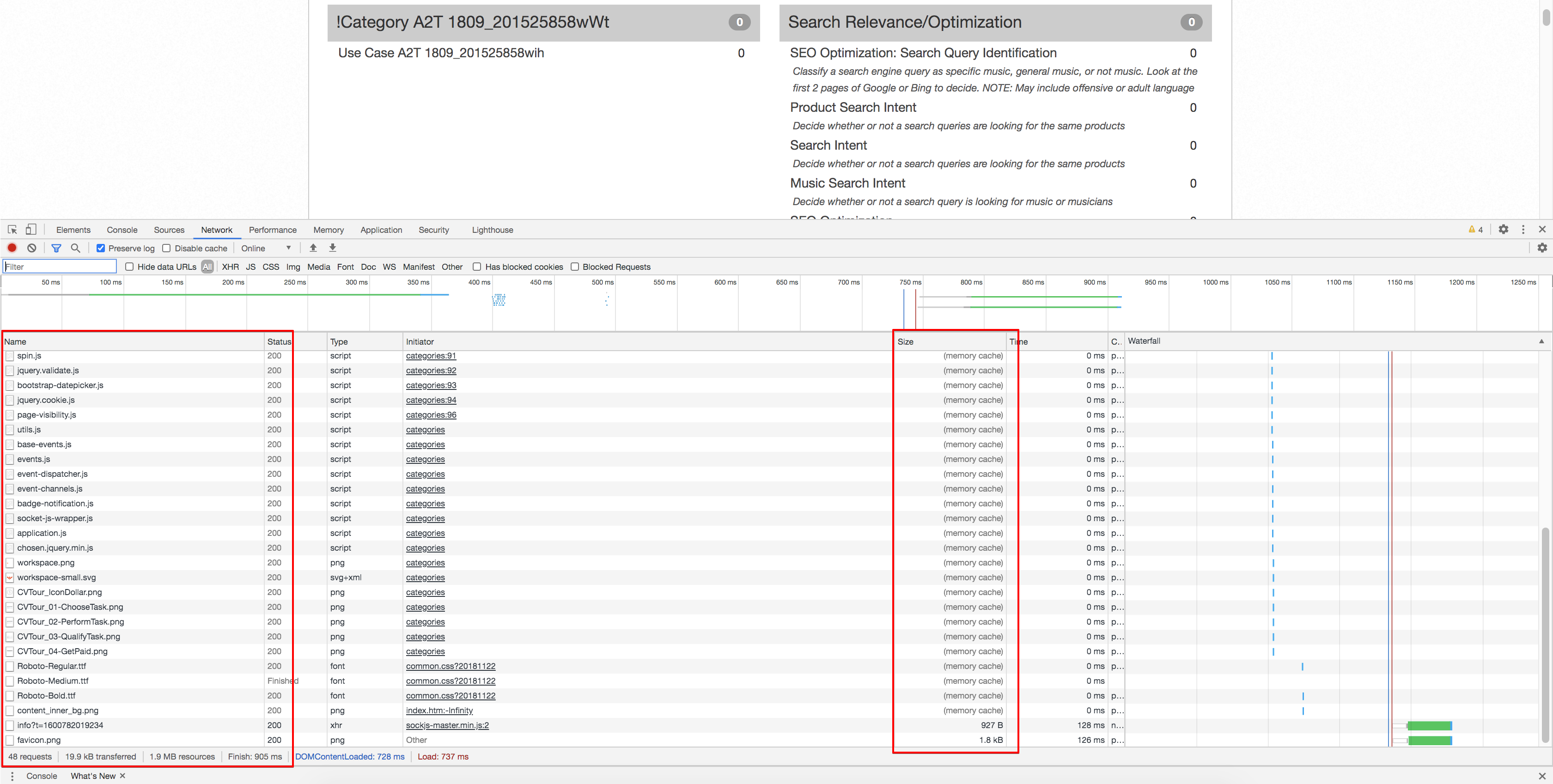
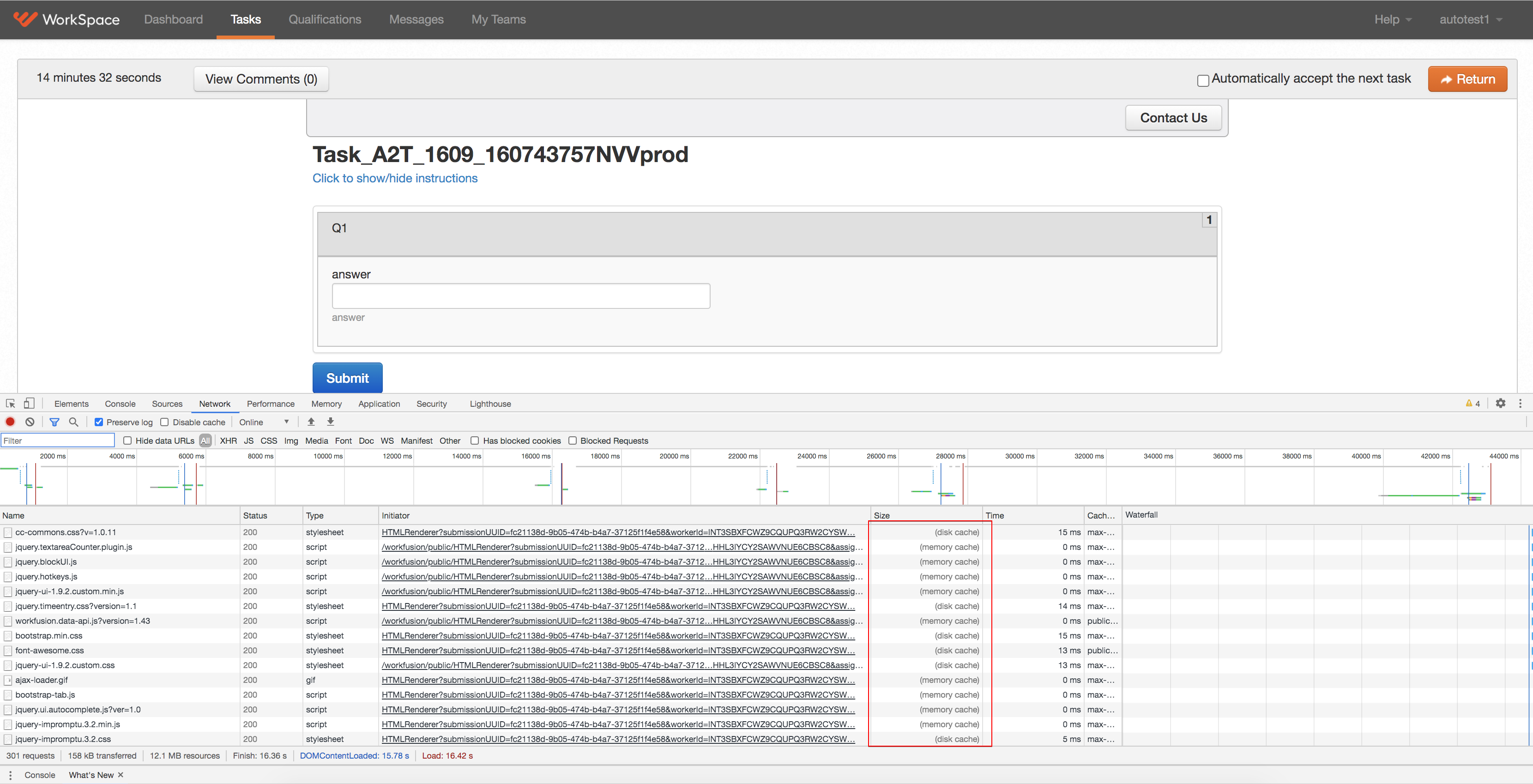
Open Workspace in the Chrome browser, right-click the required page, and select Inspect. The development tools appear.
In the browser development tools, go to the Network tab, and check the Size column. The resources must be marked as "(disk cache)".
Rollback
To roll the changes back, on the APP server, run the following command as <WF_USER>:
$ cd <install_dir>/patches/patch_9.2.1.3-9.2.1.4
$ ./patch_9.2.1.4.sh rollback
You will see a similar output:
Tue Sep 15 21:33:39 UTC 2020 Stopping service: nginx
nginx: stopped
Tue Sep 15 21:33:41 UTC 2020 Copying ./backup/nginx.conf_bak to /opt/workfusion/nginx/nginx.conf
Tue Sep 15 21:33:42 UTC 2020 Copying ./backup/workfusion.conf_bak to /opt/workfusion/nginx/app_apps.d/workfusion.conf
Tue Sep 15 21:33:43 UTC 2020 Copying ./backup/workspace-production.conf_bak to /opt/workfusion/nginx/app_apps.d/workspace-production.conf
Tue Sep 15 21:33:44 UTC 2020 Copying ./backup/workspace-sandbox.conf_bak to /opt/workfusion/nginx/app_apps.d/workspace-sandbox.conf
Tue Sep 15 21:33:45 UTC 2020 Starting service: nginx
nginx: started
Tue Sep 15 21:33:47 UTC 2020 Stopping service: workspace_production
workspace_production: stopped
Tue Sep 15 21:33:58 UTC 2020 Stopping service: workspace_sandbox
workspace_sandbox: stopped
Tue Sep 15 21:34:10 UTC 2020 Copying ./backup/workspace.war_bak to /opt/workfusion/workspace_production/webapps/workspace.war
Tue Sep 15 21:34:11 UTC 2020 Copying ./backup/workspace-api.war_bak to /opt/workfusion/workspace_production/webapps/workspace-api.war
Tue Sep 15 21:34:12 UTC 2020 Copying ./backup/workspace-sandbox.war_bak to /opt/workfusion/workspace_sandbox/webapps/workspace-sandbox.war
Tue Sep 15 21:34:13 UTC 2020 Copying ./backup/workspace-api-sandbox.war_bak to /opt/workfusion/workspace_sandbox/webapps/workspace-api-sandbox.war
Tue Sep 15 21:34:15 UTC 2020 Cleanup tomcat context dir: /opt/workfusion/workspace_production/webapps/workspace/
Tue Sep 15 21:34:16 UTC 2020 Cleanup tomcat context dir: /opt/workfusion/workspace_production/webapps/workspace-api/
Tue Sep 15 21:34:17 UTC 2020 Cleanup tomcat context dir: /opt/workfusion/workspace_sandbox/webapps/workspace-sandbox/
Tue Sep 15 21:34:18 UTC 2020 Cleanup tomcat context dir: /opt/workfusion/workspace_sandbox/webapps/workspace-api-sandbox/
Tue Sep 15 21:34:19 UTC 2020 Starting service: workspace_production
workspace_production: started
Tue Sep 15 21:34:21 UTC 2020 Starting service: workspace_sandbox
workspace_sandbox: started
Tue Sep 15 21:34:23 UTC 2020 Rollback complete. It might take Workspace about 5 minutes for startup.