
Database connection encryption
General
This document provides the guidelines on database connection encryption for MySQL, PostgreSQL, MongoDB using SSL certificates. SSL certificates solve two problems:
- Traffic encryption
- Verification of trust
The connection encryption configuration requires an SSL key pair for the services: MySQL, PostgreSQL, MongoDB. The authentication method is the classic login and password authentication through an SSL connection.
Document terms
Predefined common variables:
WorkFusion user: the default value is
wfuser.WorkFusion home directory: the default value is
/opt/workfusion.The guide also uses certificates located on the DB server in the
/nginx/sslfolder.User values should be entered whenever you see the
[ ]placeholder.
Application level encryption of data in transit
PostgreSQL
To configure the PostgreSQL server, perform the following steps:
SSH to the DB server and switch to
<WF_USER>, for instance:sudo su - wfuserCopy certificates to PostgreSQL data directory and make sure the permissions for the files are set to 600.
cp /opt/workfusion/nginx/ssl/db.key /opt/workfusion/postgres/data/server.key
cp /opt/workfusion/nginx/ssl/db.crt /opt/workfusion/postgres/data/server.crt
cp /opt/workfusion/nginx/ssl/ca.crt /opt/workfusion/postgres/data/root.crt


chmod 600 /opt/workfusion/postgres/data/server.key
chmod 600 /opt/workfusion/postgres/data/server.crt
chmod 600 /opt/workfusion/postgres/data/root.crt
Enable SSL support in PostgreSQL config files.
- Find the string in
/opt/workfusion/postgres/data/postgresql.conf.
#ssl = offMake sure it's uncommented. Remove the ## sign at the beginning of the line and change "off" to "on" as shown below.
ssl = on- Find string in
/opt/workfusion/postgres/data/pg_hba.conf.
host all all 0.0.0.0/0 md5- Replace it with:
hostssl all all 0.0.0.0/0 md5- Find the string in
Restart PostgreSQL
wfmanager restart postgresqlModify mysql_server foreign server settings (foreign data wrapper for mysql). Specify $workfusion_analytics_user username and path to root certificate.
psql -U analytics -d wf_datastore -c "alter server mysql_server OPTIONS (ssl_ca '/opt/workfusion/postgres/data/root.crt');""...-U analytics..." - default $workfusion_analytics_user username
Connect without SSL from APP Server.
- SSH to the APP server and switch to <WF_USER>
- Execute the following:
psql "sslmode=disable host=[db_hostname]"Because we disabled non-ssl connections, we should get following error:
psql: FATAL: no pg_hba.conf entry for host " dbhost_ip_adress ", user "wfuser", database "wfuser", SSL off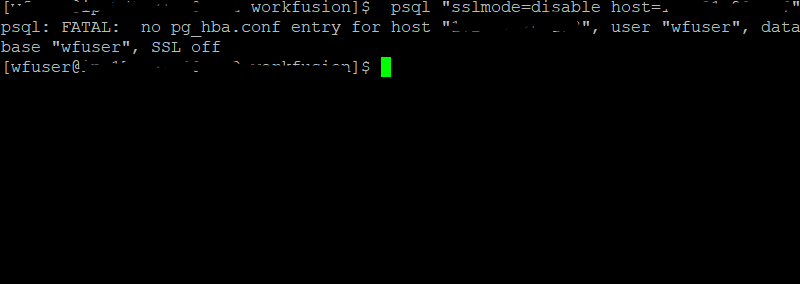
Connect with SSL from APP Server:
psql "sslmode=require host=[db_hostname] dbname=wf_datastore" -U [workfusion]where [workfusion] is a workfusion_datastore_user of PostgreSQL DB.
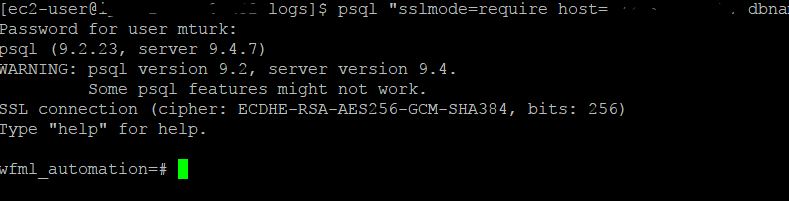
Now, the serverside SSL configuration for postgresql is completed.
MySQL
To configure MySQL server, do as follows:
SSH to DB server and switch to <WF_USER>, e.g.
sudo su - wfuserCopy certificates to mysql directory.
cp -r /opt/workfusion/nginx/ssl /opt/workfusion/mysqlAdd following strings in the mysql configuration
/opt/workfusion/mysql/usr/my.cnf.[mysqld] require_secure_transport=ON ssl-ca=/opt/workfusion/mysql/ssl/ca.crt ssl-cert=/opt/workfusion/mysql/ssl/db.crt ssl-key=/opt/workfusion/mysql/ssl/db.keyRestart MySQL.
wfmanager restart mysql
Connect to MySQL with ssl from APP Server
- SSH to the APP server and switch to <WF_USER>
- Execute the following:
mysql -h [db_hostname] -u [workfusion] -p --ssl
MySQL [(none)]> status;
SSL: Cipher in use is DHE-RSA-AES256-SHA
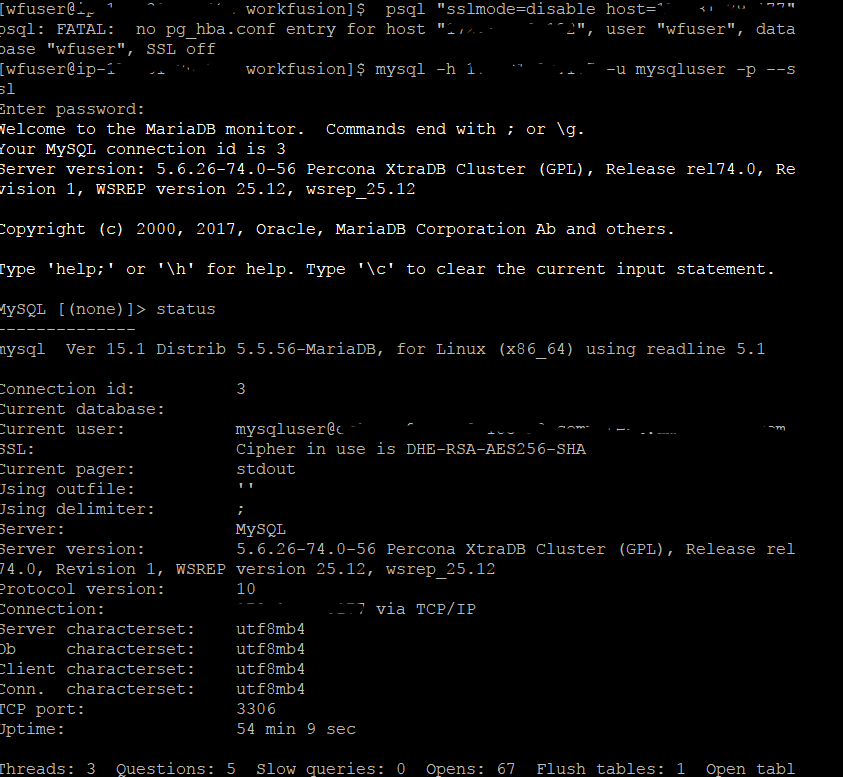
SSL for MySQL is successfully configured.
MongoDB
Unfortunately, in versions 9.0.x-9.2.x rpa-manager and OCR applications are unable to establish connection with MONGODB via SSL
Do not perform section below until fixed rpa-manager and OCR applications are out Section below describes how to configure mongodb server to use SSL
To configure MongoDB server, perform the following steps:
SSH to DB server and switch to <WF_USER>, e.g.
sudo su - wfuserMongoDB uses only one file that holds certificate and serverkey:
cd /opt/workfusion/mongodb/etc
cat /opt/workfusion/nginx/ssl/db.key /opt/workfusion/nginx/ssl/db.crt > /opt/workfusion/mongodb/etc/db.pem
Add the following section to MongoDB configuration in file
/opt/workfusion/mongodb_db/etc/mongodb.confto enable ssl support.net: ssl: mode: requireSSL PEMKeyFile: /opt/workfusion/mongodb/etc/db.pemRestart MongoDB.
wfmanager restart mongodb
Check that ssl works:
- SSH to the APP server and switch to <WF_USER>
- Execute the following:
mongo --ssl --sslAllowInvalidCertificates --host [db_hostname]:27016
WorkFusion settings
The following steps should be performed on DB server.
Fill in the next variables and execute in shell:
export DB_HOSTNAME=< YOUR_DB_SERVER_HOSTNAME_HERE>
export MYSQL_PORT=<YOUR_MYSQL_PORT_HERE>
export POSTGRESQL_PORT=<YOUR_POSTGRESQL_PORT_HERE>
Create a file with ssl properties that will be uploaded to VAULT with
loader.sh.cd /opt/workfusion/wf-sec-storage/ cat << EOF > /opt/workfusion/wf-sec-storage/config-ssl.properties mturkds.database.url=jdbc:mysql://$DB_HOSTNAME:$MYSQL_PORT/wfdb?noAccessToProcedureBodies=true&useLegacyDatetimeCode=false&noAccessToProcedureBodies=true&serverTimezone=UTC&rewriteBatchedStatements=true&failOverReadOnly=false&verifyServerCertificate=false&useSSL=true wf.datastore.database.url=jdbc:postgresql://$DB_HOSTNAME:$POSTGRESQL_PORT/wf_datastore?targetServerType=master&sslmode=require&ssl=true&sslfactory=org.postgresql.ssl.NonValidatingFactory tableau.db.url=jdbc:postgresql://$DB_HOSTNAME:$POSTGRESQL_PORT/wfml_automation?targetServerType=master&sslmode=require&ssl=true&sslfactory=org.postgresql.ssl.NonValidatingFactory EOF ./loader.sh workfusion config-ssl.properties
The following steps should be performed on APP server.
Change the datasource URL in
/opt/workfusion/wfbi/conf/Catalina/localhost/service-wfbi.xml.url="jdbc:postgresql://db_hostname:postgresql_port/wfml_automation?targetServerType=master&useSSL=true&sslmode=require&ssl=true"Change the datasource URL in
/opt/workfusion/workspace_sandbox/conf/workspace-sandbox.properties.dataSource.url=jdbc:postgresql://hostname:port/virtualizer_sandbox?targetServerType=master&sslmode=require&ssl=trueChange the datasource URL in
/opt/workfusion/workspace_production/conf/workspace.properties.dataSource.url=jdbc:postgresql://hostname:port/virtualizer?targetServerType=master&&sslmode=require&ssl=trueChange the datasource URL in
/opt/workfusion/sqc/conf/Catalina/localhost/sqc-rest.xml.url="jdbc:mysql://db_hostname:mysql_port/sqc?useLegacyDatetimeCode=false&serverTimezone=UTC&rewriteBatchedStatements=true&autoReconnect=true&useSSL=true"Restart Workfusion applications on APP server
wfmanager restart all
Following steps should be performed on BI server:
If you are using the Tableau desktop, in the PostreSQL settings, select Require SSL. If you do not use Tableau desktop, this step is optional.
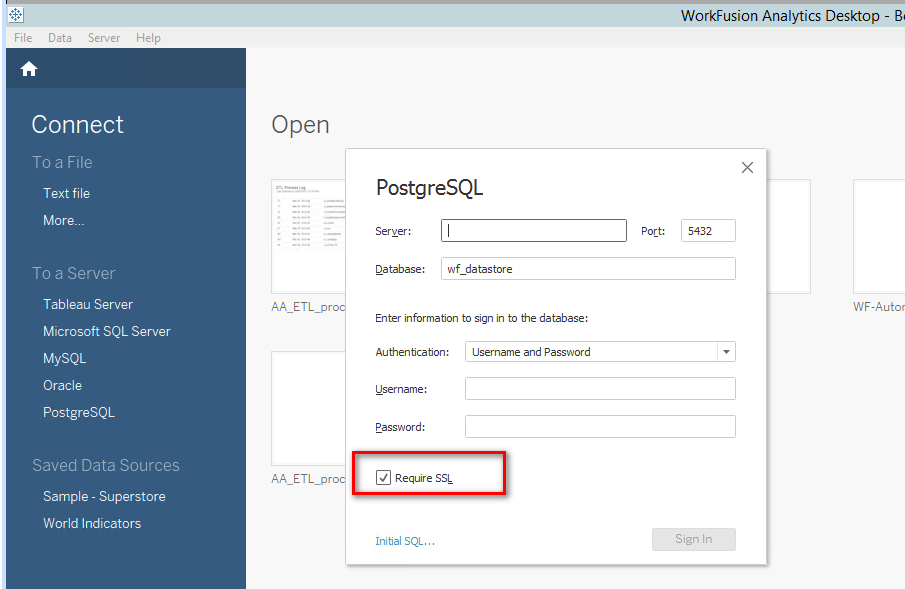
Download a workbook from the Tableau server to the machine with the installed Tableau desktop.
Open the Tableau desktop.
Go to datasources, and then edit the connection for all of them.
Publish workbook on the server.
important
The APM Server can display the MySQL Major Outage alert, if SSL is disabled.
To enable the SSL:
On the DB server, browse to the wfagent/settings directory, and run the following command:
cat mysql.yml | grep -i sslFind the following line:
url: "jdbc:mysql://%mysql_hostname%:%mysql_port%/%mysql_db%?characterEncoding=UTF-8&autoReconnect=true&useSSL=true"Set the value to "true", if it is not already.
Restart the wfagent service:
wfmanger restart wfagent