
Database connection encryption
This document provides the guidelines on database connection encryption for MySQL, PostgreSQL, MongoDB using SSL certificates. SSL certificates solve two problems:
- Traffic encryption
- Verification of trust
The connection encryption configuration requires an SSL key pair for the services: MySQL, PostgreSQL, MongoDB. The authentication method is the classic login and password authentication through an SSL connection.
Terms
Predefined common variables:
WorkFusion user: the default value is
wfuser.WorkFusion home directory: the default value is
/opt/workfusion.The guide also uses certificates located on the DB server in the
/nginx/sslfolder.User values should be entered whenever you see the
[ ]placeholder.
Application-level encryption of data in transit
PostgreSQL
To configure the PostgreSQL server, SSH to the DB server and switch to <WF_USER>, for instance:
sudo su - wfuser
Copy certificates to the PostgreSQL data directory and make sure the permissions for the files are set to 600.
cp /opt/workfusion/nginx/ssl/db.key /opt/workfusion/postgres/data/server.key
cp /opt/workfusion/nginx/ssl/db.crt /opt/workfusion/postgres/data/server.crt
cp /opt/workfusion/nginx/ssl/ca.crt /opt/workfusion/postgres/data/root.crt


chmod 600 /opt/workfusion/postgres/data/server.key
chmod 600 /opt/workfusion/postgres/data/server.crt
chmod 600 /opt/workfusion/postgres/data/root.crt
Enable SSL support in PostgreSQL config files:
Find the string in
/opt/workfusion/postgres/data/postgresql.conf:#ssl = offMake sure it's un-commented. If needed, remove the
##sign at the beginning of the line. Then, changeofftoon, as shown below:ssl = onFind the string in
/opt/workfusion/postgres/data/pg_hba.conf:host all all 0.0.0.0/0 md5Replace it with the following:
hostssl all all 0.0.0.0/0 md5Restart PostgreSQL
wfmanager restart postgresql
Modify the mysql_server foreign server settings (foreign data wrapper for MySQL). Specify the $workfusion_analytics_user username and path to the root certificate.
psql -U analytics -d wf_datastore -c "alter server mysql_server OPTIONS (ssl_ca '/opt/workfusion/postgres/data/root.crt');"
...-U analytics... is the default $workfusion_analytics_user username.
Try to connect without SSL from the APP Server:
SSH to the APP server and switch to
<WF_USER>.Execute the following:
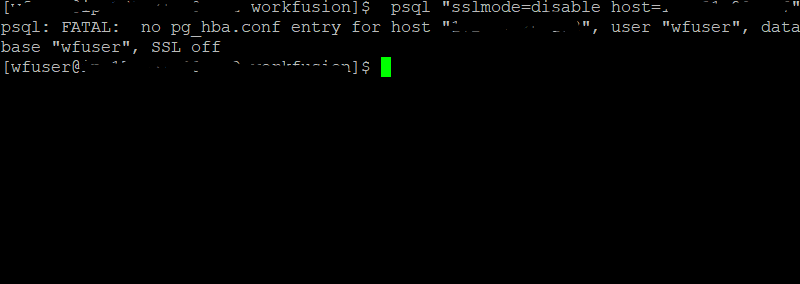
psql "sslmode=disable host=[db_hostname]"
Because non-SLL connections are disabled, you should get the following error:
psql: FATAL: no pg_hba.conf entry for host " dbhost_ip_adress ", user "wfuser", database "wfuser", SSL off
Try to connect with SSL from the APP Server:
psql "sslmode=require host=[db_hostname] dbname=wf_datastore" -U [workfusion]
where [workfusion] is the workfusion_datastore_user of the PostgreSQL DB.
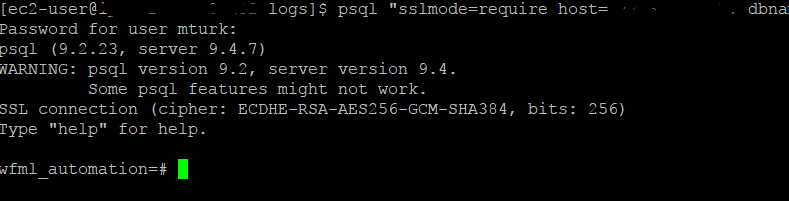
It’s ok now. The server-side SSL configuration for PostgeSQL is completed.
MySQL
MySQL server configuration
SSH to the DB server and switch to <WF_USER>, for instance:
sudo su - wfuser
Copy certificates to the mysql directory:
cp -r /opt/workfusion/nginx/ssl /opt/workfusion/mysql
Add the following strings in the MySQL configuration at /opt/workfusion/mysql/usr/my.cnf.
[mysqld]
require_secure_transport=ON
ssl-ca=/opt/workfusion/mysql/ssl/ca.crt
ssl-cert=/opt/workfusion/mysql/ssl/db.crt
ssl-key=/opt/workfusion/mysql/ssl/db.key
Restart MySQL
wfmanager restart mysql
Connect to MySQL with SSL from the APP Server:
- SSH to the APP server and switch to
<WF_USER>. - Execute the following:
mysql -h [db_hostname] -u [workfusion] -p --ssl
MySQL [(none)]> status;
SSL: Cipher in use is DHE-RSA-AES256-SHA
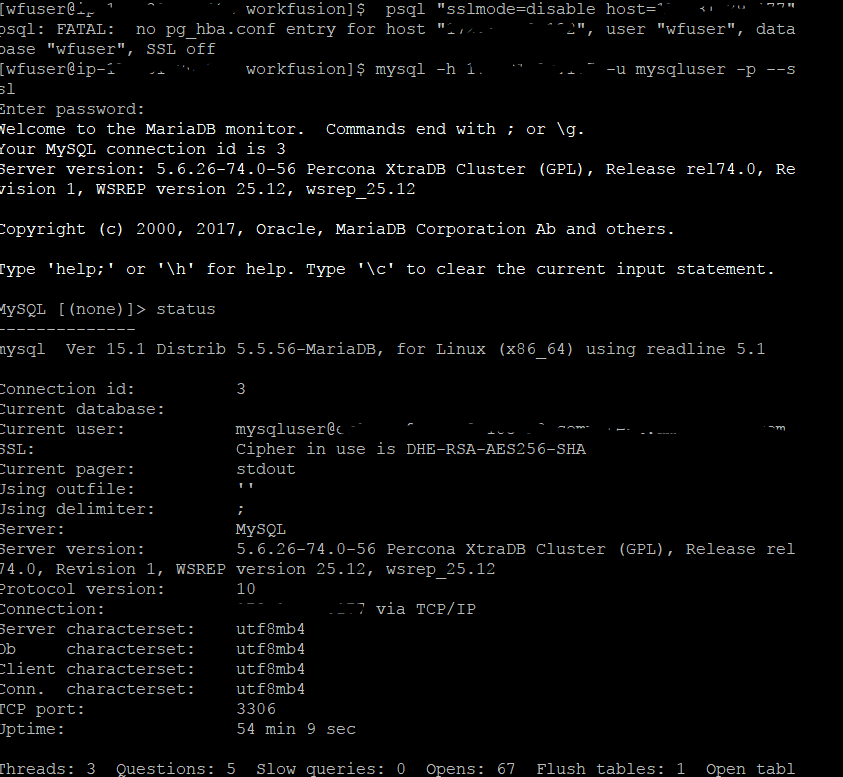
As we can see, SSL for MySQL was successfully configured.
MongoDB
Unfortunately, in 9.0.x-9.2.x versions, the rpa-manager and OCR applications are unable to establish a connection with MongoDB via SSL.
note
Do not perform the steps below until fixed rpa-manager and OCR applications are out.
To configure the MongoBD server to use SSL, follow the steps:
SSH to DB server and switch to
<WF_USER>, for instance:sudo su - wfuserMongoDB uses only one file that holds a certificate and server key.
cd /opt/workfusion/mongodb/etc
cat /opt/workfusion/nginx/ssl/db.key /opt/workfusion/nginx/ssl/db.crt > /opt/workfusion/mongodb/etc/db.pem
Add the following section to the MongoDB configuration in
/opt/workfusion/mongodb_db/etc/mongodb.confto enable SSL support:net: ssl: mode: requireSSL PEMKeyFile: /opt/workfusion/mongodb/etc/db.pemRestart MongoDB:
wfmanager restart mongodbCheck that SSL works:
SSH to the APP server and switch to
<WF_USER>.Execute the following:
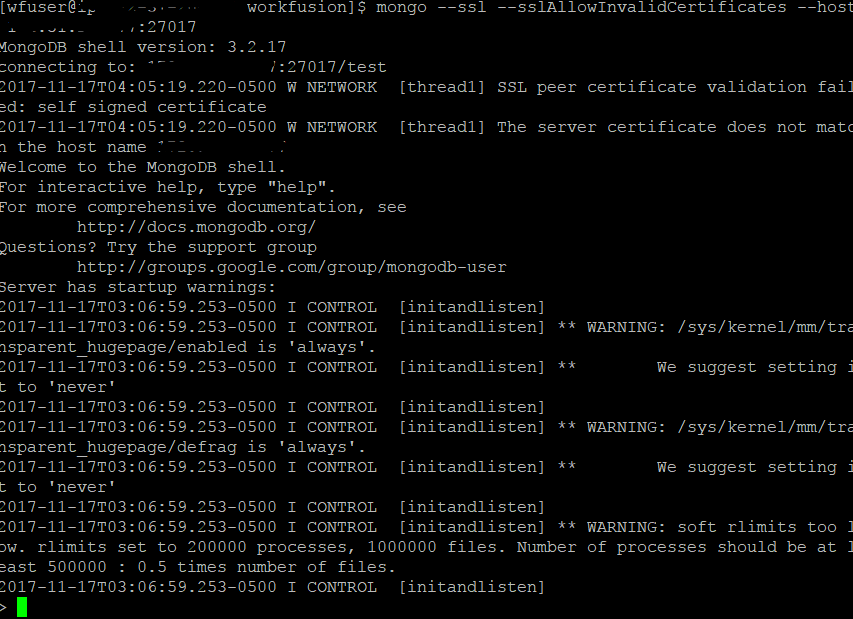
mongo --ssl --sslAllowInvalidCertificates --host [db_hostname]:27016
You should see the following result:
WorkFusion settings
On the DB server, fill in the following variables and execute in shell:
export DB_HOSTNAME=< YOUR_DB_SERVER_HOSTNAME_HERE>
export MYSQL_PORT=<YOUR_MYSQL_PORT_HERE>
export POSTGRESQL_PORT=<YOUR_POSTGRESQL_PORT_HERE>
The following commands create a file with SSL properties, and the file is uploaded to the VAULT with loader.sh:
cd /opt/workfusion/wf-sec-storage/

cat << EOF > /opt/workfusion/wf-sec-storage/config-ssl.properties
mturkds.database.url=jdbc:mysql://$DB_HOSTNAME:$MYSQL_PORT/wfdb?noAccessToProcedureBodies=true&useLegacyDatetimeCode=false&noAccessToProcedureBodies=true&serverTimezone=UTC&rewriteBatchedStatements=true&failOverReadOnly=false&verifyServerCertificate=false&useSSL=true
wf.datastore.database.url=jdbc:postgresql://$DB_HOSTNAME:$POSTGRESQL_PORT/wf_datastore?targetServerType=master&sslmode=require&ssl=true&sslfactory=org.postgresql.ssl.NonValidatingFactory
tableau.db.url=jdbc:postgresql://$DB_HOSTNAME:$POSTGRESQL_PORT/wfml_automation?targetServerType=master&sslmode=require&ssl=true&sslfactory=org.postgresql.ssl.NonValidatingFactory
EOF
./loader.sh workfusion config-ssl.properties
On the APP server, do the following:
Change the data source URL in
/opt/workfusion/wfbi/conf/Catalina/localhost/service-wfbi.xml.url="jdbc:postgresql://db_hostname:postgresql_port/wfml_automation?targetServerType=master&useSSL=true&sslmode=require&ssl=true"Change the data source URL in
/opt/workfusion/workspace_sandbox/conf/workspace-sandbox.properties.dataSource.url=jdbc:postgresql://hostname:port/virtualizer_sandbox?targetServerType=master&sslmode=require&ssl=trueChange the data source URL in
/opt/workfusion/workspace_production/conf/workspace.properties.dataSource.url=jdbc:postgresql://hostname:port/virtualizer?targetServerType=master&&sslmode=require&ssl=trueChange the data source URL in
/opt/workfusion/sqc/conf/Catalina/localhost/sqc-rest.xml.url="jdbc:mysql://db_hostname:mysql_port/sqc?useLegacyDatetimeCode=false&serverTimezone=UTC&rewriteBatchedStatements=true&autoReconnect=true&useSSL=true"Restart WorkFusion applications on the APP server:
wfmanager restart all
note
The APM Server can display the MySQL Major Outage alert, if SSL is disabled.
To enable SSL:
On the DB server, browse to the
wfagent/settingsdirectory and run the following command:cat mysql.yml | grep -i sslFind the following line:
url: "jdbc:mysql://%mysql_hostname%:%mysql_port%/%mysql_db%?characterEncoding=UTF-8&autoReconnect=true&useSSL=true"Set the value to
trueif it is not set yet.Restart the wfagent service:
wfmanger restart wfagent