Review PDF content
The article contains instructions on customizing legacy Manual Task designs via Code Editor to enable the PDF content review.
Use case: you need to review the content of a PDF file and fill some fields in a Manual Task.
To review PDF files out of the box, perform the following steps:
Create a Manual Task.
Go to the Design tab and select Code Editor.
Find the following part of the code:
<div class="place">
     <@answers question=question/>
</div>
Replace it with the following code:
<div class="place">
   <div>
        <object data="${question.data.pdf_link?replace('http://','https://')}" width="100%" height="400" type="application/pdf">
            <embed src="${question.data.pdf_link?replace('http://','https://')}" type="application/pdf" />
        </object>
   </div>
   <div>
        <@answers question=question/>
   </div>
</div>
The expected result (example) looks as follows.
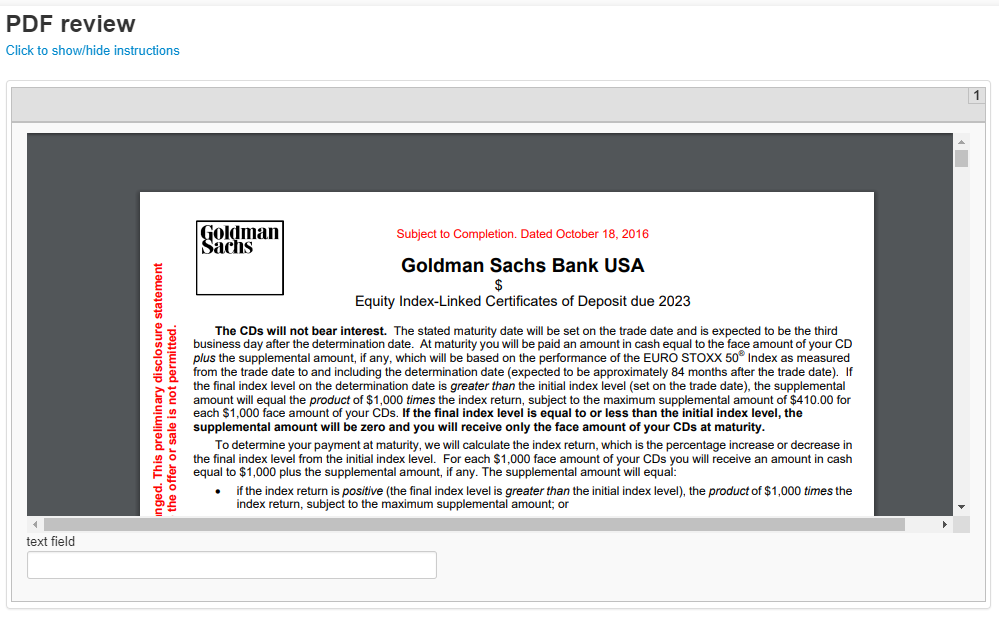
The PDF viewer itself is as follows:
<object data="${question.data.pdf_link?replace('http://','https://')}" width="100%" height="400" type="application/pdf">
    <embed src="${question.data.pdf_link?replace('http://','https://')}" type="application/pdf" />
</object>
You can also use an iframe instead of object and embed.
<iframe src="${question.data.pdf_link?replace('http://','https://')}" width="100%" height="800"></iframe>
It uses the pdf_link input field. You can also change its width and height, but remember that it only works for PDF files.