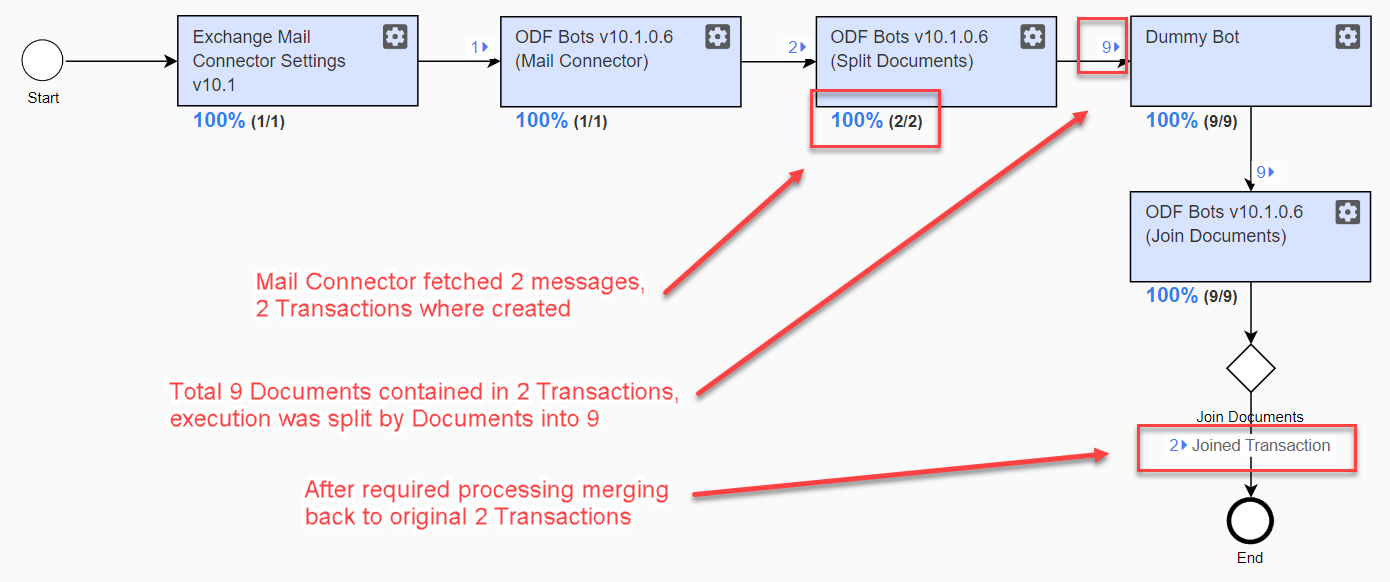
Documents Split-Join
Introduction
In some cases, transaction documents need to be processed individually, for example, for ML processing or to ensure I/O operations reliability, and so on. Once all documents are processed, they are joined back into the transaction.
How it works
Split-Join is a part of the standard Intake framework and is available out of the box. A transaction is split into documents and _sys_doc_id is exported from the Split Documents step. This identifier can then be used in subsequent steps.
Keep the Business Process flow between Split Documents and Join Documents Bot Task steps linear. For example, ensure there is a single transition from step to step. Otherwise, Join may not work correctly.
If you need to include forks in the logic, wrap each Bot Task code with the pool plugin. This guarantees synchronization between parallel transaction changes.
How to use
Import the Split Documents configuration.
Add your processing logic after it.
Import the Join Documents configuration.
Configure the Join Documents rule in Rule editor.
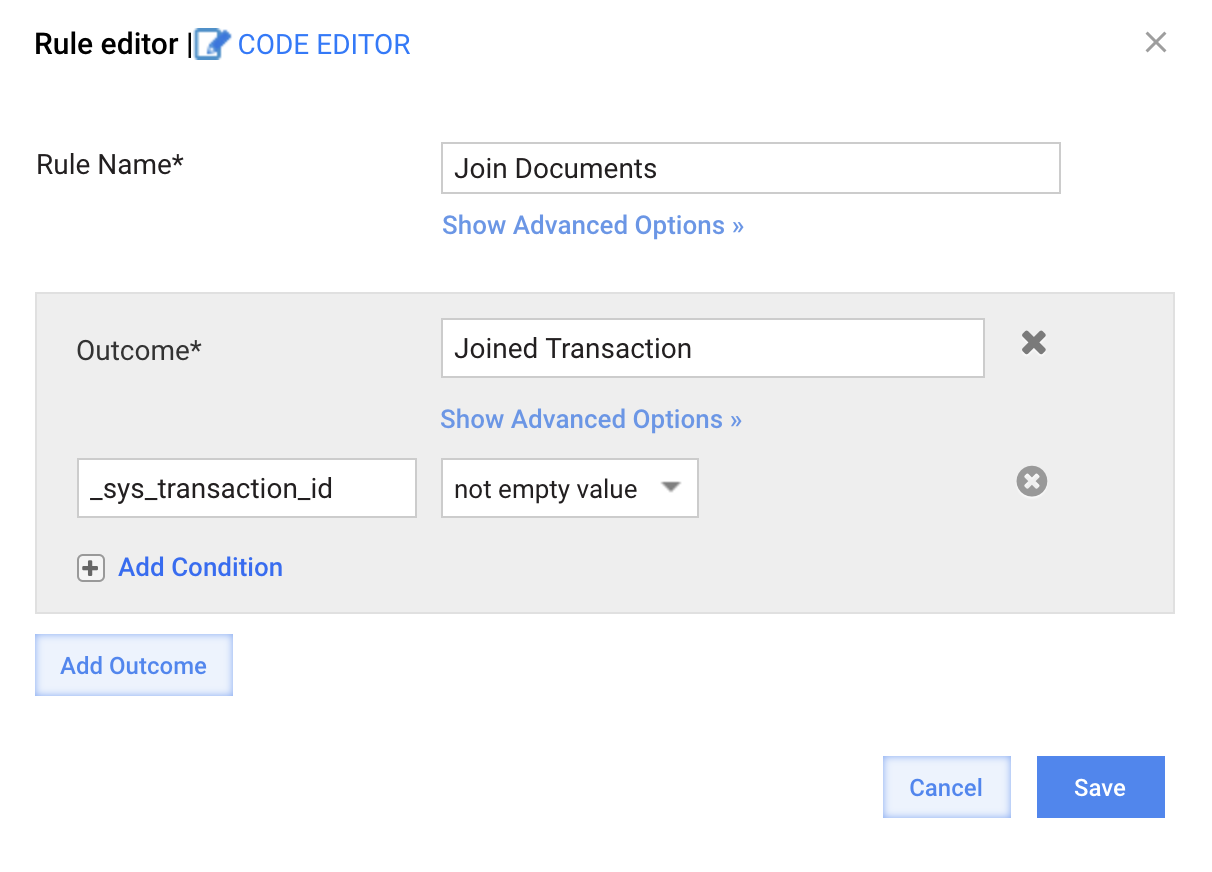
Import the Join Documents rule.