Transaction Wait
High-level description
The Transaction wait component defines the step of waiting until all transactions within the same Business Process instance are completed. The wait component itself is depicted below in the red rectangle.

Transaction wait consists of two steps:
- Wait for All Transactions Bot Config: TransactionWait on the screenshot
- Is completed rule
The Wait for All Transactions Bot Config step expects input data with the _sys_transaction_id column that identifies the transaction in the _odf_transactions Data Store.
Preconditions
Make sure the _odf_transactions_status Data Store exists on the target Control Tower and has the following columns:
transaction_idbp_run_idstatus
How to use
Provide the step that exports the
sys_transaction_idcolumn. This step must precede the Wait for All Transactions component step (see the picture above).Go to the side panel on the right, open the Bot tab, click Other, and search for the Wait for All Transactions Bot Config from the ODF Bots BCB.
Create the Is completed rule. Add the
_sys_transaction_idscolumn with the is not empty condition. The rule should look as follows: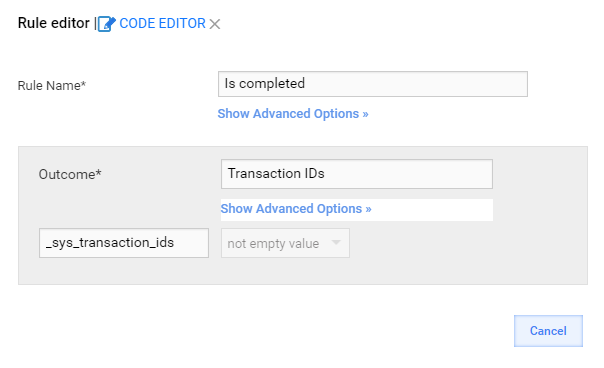
How it works
Transactions are now grouped by the Business Process run ID column, that is the bp_run_id.
- Each incoming data row is treated as a transaction row: the
sys_transaction_idcolumn is used. - The Wait for All Transactions component counts how many transactions exist with the current Business Process run ID in the _odf_transactions and odf_transactions_status Data Stores.
- If the count difference is less than or equal to "1", the
_sys_transaction_idscolumn is created and exported (the columns represent a comma-delimited list of transaction IDs within the current Business Process run ID). Otherwise, the empty_sys_transaction_idscolumn is exported.
Only transactions with the non-empty _sys_transaction_ids export column are passed through the Is completed rule.