Validate Business Process
Before validating a Business Process (BP), make sure the BP meets the following requirements:
- The BP must contain the Start and End elements.
- The BP must include at least one task element.
- If all Records should move from one step to another without any conditions, connect these steps directly without a decision rule.
- All flow elements must have a name and parameters set.
- The Start element must have an outgoing connection.
- The End element must have at least one incoming connection.
- A task, rule, or sub-process should have at least one incoming and one outgoing connection.
- All BP tasks must use valid column values from the input data file. If the BP includes a Manual Task designed with legacy Task Designer, make sure to use valid Answer codes from preceding elements.
Start validation
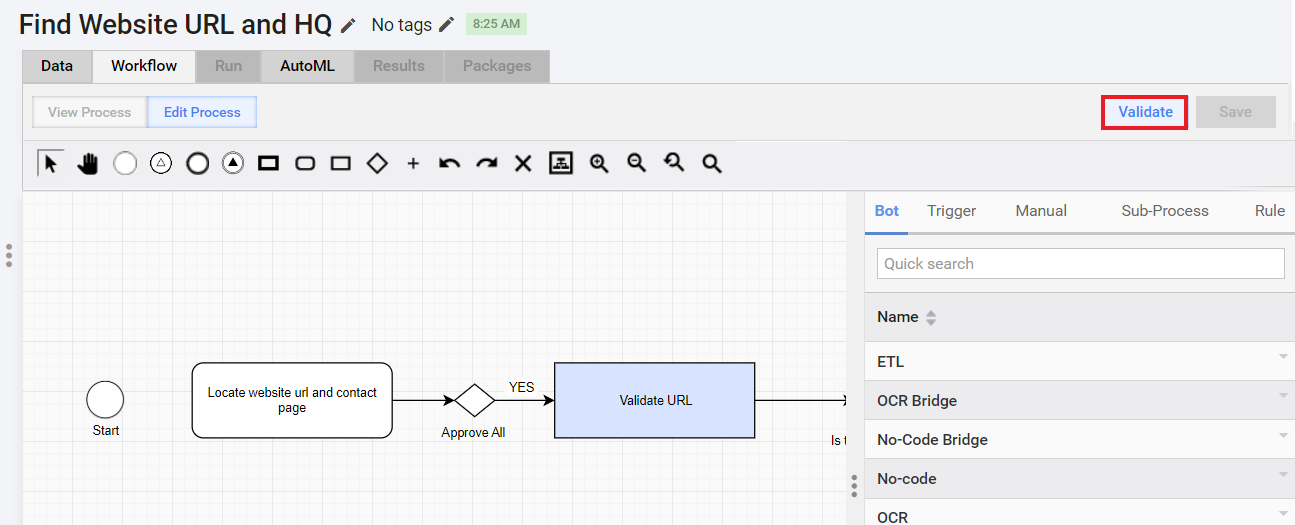
Once you designed and checked the BP against the above requirements, click the Validate button.
note
For validating a schema-based BP and contracts, refer to Configure input and output contracts in Business Process steps.
Investigate validation errors
If a BP validation detects errors, warning messages are displayed above the toolbar.
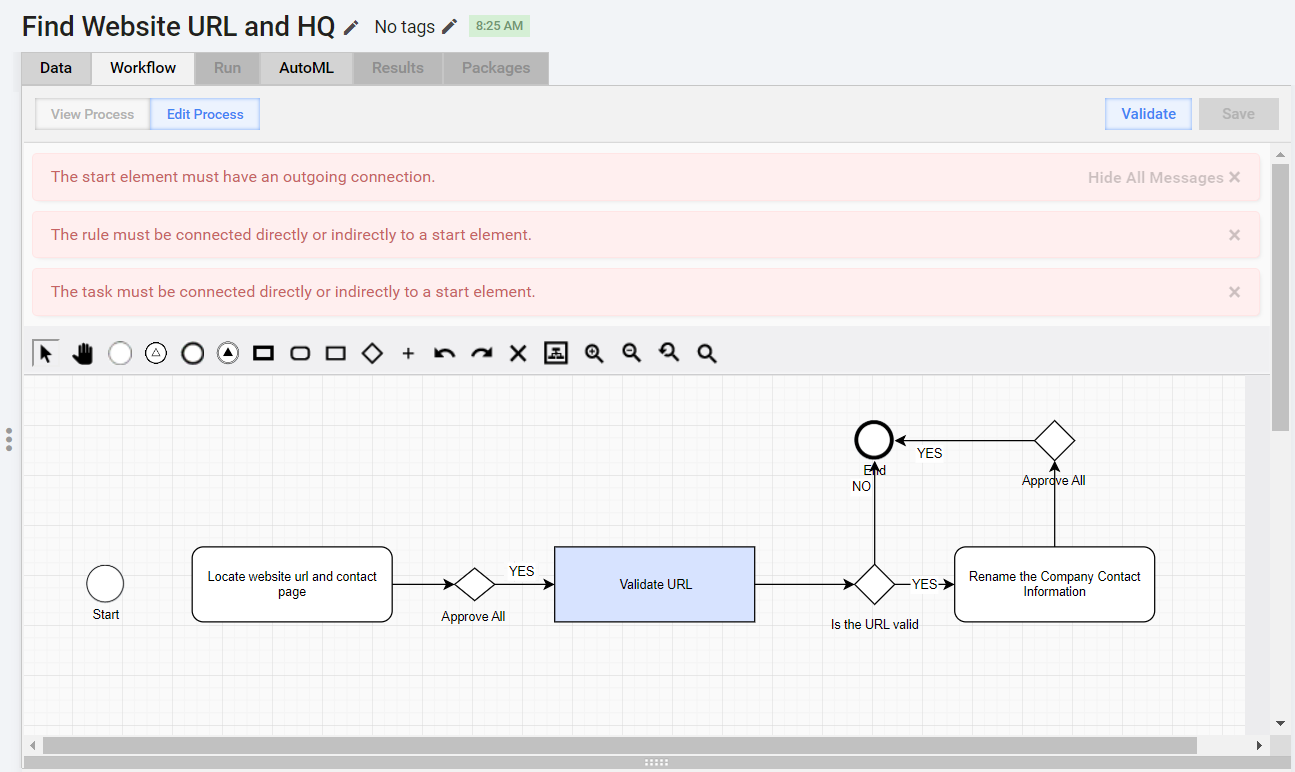
Click the error messages one by one. The BP steps or connections associated with the errors are highlighted in red:
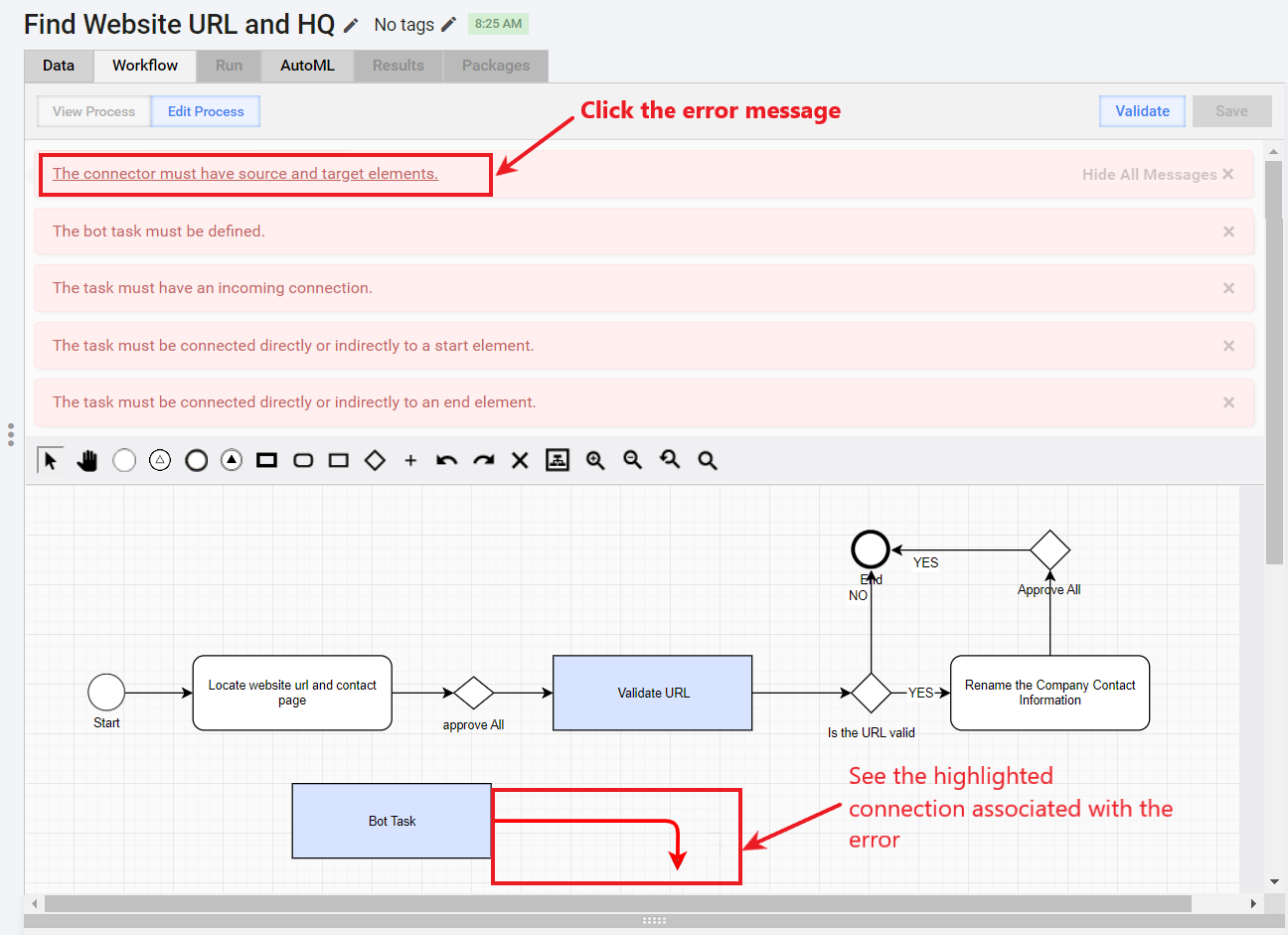
Depending on the shown error, you can proceed in one of the following ways to fix the errors:
- Reconnect: drag the incoming or outgoing connection. For details, see the Add connections guide.
- Define: give a name to the appropriate task, set the design, parameters, and save the task.
- Delete