Configure input and output contracts in Business Process steps
A contract defines the input and output of a BP element, such as a bot step, connector, Manual Task, Model step, and so on. Only Business Processes of the schema-based design require setting up contracts.
Schema-based Business Processes are listed on the same page as other BPs. You can see an appropriate icon next to their names:
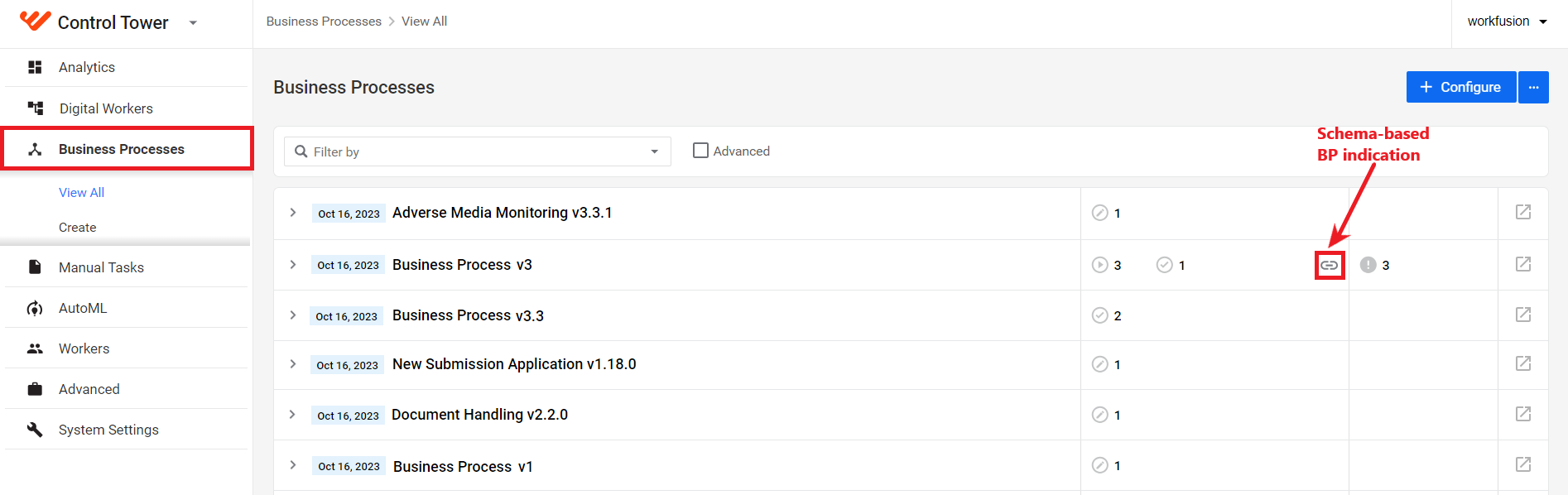
The same icon is displayed next to the BP name and schema-based steps on the BP Workflow tab.

Two types of contracts are available in a schema-based BP:
- An input contract defines a set of fields required as input and their types. Only the fields listed in the input contract appear in the step's input data.
- An output contract defines a set of fields produced by the step and their types.
View step contracts
To view the contracts with mapping for a step in a BP, follow the steps below:
Open a schema-based BP instance by clicking it in the Business Processes list.
Navigate to the Workflow tab, find the required bot step within the flow, and double-click it to open the configuration panel.
Go to the Input / Output tab.
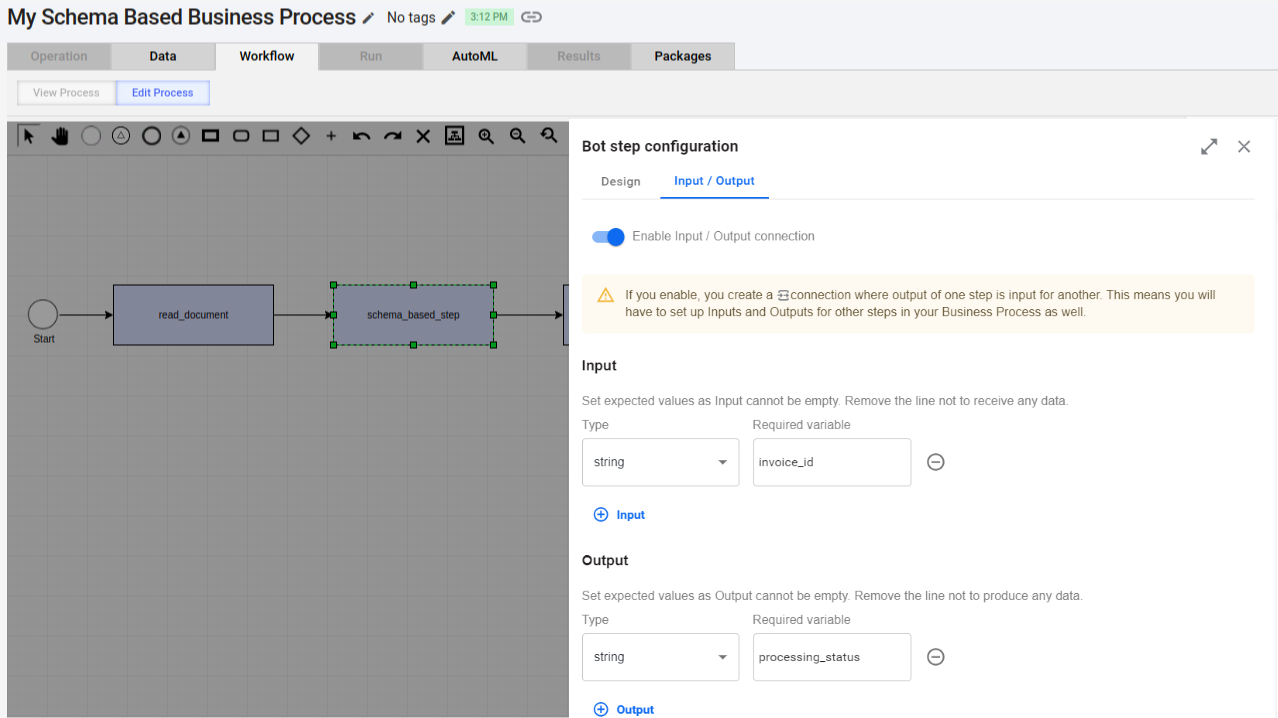
The figure above shows that the bot input contract refers to the invoice_id field, and the bot output contract points to the processing_status field.
To see the contract mapping, move the pointer to the right of the Required variable field and click Show mapping.

The mapping appears next to Required variable:

If the mapping is not needed, both columns have the same value.

To hide the mapping for a field, click Hide mapping, shown if you move the pointer to the right of the fields with variables.
Add and update contracts for schemaless steps
On the Input / Output tab, you can also create or modify step contracts.
Users with advanced engineering skills can also add contracts to Bot Configs and Java Native Workers and import them with an Asset Bundle. For details, refer to Develop and import steps for schema-based Business Process.
Add contract
To add a contract, follow the steps below:
Open the Input / Output tab for the step where you want to add a contract as described in the View step contracts section.
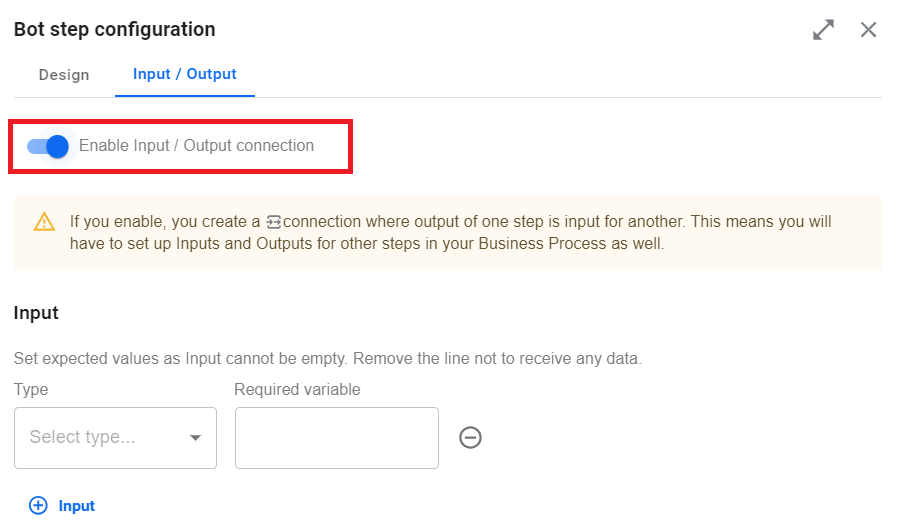
Switch on the Enable Input/ Output connection toggle.
 info
infoOnce switch the toggle for at least one step in a BP, the whole BP becomes a schema-based one, and you will have to configure inputs and outputs for the rest of the steps in the same BP.
For each contract, configure the following:
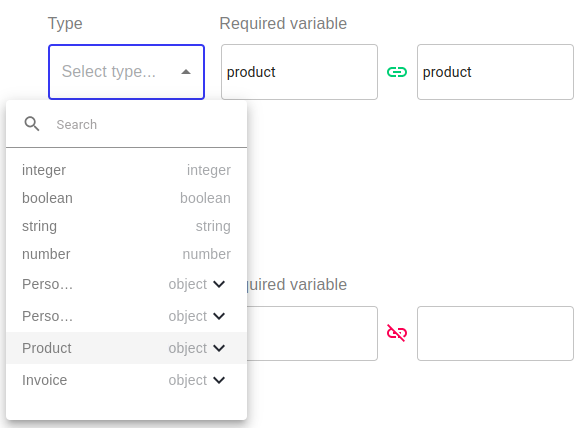
Select a variable type. The Type drop-down list contains the variable types used in the BP or primitive ones.
Specify a Required variable value. For an input contract, it’s the field name expected by the bot step. For an output contract, it’s the bot’s result field.
Set the mapping as described in the Apply data mapping section. If the mapping is not needed, the field value can equal the Required variable value.
Define contracts carefully to match the step logic. The WorkFusion platform can’t verify if a step contract is correct from the perspective of the correspondent step logic.
Update contract
To update a contract, select a step where you want to make edits. On the Input / Output tab, change the needed values, or add more contracts to the step as required.
If a bot step with a contract is imported as part of an Asset Bundle, you cannot change the field types and names. Updating is only possible for the mapped field name.
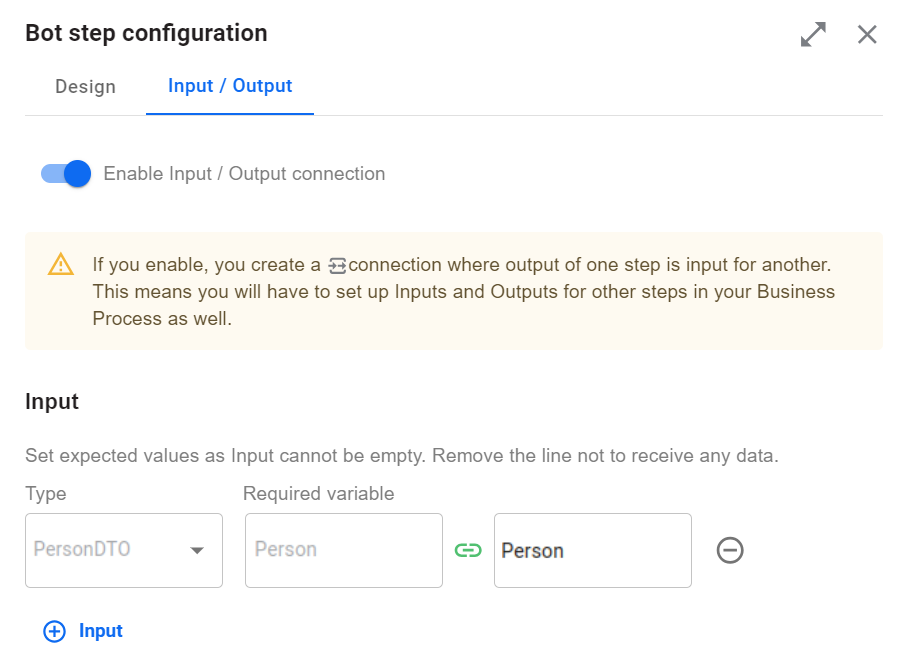
Apply data mapping
Currently, you can apply data mapping to transform variable names before and after the bot step processes them. It serves as a wrapper for the bot step logic and renames variables before and after processing.
With the feature, you can reuse a step logic for another step that expects the same data but under different names. For example, an OCR step may require a document URL under the document_link field. If you already have the original_document_url field, you can map original_document_url to document_link and add an OCR step to your BP.
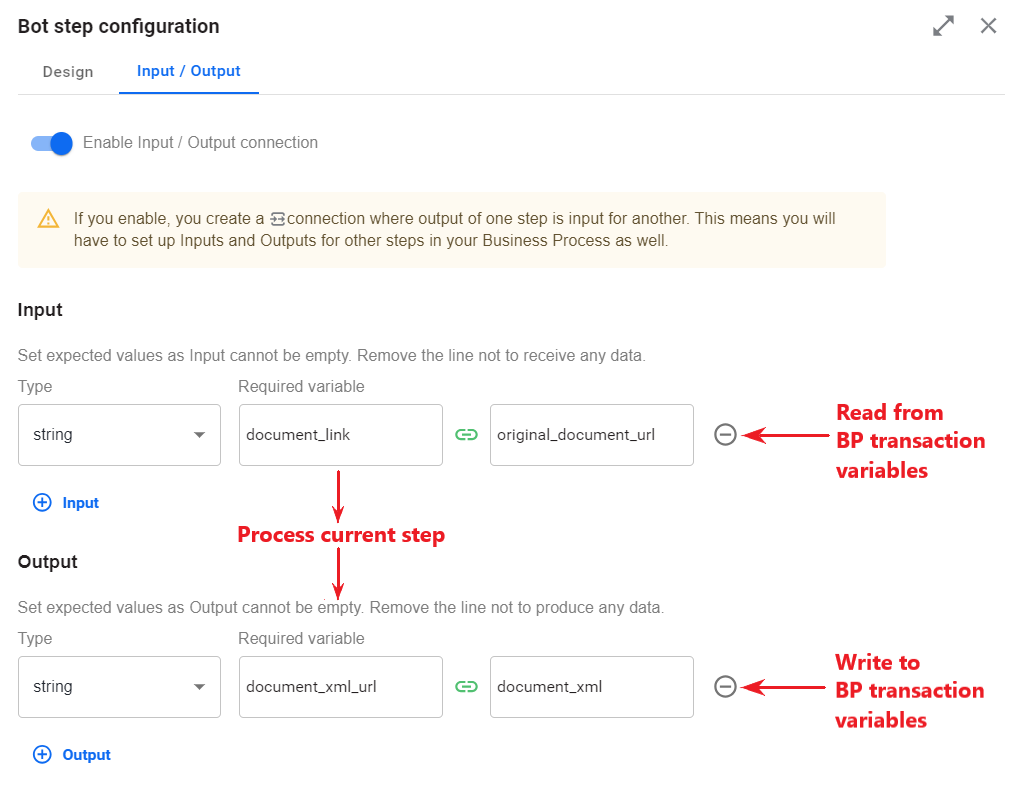
To apply mapping, open the Input / Output tab for a bot step and configure the following:
In the Input section, specify two names: the first one refers to the variable name expected by the step, and the second one is the variable name in the BP context.
In the Output section, specify two names: the first one refers to the variable name in the bot step output, and the second one is how it should be named in the BP context.
If you don’t need mapping, leave both values identical.

Mapping can’t cast types. For the same variable, identical types are used for input and output.
When you copy or duplicate an existing schema-based step in a BP diagram, mapping is not copied.
Validate contract
To validate a contract, click Validate or Save on the BP's Workflow page.
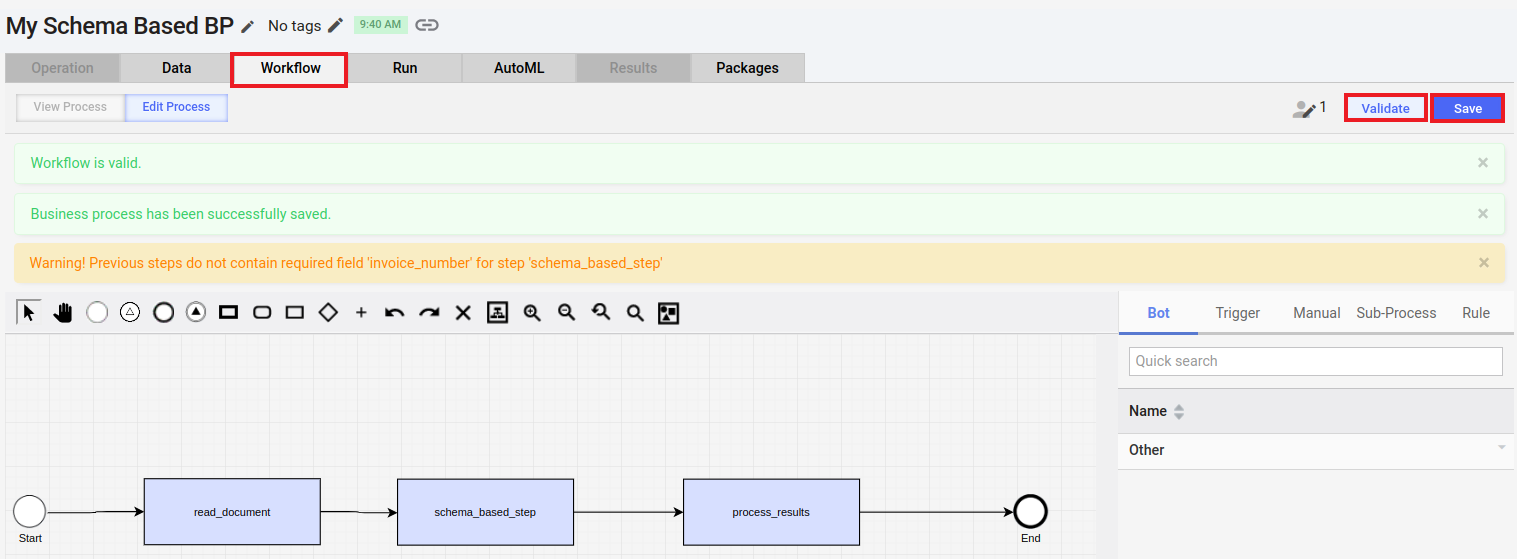
Validation uses external contracts, such as input fields before mapping and output fields after mapping, and serves for detecting the following error types:
A step requires a variable in its input contact, but none of the previous BP steps defines the variable in their output contracts (see the screenshot above).
A step requires a variable in its input contact. Previous steps provide the variable, but its type is different.
A BP has several branches joined at some point. Different branches provide the same variable but with different types.
Validation doesn’t prevent BPs from starting. It serves just as a warning for a BP developer.
FAQ
Can I remove a step contract?
No, once a contract is added, you can't remove it from a step.
I created a contract for a step in a BP. Can I reuse the step with the contract in another BP?
Yes, if a step has an associated contract imported with an Asset Bundle, you can drag and drop the step to a BP diagram. The contract from the step is applied to the new step.
Also, if a step doesn’t have an imported contract, but you added a contract in the Control Tower user interface, the step can also be reused when you drag and drop it into a BP diagram.
Can I assign a contract to a Manual Task?
No, it’s not supported currently.
Are contracts supported in event-based sub-process execution?
How are name conflicts prevented if I use two schemas in a BP with identical type names?
x-package and version. When you drag and drop a bot step to a BP, its types are prefixed with the original schema's x-package and version.Does the output contract restrict data in step results?
Is stateless execution supported for a schema-based BP?
Stateless and pipelined execution are not currently supported for a schema-based BP.