Increase extract timeout
To increase the extract timeout, change the Nginx configuration files listed below.
Master servers
Open the
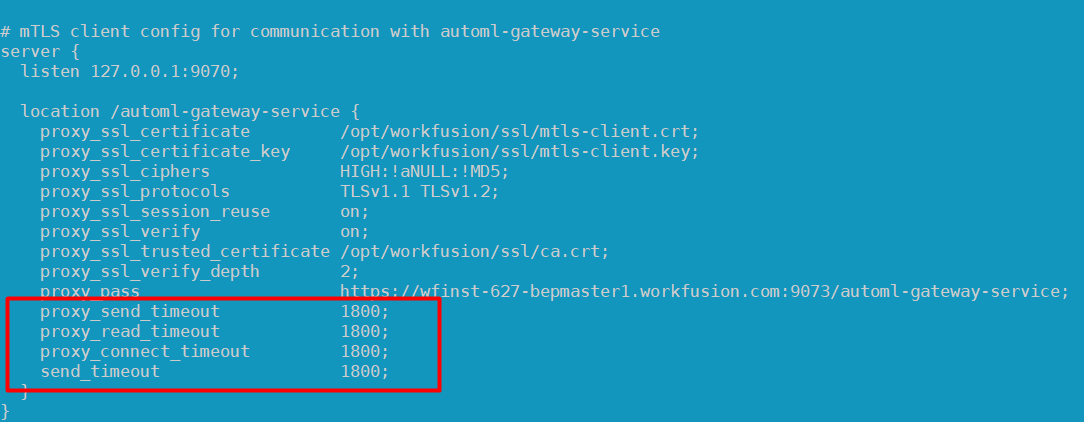
INSTALL_DIR/nginx/sites/workfusion-mtls.conffile. In the/automl-gateway-servicesection, add or modify the following parameters:proxy_send_timeout 1800proxy_read_timeout 1800proxy_connect_timeout 1800send_timeout 1800
The screenshot below illustrates the changes:
On each Master server, restart Nginx:
wfmanager restart nginx
Agent servers
Open the
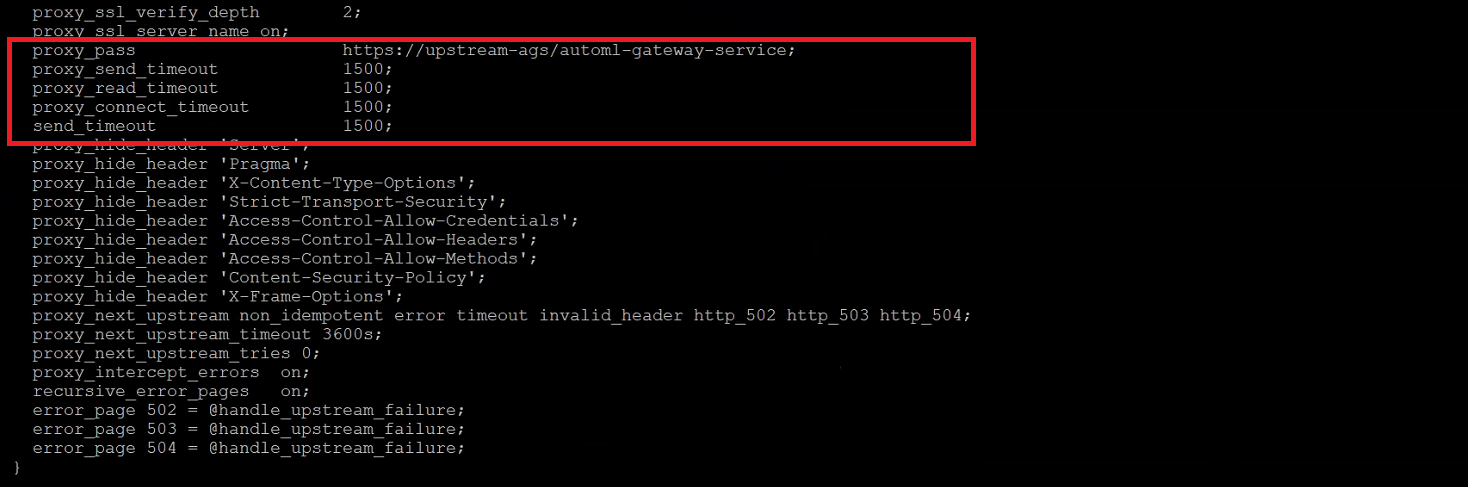
INSTALL_DIR/workfusion/nginx/sites/worker-mtls.conffile. It can also be in theINSTALL_DIR/workfusion/nginx/sitesdirectory. In the file, change or add the following parameters:proxy_send_timeout 1800proxy_read_timeout 1800proxy_connect_timeout 1800send_timeout 1800
The screenshot below illustrates the changes:
On the Agent server, restart the Nginx service:
wfmanager restart nginx
Failover timeout
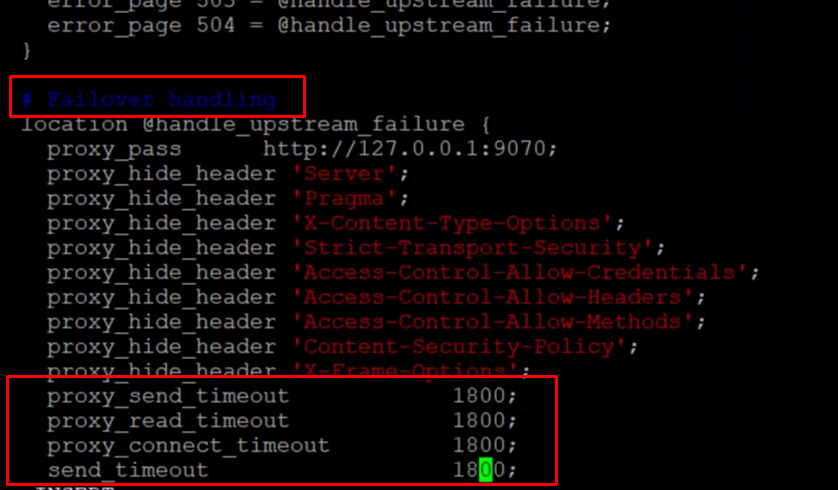
For the High Availability (HA) architecture, change the timeout for failover for all Nginx you have, as shown in the screenshot below:
ZooKeeper parameter (Master server)
Via ZooNavigator
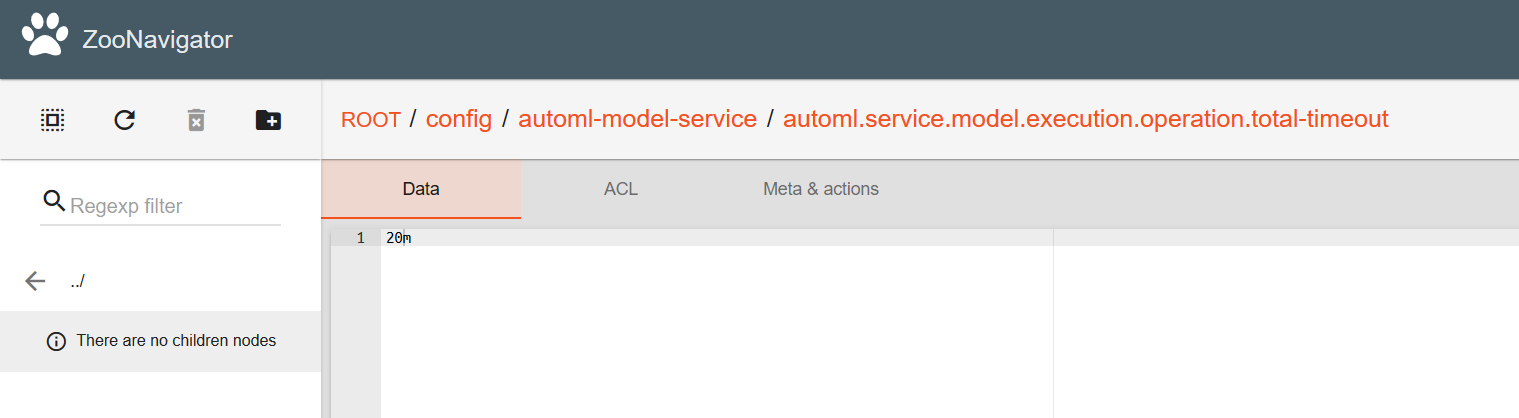
Set the following parameter to 20m:
ROOT/config/automl-model-service/automl.service.model.execution.operation.total-timeout
Via command line on Master server
Run as
$wfuser:INSTALL_DIR/zookeeper/bin/zkCli.shYou are automatically switched to the ZooKeeper command line.
Run the following command:
set/config/automl-model-service/automl.service.model.execution.operation.total-timeout 20m
Once you set the parameter in one of the ways described above, restart automl-model-service located on the Master server.