Explore RPA Unit execution lifecycle
RPA Unit execution lifecycle
There are two generic approaches for RPA Unit execution. These are as follows:
- Multiple records per one batch processing at one transaction
- One record per one transaction
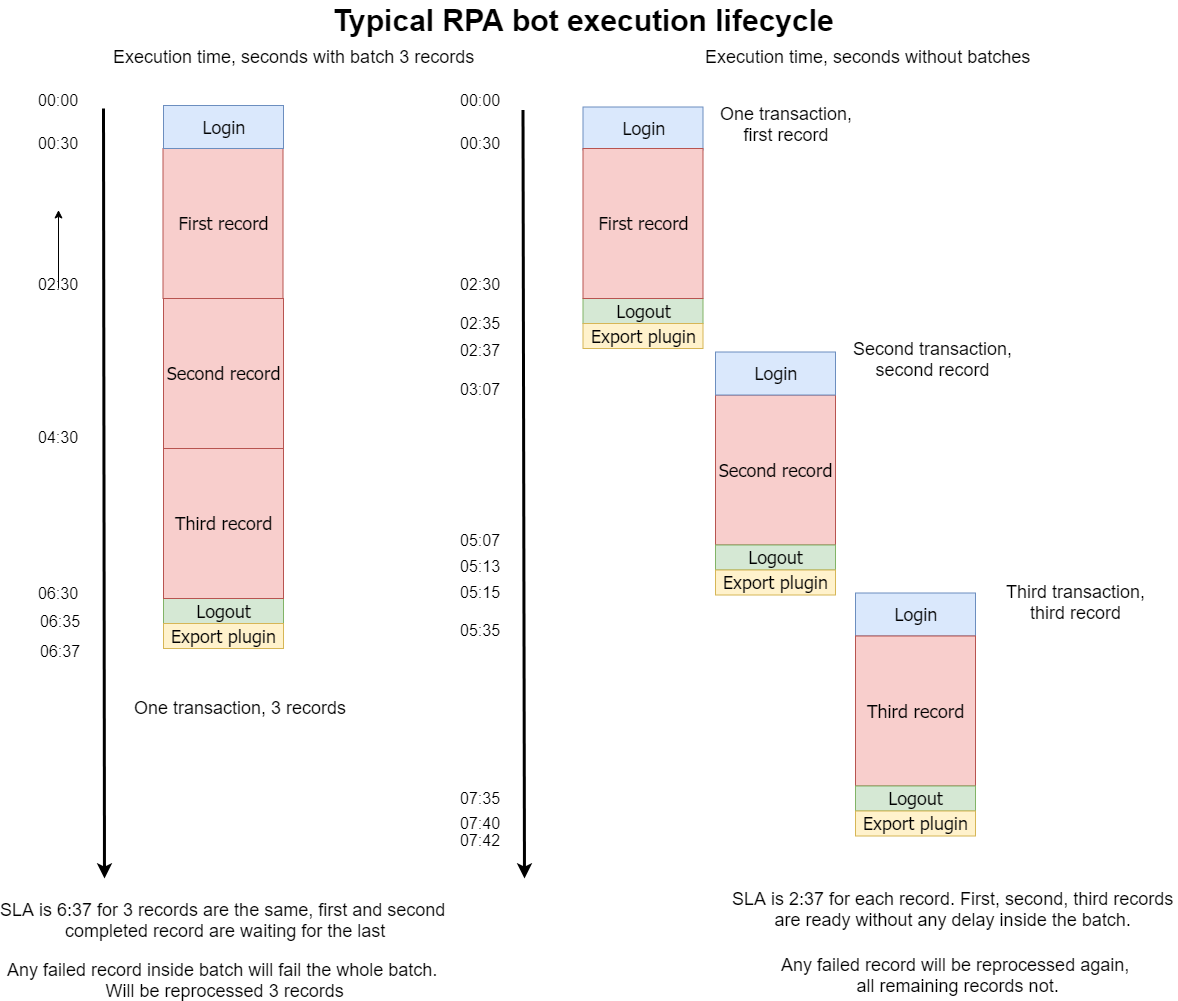
Both approaches have their pros and cons. Refer to the image for more details on RPA Unit performance in terms of time:
It is recommended to create one record per one transaction execution logic and only then to investigate whether it is required to use multiple records per one batch or not.
Multiple records per one batch
Let's see the example when three records are executed within one transaction. The login operation is not time-consuming, taking from 10 up to 30 seconds to perform. Major business logic is encapsulated inside the red square block, which takes from 1 up to 40-50 minutes to execute a separate record. For some reason, that block can have stability problems and fail with any RPA processing or business logic issue.
In case of a failure, the whole batch with three records fails for the RPA Unit to be relaunched from scratch.
SLA for a single record is equal to SLA for the whole batch.
The only generic benefit is that this approach consumes less time when the logic is quite simple, and execution is straight enough to finish processing. The approach is more unstable when single RPA Unit execution depends on the complex business logic implementation or a long execution timeframe.
One record per one batch
The one-record-per-transaction approach is more preferred in terms of SLA as one record is processed at one go and reaches the export plugin as soon as possible. That record is immediately ready for the next RPA Unit. In case of a failure, it is relaunched independently without interruption for all remaining records.
SLA for a single record is equal to SLA for one transaction.
An increase in the execution time of business logic significantly reduces the effect of login and logout operations in terms of the total execution time and leads to a decrease in the share of these components in the total execution time.
RPA execution flow
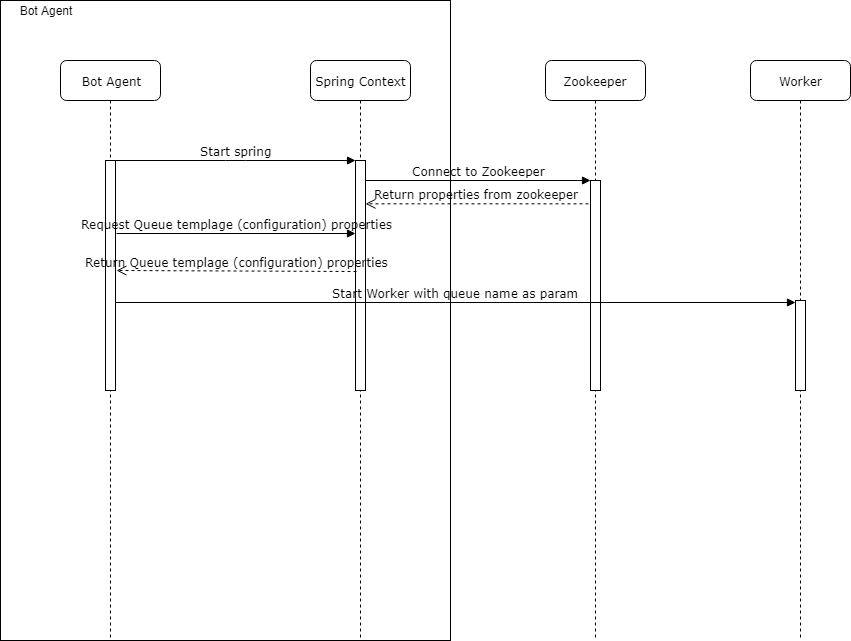
Start RPA Worker
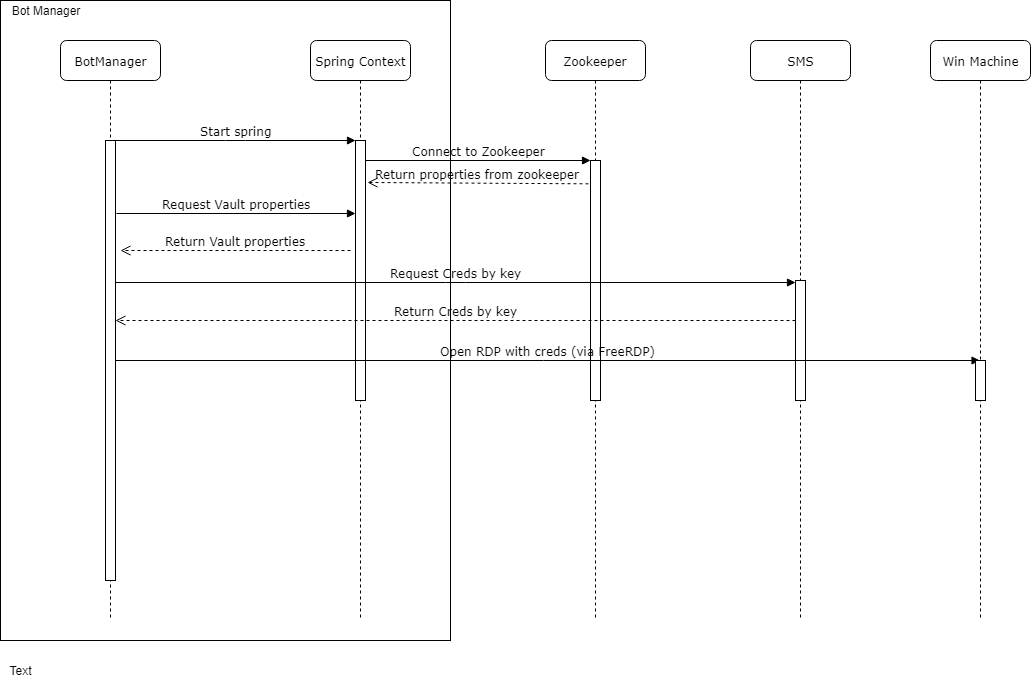
Establish RDP connection with Bot Manager
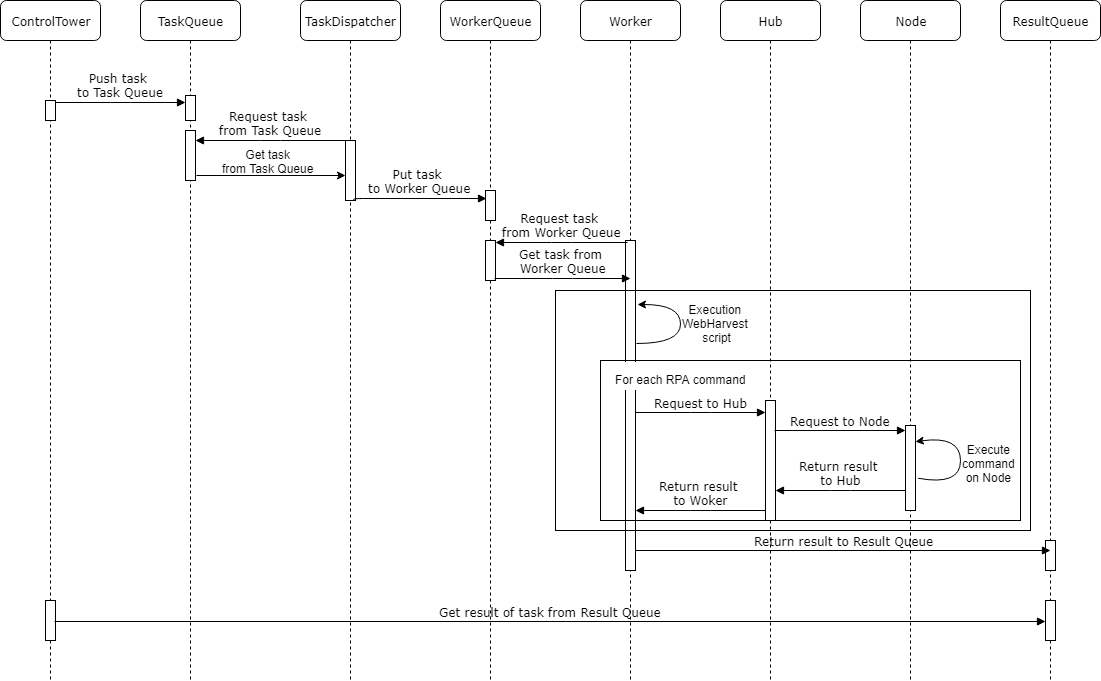
Execute tasks