
Process Automation Guide
Why can you automate a Business Process?
Business activities are almost always distinct and specific to a given enterprise due to different systems, data fields, protocols, governance and risk factors used to conduct their business.
Business’ activities are solved and organized according to a business process.
All industries, all companies use processes to perform work.
Processes may be standardized across teams, across functional units or across an enterprise. Processes are rarely, if ever, standardized across an industry. The level of standardization often indicates a customers’ operational maturity.
Even if non-standardized, processes inherently contain patterns and characteristics that may be shared across functional groups and even across competitors and industries.
Once you can identify these patterns, you can create a blueprint for solving an activity with process automation.
Why should you automate a Business Process?
Customers primarily pursue automation for their processes to reduce costs.
Processes with a high degree of cost include: (1) high monthly or rapidly growing volume and subsequent large supporting workforce; (2) large financial risk (fines or fees) in the event of a handling error; (3) requirements for highly skilled or specialized knowledge due to experience or education.
Cases (1) and (2), and sometimes a combination of (1) & (2) are typical starting points for automation. Case (3) often includes an efficiency gain from alleviation of transactional handwork in favor of creative headwork, and are pursued as expansion activities for future phases of automation.
We’re going to focus on case (1), which often is tracked as a metric called FTE reduction. In particular, we’re going to look at processes in case (1) from a governance perspective, since layers of governance contribute to the FTE count, but still can be handled via process automation.
How can we translate activities into processes: The APQC Method
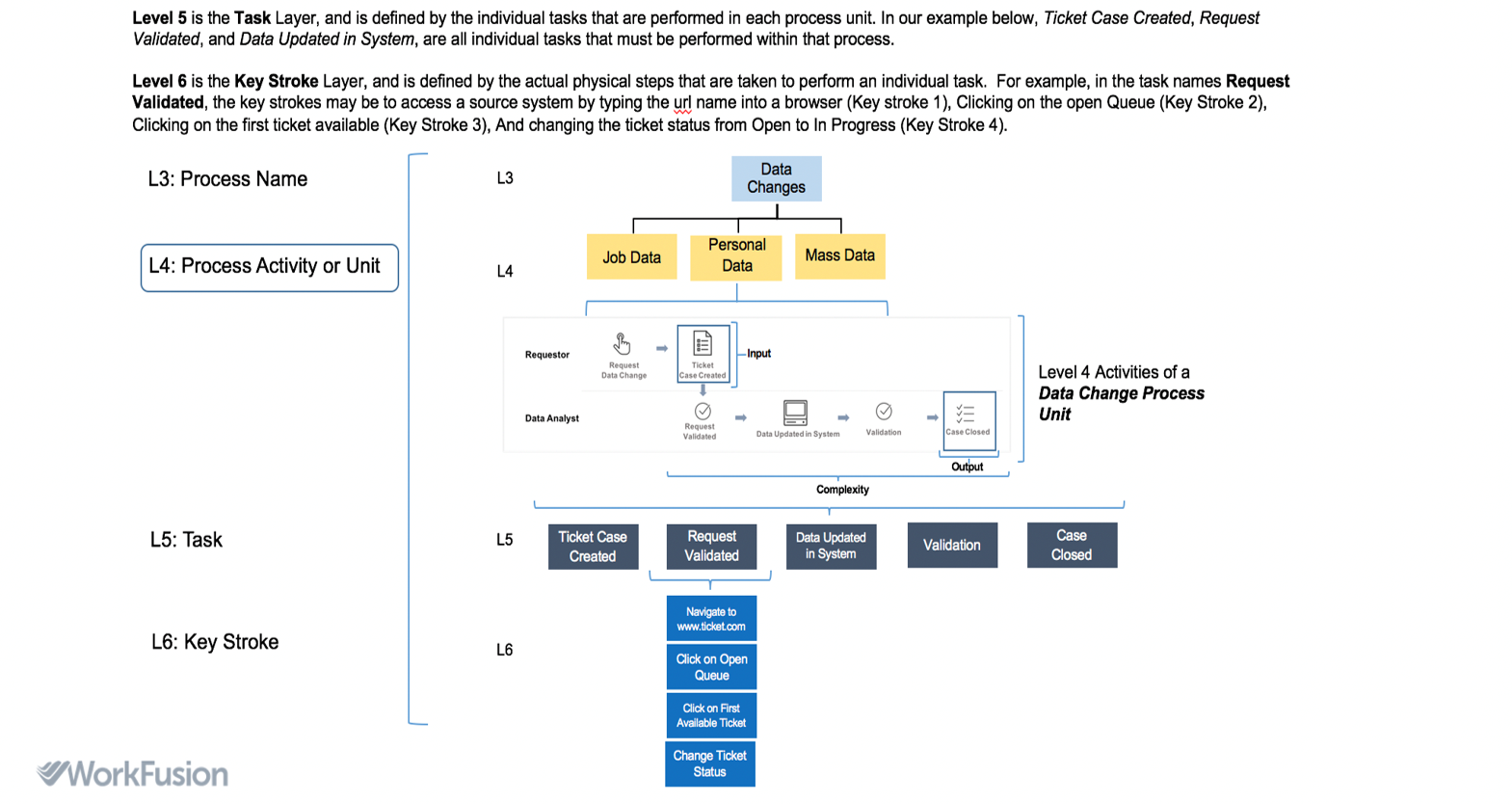
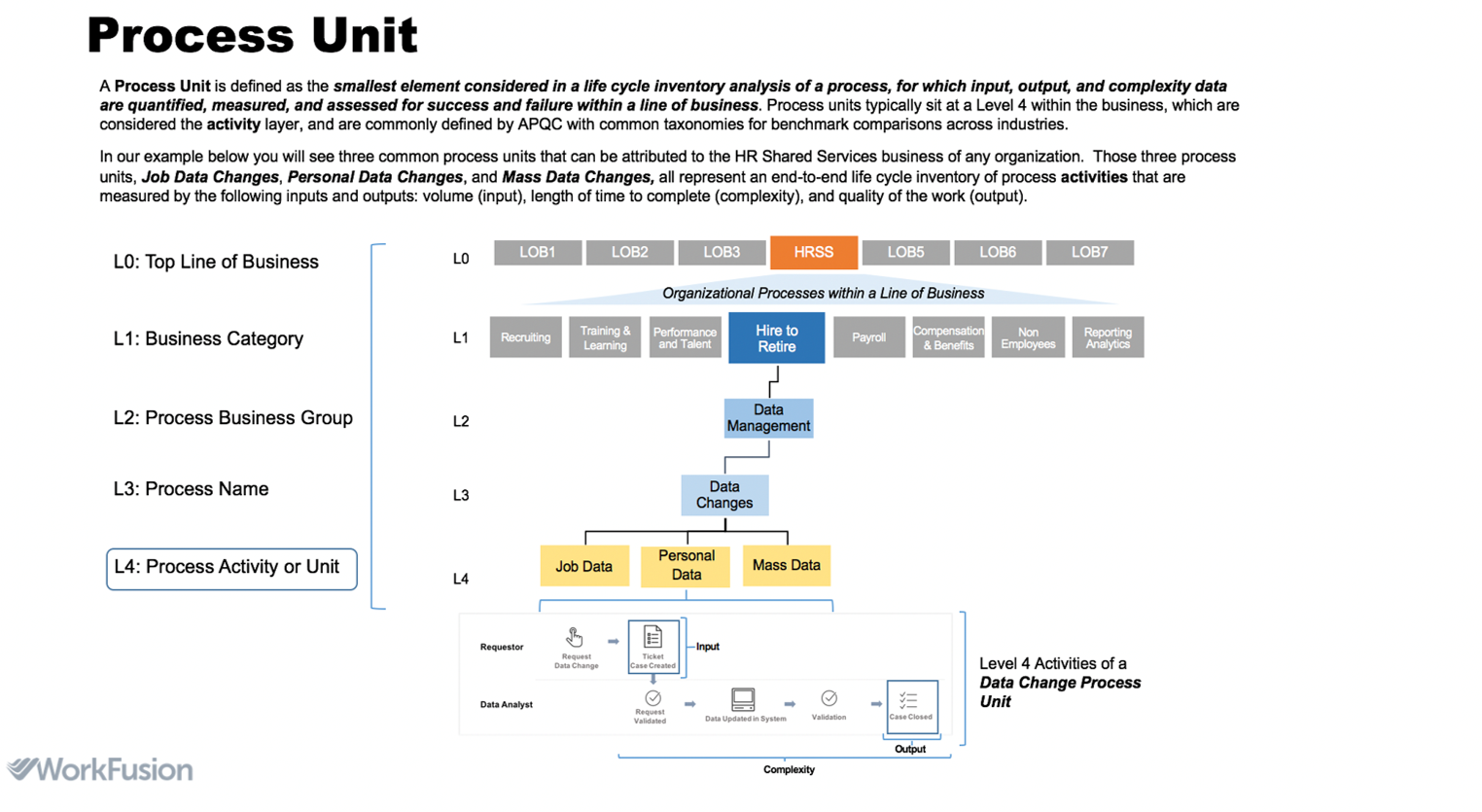
Another View on APQC

Typical Business Process Types
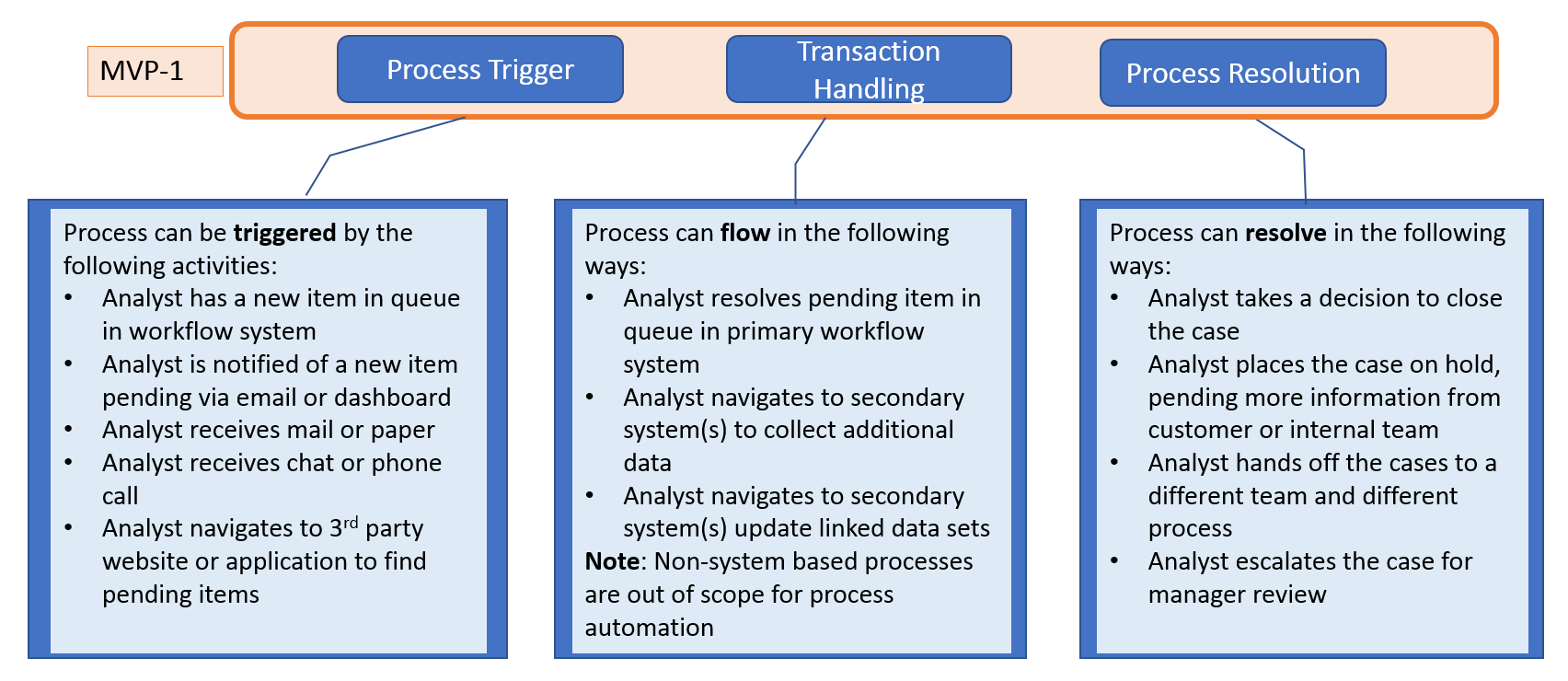
Basic Process Type I: Transactional Case
Sub-types: Creation; Update; Investigation; Routing
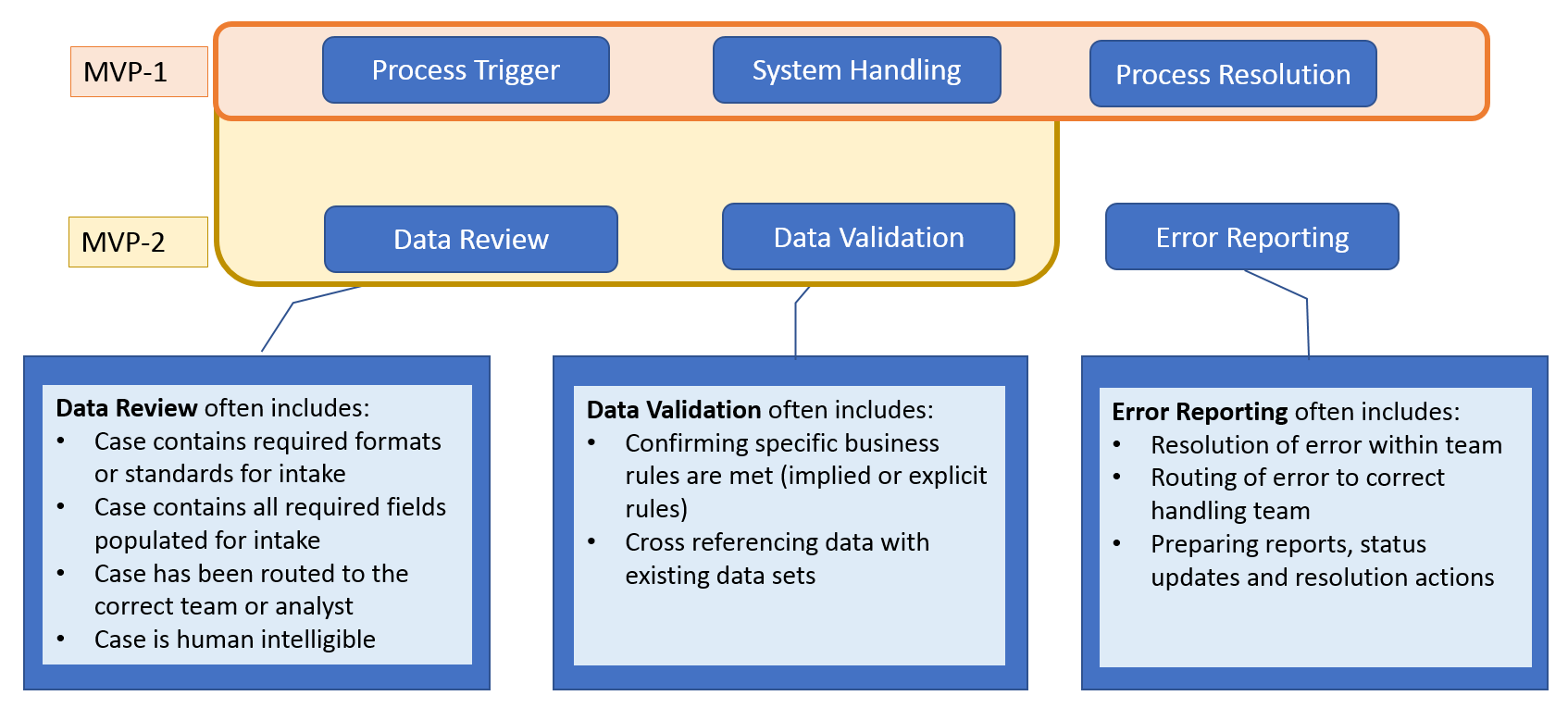
Basic Process Type II: Error Handling and Data Validation
Sub-types: Validation, Reporting, Error Identification
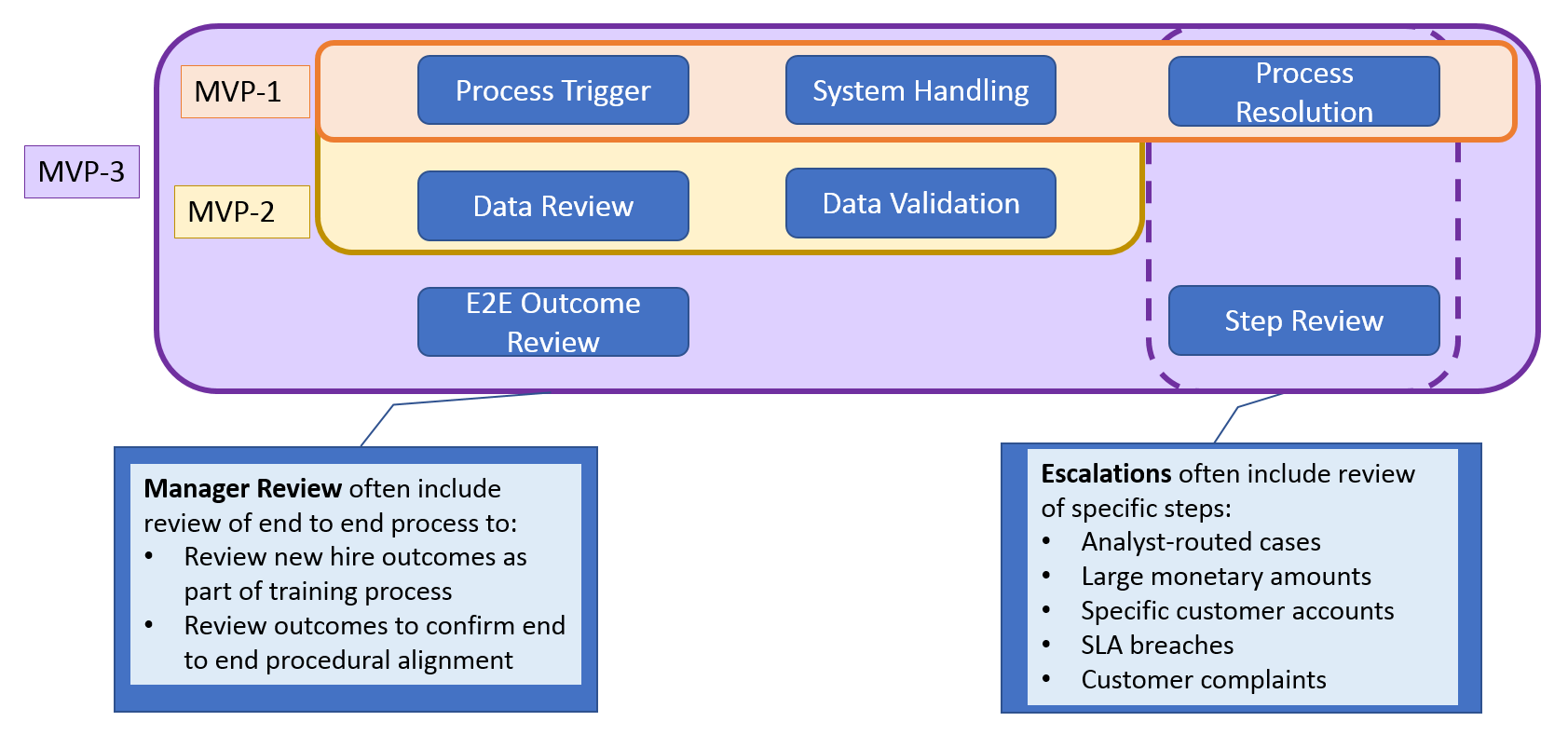
Basic Process Type III: Escalation and Manager Reviews
Subtypes: Compliance, QA, fraud alerts
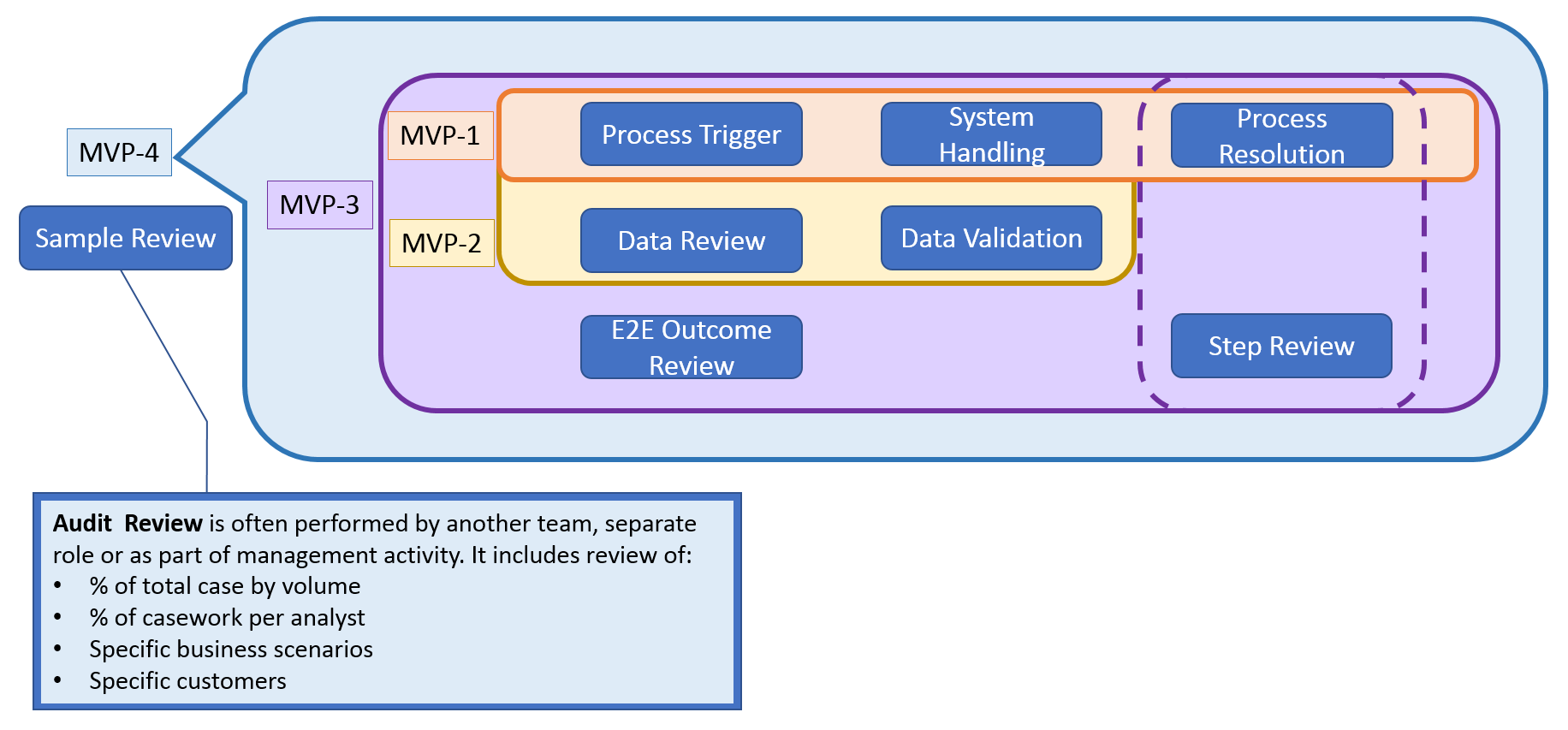
Basic Process Type IV: Audit Review
Subtypes: Compliance, QA, SQC
When We Should Not Automate a Business Process?
This four part classification framework can cover the majority of automation portfolios across banking, insurance, retail and operations. It has been battle tested in over 200 automation use cases globally. Despite its extreme practicality and robustness, it is important to understand when and where process automation may not be an appropriate tool to use when reducing business process costs.
We have found the following flags apply:
- Non-standard processes: Processes which are not written, do not have explicit instructions or vary significantly from person to person often have a high degree of maintenance during BAU, unless you approach these cases in an agile way, and agree on that the “correct processing path” is the automated one. Often we recommend “leaning out” these processes first.
- Seconds or minute SLA: Processes which require strict SLAs often require a long tuning and optimization period before launched and maintained as part of BAU. Preparation steps or parallel processing may be used if there is a large backlog or work-in-queue.
- Technology constraints: Processes may contain fundamental hurdles that require workarounds for end to end process automation to proceed
- Image based Captcha: No enterprise grade machine vision solution exists to overcome this limitation. Typically these steps must be routed to an analyst for handling.
- Handwriting: Although handwriting detection may be used with exception routing, enterprise grade handwriting extraction does not exist without significant tuning and questionable accuracy returns. We recommend redesigning or re-engineering these cases first, before automating
- Customer experience impacts: High-tough interactions such as outbound phone calls, follow up communications or retention processes often require a broader conversation around customer strategy, and which might not be solved with process automation.