
View Business Process and data flows
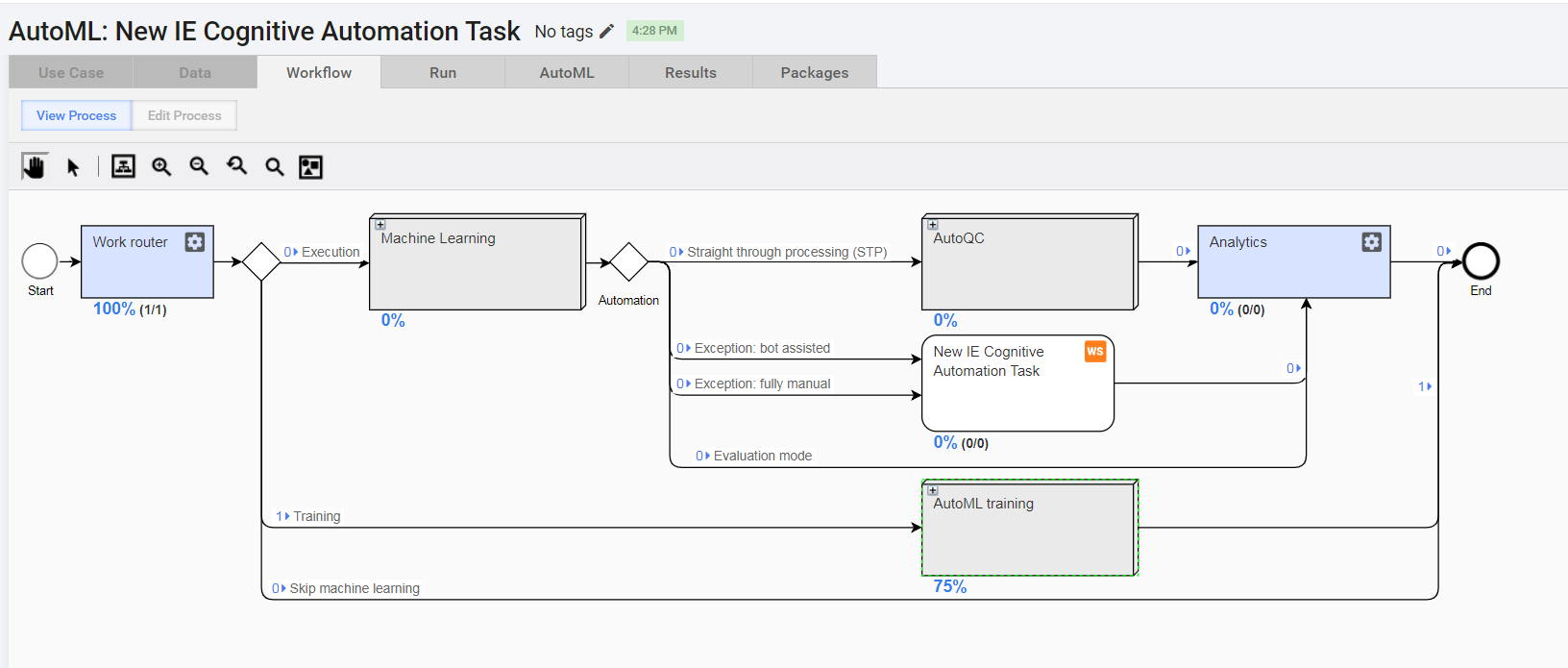
Business Process (BP) is a combination of connected Manual Tasks, Bot Tasks, or other BPs handled by a user-defined flow. The BP Designer allows you to control the flow of the Manual and Bot Tasks. A BP has one input data file that is enriched or modified by each task results.
Tasks in BP are executed successively or in parallel depending on composite rules and their conditions. A BP task can utilize data generated by previously completed tasks or data from an input file.
tip
In addition to the topic, see also Create Manual Task and Copy Task.
BP flow
- Create tasks and test them separately.
- Create a BP and start designing and configuring it. Prepare an input data file, add the previously created tasks to your BP and connect them.
- Run the BP in the development environment. You can log in to WorkSpace to find and complete the Manual Tasks of the BP.
- Check the results and edit the BP or task parameters if needed.
- Copy the BP with data.
- Run the copied BP in the production environment and monitor its execution.
You can optionally pause, resume, or stop the BP execution. When the BP is no longer needed, you can delete it.
Data Flow
A BP should have one input data file that is enriched or modified by each task results.
You can view and export data for each task in the BP. These data contains input columns and columns added or modified by this task. A BP task can utilize the data generated by previously completed tasks or data from the input file.
Each completed BP has a file with Final Results combining the input data file and all the task results. To see the intermediate BP results, generate a BP snapshot.
Also, read the following topics: