
Migrate Run of Task or Business Process
The WorkFusion platform provides a capability to migrate Runs of Tasks, Business Processes (BPs) from one instance to another by exporting them to XML files on a source instance and importing these XML files to the target instance.
Export from source
Log in to your source WorkFusion instance.
Go to Tasks > View All Tasks or Business Processes > View All BPs.
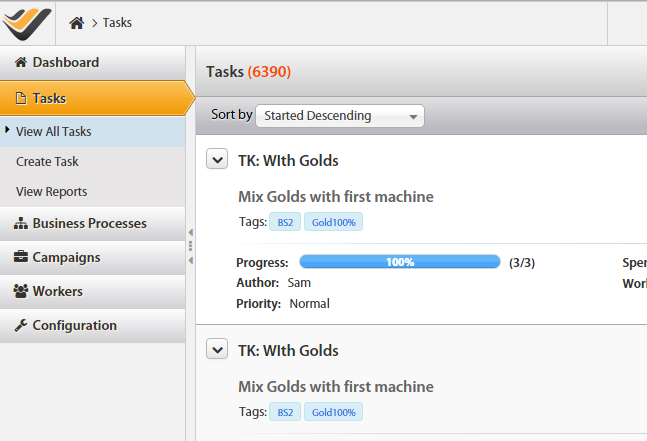
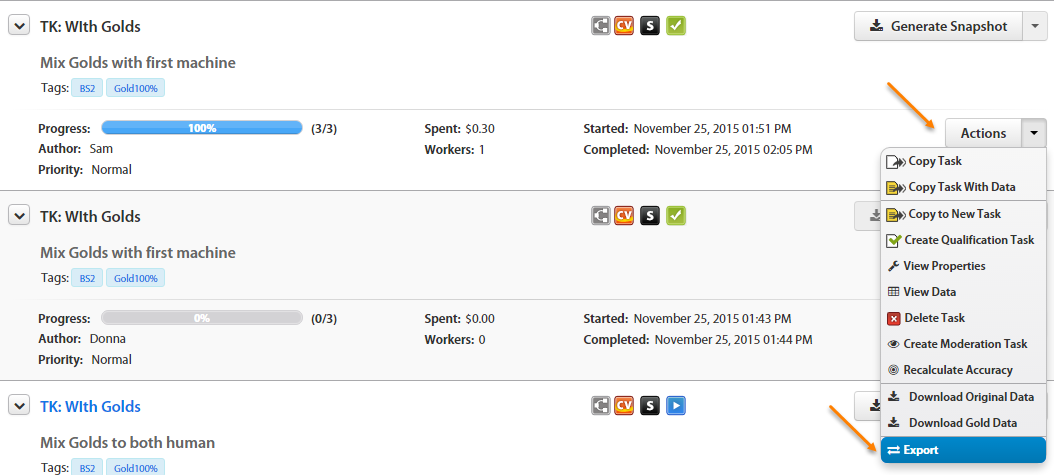
Find your Task (or BP) and click the Actions > Export button. An XML file is downloaded.
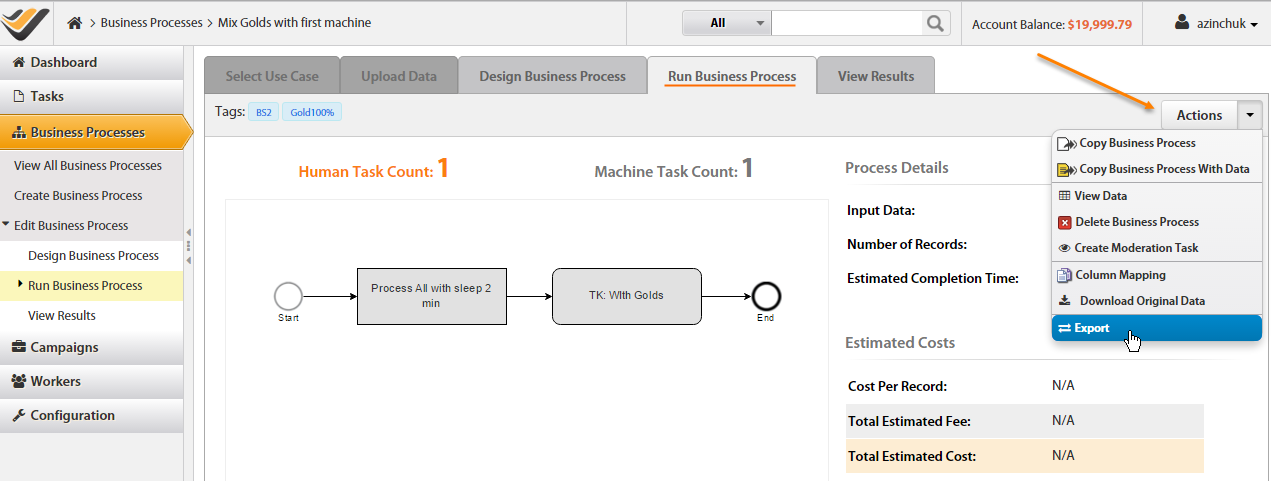
Alternatively, you can export a Task or BP from the Run tab. Go to View All BPs, select your BP, and click the Run option.
Import to target
Log in to your target WorkFusion instance.
Go to Campaigns > View All.
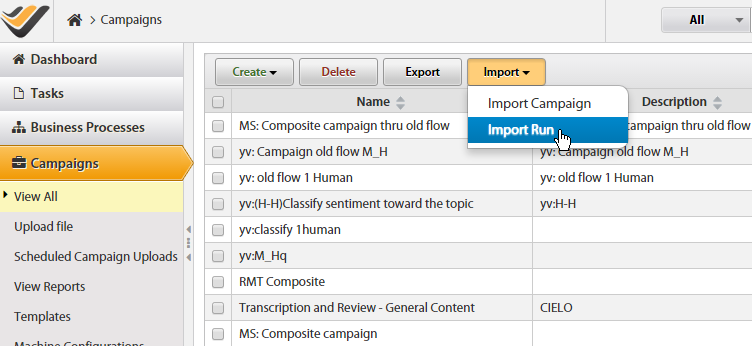
Click the Import > Import Run button and browse to the XML file exported from the source instance. You will see the file validation.
After uploading the XML file, you are able to decide:
- Rewrite duplicated objects (Campaigns, Templates, Rules, and so on). Tick the appropriate checkboxes.
- Or use the objects already existing in the system. Do not tick any checkbox in this case.
Click the Import button.
As a result, a new Task or BP will be created on your target WorkFusion instance. The status is Draft.