
Migration notes
8.5
Click to learn more
For the sake of performance improvements of BPs with significant amount of steps it worth considering Stateless Execution of Bot Tasks.
9.0
Click to learn more
Secrets Vault
Public REST endpoints has been renamed according to the original requirements.
To support backward compatibility, add the Nginx rule is as follows for the APP server:
location /workfusion/api/v1/securestore/entry {
  rewrite ^(.+)/securestore/(entry.*) http://localhost:8080/workfusion/api/v1/secrets-vault/$2 last;
}
note
http://localhost:8080/ should be replaced with the actual domain name.
Deprecated components
- The AutoIt component is removed from the RPA version.
- The Solr component marked as deprecated.
Renamed Secure Store Web-Harvest plugins
All Web-Harvest plugins for Secure Store have been renamed according to the following pattern:
secure-store-xxxx -> secrets-vault-xxxx
File uploading
A new file.upload.format.csv=true property is added to the workfusion.properties file to allow uploading files only with CSV extension.
The following validation added for all places where CSV file required to upload:
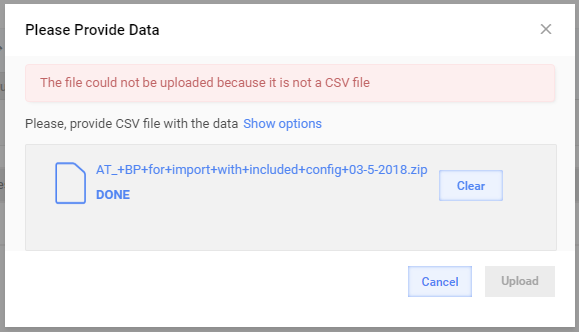
If you'd like to skip this validation just set the file.upload.format.csv=false property.
A similar validation added for zip extension to import package, but it is always on and is not configurable.
9.1
Click to learn more
Control Tower configuration
workfusion.properties has a file.upload.format.csv property to allow restricting the uploaded files to CSV only.
To enable the restriction, set the property to true.
file.upload.format.csv=true
Control Tower displays the following validation dialog when uploading a CSV file.
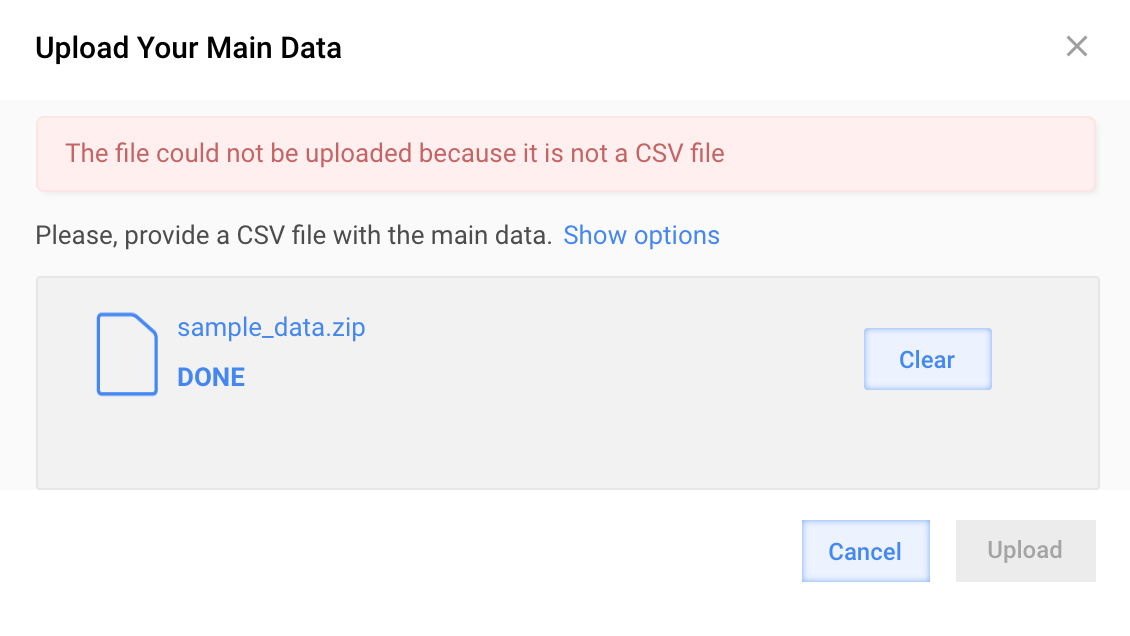
To disable this validation, set the file.upload.format.csv property to false.
file.upload.format.csv=false
A similar validation was added for zip files when importing a package. This setting is set to true by default and is not configurable.
Automation settings
Model version in previous SPA versions was not not saved in DB for draft manual tasks. As a result after migration to 9.1 draft manual tasks do not have selected model version in settings. Other settings are migrated as expected.
Analytics server
tip
To enable Analytics Dashboards in Control Tower, follow the WorkFusion Analytics Server documentation.
The workfusion.properties file for Control Tower and APP server now has a tableau.site property to enable Analytics Dashboards:
tableau.site=true
caution
When performing an upgrade to 9.1, the tableau.site property should be set to the same value from the previously configured secure property: tableau.automation.site.
The following Control Tower properties were removed from Secrets Vault (either Vault on DB server or CyberArk):
tableau.automation.site
tableau.automation.workbook
tableau.new.automation.workbook
More properties removed from Control Tower:
tableau.version
tableau.server.instance.tail
Analytics dashboard
Custom dashboards (if any) should be migrated as described in the WorkFusion Analytics Custom Dashboards Backup and Restore document.
Out-of-the-box dashboards are published according to the Installation Guide.
Control Tower third-party libraries
SPA 9.1 contains some libraries upgrades aimed at improving the security. If you use classes from any of the following libraries in the list in your Business Process bot configurations code, you'll need to review the changes:
org.apache.pdfboxorg.apache.poi
tip
To check, if you are using classes from the upgraded libraries, use the Usage Report Tool.
org.apache.pdfbox
pdfboxartifacts changed from 1.8.9 to 2.0.8.fontboxartifact changed from 1.8.9 to 2.0.8.
Use the migration guide provided by the developer: Migration to PDFBox 2.0.0.
org.apache.poi
poi-artifacts changed from 3.16 to 3.17.
This is a minor release but some classes were changed. Refer to http://poi.apache.org/ for details.
9.2
Click to learn more
Control Tower
- If you use Control Tower REST API with Form Base Authentication you need to add special request headers to your REST call. This is required due to enabling CSRF protection.
- When importing Business Process or Task, a link to Machine Learning model is included in the package. If the ML model is absent in the target environment, you will see the "AutoML configuration will not be set" warning.
- In previous version custom roles with Secrets Vault (since 9.0) or Secure Storage (before 9.0) permissions were able to manage Secrets Vault entries. These permissions will be mapped to View Secrets Vault Aliases permission during migration to 9.2 from older versions. If you require to give Manage Secrets Vault Aliases permission, you can do it manually in the Role Management section.
Analytics
- During publishing OOTB dashboards folder /datasource remains empty and is needed for backward compatibility.
- Starting with v9.2, the Analytics_WB workbook doesn't use published data sources. They should be removed from WorkFusion Analytics Server.
- One schedule of Serial type should be added and used for Analytics_WB and AA_ETL_process workbooks.
- WF-Automation and GoldExtractedDashboard dashboards from WF-Automation project on WorkFusion Analytics Server are no longer supported and removed from the 9.2 package.
Infrastructure
- The
secrets.ymlfile is now encrypted via Ansible Vault. - Log Aggregation is now live. Ensure there is enough Disk Space on the Platform Monitor server (at least 100 GB) The exact usage can be controlled with retention policies.
- Due to log aggregation tools, two new internal ports were introduced on the Platform Monitor server: 4567 and 4568 (a logstash service). These ports should be open from all servers.
- Recommended RAM (GB) requirements for PM server has been increased from 4 to 8 for Development Environments.
- Recommended HDD requirements for PM server has been increased from 100 to 250 for Production Environments.
RPA
To simplify support and troubleshooting, we added the Filebeat component which sends all Bot logs to the Platform Monitor server.
OCR
The GET processDocument request is deprecated in OCR API due to its length limitations.
Use the OCR Server Upgrade note to identify the affected BPs and plan an update.
Platform Monitor
To avoid inaccurate execution of Command API, a new version of endpoints was added.