
RabbitMQ
Service overview
| Software owner | Pivotal Software, Inc. |
|---|---|
| System requirements | 4 CPUs, 4 GB RAM, 2 GB free space |
| Management | wfmanager (start | stop | restart | status) rabbitmq |
| Log files | Access logs: <INSTALL_DIR>/supervisord/log/rabbitmq.out.log |
| Startup scripts | /supervisord/apps/rabbitmq.ini /rabbitmq/sbin/rabbitmq-server |
| Configuration files | Service directory: /rabbitmq General rabbitmq configuration: /rabbitmq/etc/rabbitmq/rabbitmq.config |
| Default Ports | tcp 15672 |
Default parameters
| Configuration file | Name | Default value | Description |
|---|---|---|---|
| config.yml | install_dir | /opt/workfusion | Directory to put user files, logs and configs |
| config.yml | rabbitmq_api_proxy_port | 45672 | Default service port for installation |
Admin interface
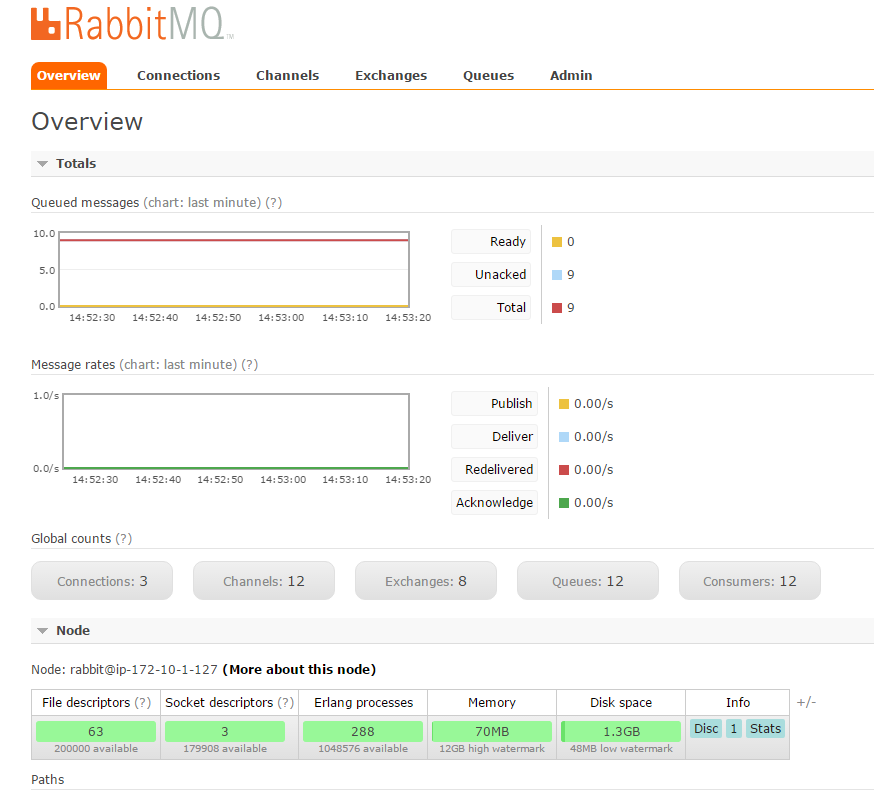
It is accessible via: http://<ML_SERVER_URL>:45672. Login and password are configurable per installation.
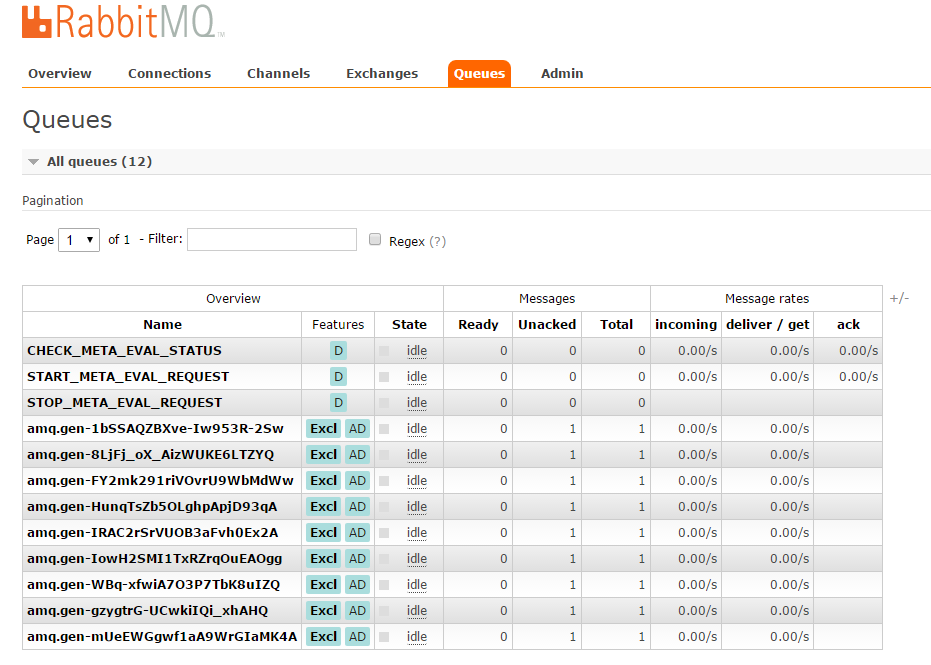
Information about queues is available on the Queues tab where you can see how many messages are stored in a particular queue (training or extract operations).
Troubleshooting
Check if TCP ports 15672 and 45672 are available.
netstat command output
$ netstat -tnlp | egrep '15672|45672'
tcp        0      0 127.0.0.1:15672         0.0.0.0:*               LISTEN      20281/beam.smp
tcp        0      0 0.0.0.0:45672           0.0.0.0:*               LISTEN      26343/nginx: master
ss command output
$ ss -ltn | egrep '15672|45672'
LISTEN     0      128    127.0.0.1:15672                    *:*
LISTEN     0      511          *:45672                    *:*
lsof command output
$ lsof -P -n -i :15672 -i :45672 | grep LISTEN
beam.smp 20281 wfuser   53u  IPv4 74881022      0t0  TCP 127.0.0.1:15672 (LISTEN)
nginx    26343 wfuser    5u  IPv4 74901596      0t0  TCP *:45672 (LISTEN)
nginx    29644 wfuser    5u  IPv4 74901596      0t0  TCP *:45672 (LISTEN)
nginx    29645 wfuser    5u  IPv4 74901596      0t0  TCP *:45672 (LISTEN)
Check the default main log files:
- Access logs:
<INSTALL_DIR>/supervisord/log/rabbitmq.out.log - Error logs:
<INSTALL_DIR>/supervisord/log/rabbitmq.err.log
$ tail -f <INSTALL_DIR>/supervisord/log/rabbitmq.err.log <INSTALL_DIR>/supervisord/log/rabbitmq.out.log- Access logs:
Check the rabbitmq out (access) log using the Wfmanager util:
wfmanager tail rabbitmqEnable more detailed debug information
Set the debug log level to
<INSTALL_DIR>/rabbitmq/etc/rabbitmq/rabbitmq.configand restart the mesos-master service:${install_dir}/rabbitmq/etc/rabbitmq/rabbitmq.config[ {rabbit, [{log_levels,[{connection, debug}]}]} ]wfmanager restart rabbitmq