
Information extraction
Information extraction is a process of extracting structured information (or key facts) from unstructured and/or semi-structured documents (invoices, claims, dividend news, etc.).
Input Data
In real cases, customers have diverse paper or scanned documents in PDF, PNG, JPEG, TIFF or other formats.
These scanned documents are stored on a shared network drive, on a server file system, or in some application (SAP, Salesforce, SharePoint).
Business Problem
AutoML's Information Extraction feature solves a variety of problems. The main ones can be narrowed down to the following:
- Convert scanned documents into digital text documents.
- Extract structured content from these documents (account ID, amount, currency, etc.).
- Provide the structured content to some data store.
All these steps need to be automated, it means made without or with a minimal human work.
Workflow
To solve the business problem stated above, the following steps need to be completed in WorkFusion:
Execute OCR (Optical Character Recognition) for all scanned documents.
Input: Scanned PDF
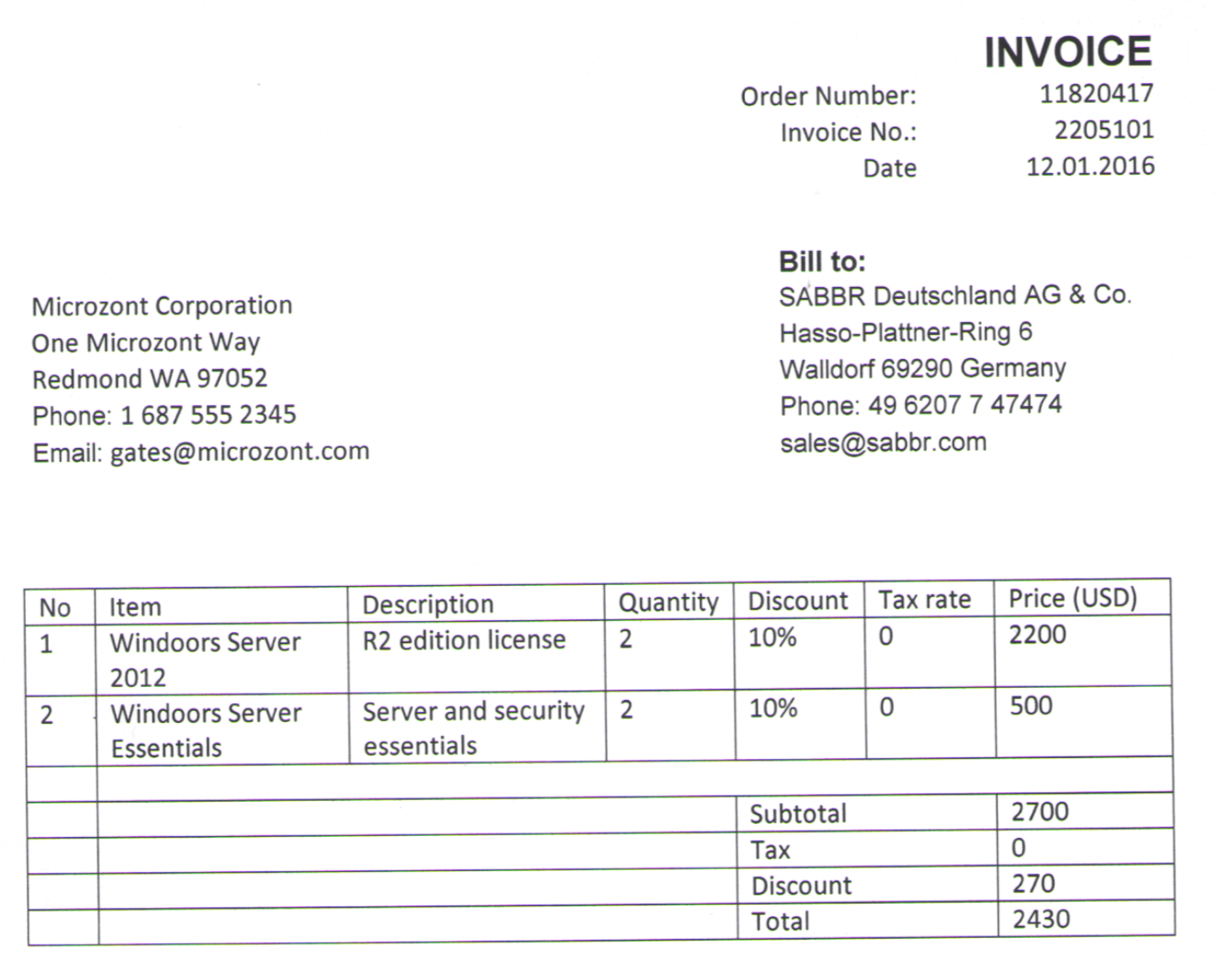
Output: Digital HTML
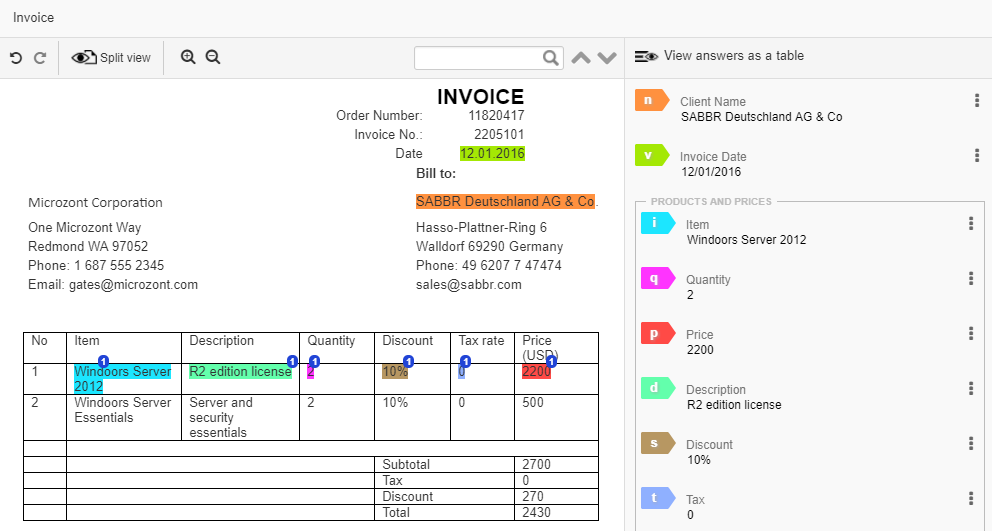
Create and execute an Information Extraction manual task in Control Tower. In this task, human workers select text chunks and tag them using mouse or hotkeys.
Previously OCRed digital documents are used as an input data for Information Extraction.
- After human workers have manually tagged the documents, the tagged text can be used for training AutoML models so that the next document batch can be partially extracted by a cognitive bot.
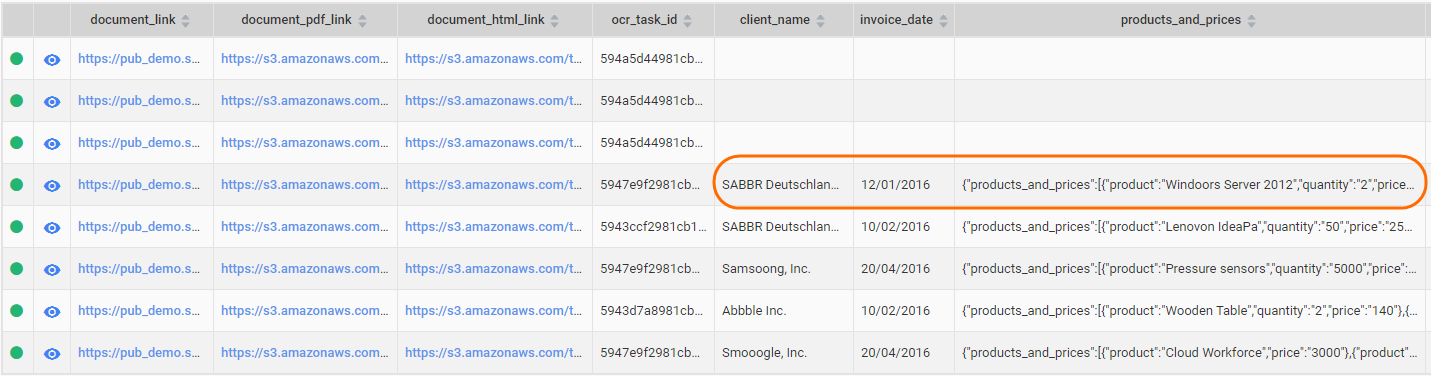
The structured tagged results can be exported from Control Tower to any other system.
Information Extraction training set tag attributes
Information Extraction training set tags should have several attributes to be handled properly. They are as follows:
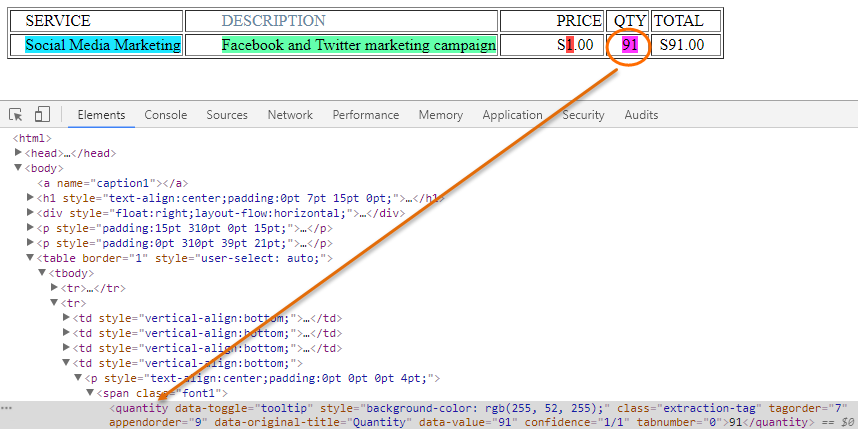
tagorder
The tagorder attribute denotes one logical worker answer. tagorder is an integer number starting from 0, continuous and unique per document. Mind that different answers cannot have the same tagorder.

One answer may consist of different HTML tags, for example, if the worker highlights text in different tags.
<td>foo</td><td>bar</td>
  ↓
highlight all text
  ↓
<td><tag_name tagorder="0">foo</tag_name></td><td><tag_name tagorder="0">bar</tag_name></td>

appendorder
The append command allows to add more text to an existing value in the tag. The append command is useful in cases when the tag value is supposed to come from two different places in the text or table cells. appendorder is an integer number starting from 0, continuous and unique per document.
foo 1 bar
  ↓
user first tags "foo" and then appends "bar" to skip "1"
  ↓
<tag_name tagorder="0" appendorder="0">foo</tag_name> 1 <tag_name tagorder="0" appendorder="1">bar</tag_name>
In this case, the tagorder number is the same, because this is one answer, but appendorder is different, because it denotes the order of adding parts to the answer.

tabnumber
The tabnumber attribute is a number denoting the fixed place of the tab in a group, starting from 0.

blocknumber
The blocknumber attribute is a number denoting the fixed place of the tab in a block, starting from 0.
