Documents Split-Join
Introduction
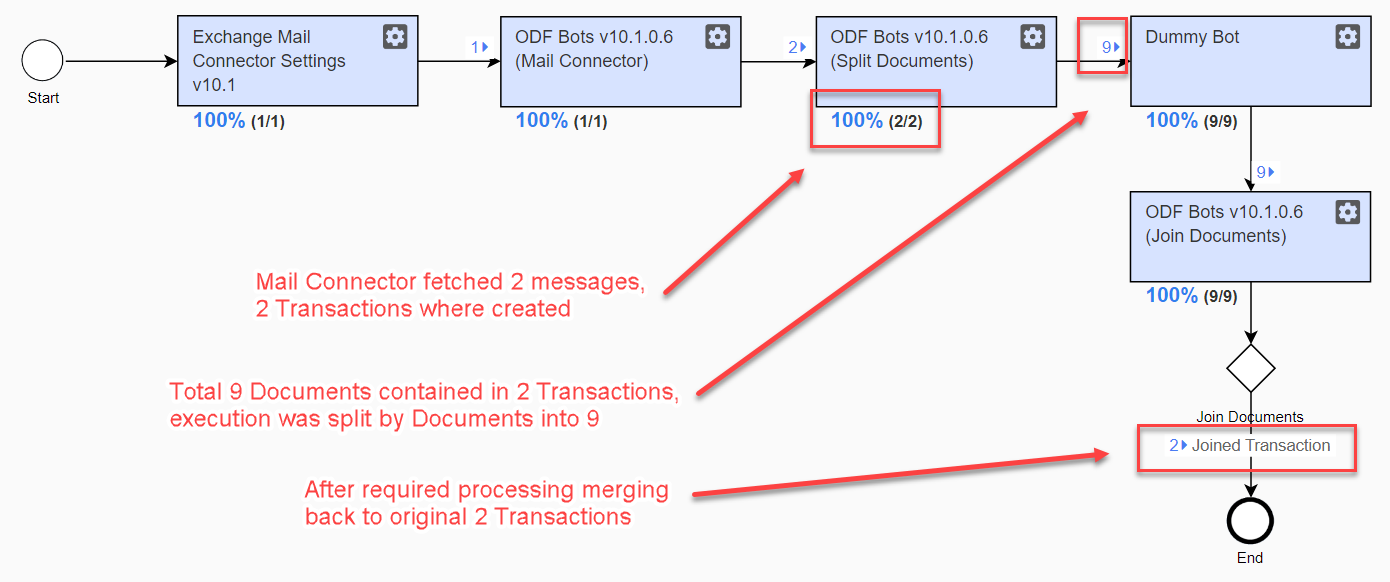
In some cases, transaction documents need to be processed individually: for example, for ML processing, for I/O operations reliability, etc. After all documents are processed, they are joined back into the transaction.
How it works
Split-Join is a part of the standard Intake framework. Therefore, it is available out of the box. A transaction is split into documents and _sys_doc_id is exported from the Split Documents step, which can be used in the following steps.
important
Keep a business process flow before between Split Documents and Join Documents bot task steps linear, i.e., have a single transition coming from step to step. Otherwise, Join may work wrong. If you need to have forks of logic, each bot task code wrap with <pool> plugin. That will guarantee synchronization between parallel transaction changes.
How to use
- Import the Split Documents config.
- Put your processing logic after that.
- Import the Join Documents config.
- Configure the Join Documents rule in Rule editor.
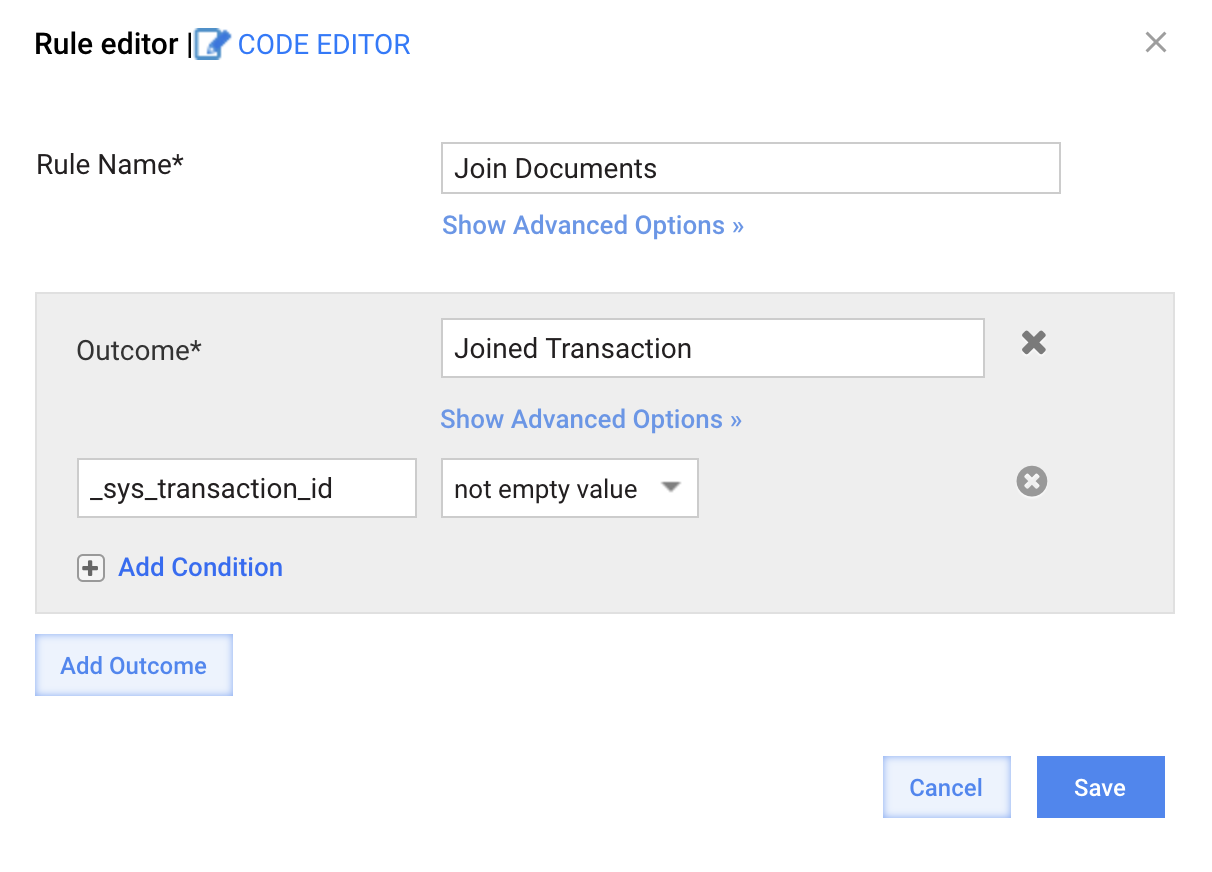
- Import the Join Documents rule.