
Split data between Bot Tasks
important
The information in the article relates to the low-code approach of creating Digital Workers using IA Cloud Developer.
Sometimes, it is required to split data in the middle of a Business Process (BP).
- One of the Bot Tasks in BP generates data stored in the list (table), and the next Bot Task needs to be executed for each record in the list (table). Users cannot provide the data records as a CSV input data file as they are received during BP execution and are not available before the BP starts.
- One or several Bot Tasks must be executed only once in BP, while other tasks must run for each data record. Users cannot provide several records in a CSV input data file, as some tasks need to be executed only once.
The solution is to split data in the middle of BP using a special Bot Form (ETL task) "Test split bot etl".
It will allow to:
- Execute certain steps for each data record without the need to use For Each loop in the recording.
- Run these steps in parallel on several nodes (desktops) without the need to provide the records in the input file.
Thus, you combine the benefits of the two approaches of implementing loops in Control Tower.
The diagram below shows a BP sample workflow using a task to split data in the middle of the process so that the last step can be executed by several bots in parallel.
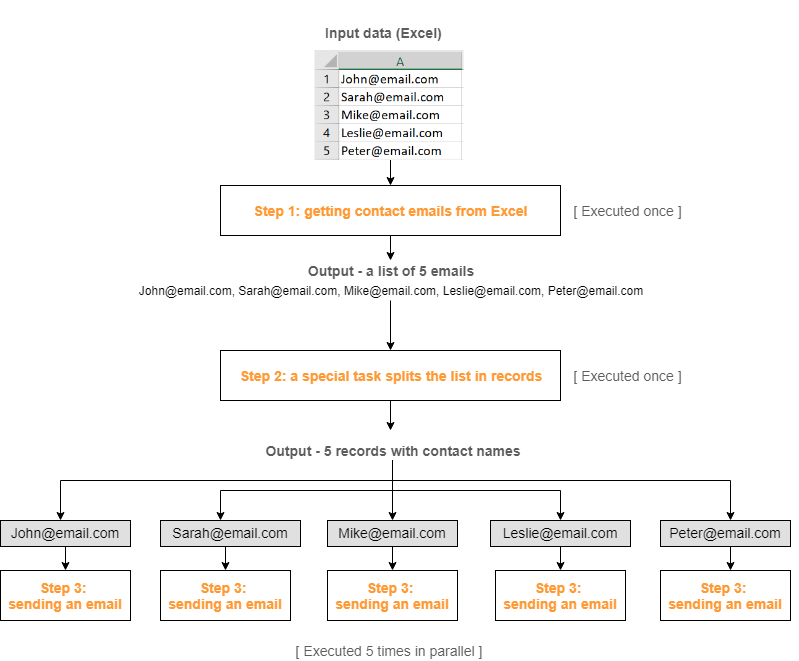
The guide below demonstrates how to use the Bot Task in BP based on two simple use cases.
Use Case 1. Splitting list variable
Description
There is a list of emails stored in an Excel file. The bot must retrieve the emails and send the same message to all recipients.
Downloadable materials
You can download the archive with the source materials used for the case to see how the Data split Bot Task works in practice.
The archive contains:
- Two recordings made
- BP package
- CSV input data file for BP
note
You need to provide the Excel file with email addresses and specify the file path in the input data file for BP to work correctly.
The BP consists of two Bot Tasks implemented in Studio:
Bot Task 1 gets the emails from the Excel file and saves them in a List variable.

Bot Task 2 sends a message to the email address received in the Bot Task.
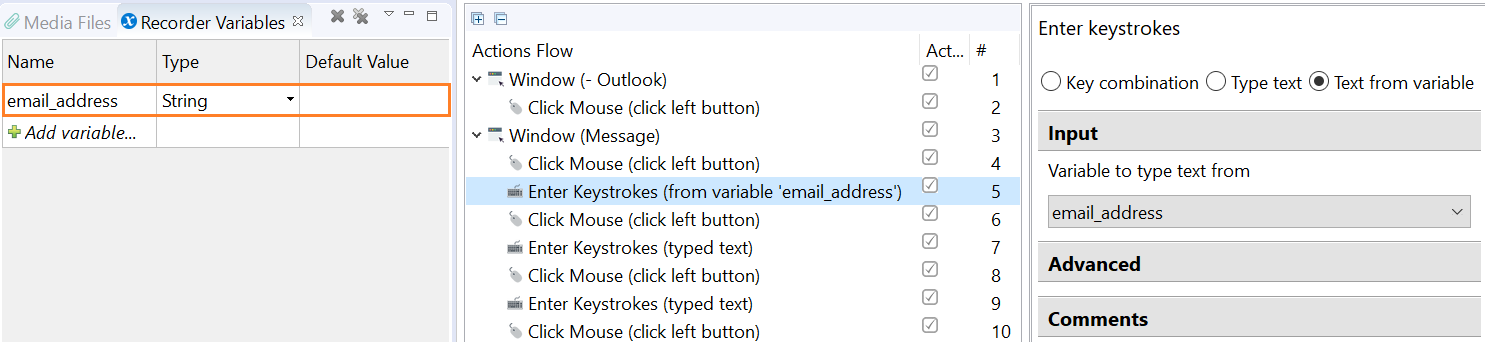
Implementation
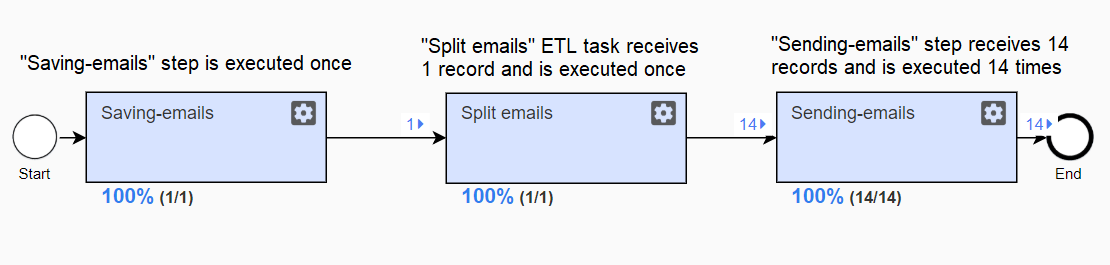
To implement the workflow, split the data stored in the emails variable after Bot Task 1 into several records before the second step is performed, so that it can be executed in parallel on all available nodes.
After publishing both Bot Tasks (recordings) to Control Tower, do as follows:
Create a new BP and add both Bot Tasks to the workflow.
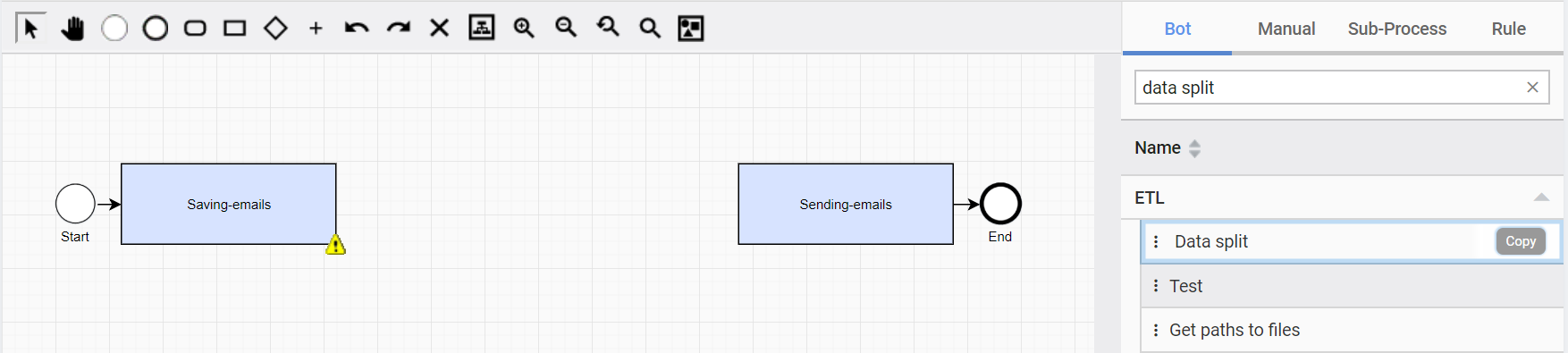
Find the Test split data etl task on the right panel on the Workflow tab. Click Copy.
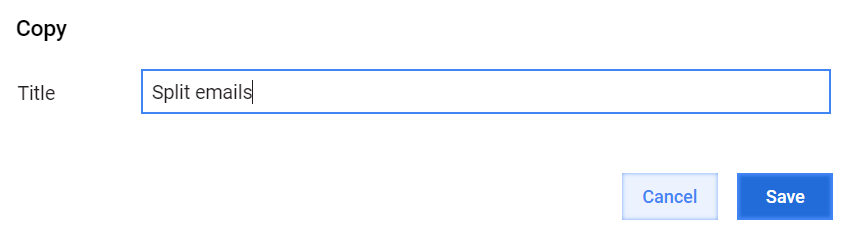
Rename and save the task.
Add the task to the workflow before the Sending-emails step.

Double-click the ETL task, specify the variable to split, select the List type, and specify the variable to save the split data to.
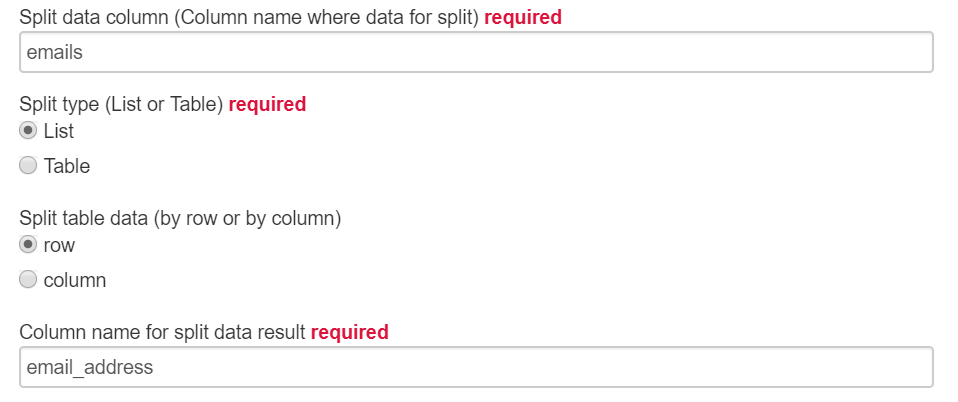
Save the task.
Result
There are 14 email addresses in the Excel file. Thus, Bot Task 1 is executed once, while Bot Task 2 is executed 14 times (once for each email address) in parallel, significantly speeding up BP execution.
Use Case 2. Splitting table variable
Description
There is a table with new employees' details stored in an Excel file. The bot must retrieve the contact details and fill in an online form for each employee.
Downloadable materials
You can download the archive with the source materials used for the case to see how the Data split Bot Task works in practice.
The archive contains:
- Two recordings made
- BP package
- CSV input data file for BP
- Excel file with sample data
note
You need to specify the file path in the input data file for BP to work correctly.
The BP consists of two Bot Tasks implemented in Studio.
Bot Task 1 gets the employee details from an Excel file and saves them in a Table variable.

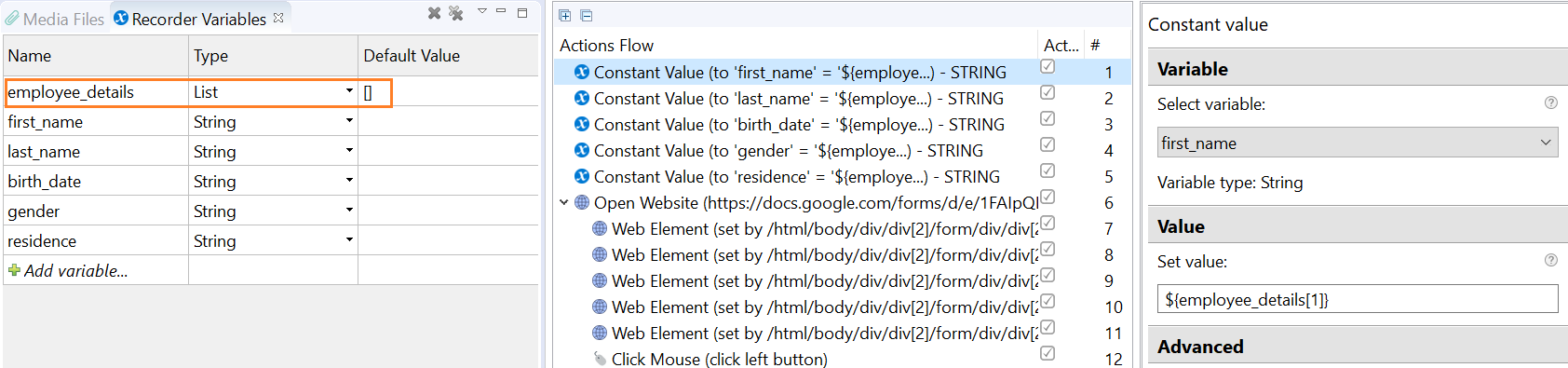
Bot Task 2 fills in a web form with information about each employee (each row in the table).
Implementation
To implement the workflow, split the data stored in the employees table after Bot Task 1 into separate lists (rows containing employee information) before the second step is performed so that it can be executed in parallel on all available nodes.
To do it, add the ETL task to the workflow as described above.
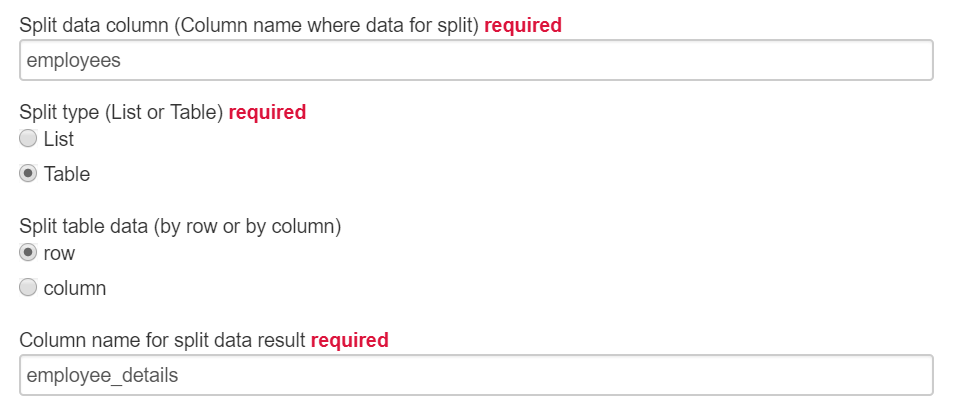
Configure the Data split task as follows:
Specify the variables to split and save the data to.
Set the Table type.
Select whether to split data by rows or by columns. In this use case, the information about each employee is contained in a separate row in the file, so select the Row option.
Result
There are 50 rows in the Excel file. Thus, Bot Task 1 is executed once, while Bot Task 2 is executed 50 times (once for each row) in parallel.
