Prepare team for labeling
Goal: To prepare the SME team for labeling documents.
Input:
- 609 XML documents split into batches: New Hampshire, Georgia, Massachusetts, California
- 15 samples of Georgia selected
Output: Manual Task designed, SMEs qualified to label, Qualification report
Design Manual Task
Consider the list of fields and documents and design a Manual Task (MT) with all logic included. For that, follow the steps:
- Study the list of fields in the table below and decide on the Answer Type for each field.
- Assign a hotkey to each field.
- Design a Manual Task.
| Field name | Data type | Required | Multi-value | Answer Type | Hotkey |
|---|---|---|---|---|---|
| Secretary of State | Alphabetic | Yes | No | Free text | s |
| Trademark Name | Character | Yes | No | Free text | t |
| Corporate Number | Alphanumeric | Yes | No | ID | i |
| Entity Type | Alphabetic | Yes | No | Free text | e |
| Business Type | Character | No | No | Free text | b |
| Filling Date | Date | Yes | No | Date (dd/mm/yyyy) | d |
| Effective Date | Date | No | No | Date (dd/mm/yyyy) | c |
| Authorized Person | Character | Yes | No | Free text | p |
| Authorized Title | Alphabetic | Yes | No | Free text | a |
| Agent Name | Character | Yes | No | Free text | n |
| Street Address | Alphanumeric | Yes | No | Invoice address | 1 |
| City | Alphabetic | Yes | No | Invoice address | 2 |
| State | Alphabetic | Yes | No | Free text | 3 |
| Zip Code | Numeric | Yes | No | Zip code | 4 |
| Filling Fee | Numeric | No | No | Number | f |
To download the Manual Task for the Business Process, click the link. There is one extra field (Comment) for SMEs to add comments on document quality and missing tags.
Import MT to Control Tower
To review the designed Manual Task, import the downloaded zip archive to the Control Tower as described below:
- Go to Business Processes (Tasks) and, in the top-right corner, click Import Package.
- Click Upload, select the MT zip archive, and then click Preview Package.
- In the bottom-left corner, click Import Package.
- Click View the imported Business Process.
Qualify SMEs for proper labeling
For qualification, it is necessary to choose 15 samples of the same layout. In this example, Georgia was chosen because it doesn't contain complicated business rules for tagging. So, it is easy to follow instructions while tagging.
For the input, the following data is provided:
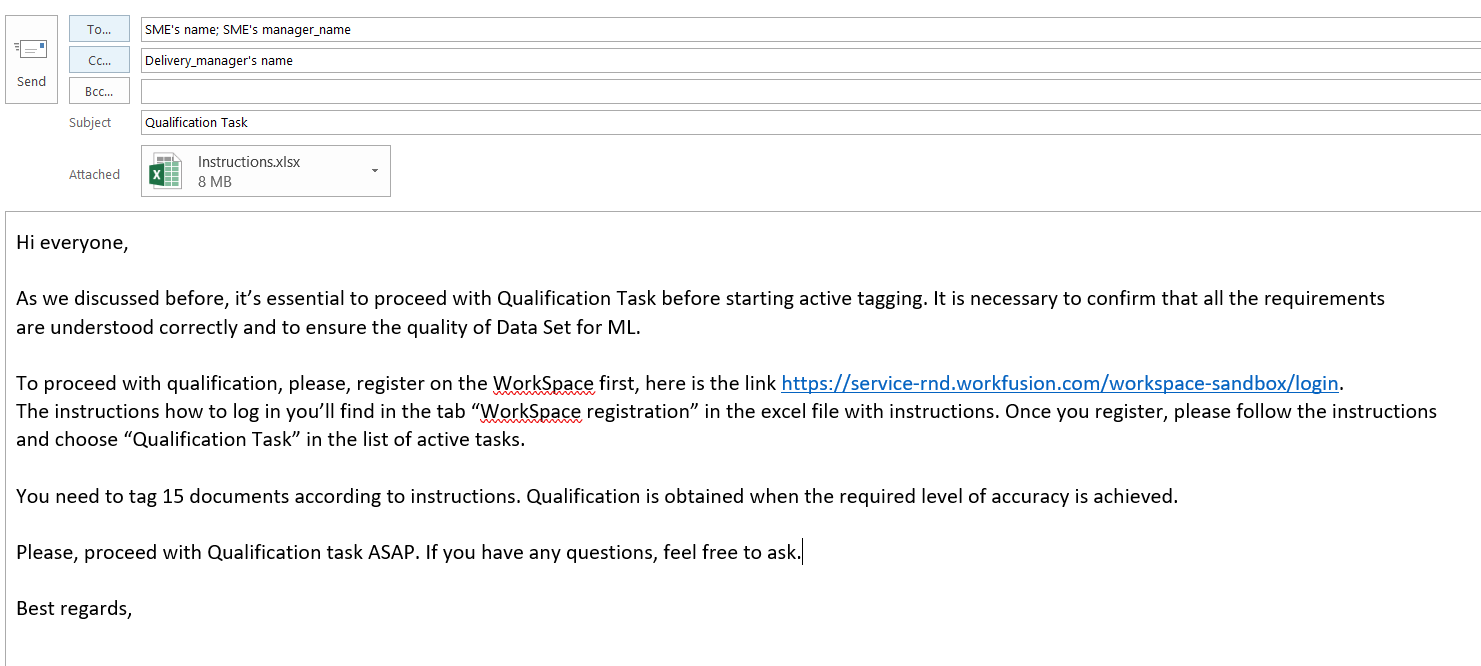
Then, send an email to the SME team with instructions, a link to Qualification Task, and a specific deadline for the task.
Qualification results
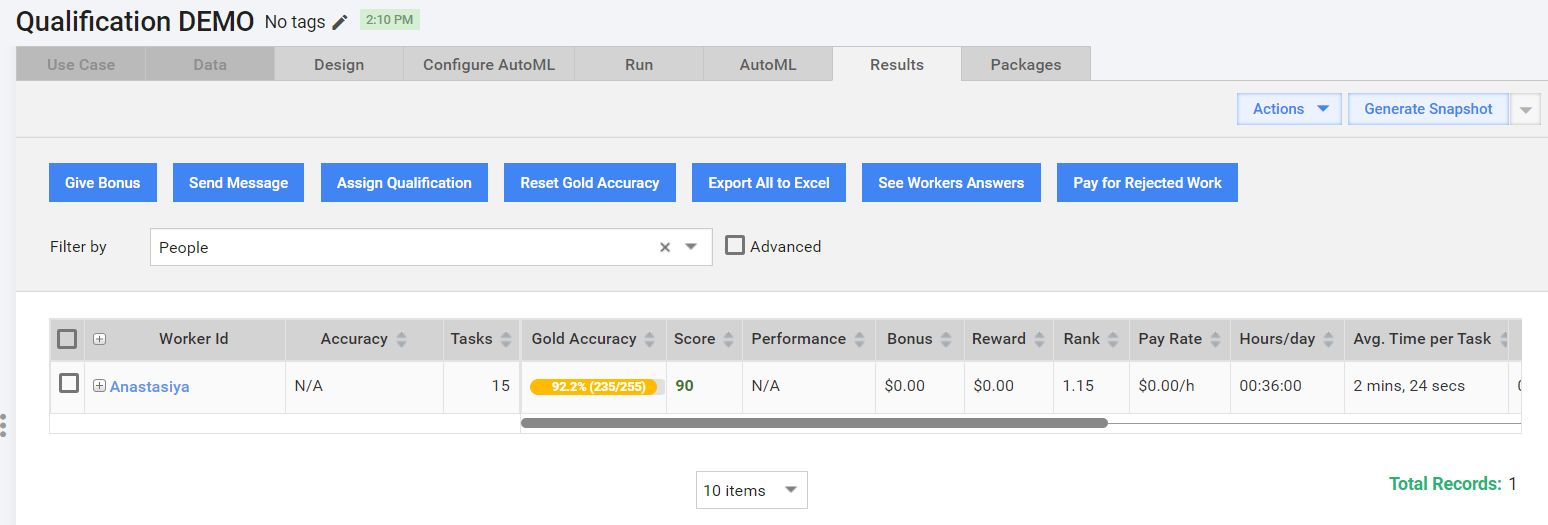
Here is what the Data Analyst (DA) sees in the Results tab when at least one SME passes the qualification task:
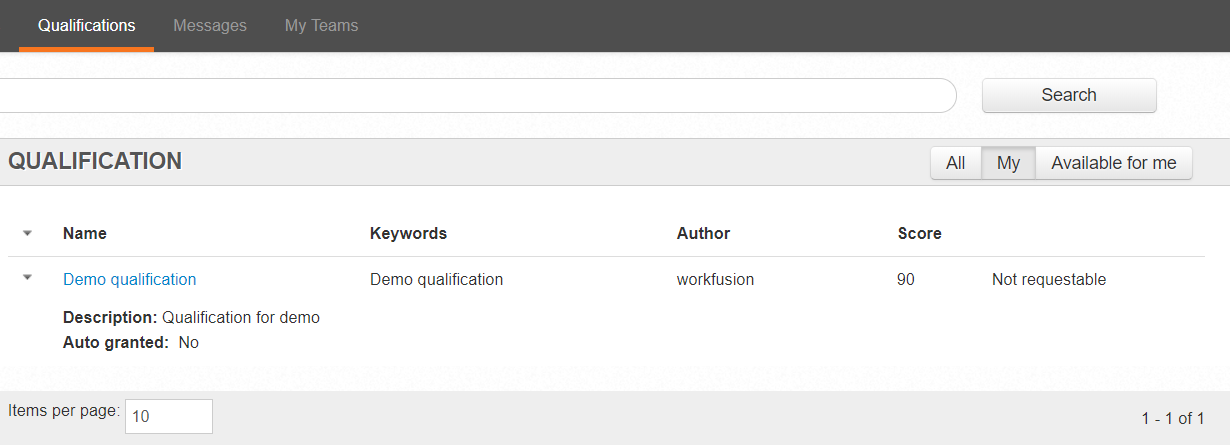
Here is what the SME can see in WorkSpace when a qualification is obtained:
The following Qualification Report is submitted:
Second Qualification
Let's assume one SME failed to pass a Qualification. The final score was 60 (75.7%), which is not enough.
The DA must check the document for mistakes, send the feedback to the SME, and ask them to retake the Qualification for the second time. The flow is as follows:
Go to Results > Analytics > Export to CSV. A CSV file with workers' answers is downloaded, which you can sort by Worker ID.
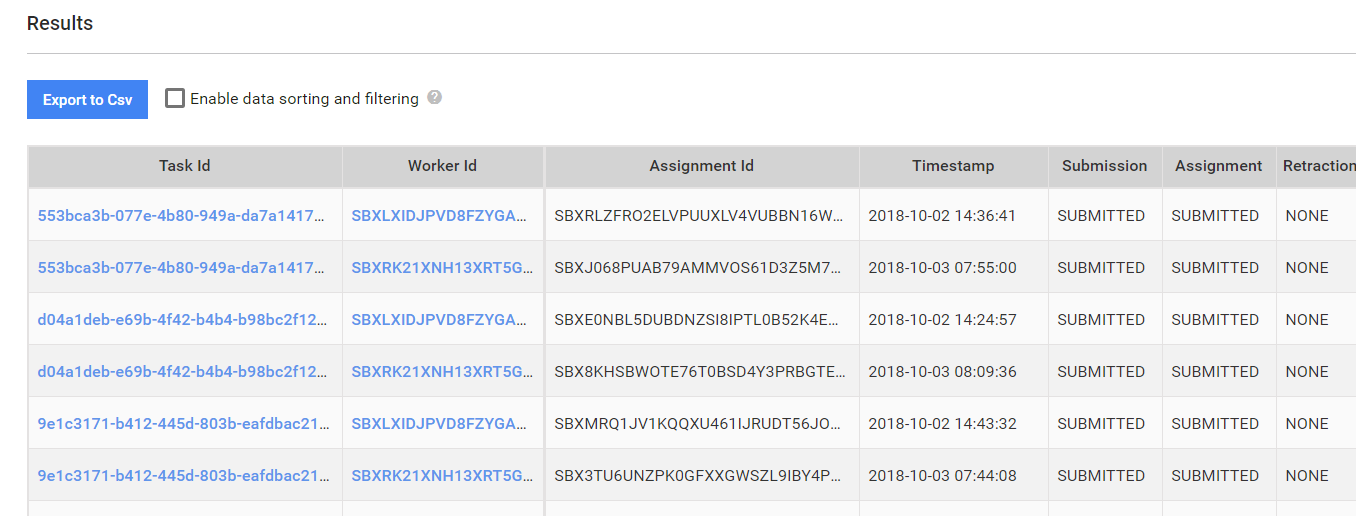
To download a sample CSV file with SMEs answers, click the link.
To see a Worker ID, go to Workers, find the worker by name, and identify their ID.
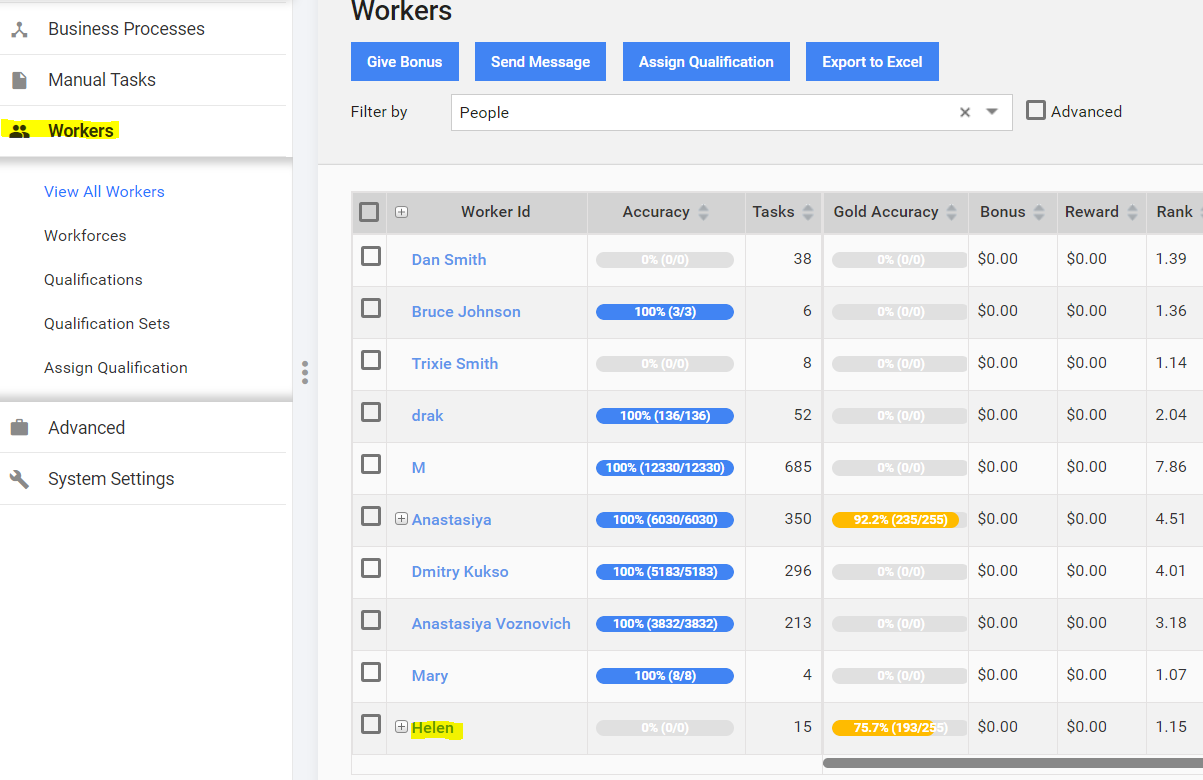
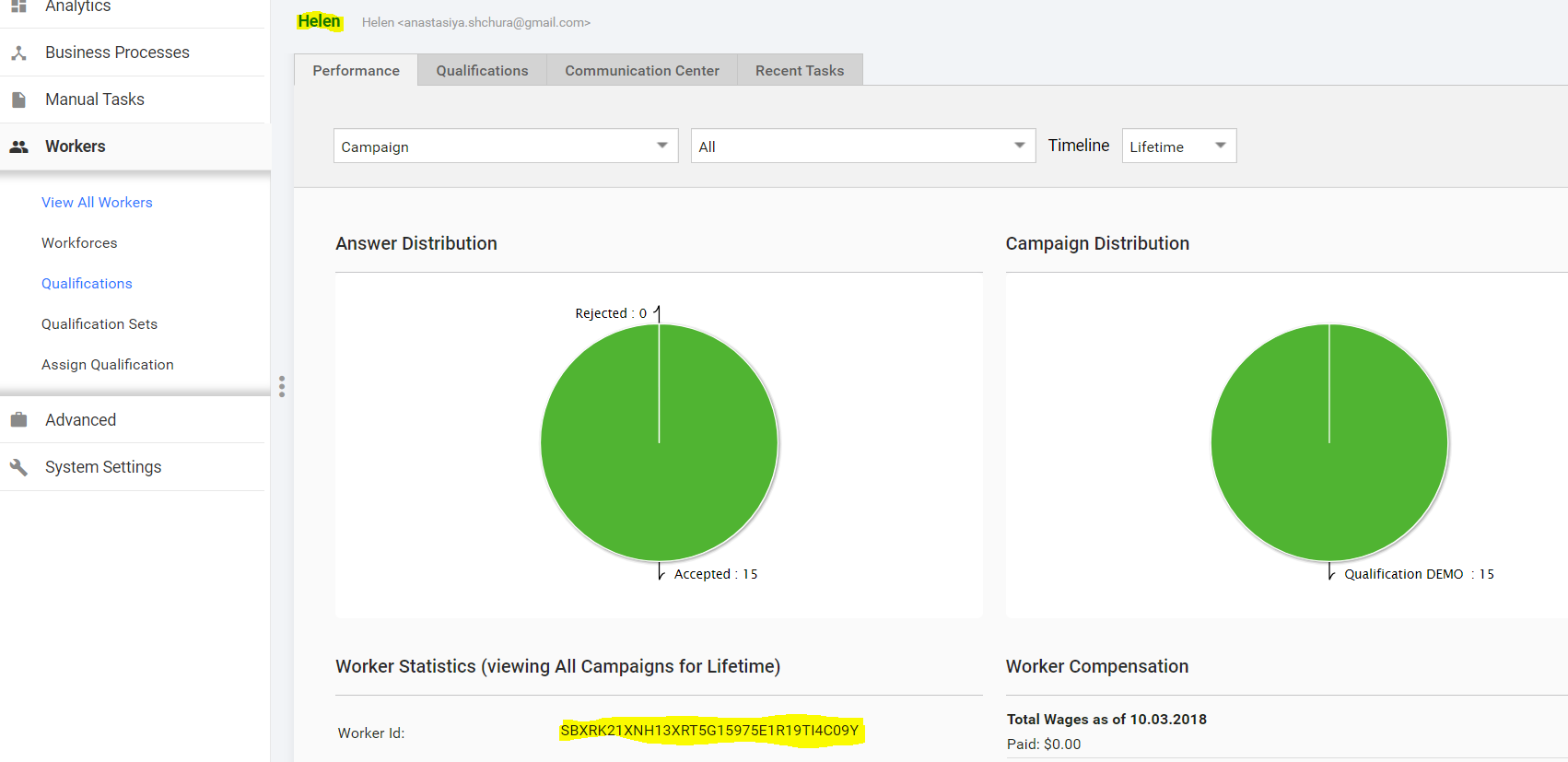
Filter the CSV file by the Worker ID and leave only the answers of the second SME.
Upload the CSV file to the Manual Task and check tagging. For details, see the Labeling and validation guide.
Send an email with mistakes and explanations to the SME. Then, they must complete the same qualification task for the second time.
For sample feedback with explanations of mistakes, download the file.
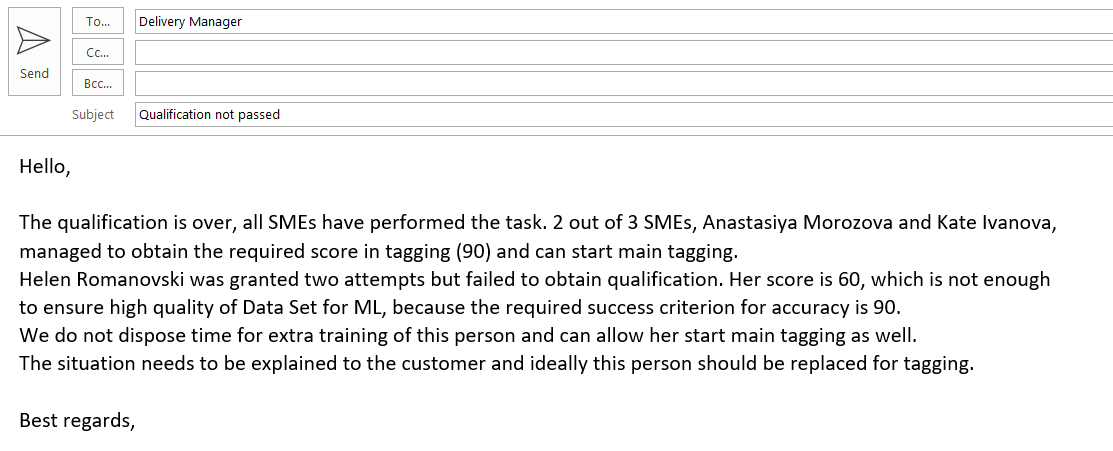
If the SME fails for the second time, send a message as illustrated below to the Delivery Manager.