AWS CloudFormation templates
Instead of manually provisioning AWS resources, which introduces the possibility of doing it inconsistently, or worse, reusing the same resources like Security Groups from other stacks, which sacrifices infrastructure agility and potentially raises numerous security issues, Workfusion designed and implemented a way to provision new resources which would comply with following requirements:
- Environment isolation
- Unified and single way to spawn AWS resources
- Repeat-ability
- Re-usability
- Transparency
- Incremental Infrastructure updates
- Infrastructure as code
There are three common templates:
- VPC
- SG
- EC2
The correct order of staging these templates is VPC > SG > EC2.
Create new Virtual Private Cloud stack in Cloudformation interface.
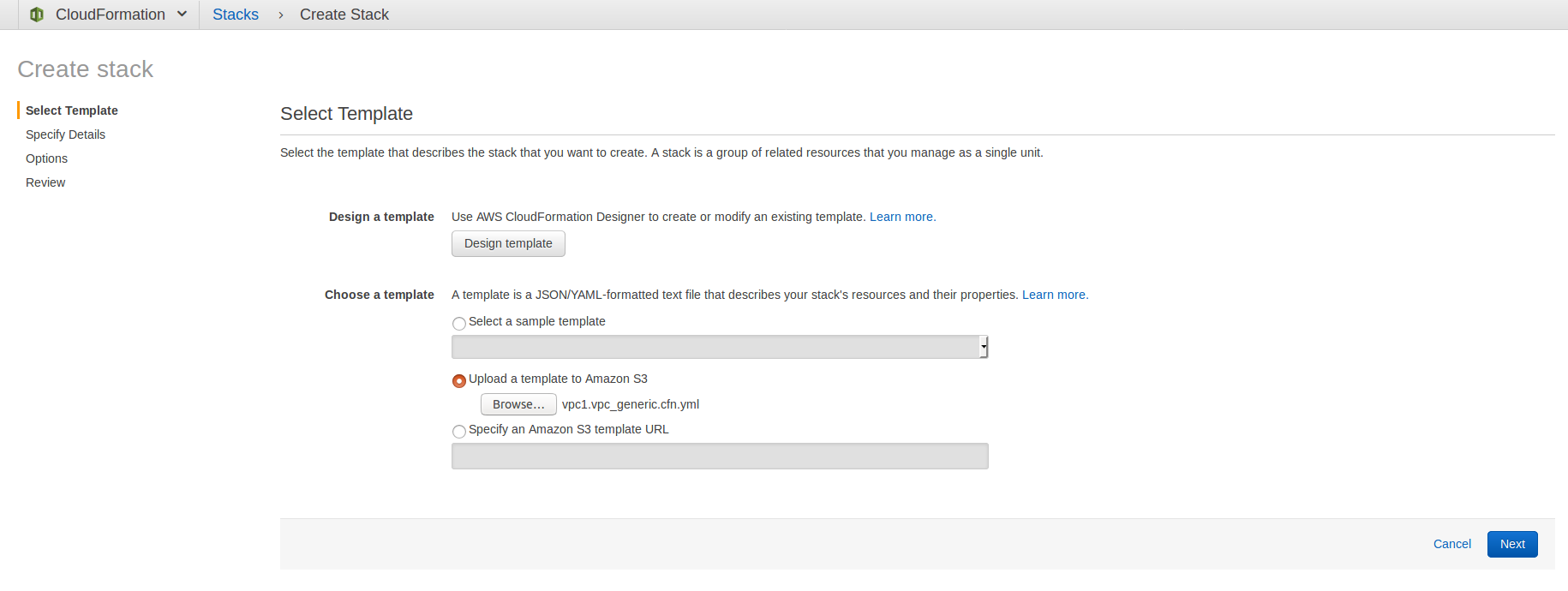
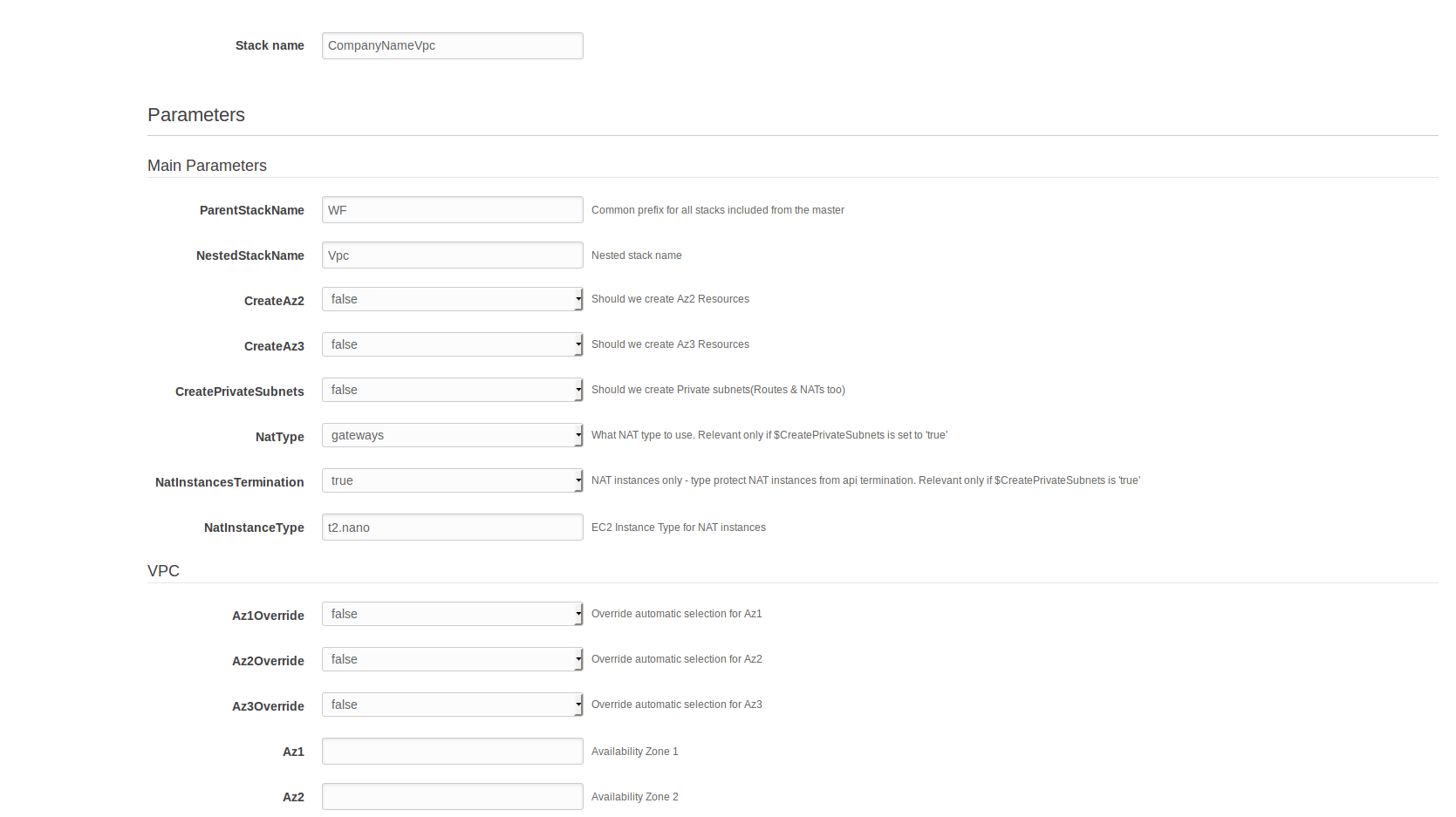
Fill in and set the fields below:
- Stack name: stack name, for example, CompanyNameVpc
- ParentStackName: parent stack name, for example, WF
- NestedStackName: nested stack name, for example, Vpc
- CreateAz2:
false - CreateAz3:
false - CreatePrivateSubnets:
false - NatType: gateways
- Az1Override:
false - Az2Override:
false - Az3Override:
false - VPCCidr: "choose not their internal network range"
All other fields are left default.
Create new Security Groups stack in Cloudformation interface.
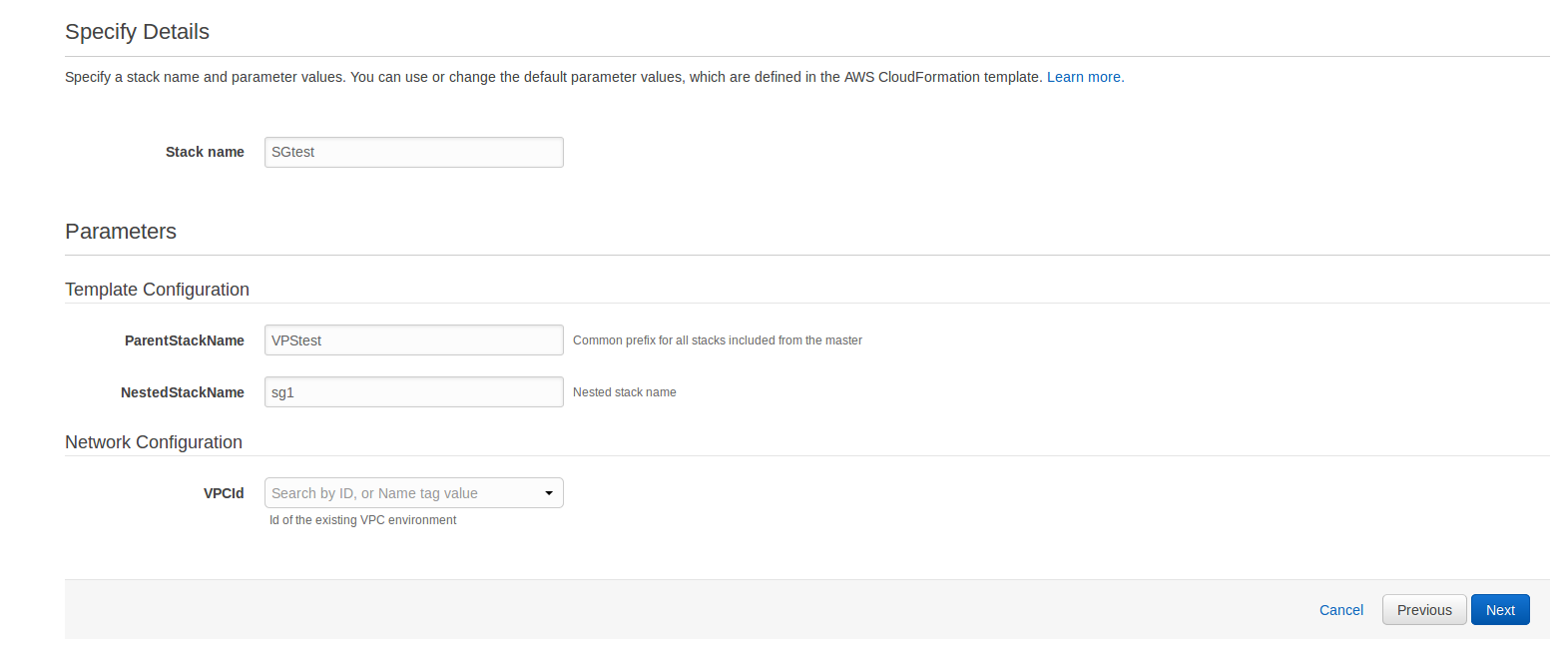
Fill in the fields below:
- Stack name: stack name, for example, CompanyNameSG
- ParentStackName: parent stack name, for example, WF
- NestedStackName: nested stack name, for example, Sg
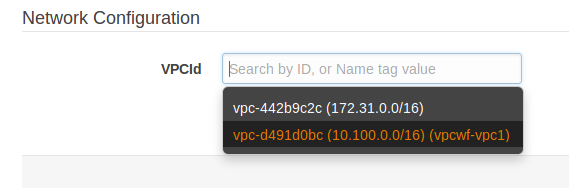
- VPCId: choose your VPC ID
All other fields are left default.
Create a new Elastic Compute Cloud stack in the Cloudformation interface. Perform this step for each server type: APP, DB, OCR, and so on.
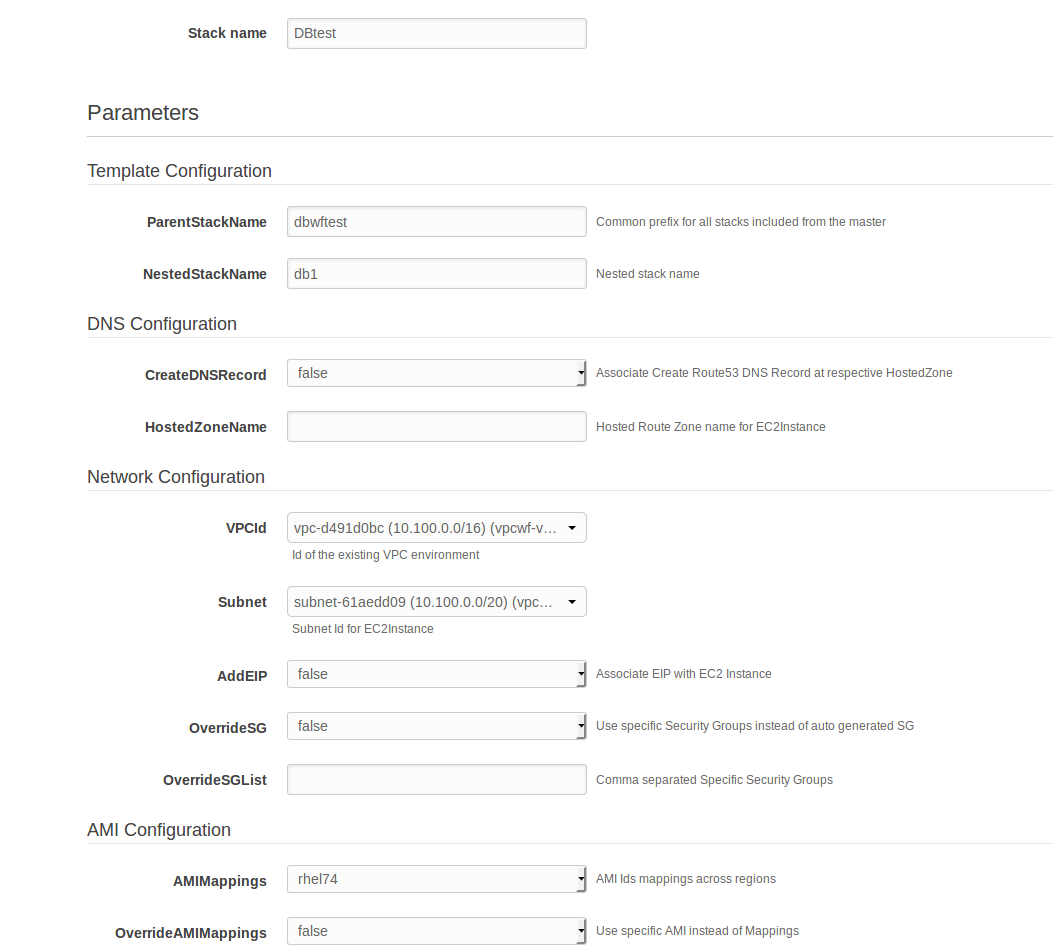
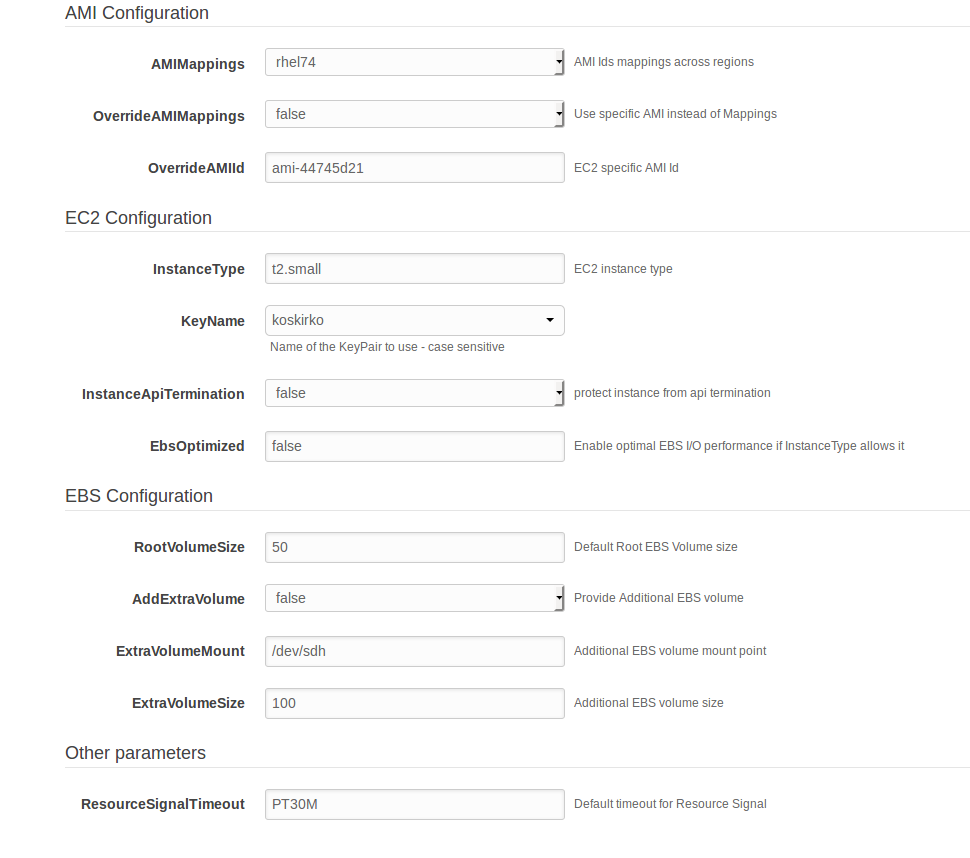
Fill in the fields below:
- Stack name: stack name, for example, CompanyNameDB
- ParentStackName: parent stack name, for example, WF
- NestedStackName: nested stack name, for example, Db
- CreateDNSRecord:
false - VPCId: choose your ID
- Subnet: choose your VPC subnet
- AddEIP:
falseortrueif needed - OverrideSG:
false - OverrideSGList: choose your SG ID from SG stack
- InstanceType: choose the required size
- KeyName: choose your key
All other fields are filled in according to your server requirements.
Currently, you can use those instance types for DEV and PROD.
DEV:
Role CPU MEM HDD** Type DB 4 16 1TB m5.xlarge APP 8 32 250GB m5.2xlarge APM 2 4 100GB t2.medium OCR 4 16 250GB m5.xlarge VDS 8 32 2TB m5.2xlarge VDS slave 8 32 100GB m5.2xlarge RPA 8 16 250GB c5.2xlarge BI 4 16 250GB t2.xlarge PROD:
Role CPU MEM HDD** Type DB 8 32 1TB m5.2xlarge APP 8 32 250GB m5.2xlarge APM 2 4 100GB t2.medium OCR 8 32 250GB m5.2xlarge VDS 8 32 2TB m5.2xlarge VDS slave 8 32 100GB m5.2xlarge RPA 8 16 250GB m5.2xlarge BI 8 32 250GB m5.2xlarge **HDD must be as a additional disk attached to a separate mount point.
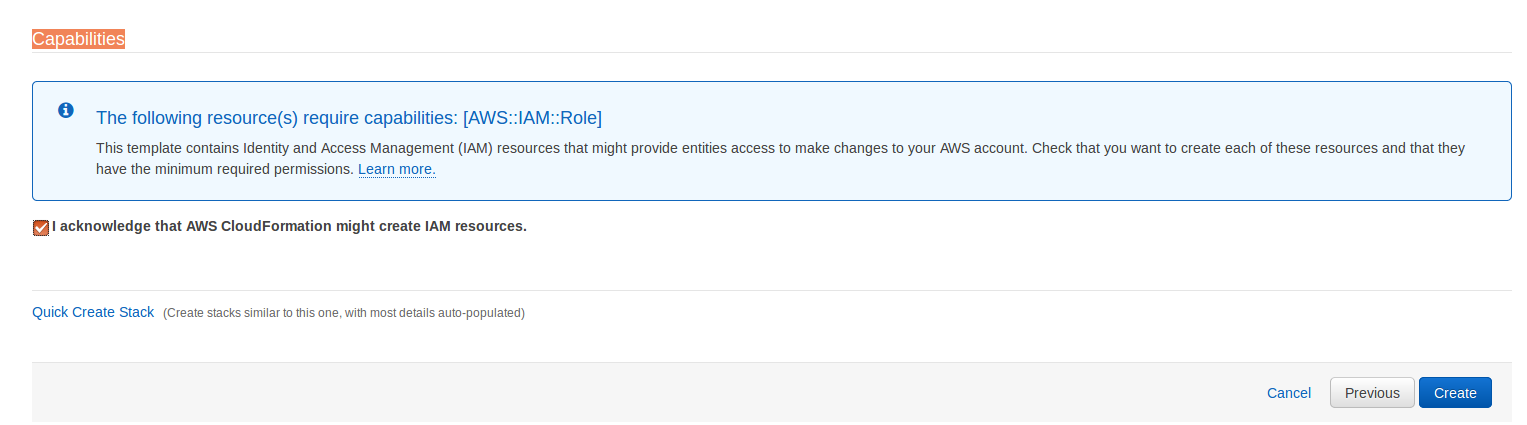
Apply capabilities.