
Business Process Use Case
To manage Use Cases, go to Configuration > Use Cases > the Business Process tab.
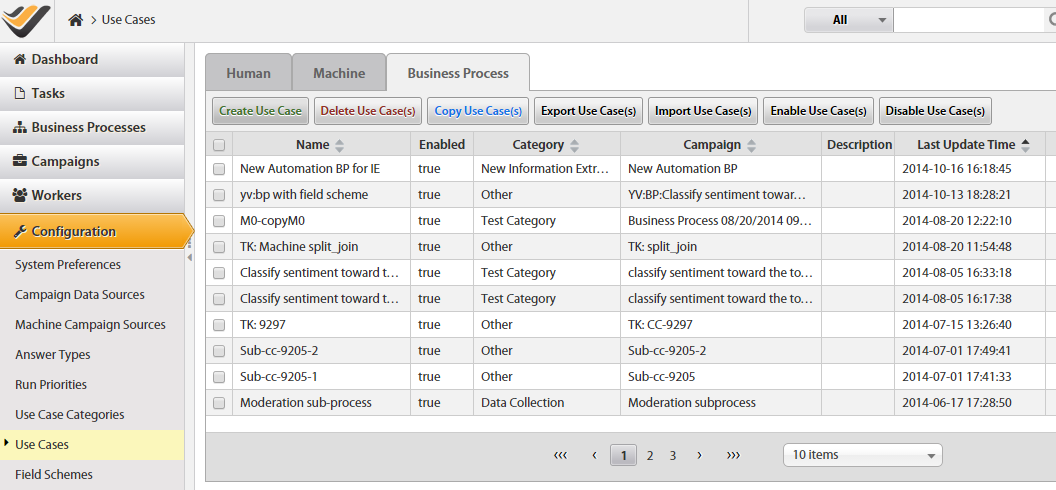
On the BP tab, you can perform the following bulk actions:
- Create or edit a Use Case.
- Copy a Use Case.
- Delete a Use Case.
- Export or import a Use Case in the XML format.
- Enable or disable a Use Case.
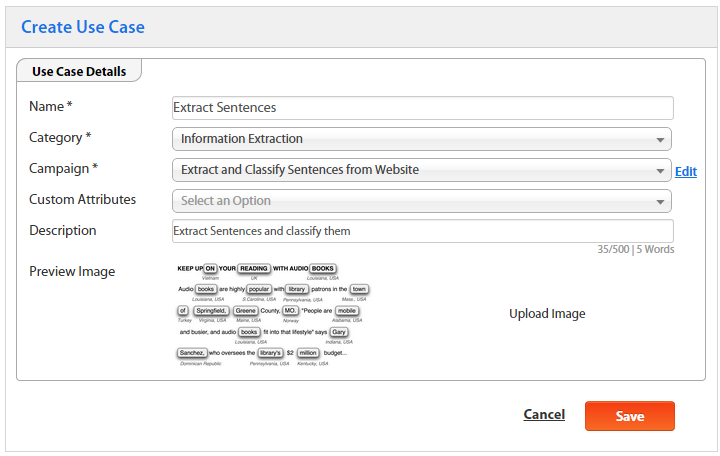
When you create or edit a Use Case for BP, you should set the following parameters:
| Field | Description |
|---|---|
Name |
A unique Use Case name. |
| Category | Select a Category that fits your Use Case. |
| Campaign | Select a BP that will be a source for the Use Case. After you have selected a BP, you can preview or edit it by clicking the Edit link. |
Custom Attributes |
See the Automation Engineer Manual. |
Description |
Common information about the Use Case. |
Preview Image |
Upload an image to distinguish the Use Case among others and give the user initial information about the look of the Task. |