
Correlated fields
The Correlated Fields answer type allows you to repeat a block of answer fields, so Workers can dynamically add Answers. This feature is useful when the number of Task Answers is unknown. For example: "Find all the Board of Directors from an annual report".
Repeatable block creation
To create a repeatable answer block, select the Answer Type: Correlated Fields when adding a new Answer.
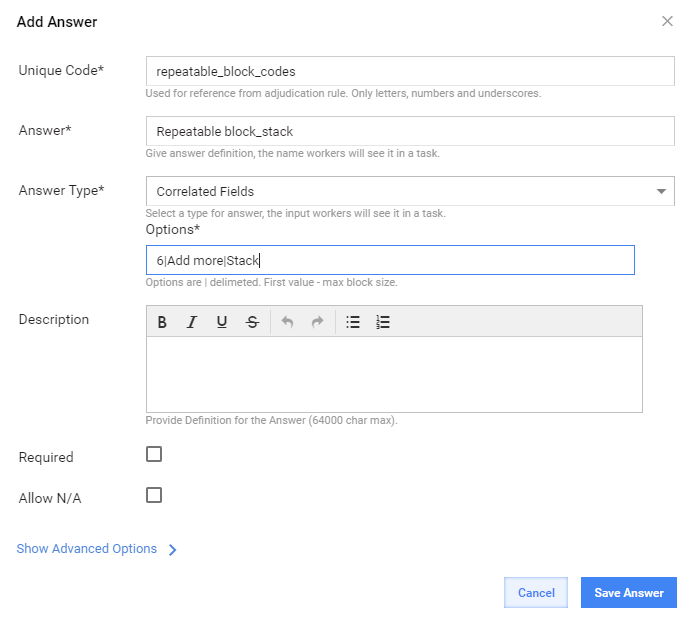
Correlated Fields options
Custom parameters: 6|Add more|Stack
- 6 - max block size; you can input any integer value.
- Add more - Name of the block creation button.
- Stack - one of three variants(tabs, stack, horizontal) for tabs location
Default parameters:
- Max block size - unlimited
- Button name - Add
- Tabs location - Tabs
Each Correlated Fields Answer should have child answers with "Do Not Use in Adjudication (SA)" option enabled, also child answers should be not required.
Worker's answer will be processed as a pair of values divided by ::
Various modes tab support
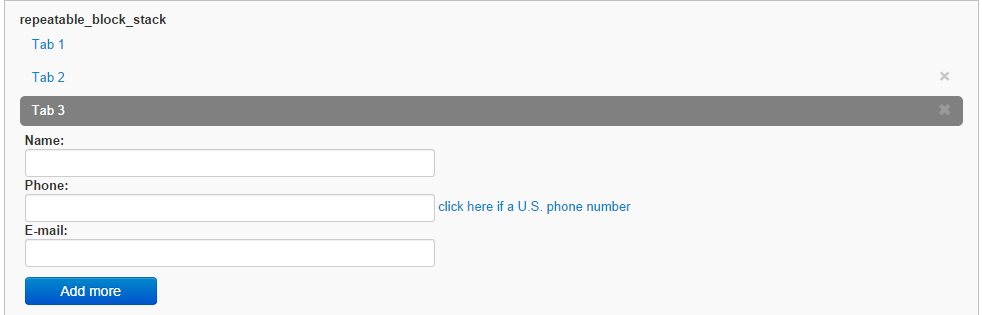
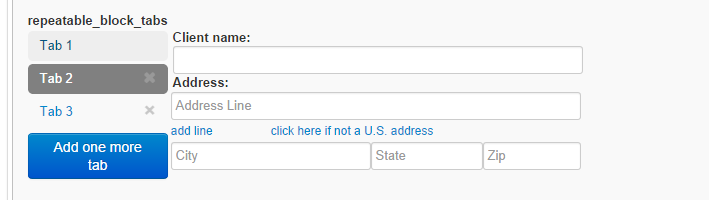
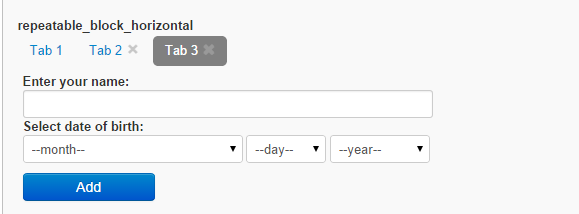
You can choose from three types of Tab Display.
STACK
TABS
HORIZONTAL
Sub-answers
Several levels of sub-Answers (2, 3) are supported in Correlated Fields.
List of available answer types:
- FREE_TEXT
- LONG_TEXT
- CHECK_ONE
- CHECK_MULTI
- SELECT_ONE
- SELECT_MULTI
- NUMBER
- PRICE
- DATE
- TIME
- PHONE
- MASKED_TEXT
- TEXT_LIMITATION_AREA
- UPC_CODE
- SELECT_DATE