
SAP GUI tips and tricks
Navigation to hidden elements
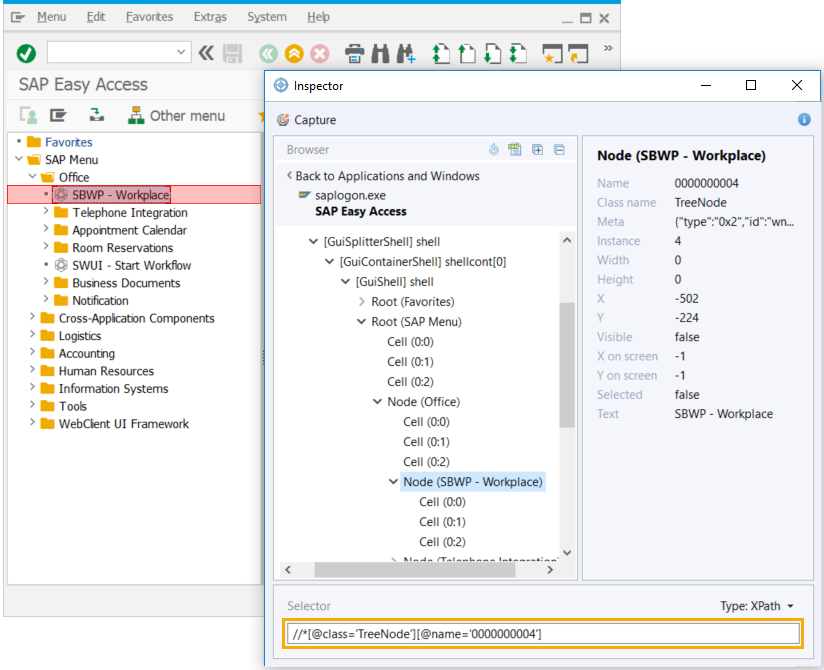
To grab a selector of an element not visible on the SAP GUI screen, use Inspector. Thus, you open hidden tree elements or tabs.
- Right click on any hidden element within the tree and select Focus.
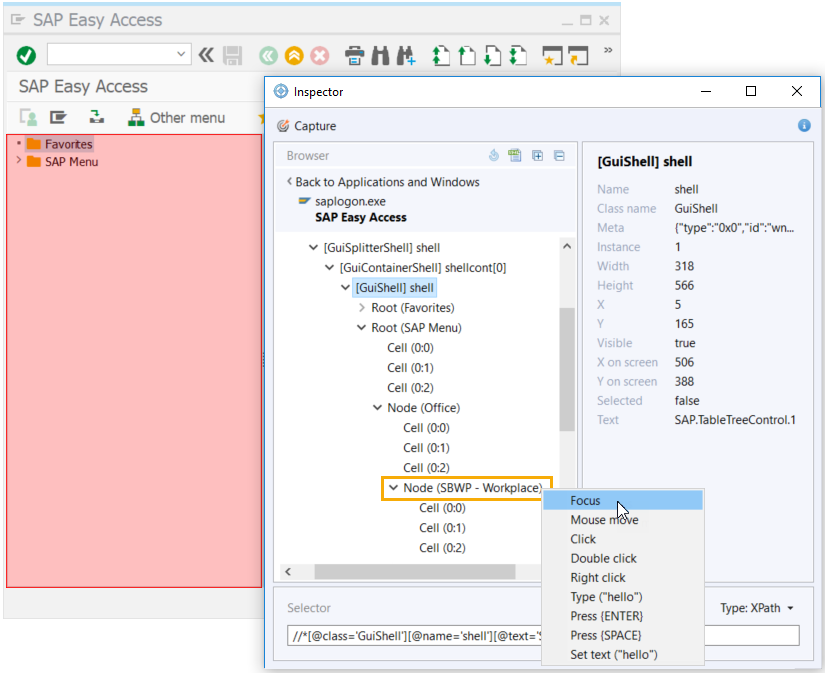
- On expanding the element, copy its selector to use in your script.
Complex grids automation
If automation of complex trees or tables with a large number of elements takes much time for both inspecting and executing scripts, use the following SAP UI controls attributes:
native_idrowcolumn
The native_id attribute immediately interacts with a selected element, e.g., a table cell of the Nth column in a complex grid, without waiting for information from the whole list of elements.
- Open SAP GUI desktop client and select the screen you need to automate. Open Inspector and click Capture.
- Hover over the needed element and press Escape.
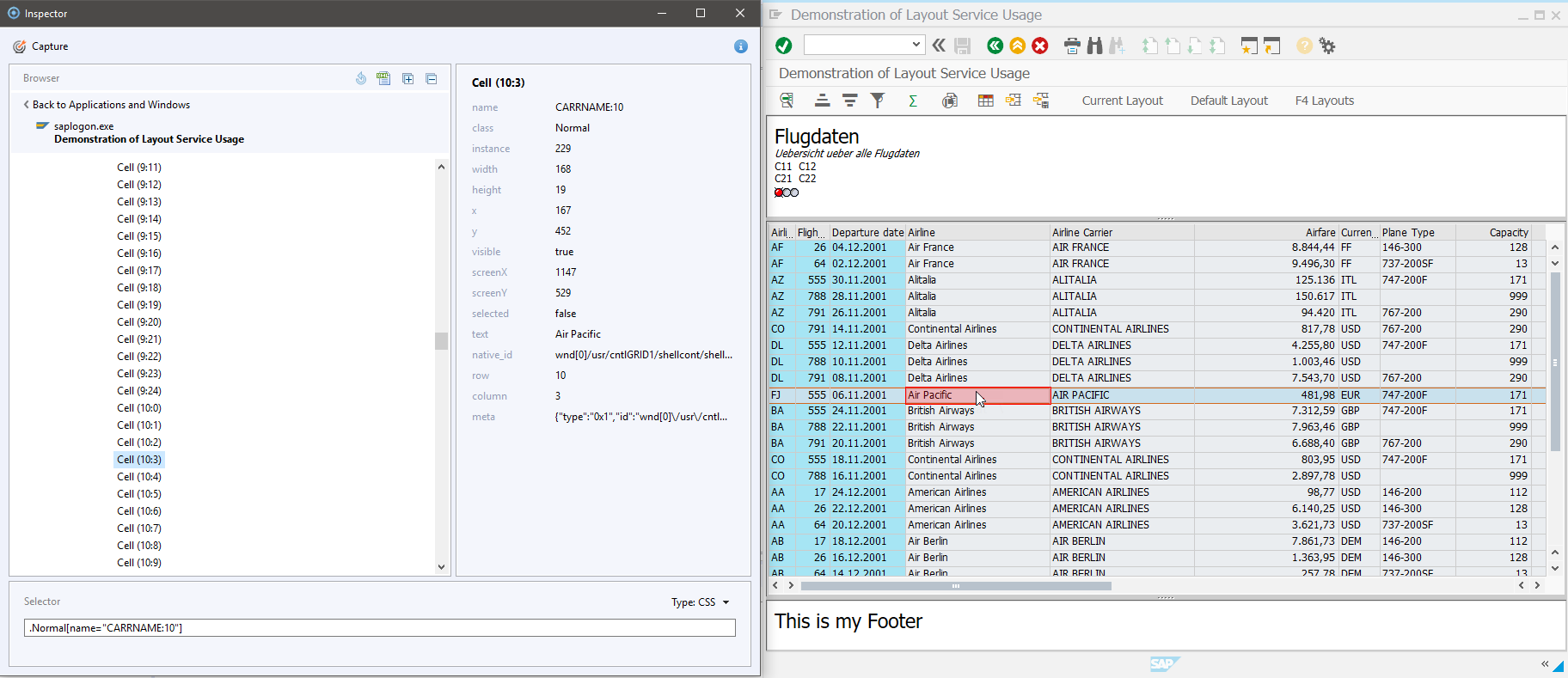
- Build up your selector manually.
Copy
native_idin the native_id field and paste it afterNATIVE_IDin the Selector field.After the
NATIVE_IDblock, addCELLand specify the cell coordinates using thecolumnandrowvalues.

Your selector will look as follows:\[NATIVE_ID:wnd[0]/usr/cntlGRID1/shellcont/shell/shellcont[1]/shell; CELL:10,3]
Using native_id, you can build selectors for the following UI elements:
table cells: use
native_id+ cell:row,columnTable cell example:[NATIVE_ID:wnd[0]/usr/tabsTAXI_TVERVIEW/tblSAPMV45ATCTRL_U_ERF_AUFTRAG; CELL:1,38]tree items: use
native_id+name(refer to thenameattribute in the element data)
Tree item example:[NATIVE_ID:wnd[0]/usr/cntlTREE_CONTAINER/shellcont/shell; NAME: Root:0]SAP UI controls, e.g., buttons: use
native_idonly
UI control example:[NATIVE_ID:wnd[0]/usr/btnNEW]
SAP GUI commands
The below mentioned commands are entered into the OK Code field, allowing to perform some actions quicker.
| Command | Description |
|---|---|
/n | used together with a transaction name, navigates to a transaction from the existing transaction window |
/o | displays a list of open SAP GUI sessions; all your sessions will be displayed in a dialog box with the options to create and end sessions |
/i | used together with a transaction name, closes the specified transaction window |
/nend | logs out prompting to confirm that you want to close all the sessions |
/nex | closes all the sessions and exits the SAP GUI desktop client without prompting |