
SAP GUI restrictions
caution
When automating the SAP GUI client, there are certain restrictions to be aware of. In the table below, there are UI controls that either are not supported, or can be automated in case additional settings are performed.
Search help window

Search help windows are recognized only in the Dialog (modal) mode. To enable usage of search help windows, do as follows.
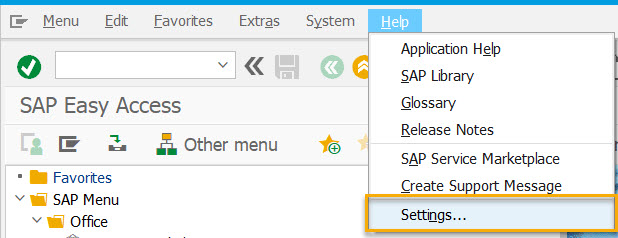
Go to Help > Settings.
Select the** F4 Help** tab and check Dialog (modal).
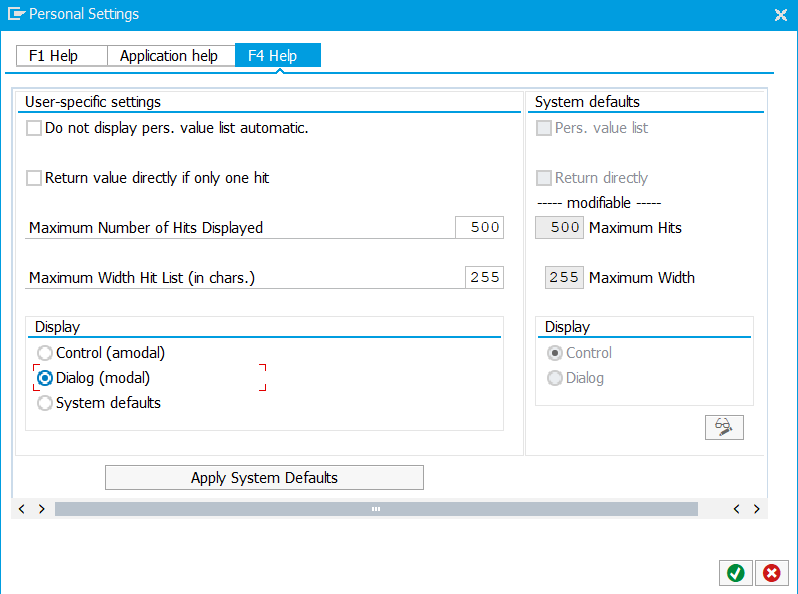
To save the changes, press Enter / the OK button.
Scrollbar and scrollbar button
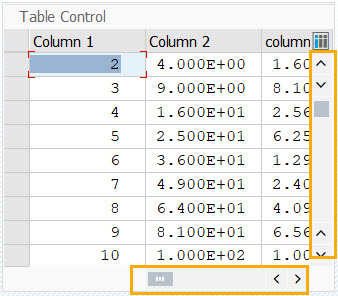
Scrollbars and scrollbar buttons are not supported. To automate, use the Scroll Mouse action or arrow keys (for example, PgUp and PgDn) in the Keyboard action.
Menu bar
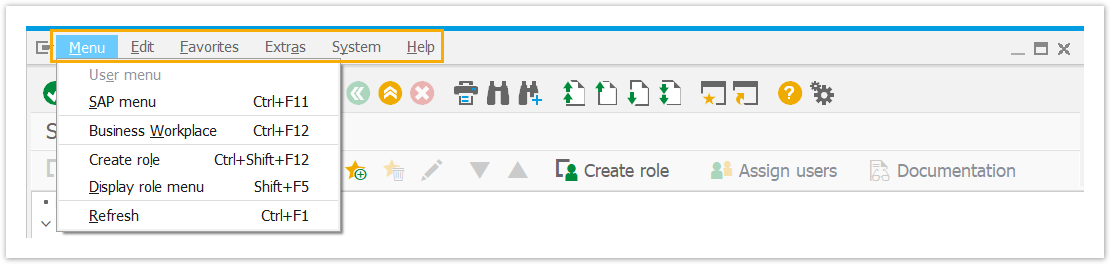
The top menu bar items are not supported. To automate, use shortcuts. Click on each of the top menu bar buttons to see available variants.
Context menu

To automate the context menu, refer to one of the following workarounds:
- the Keyboard action to apply function keys (e.g., F1, F3, F4, etc.)
- arrow keys, for example, the order of actions in the script will look like this: Mouse Click (right click) + Enter Keystrokes (Down) + Enter Keystrokes (Down) + Enter Keystrokes (Enter)
Calendar picker
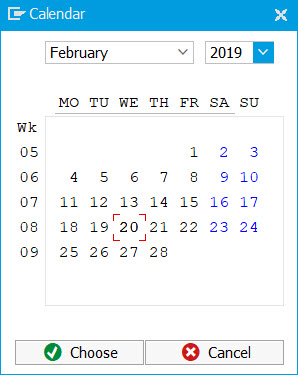
The calendar picker option is not supported. Object recording is performed in the beta mode and not supported for all of the SAP GUI controls. To report an unsupported control, reach out to our support team via WorkFusion Service Desk.