
Bonus
Bonus Rules are used to grant bonuses to Workers. After you have set the Reward per Task on the Run Task tab, you can choose to grant certain Workers additional payments through these rules.
For example the below Rule grants a $5 bonus to the Workers who are in the top 5.
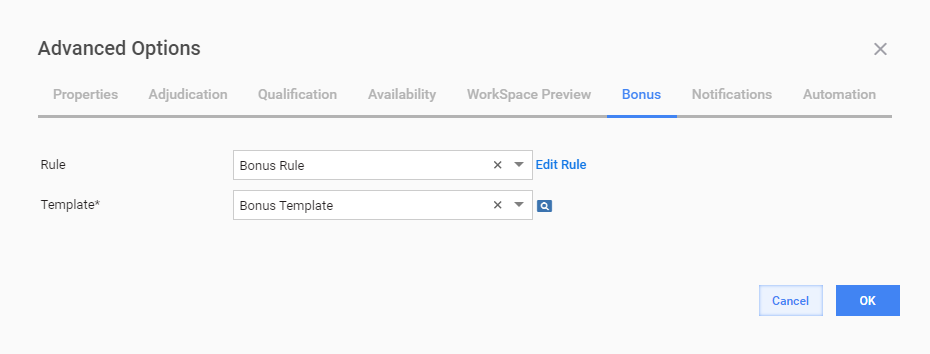
You can select a Template message sent to a Worker when he or she earns a Bonus.
Cancel Bonus Rule
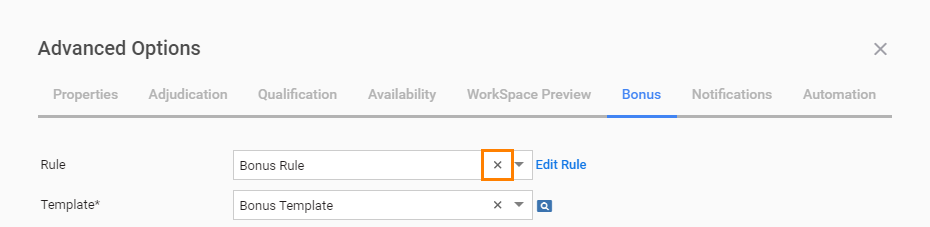
To cancel the Bonus Rule, click the cross icon in the Rule field.
Edit Bonus Rule
You can set Bonus Rule parameters by completing the following steps:
Click the Edit Rule link to the right of the Rule field. The following block is expanded:
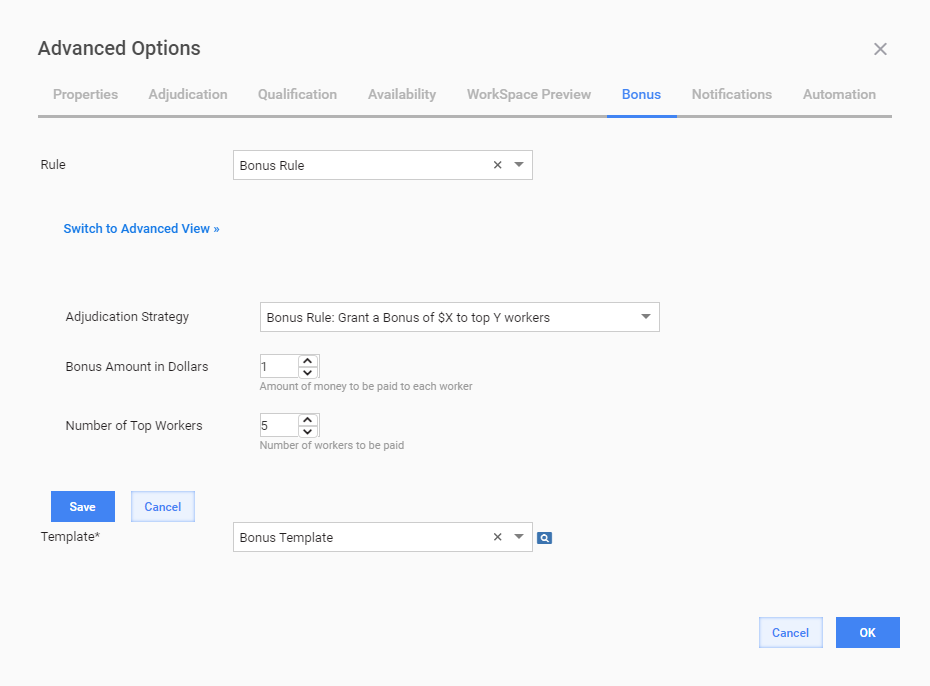
Select an Adjudication Strategy from the dropdown. Depending on the Strategy selected, there will be a specific set of Variable inputs: Bonus Amount in Dollars, Number of Top Workers.
Set the Strategy Variables.
Click the Save button.
You can optionally click the Switch to Advanced View link and directly edit the rule code. For detailed Rules description, see Rules and Rule Templates.