Fix Windows Server 2022 console crash
The article describes the root cause and the steps to resolve the Windows Server 2022 console crash after the special Spanish symbol ñ is copied to it.
Root cause
The root cause of the issue is a bug in the Windows Server 2022 console. When the console is in the Legacy mode, and the font is set to the raster, copying the ñ character causes the console to crash.
Resolution
To resolve the issue, follow the steps below:
In Windows Server 2022, open cmd.
Right-click Properties.
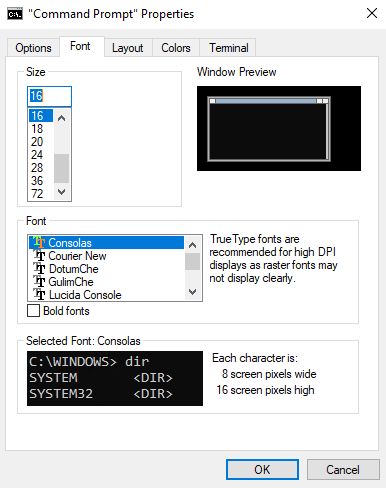
In the console properties, change the font to TrueType Consolas:
Click OK.