
Implementation support
Delivery support model
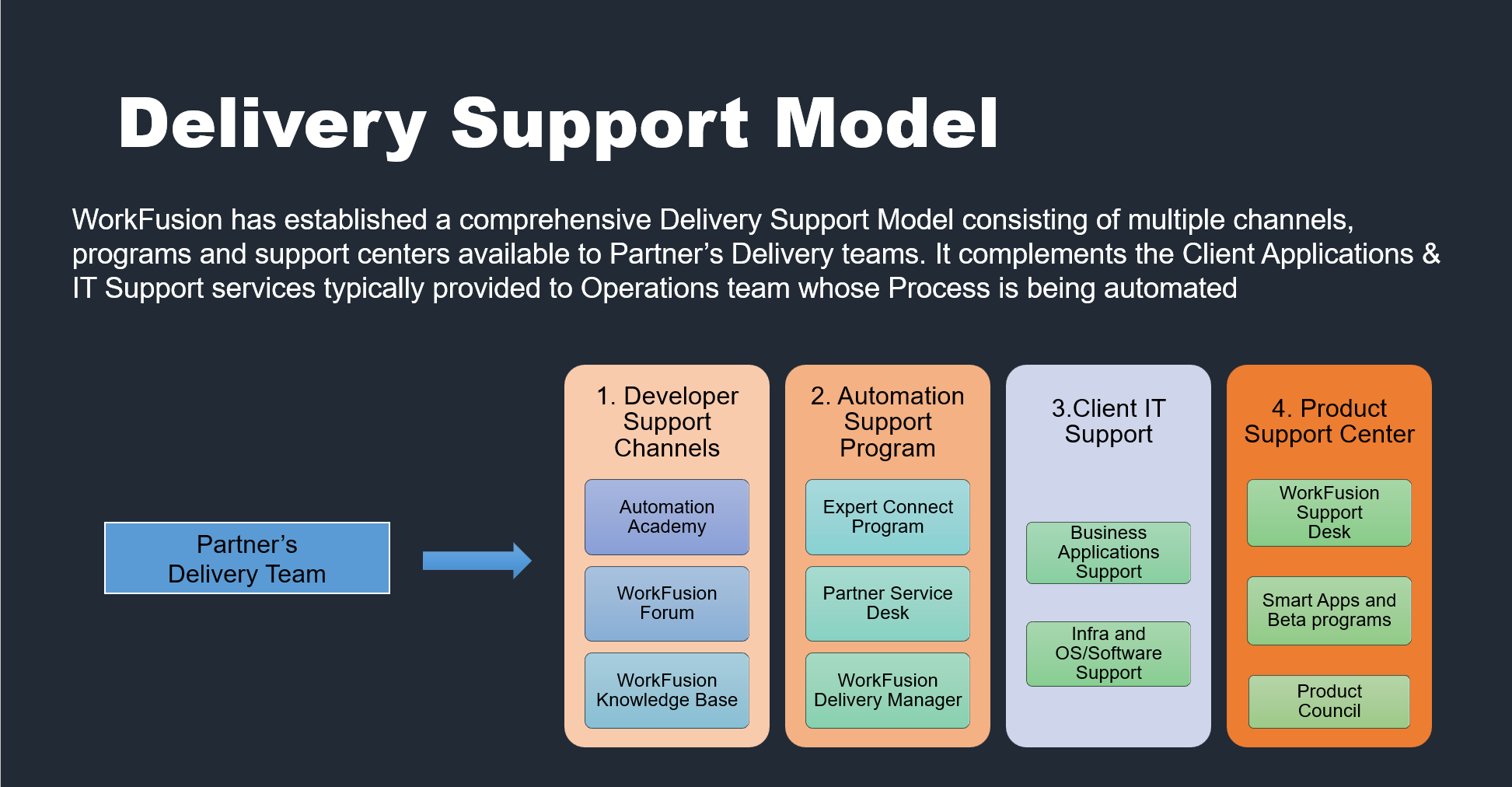
To set a project for Success Delivery Manager, make sure that support channels are established and utilized properly while Delivery. Support during implementation is provided on several levels via multiple means.
- On the Developer level:
- Automation Academy: Best-in-class training providing you skills for the future work: from learning about bots to Solutions Architecture certification.
- Forum: Join our community of practitioners to get tips and support from expert users.
- Documentation: Wikipedia on WorkFusion: Release notes, detailed product information, and support.
- On the Program level:
- Expert Connect: Unique WorkFusion program that connects partner Expert to WorkFusion Experts in key implementation areas (ML, RPA, Architecture, IT Ops, Solutioning).
- Partner Service Desk: Get support in a managed and effective way. Refer to internal lead of the WorkFusion practice if you don't have access to it.
- WorkFusion Delivery Manager: Leverage best practices from seasoned DMs, SPOC for all technical questions related to correctly applying the WorkFusion platform.
- On Customer IT level: Even though customer may not see why it's important, it's essential to establish that support channel early:
- Business Applications Support: Ensure you have identified a key person and they are engaged in delivery.
- Infra and IT Support: Ensure you have identified key person and they are engaged in delivery.
- Product Support: Get support from the Product Team in an effective and managed way according to SLA https://jira.workfusion.com/servicedesk/customer/portals.
Expert connect program
Where partner has already established internal WorkFusion COE for delivery there's Expert Connect Program that helps to sort out issues in delivery with the help of WorkFusion Experts. This is mainly done via weekly calls. If no such COE exist, Delivery Manager should refer to the Partner's WorkFusion practice Lead.