
Creating Adjudication Rules
Select** Campaigns→ Rules**
Select the rule with template you need and copy it.
Attention!
Do not change the settings of the initial rule!
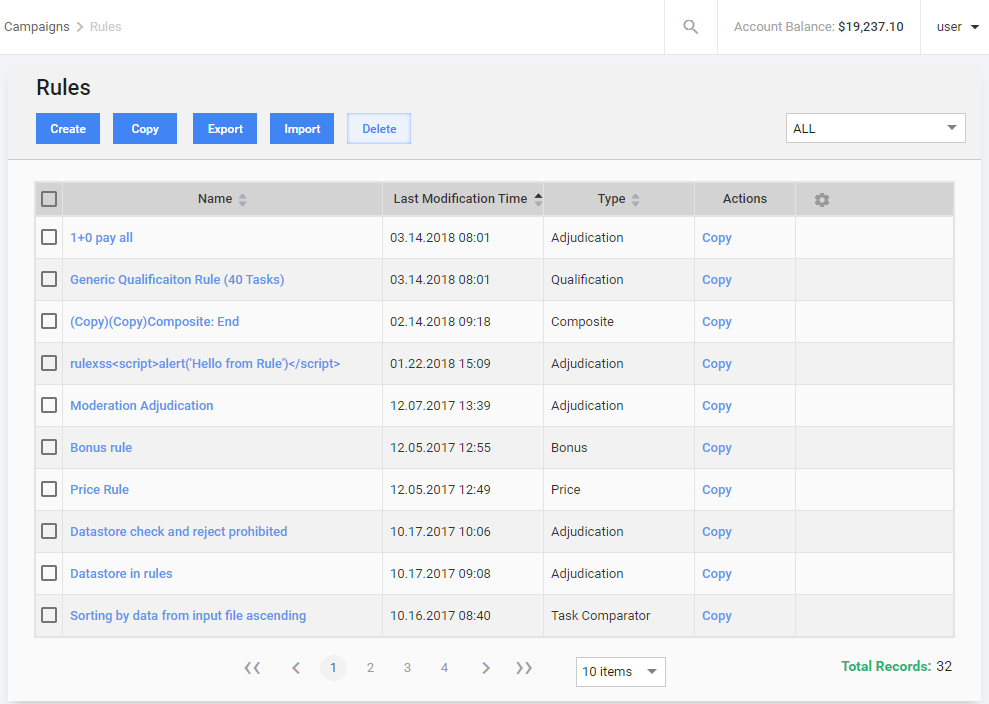
Select the rule you have created. Name the rule, so you could possibly reuse it for other questions.
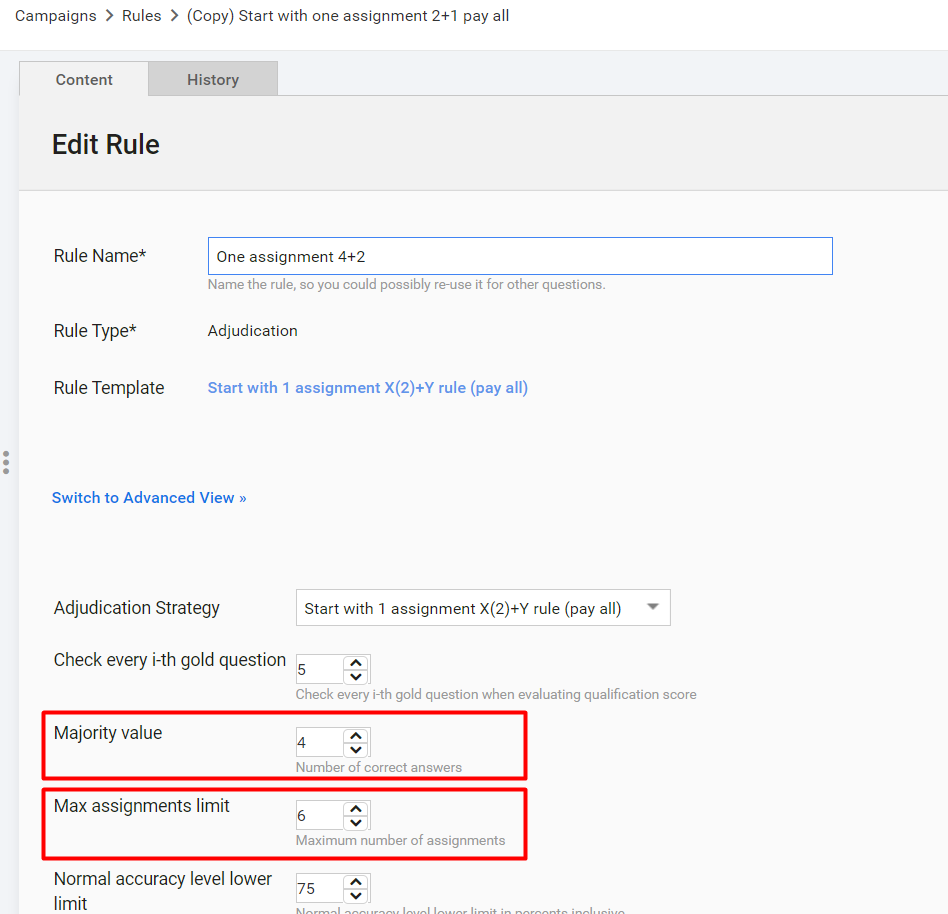
Set up the majority values and max assignments limits depending on a use case you have Majority values is the minimum number of workers required to complete the task so that the results are available in the output snapshot. The task will not be completed unless the number of workers participating in the task reaches or exceeds majority values. Max # of Assignments is the total amount of workers allowed to participate in the task. For that reason, Max # of Assignments CANNOT be less than Majority values.
Example
For example, Majority values** (Min # of Assignments) = 4, Max # of Assignments = 6 means that 4 workers’ answers are enough to find the majority, 5th worker’s answer is utilized when the majority is not found between the two. If the majority is found between 5 workers, no work is distributed beyond 5 workers count. **
Save the rule.
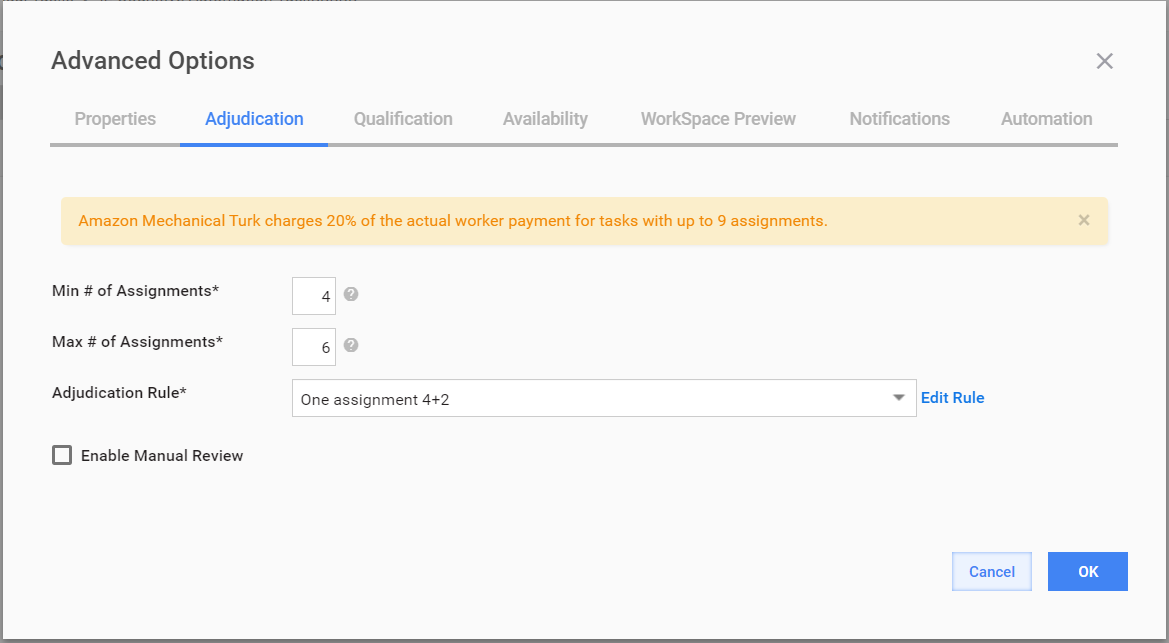
Select your Manual Task, go to the Run tab → ** Advanced Options**. Choose the rule you have created, set up Min and Max # of Assignments and click OK.
**
 **
**Run the task.
In order to make not all fields required for adjudication, you can go to your Manual Task, select the Design tab, click the answer button to view Advanced option and select "Do not use in Adjudication (SA)"
How to Proceed with Adjudication Steps in Case of 6 and More SMEs
| Number of SMEs | Adjudication rule |
|---|---|
| 1-5 SMEs | Start with one assignment 2+1 pay all, Start with one assignment 3+2 pay all |
| 6+ SMEs | Start with one assignment 2+1 pay all, Start with one assignment 3+2 pay all or create your own adjudication rule |
In case you have more than 5 SMEs our advice is to set up 2+1 or 3+2 rules.
Before launching the task make sure you set up appropriate min and max numbers of assignments. (min and max number of workers required to complete the task).