
Automate manual Business Process steps
Besides automating standalone Manual Tasks, you can also automate Manual Tasks that are steps of some Business Process.
To automate a BP Step, do the following actions:
Set the Automation parameters for this step.
Start the BP and wait until the Manual Task is completed by human Workers. Afterwards, the ML Model training is started in the background.
When the Task has the AUTOMATION AVAILABLE label, select the Minimal acceptable accuracy and click the Apply Recommendation button.
The Task on the original BP Diagram is substituted with an Automation Sub-Process for this step.
note
The original BP stays unchanged, the WorkFusion engine creates a new Process Definition with links to the same steps as in original, except the automated Manual Task which is substituted with an Automation BP.
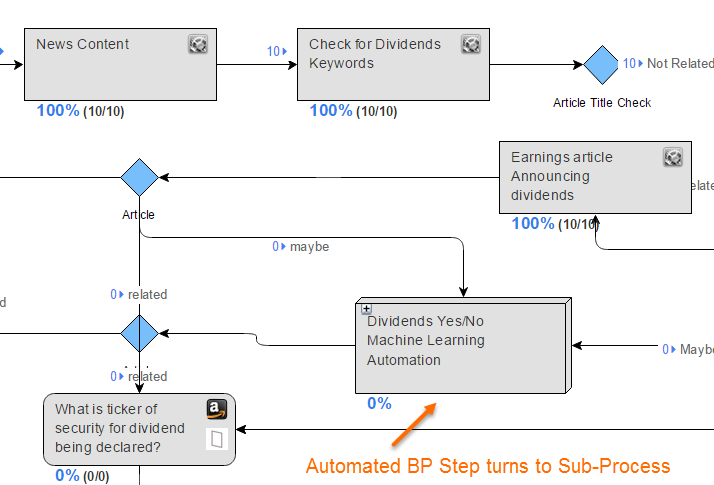
Upload new data batch for extract and launch this new BP.
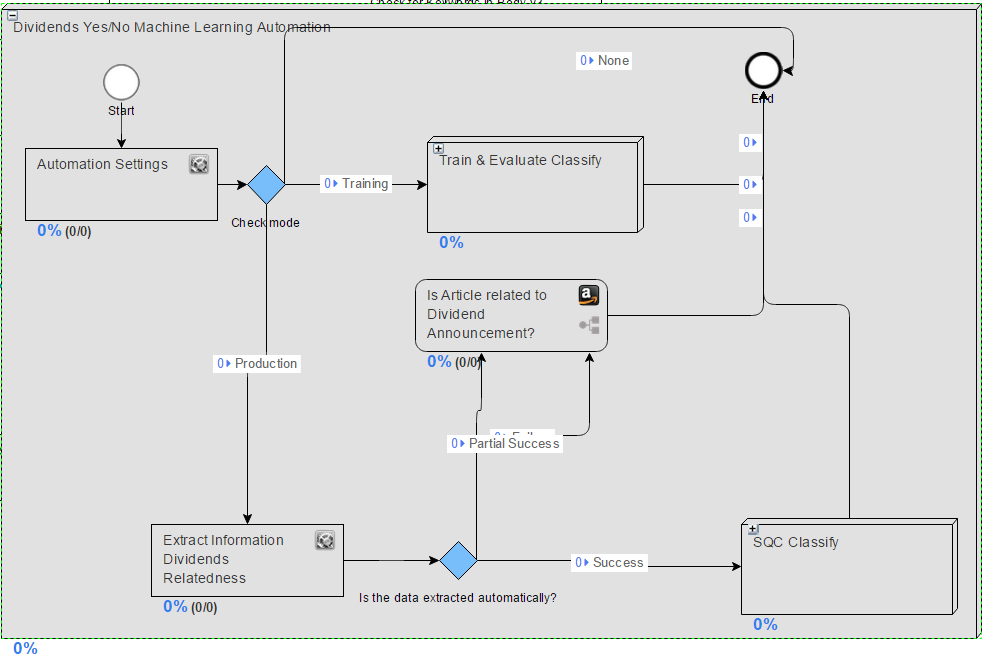
You can expand the Sub-Process and view the automation progress.
tip
You can automate several Manual steps in a BP in the same way.