Add Bot Task
Before reading this topic, see the detailed Use Case description here.
- Add a new Bot Task from the Toolbar or from the Sidebar of the Design Business Process tab.
- Select your Bot Use Case as a base for new Bot Task
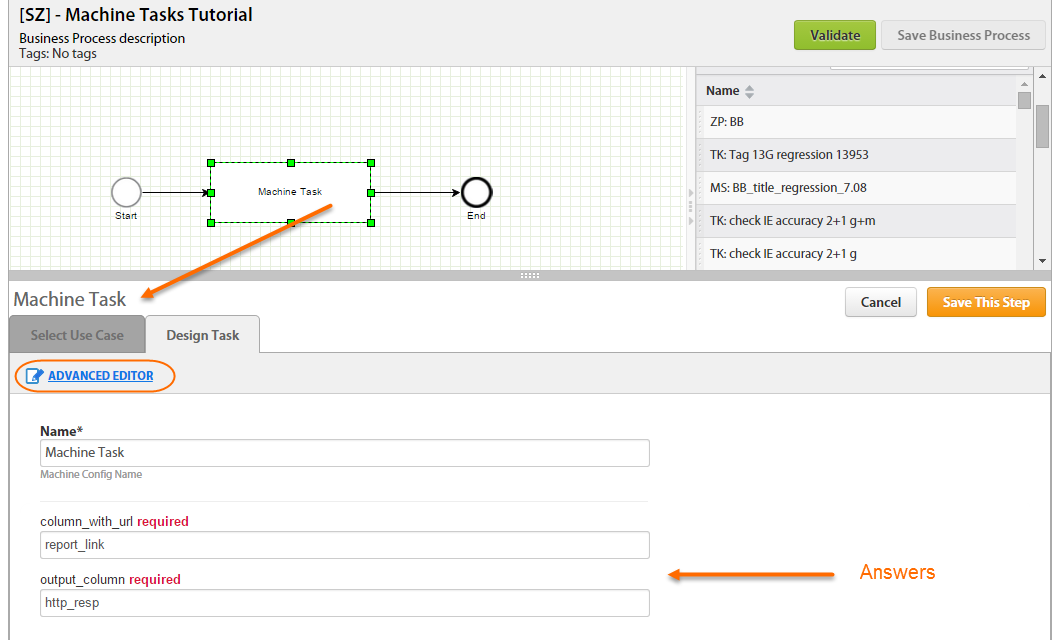
- Enter ETL parameters in the Answer fields if needed.
Basic Editor
In basic mode, you should complete the following fields:
- Task Name
- Answers
Advanced Editor
- Description
- Code
- Unique Identifier (generated automatically and can be used for config inclusions in <include-config> plugin)
- Code Editor (2 modes: Advanced Editing and Preview)
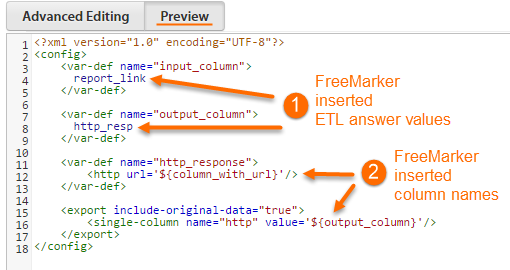
In Preview, all the code is processed with FreeMarker – you can view your variable names and column names.