
Bot Manager health check
You are able to monitor RPA infrastructure availability and condition with the help of Health Check file. It contains information about available amount of Bot Relays, Bots, their statuses, types, and number of drivers that are set up on Bots.
In case of issues, Bot Manager generates appropriate messages. Health Check provides two types of messages:
- Errors
- Warnings
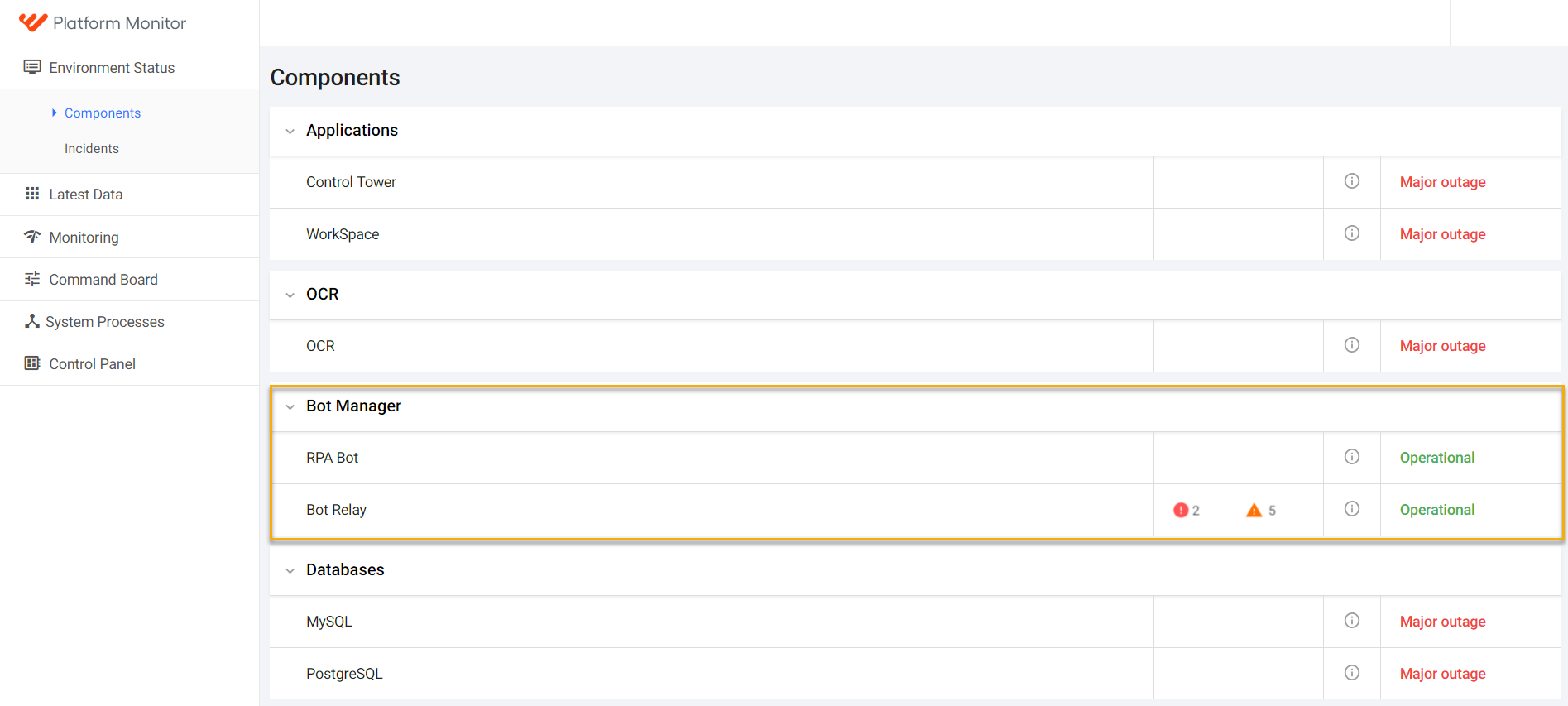
Platform Monitor displays RPA status together with statuses of other SPA components. See the description of statuses in the table below.
Health check message structure
The health check file has the following attributes.
status: Describes the Bot Manager status.Possible values:
OK: There are no errors or warnings for Bot Relays and Bots.WARN: There are some warnings, but no errors are found.ERROR: Some errors or errors and warnings are found.
name: Component name. Should always be equal to "Bot Manager" version Current Bot Manager version, displayed in the X.Y.Z format.path: Link to repository.revision: Generated GIT revision numbererrorCount: Common number of errors from all Bot Relays and Bots.warningCount: Common number of warnings from all Bot Relays and Bots.errors:Bot Manager level:
- MongoDB connection failed: Message: "MongoDB outage found. Please check that MongoDB with url 'onpremise-application.workfusion.com' is running and using correct user and password."
- Bot Manager checks amount of Bot Relays, in case Bot Relays are failed, the following message should be generated: Message: "Number of Bot Relays that have errors: N."
Bot Relay level:
- Bot Relay is not available: Message: "Bot Relay is not available: Connect to localhost:address failed: Connection refused (Connection refused)".
warnings:Bot Manager level:
If a Bot Relay is announced in more than one quota file: Message: "Bot Relay "hub.workfusion.com" declared in more than one "quota.xml" file. For better load balance, please use unique set of Bot Relays for every xml file under "apps/rpa_manager/grid-router/quota" directory",
If the number of Bot Relays announced in quota file for Bot Relay exceeds number of Bots: Message: "Bot Relay "hub.workfusion.com" in quota file declared with "N" Bots, but only "M" exists. Please check that Bots are up and running or fix the configuration and restart Bot Manager".
information: This data is not populated now.
The health check file
{
  "status": "OK",
  "name": "Bot Manager",
  "projectInfo": {
    "version": "8.4.3",
    "path": "feature/RPA-Manager-HealthCheck",
    "revision": "4eb1ea98d619c217978497657260c0a2cbe764ce"
  },
  "errorCount": 0,
  "warningCount": 0,
  "errors": [],
  "warnings": [],
  "components": [
    {
      "status": "OK",
      "name": "your-instance.com:4444",
      "projectInfo": {
        "version": "8.4.3",
        "path": "feature/RPA-hub-node-healthcheck",
        "revision": "ua718yb9fe07923f2e212d135g25f55fb0f75cc2"
      },
      "errorCount": 0,
      "warningCount": 0,
      "errors": [],
      "warnings": [],
      "components": [
        {
          "status": "OK",
          "name": "127.0.0.1:5001",
          "projectInfo": {
            "version": "8.4.3",
            "path": "feature/RPA-hub-node-healthcheck",
            "revision": "ka718em6fe80923f9e412d136g16f55fb0f75cc2"
          },
          "errorCount": 0,
          "warningCount": 0,
          "errors": [],
          "warnings": [],
          "browsers": [
            {
              "browser": "internet explorer",
              "version": "11",
              "count": 1
            },
            {
              "browser": "firefox",
              "version": "",
              "count": 1
            },
            {
              "browser": "desktop",
              "version": "1.0",
              "count": 1
            },
            {
              "browser": "chrome",
              "version": "",
              "count": 1
            }
          ]
        },
      ],
      "hubQueue": []
    }
  ]
}