Bot Source Threads for RPA
The article describes how to configure BP for optimal performance in case you have several RPA nodes and multiple RPA Bots. Default settings are not optimal, therefore increasing the number of RPA Nodes will not improve performance.
Basic information
To get familiar with Bot Sources, check the Bot Sources guide.
For understanding RPA setup topology check Robotic Process Automation and RPA High Load.
Thread Count
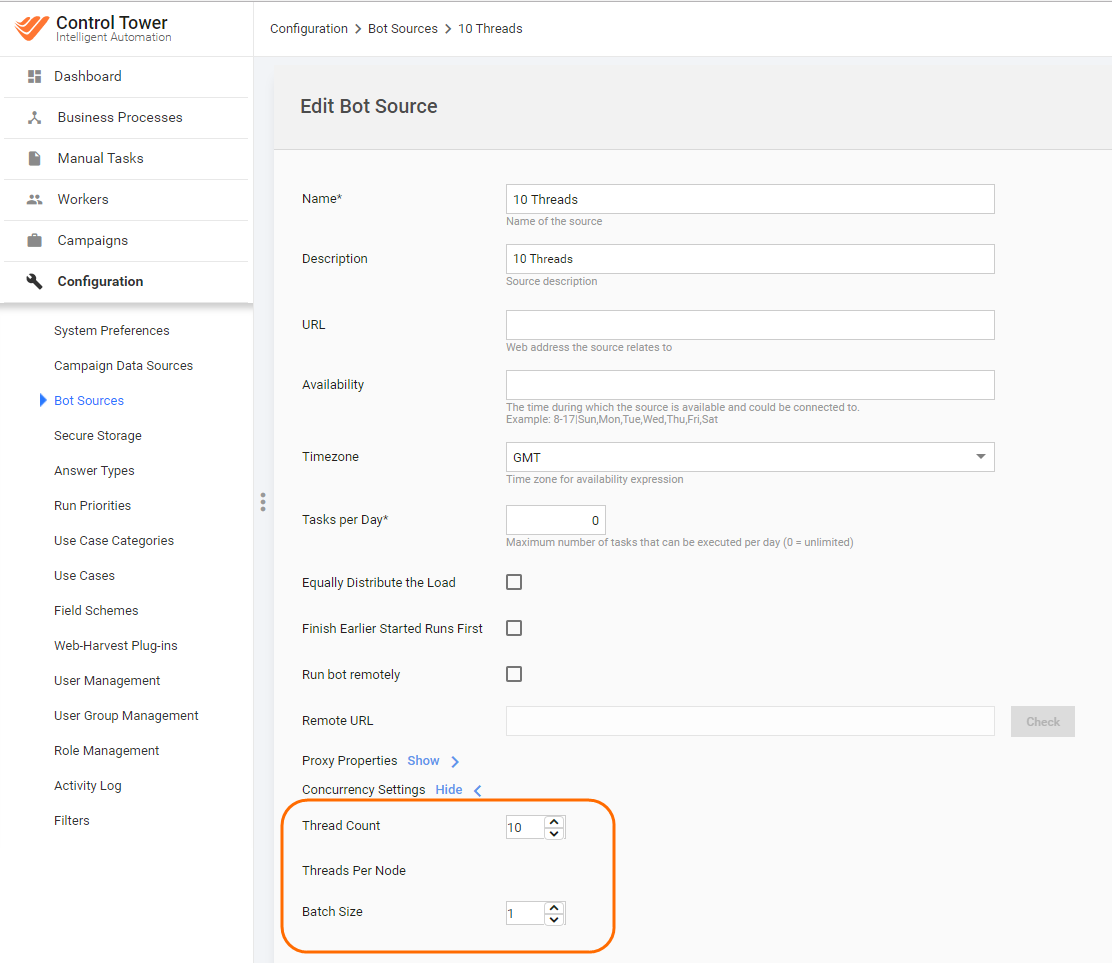
Thread count describes how many Bot tasks will be executed in parallel across the same Bot Source. It’s optional setting to tune the performance.
By default, Bot Source has five threads.
How to set appropriate thread count:
- Optimal number of threads should be equal to number of RPA Nodes. Load will spread evenly among available Nodes.
- Greater thread count in Bot source will result as queue with RPA tasks on the RPA Hub side. But all RPA Nodes will be busy. Such configuration may lead to timeouts and exception in logs and retrying the operation – usually not critical.
- Smaller thread count in Bot source than RPA nodes will result in a situation where some Nodes will be waiting tasks and process nothing.
Batch Size
Batch size setting used to set number of records will be processed in one group.
For RPA tasks optimal Batch Size is 1
Examples
Case 1: One Bot source for all business processes
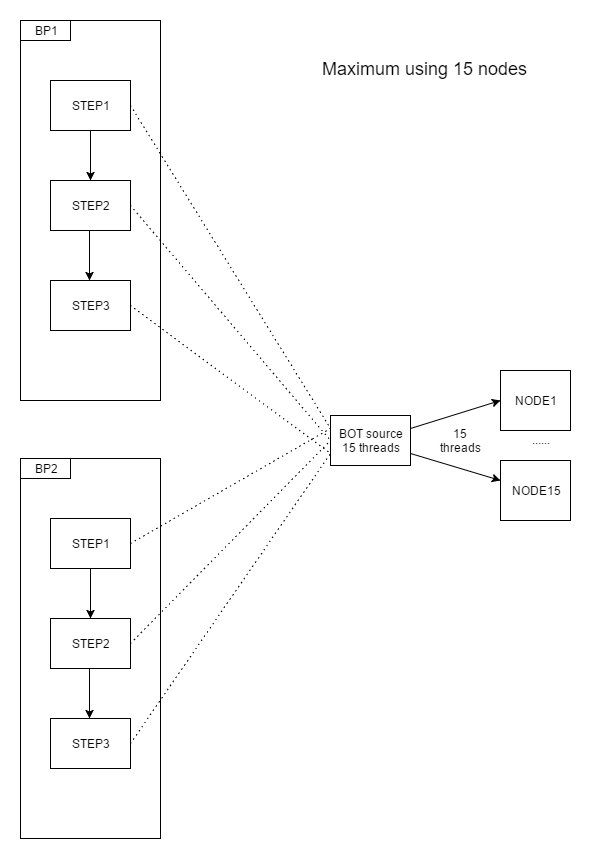
Single Bot Source shared across all BPs.
Load for all RPA nodes will be distributed evenly.
Let's check example below: If BP1 has 15 records and BP2 has 0 records, then most likely every node will process one record.
Case 2: Unique Bot Source per Business Process
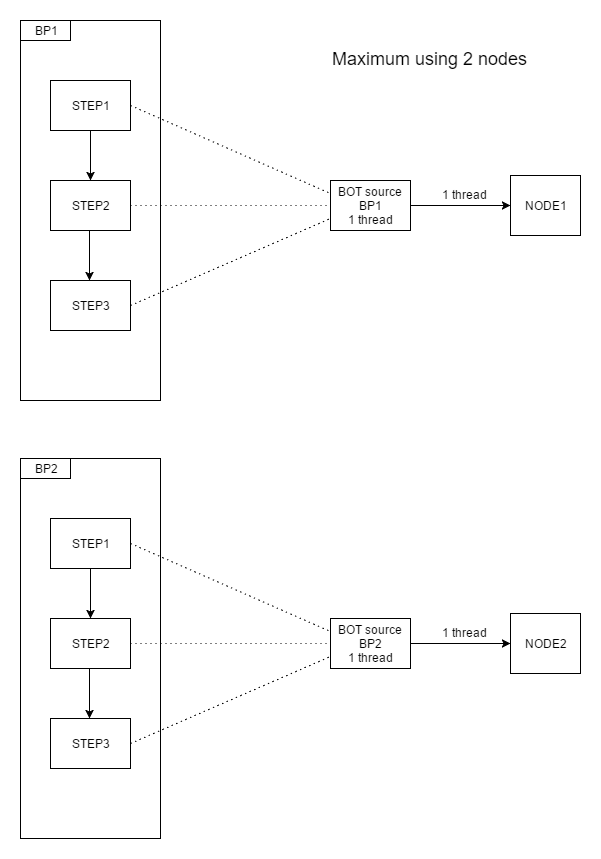
Load is distributed evenly only inside the Business Process.
Let's check example below: If BP1 has 15 records and BP2 has 0 records, then Node1 will be processing all 15 records one by one and Node2 will be in idle state.
Case 3: Unique Bot Source for every RPA Bot Task
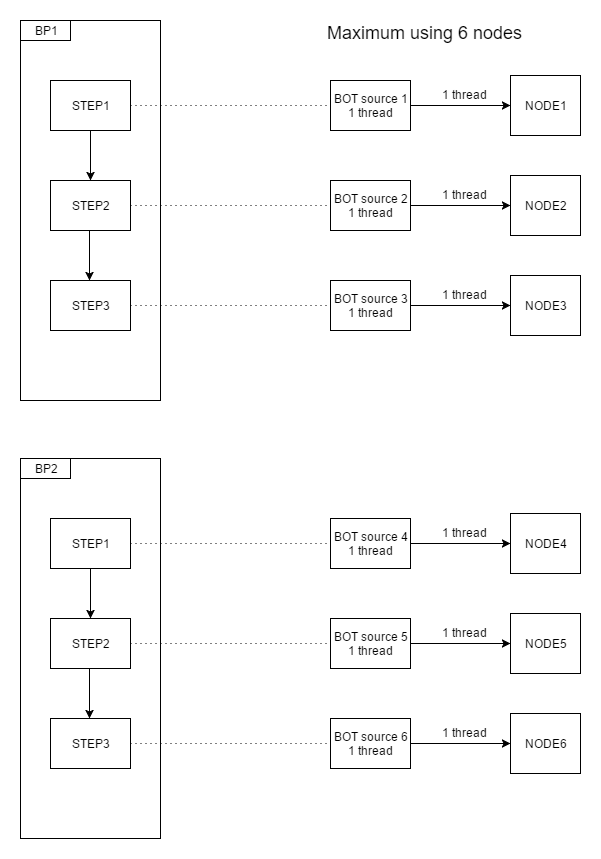
In such a setup no load distribution will happen. Every Node will be in charge of a particular RPA task.