
Copy business process
Overview
note
Business Processes with the same name have a common template (Definition) - if you modify the design or parameters of one BP, all other process instances with the same name will be affected.
Tags are unique for each BP, hence you can use different Tags to distinguish business processes among the business processes with the same name.
You can copy a BP using the Actions drop-down.

Common rules for copying are as follows:
- Copy a BP means create a new process instance which is linked to the source BP and belongs to the same Definition.
- If you have copied a BP with Create an independent process definition - a new object is created in WorkFusion, and it will not be linked to its source BP.
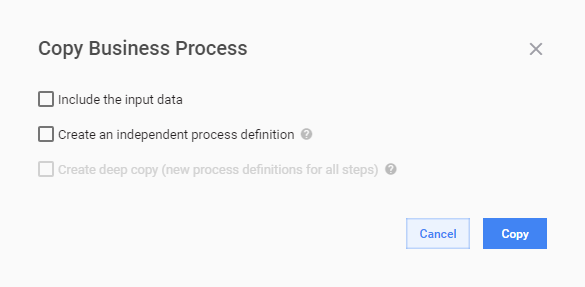
Copy Business Process allows creating a new process instance to be run in the same Definition with the same or other Input data. Using options available in the Copy function, you can separate the copied process instance from the current Definition, change its structure and even the Steps.
A new copy of source BP is created, changes to this process instance will affect all process instances with the same name.
Copy business process with data
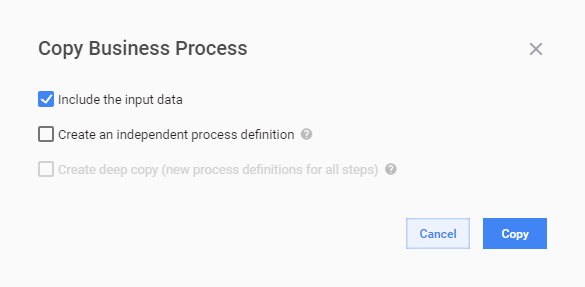
The option should be selected, when you need to run your new process instance with the same Input data as in the source BP.
tip
The option can be used in both cases, when you copy a process instance or create a new one, which is not linked to the source BP.
Create independent process definition
A new process instance is created, changes to the instance do not affect the source BP.
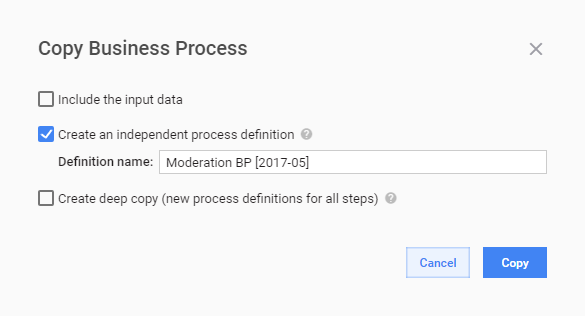
Having created a new process instance with this option, you can change the structure of your new instance without affect to the source BP.
For example, you can add or delete steps, change the transition directions and so on.
At the same time, modification of the steps will affect all process instances, where the steps are used!
Create deep copy
The Deep Copy option is used, when you should create a completely unlinked process instance with all steps separated from that ones in the source BP.
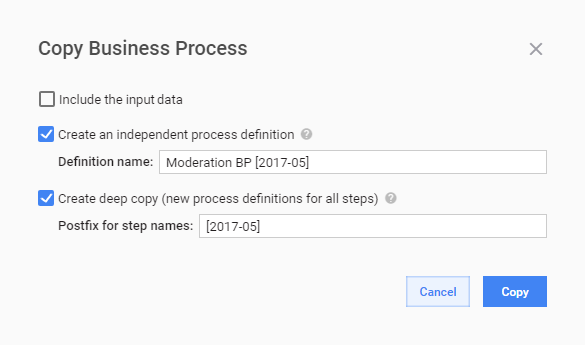
It means, the Deep Copy enables modification not only of the structure in your new process instance without affect to the source BP, but of each step, as they are created as separate instances and not linked to the source steps anymore.
Enter the postfix for your steps in Postfix for step names to distinguish the new steps from the source ones in the Bot library.