
Set run options
Run business process tab
On the Run Business Process tab, you can:
- view Process Details and Estimated Costs
- edit BP Tags
- save the BP
- download Input Data
- perform BP Actions
- call the Advanced Options
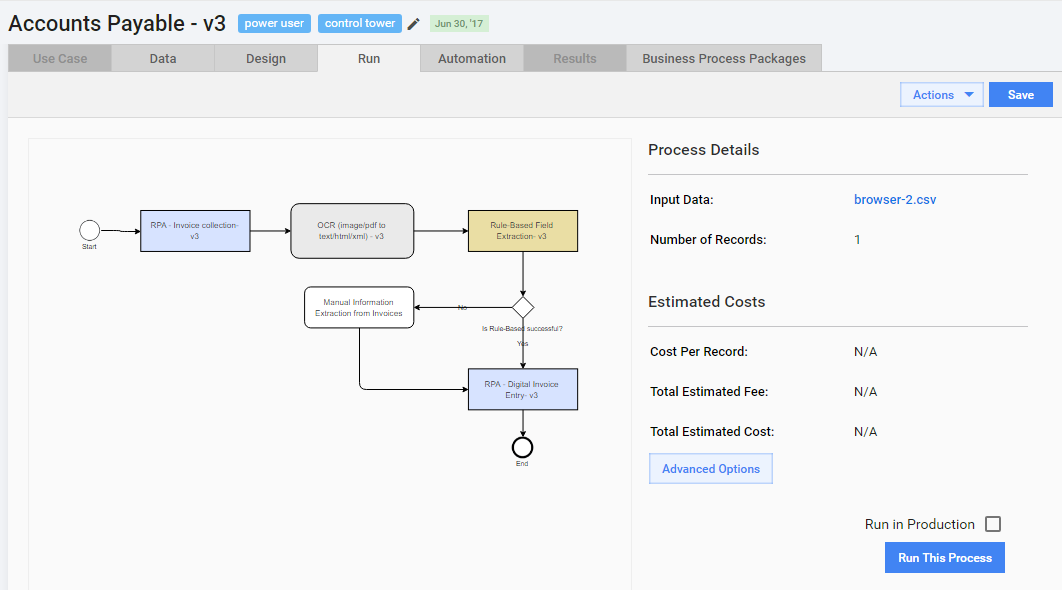
To view the BP scheme in full size, double-click it.
Business process advanced options
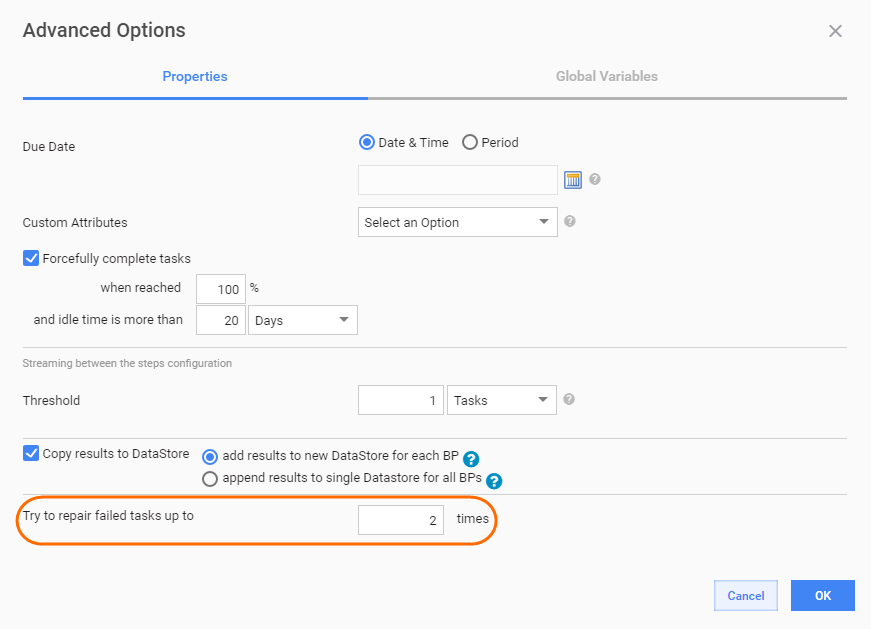
The options are as follows.
Due Date - the date until all BP Tasks should be completed. BP Tasks become unavailable after the Due Date.
Custom Attributes - if you want to add Custom Attributes to your BP, select the Field Scheme upon which they will be based.
Forcefully complete Tasks - the feature allows you to forcefully complete individual Tasks and Business Processes, when completion criteria are reached, these are % of Worker Tasks completion and idle time. Task is completed when both conditions are met.
Threshold (Streaming) - minimum completion % required for streaming between the steps. Streaming is a mechanism for limiting number of Records available on the current BP step depending on number of Records completed on the previous BP step(s).
note
Example: Streaming = 5 Tasks. For the 2nd BP step it means: 5 Records must be completed on the 1st BP step, only after that they are routed to the 2nd step.
Streaming defines only the lower limit, i.e. if 12 records are completed on the 1st step, all these records will be routed to the 2nd step at once.
Copy results to DataStore - when checked, BP result Data is saved to DataStore. There are two options:
- add results to new DataStore for each BP. DataStore name: {mm-dd-YYYY hh-mm-ss} - {BP name}
- append results to single DataStore for all BPs. DataStore name: {BP name}
Try to repair failed tasks up to - set the number of Bot steps execution retries for each Record in current BP.
note
If a Bot step fails during execution (external server not available, RPA node disconnect, etc.), it will automatically restart until successful execution or until the limit of retries is reached.
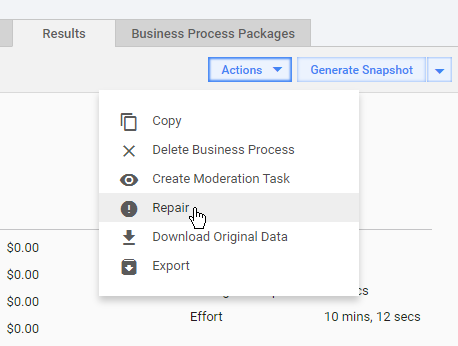
Afterwards, you can repair failed tasks manually (Actions > Repair).
Manage global variables
Global variables are intended to store common values used in different BPs and not hard-code them in Bot Tasks. Global variables can be used to store the following information:
- URLs of services (OCR rest service, web app login page)
- parameters (minimal DPI for document recognition, output file extension)
- strings (names, messages, translations)
- timings (schedules, timeouts)
To insert a global variable value, include a <var-global name="variable_name"/> plugin into your Bot config.
By default, all global variables are stored in Data Stores > Global Variables.
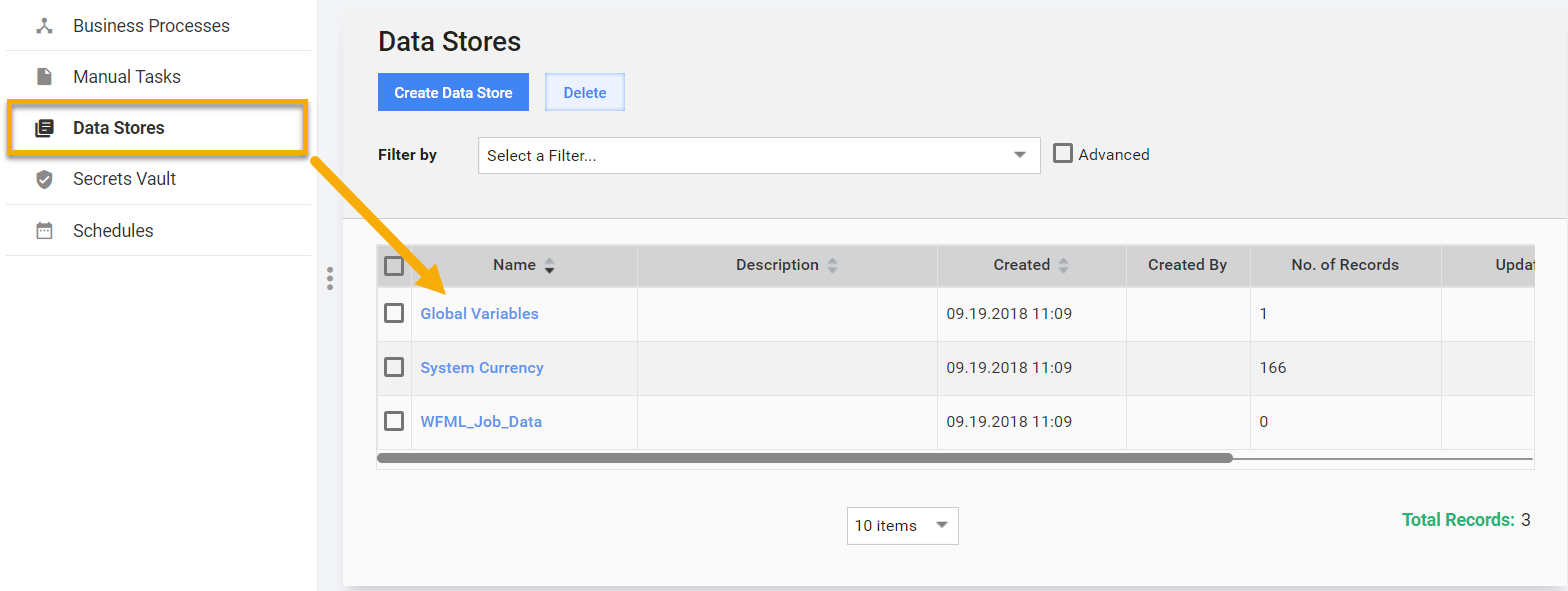
Variable names correspond to column headers, values are taken from the first row (if other rows exist, they are ignored). Read more about Data Stores.
You can use and create Global variables right inside the BP Workflow without manually creating Data Stores and adding columns to the Field Schemes.
To use global variables, do as follows.
Insert a
<var-global>plugin into your Bot steps with a meaningful name attribute. Global Variables usage in Machine Configs:<export include-original-data="true"> <single-column name="OCR"> <var-global name="ocr_rest_url"/> </single-column> <single-column name="VDS"> <var-global name="vds_params"/> </single-column> <single-column name="Timeouts"> <var-global name="rpa_timeouts"/> </single-column> </export>tip
To name a global variable, use only lower case alphanumeric characters and underscores, e.g.,
ocr_parameters.Save the step and the BP.
You will get a warning: Global variables used in Step_Name Bot step are missing N values.
Click the warning message or go to Run > Advanced Options > Global Variables.
Click the Edit Values button. Data Stores > Global Variables are opened in the edit mode in a new tab.
note
Global Variables is a default configuration within Data Stores and cannot be deleted.
Set values for all variables that are missing values and click Save.
Return to the Global Variables tab and click the Refresh button.
Click OK and Save the Business Process.
tip
If global variables are set in the Data Stores > Global Variables, you can use them in Bot steps of other processes.