Calculate statistics (Classification)
important
Task: Review model mistakes. Compare Tagged and Extracted values.
Jupiter Notebook: ModelResultsComparisonClassification
Input:
- Tagged data saved to datastore
- CSV file with tagged text
To review model mistakes, do the following:
Launch all the dependencies and prerequisites.
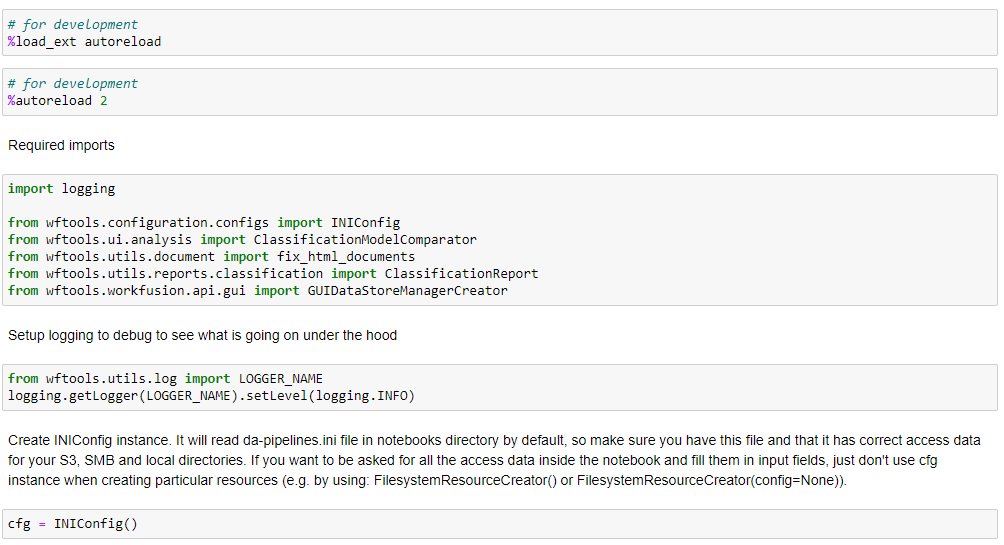
Upload data by any method specified here. Launch ClassificationModelComparator. Select all the required data in the following menus, and click Show per field statistics.
- Select a dataframe: specify the name of the dataframe that contains the data set.
- Gold value field: select a column that contains a gold class.
- Extracted value field: select a column that contains extracted class.
- Original document URL field: select a column with the links to documents.
- Document text field: select a column that contains the tagged text.
- Document type: Choose a format to open documents.

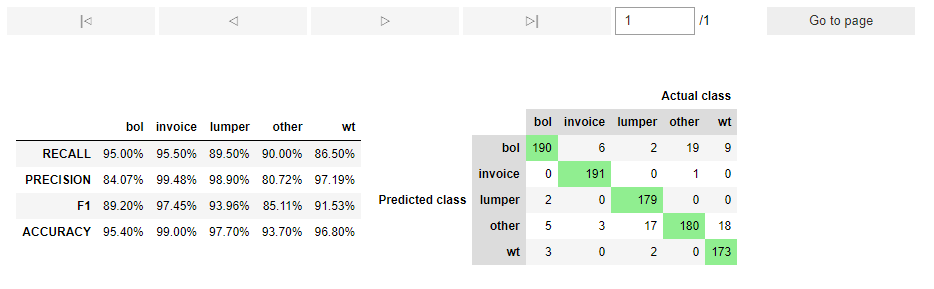
You receive a confusion matrix with the results for each class, where correct results will be highlighted in green.
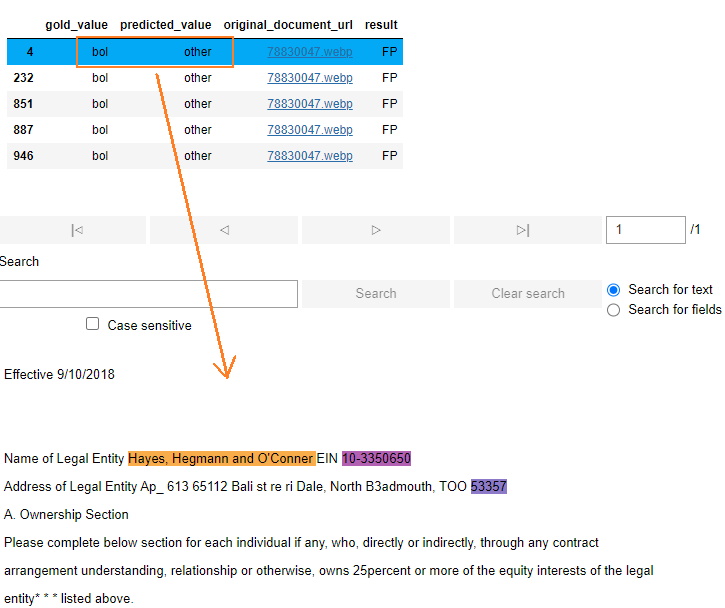
Click any class in the table to see the details.
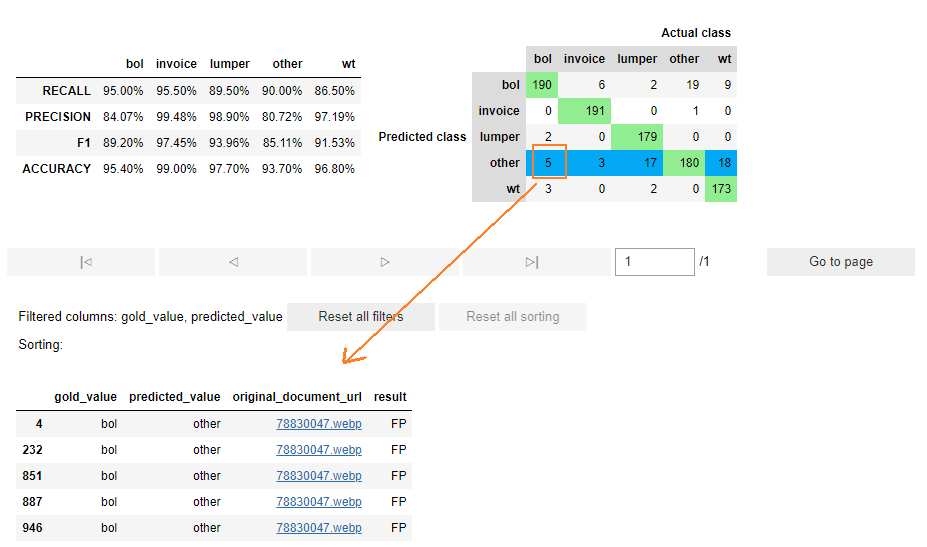
The document itself opens if you click any row with gold or predicted value.
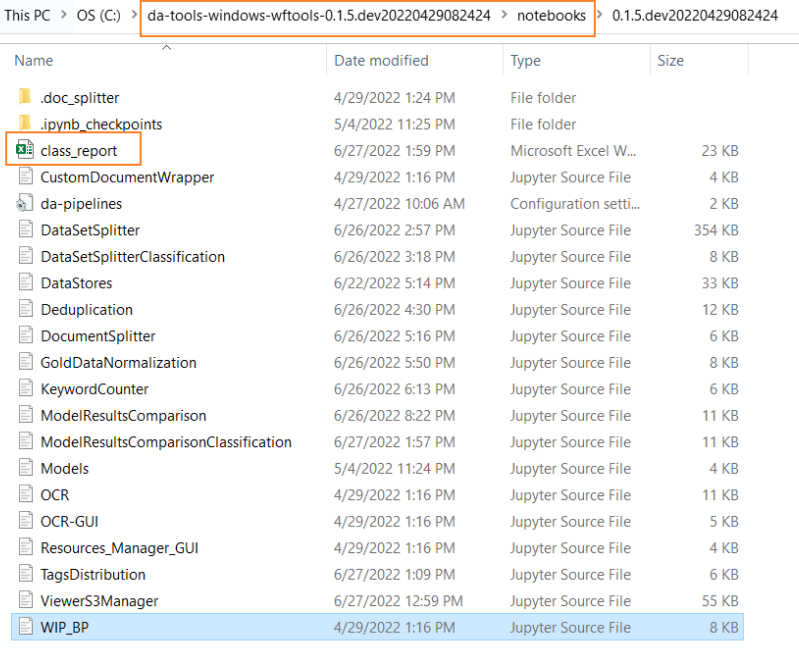
You can create an Excel report with all the generated data at this step.

You can find the Excel file in the list of notebooks in your Jupiter Notebook folder.