
Add OCR Bridge step
OCR Bridge is introduced to improve:
- Performance. The OCR Bridge step reduces throughput due to processing documents asynchronously without submitting redundant tasks to Control Tower Workers and receiving responses instantly in Control Tower.
- Usability. Only one step is needed to recognize a document whose output is compatible with a Tagging-over-Document (ToD) Manual Task.
OCR REST configuration properties
| Property | Default value | Description |
|---|---|---|
execution.bridge.task.queue | exec.<CT_HOST>.result.ocr | Name of the OCR Bridge queue |
execution.bridge.prefetch.count | 100 | Prefetch count of the Bridge queue |
execution.bridge.thread.count | 20 | Count of threads for consuming messages of the Bridge queue |
OCR Bridge step
Input parameters
| Parameter | Code | Default value | Description |
|---|---|---|---|
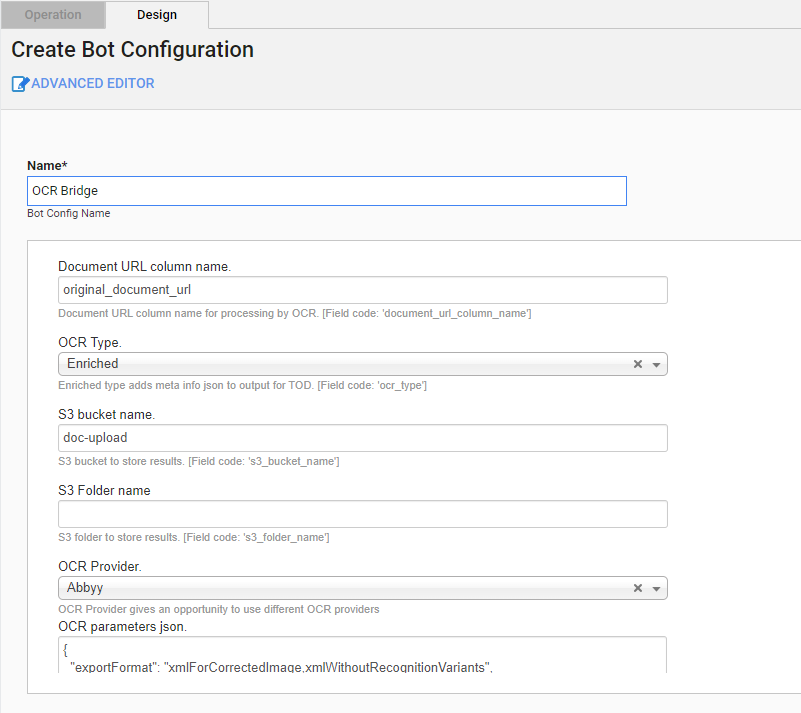
| Document URL column name | document_url_column_name | original_document_url | Document URL column name for processing by OCR |
| OCR Type | ocr_type | Enriched | OCR Type values: Standard and Enriched (prepare output for a ToD Manual Task) |
| S3 bucket name | s3_bucket_name | doc-upload | S3 bucket to store results |
| S3 folder name | s3_folder_name | empty | S3 folder to store results |
| OCR Provider | ocr_provider | Abbyy | OCR provider:
|
| OCR parameters JSON | ocr_parameters | See below | See the parameters in the table below. |
OCR JSON. Default values
{
    "exportFormat":"xmlForCorrectedImage,xmlWithoutRecognitionVariants",
    "language": "English",
    "correctSkew": true,
    "correctOrientation": true,
    "writeRecognitionVariants": true,
    "invertImage": false,
    "discardColorImage": false,
    "skipPreprocessing": false,
    "useOnlyCustomRegions": false,
    "useDefaultPattern": false,
    "profile": "documentConversion",
    "removeGarbageSize": 0,
    "lowResolutionMode": false,
    "enhanceLocalContrast": false,
    "allowedRegionTypes": null,
    "changeDPI": 0,
    "version": "V_2",
    "storePreprocessedDoc": true,
    "textTypes": ["normal"],
    "timeout": 60
}
OCR parameters
| Parameter | Values | Description |
|---|---|---|
exportFormat | OCR API export format. You can define multiple export formats using a comma as a separator: xml,xmlForCorrectedImage. Mind that, for correct processing of a ToD Manual Tasks, you cannot use more than three export formats. | |
txt | Default export format. | |
xml | Contains characters or words along with their location in the original document (coordinates or frames). | |
xmlWithoutRecognitionVariants | The same as xml but does not contain character-related data. | |
xmlForCorrectedImage | The same as xml, except the location is taken from a processed or adjusted document. | |
pdfSearchable | ||
html | ||
language |
| Predefined language. You can also define multiple languages using a comma as a separator: English,German,Polish. |
correctSkew | boolean | The page skew is detected and automatically corrected. |
correctOrientation | boolean | The page orientation is detected. If it differs from normal, it is rotated automatically. |
writeRecognitionVariants | boolean | Causes the xml and xmlForCorrectedImage formats to contain all variants of characters or words that OCR considers a possible recognition result. |
invertImage | boolean | Inverts images. |
discardColorImage | boolean | Leaves only the black-and-white plane in a prepared image. |
skipPreprocessing | boolean | Disables all preprocessing steps for a document. The default value is false. If you set to true, the convertTo and changeDPI parameters are disabled. |
useOnlyCustomRegions | boolean | Skips the original analyzing stage and extracts information from custom regions only. |
useDefaultPattern | boolean | If true, it requires applying the default pattern from the OCR application bundle. |
profile | documentConversion | Converts documents into editable formats. |
textExtraction | Extracts text from documents. | |
barcodeRecognition | Extracts barcodes. | |
removeGarbageSize | integer | Removes garbage from images: excess dots smaller than a specific size. Optional; valid value > 0 and -1 for the automatically detected garbage size. |
lowResolutionMode | boolean | Improves the recognition of images with low resolution. |
enhanceLocalContrast | boolean | Specifies whether the local contrast of an image should be increased. |
convertTo | none | Automatically detects the file type and conversion to TIFF before processing (only conversion to TIFF is supported). Accepts images: PDF, PNG, JPG, JPEG. |
changeDPI | integer [50 : 3200] valid range null or 0 for disable | Specifies a new value for the resolution, for example, changeDPI=300. The recommended resolution for a source image is 300 DPI for typical texts (10 pt or larger) and 400-600 DPI for texts in smaller fonts (9 pt or smaller). |
version | V_2 | ABBYY FRE 12 |
V_1 | ABBYY FRE 11 | |
storePreprocessedDoc | boolean | Specifies whether preprocessed documents should be saved in the data storage. |
textTypes |
| Specifies the type of the text in the document. You can define several text types using a comma as a separator: normal,matrix. |
timeout | integer | Sets the maximum allowed timeout in seconds for a single task execution by an OCR Worker. The timeout countdown starts when an OCR Worker starts executing a task. When the task execution exceeds the given timeout, the task is forcibly killed. If you do not set the value, the default value (0) is used, and your Business Process (BP) does not have time to process a task. |
caution
If native_pdf_processing is set to true, the skipPreprocessing and convertTo parameters are disabled. Such parameters as changeDPI and storePreprocessedDoc take effect only on saving pages of an input PDF.
Output parameters
OCR Result: document processing results in the JSON format
Code:
ocr_resultExample:
{
    "originalDocument": "https://minio-host/doc-upload/1.pdf",
    "documents": {
        "xmlForCorrectedImage": "https://minio-host/doc-upload/bp-id/task-id/1- xmlForCorrectedImage.xml",
        "xmlWithoutRecognitionVariants": "https://minio-host/doc-upload/bp-id/task-id/1-xmlWithoutRecognitionVariants.xml"
    },
    "pageDetails": "https://minio-host/doc-upload/bp-id/task-id/preprocessed/links.json"
}
Task ID: the ID of an OCR task
- Code:
task_id - Example:
066416ed-20e8-4e96-9df1-7f7e133f1211
- Code:
Meta Info JSON extended info for the ToD Manual Task
- Code:
meta_info_json - Example:
{ "pages": "https://minio-host/doc-upload/bp-id/task-id/preprocessed/links.json", "ocrXmlUrl": "https://minio-host/doc-upload/bp-id/task-id/1-xmlWithoutRecognitionVariants.xml", "imageUrl": "https://minio-host/doc-upload/1.pdf" }- Code:
Process time: record process time in milliseconds
- Code:
_sys_ocr_process_time - Example:
24053
- Code:
See a JSON example for https://minio-host/doc-upload/bp-id/task-id/preprocessed/links.json below:
[
    {
        "imgUrl": "https://minio-host/doc-upload/bp-id/task-id/preprocessed/1.png",
        "charsUrl": "https://minio-host/doc-upload/bp-id/task-id/preprocessed/1.json",
        "height": 3300,
        "width": 2550,
        "charsCount": 2216
    }
]
Create Business Process with OCR and ToD Manual Task
To build a BP with OCR and a ToD Manual Task, perform the following steps:
-
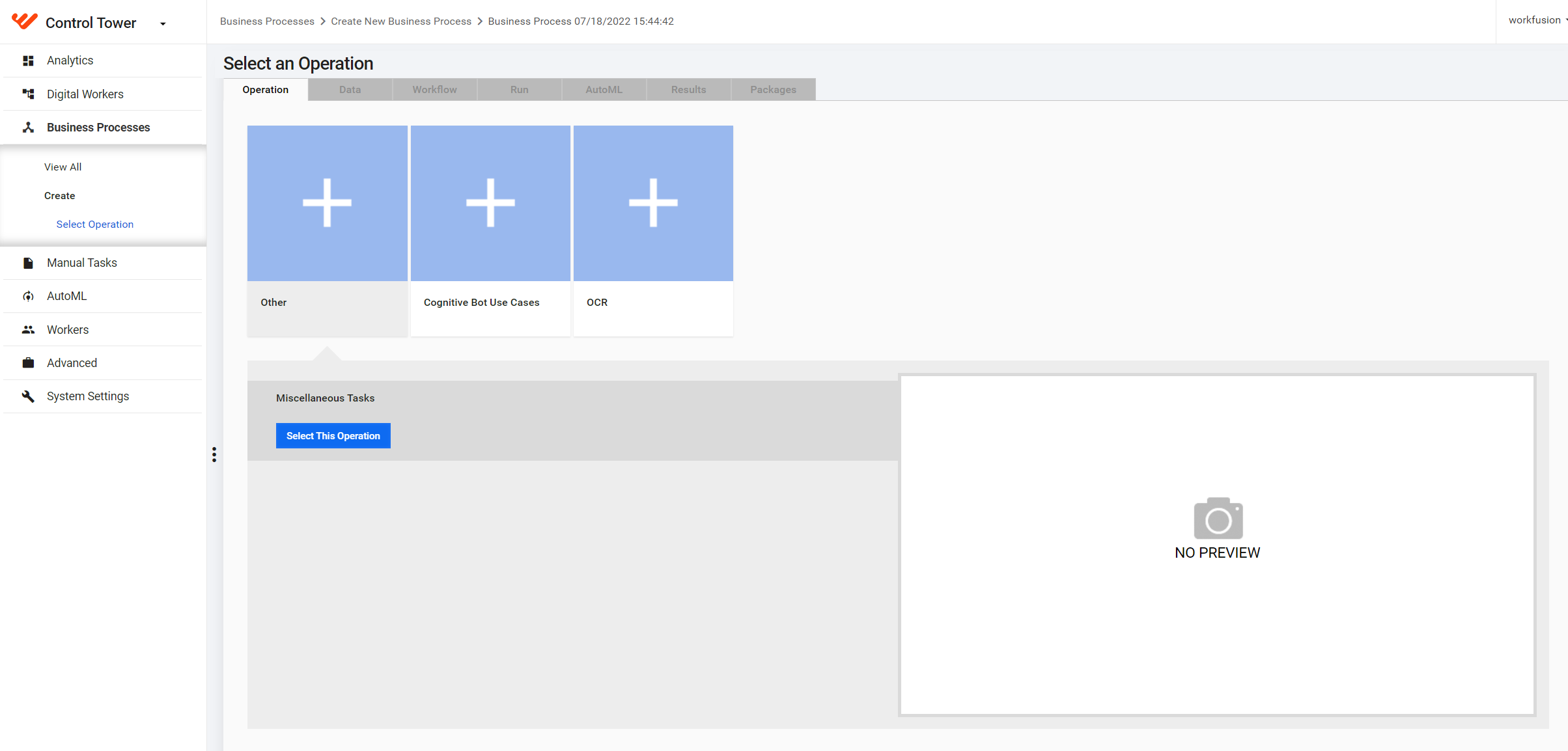
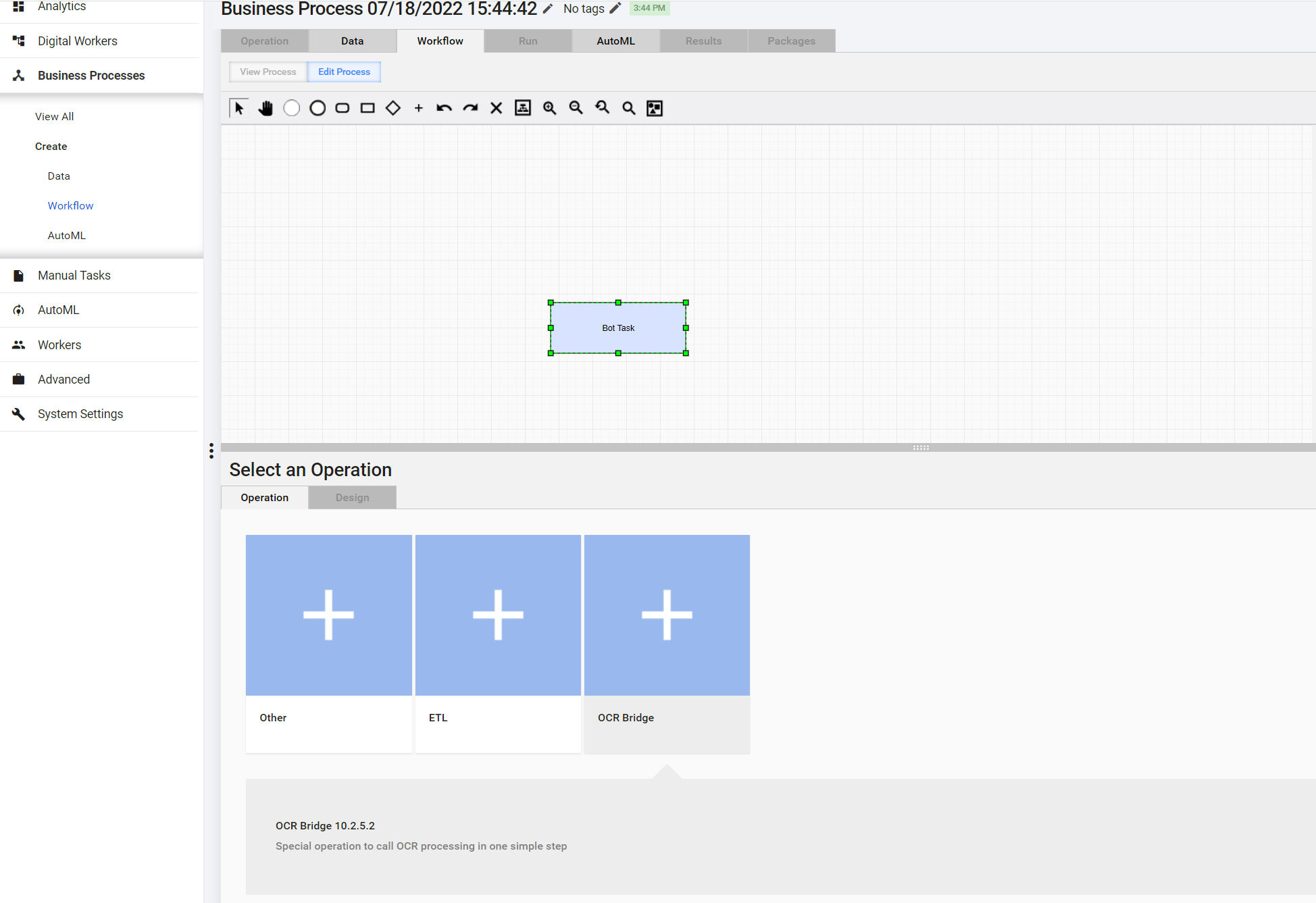
To create an OCR Bridge step, in the Select an Operation menu, choose OCR Bridge.
On the Design tab > Create Bot Configuration, set up the OCR Bridge step.
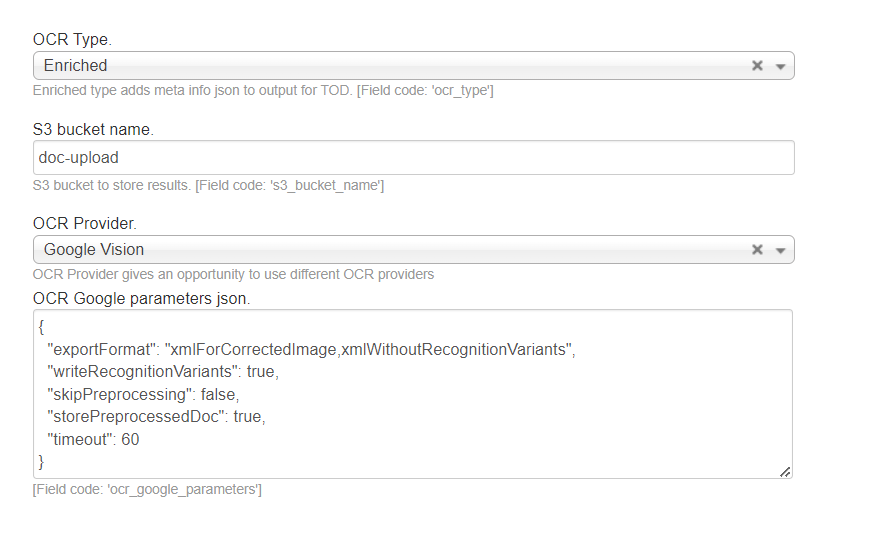
If you select Google Vision or Azure as your OCR Provider, check the default configuration. The following parameters must be specified:
- OCR Type: Enriched
exportFormat:xmlForCorrectedImage,xmlWithoutRecognitionVariantswriteRecognitionVariants:trueskipPreprocessing:falsestorePreprocessedDoc:truetimeout:60
caution
If any of the settings are not configured as above for Google Vision or Azure, OCR throws an exception with the corresponding message.
tip
For more details on the configuration of multiple OCR providers, see Configure multiple OCR providers.
Click Save. The BP is now ready to process incoming documents via OCR.