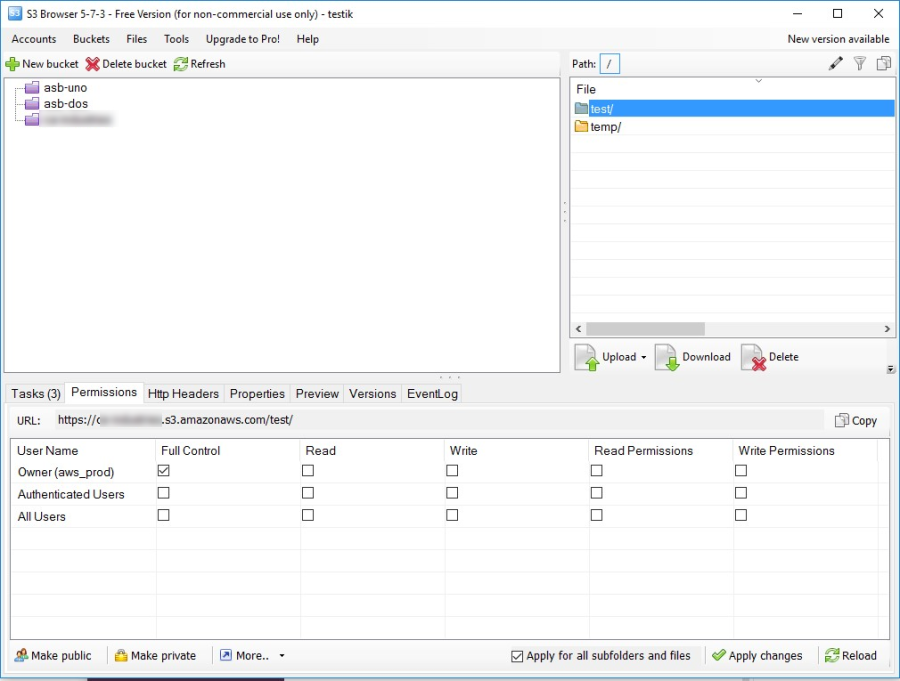
Connect to external S3 bucket
These instructions are provided for S3 Browser. You can use any S3 compatible client.
Install S3 Browser
To install the S3 browser, do as follows:
Go to the S3 Browser site and download the latest software version.
Install the S3 browser on your Windows PC. .NET Framework 4.5 or higher is required.
Create account
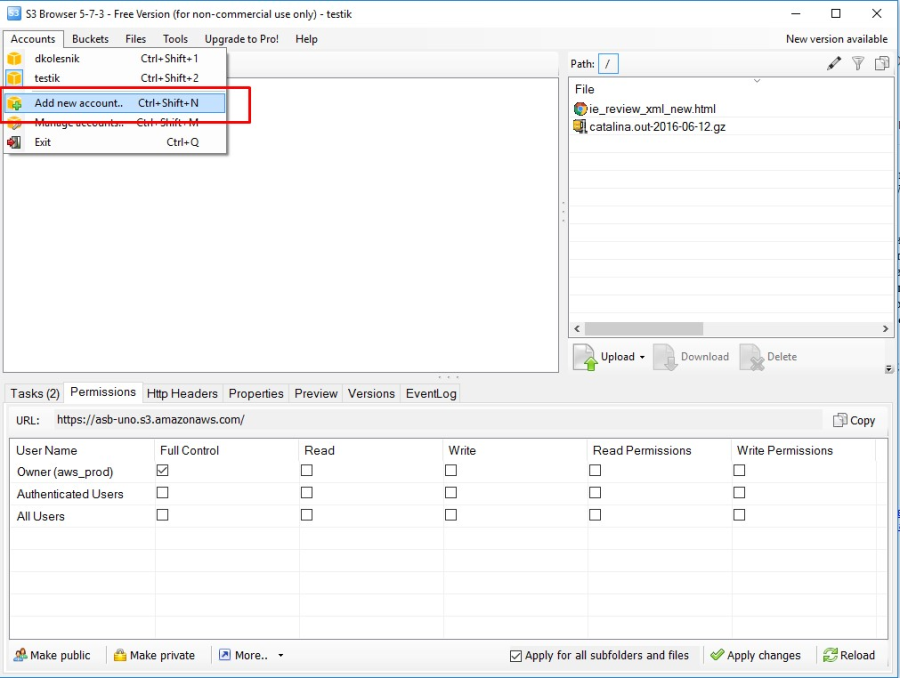
Add S3 keys
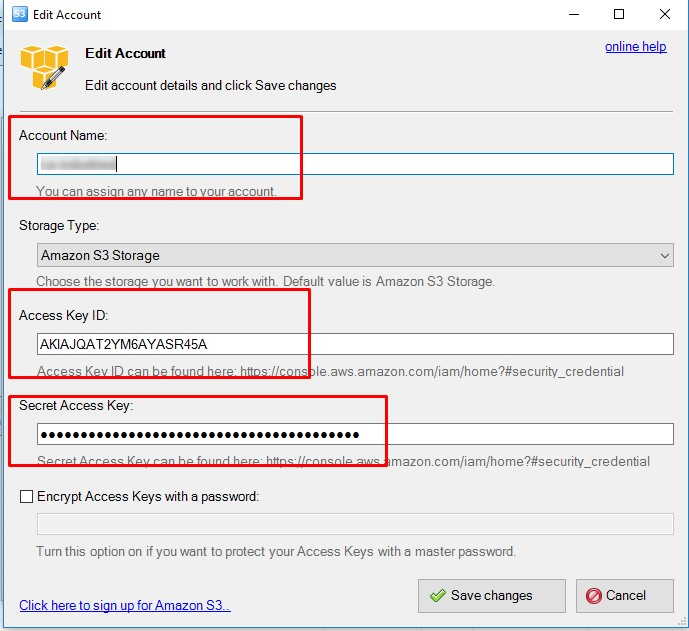
Ask to provide your S3 key to access training results.
The keys are as follows:
- Account name: Any name.
- Access Key ID: Your S3 access key.
- Secret Access Key: Your S3 secret key.
Add external bucket
You need to add two existing external buckets:
- vds-try-models
- vds-try-resources
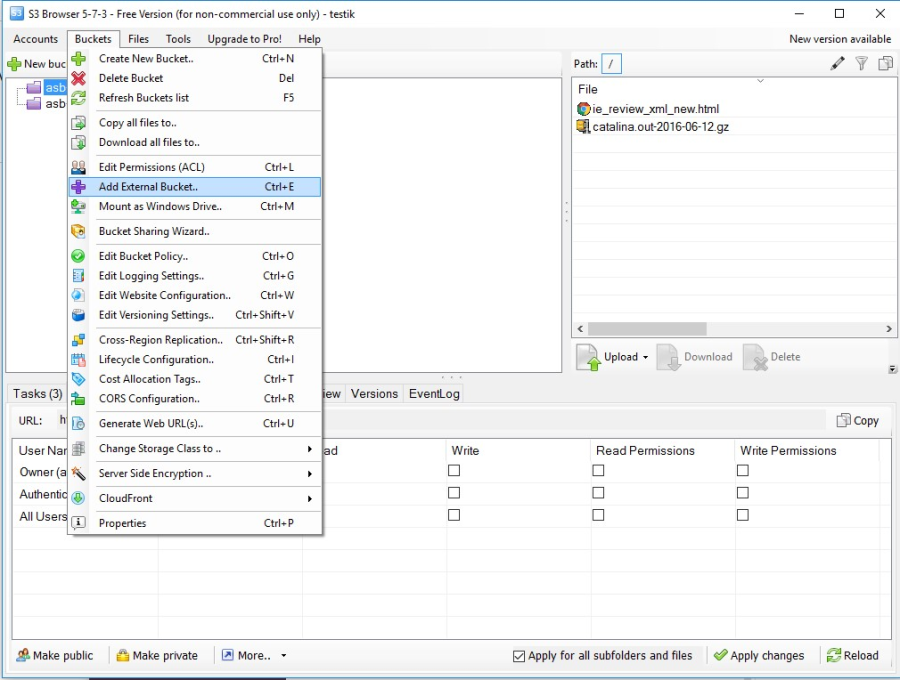
The bucket name is your bucket name.
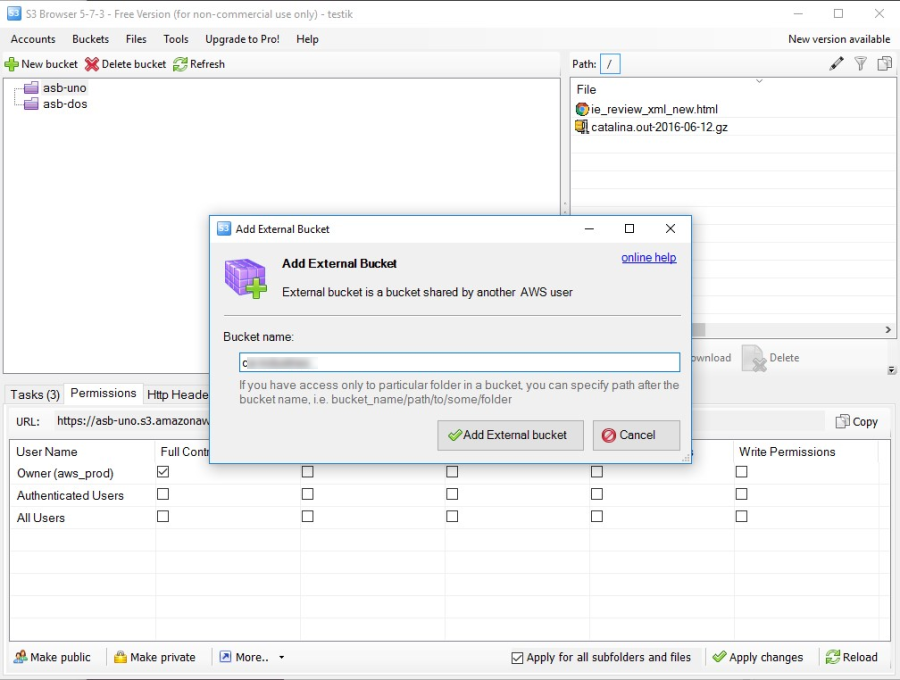
To open a bucket, find it in your S3 Browser.