
Customize multi-document task
Input data pre-processing
You may need to pre-process data before rendering a task. For example, change date formats, generate some documents on the fly, or calculate trigger investigation probability in Negative News Screening Use Case.
To allow such customization, Multi-document module exposes a public method: IEMultiDocumentModule.mapInputData(data). This method is executed during the module initialization phase before documents are rendered. In Negative News Use Case, IEMultiDocumentModule.mapInputData(data) generates dynamic summary across all the news provided.
Default implementation of IEMultiDocumentModule.mapInputData(data) returns the data unchanged:
ieMultiDocumentModule.mapInputData = function(data){return data;}
Data mapping
Expand to learn more
<script type="text/javascript">
IEMultiDocumentModule.mapInputData = function(data){
    var minDate = moment();
    var maxDate = moment("1900-01-01");

    data.forEach(function(document){
        var origDate = moment(document.date, ["ddd, D MMM YYYY HH:mm:ss Z", "YYYY-MM-DD"]);
        if (origDate.isBefore(minDate)){
            minDate = origDate;
        } else if (origDate.isAfter(maxDate)){
            maxDate = origDate;
        }

        document.date = origDate.format('MMM DD, YYYY');
        document.ml_prediction = JSON.parse(document.ml_prediction);
        if(typeof document.meta == 'undefined'){
            document.meta = {};
        }
        document.meta.priority = "default";
        if(document.ml_prediction.probability_1 > 0.8){
            document.meta.priority = "high";
        } else if(document.ml_prediction.probability_1 > 0.6){
            document.meta.priority = "medium";
        } else if(document.ml_prediction.probability_1 > 0.4){
            document.meta.priority = "low";
        }

        document.doc_type = "article";
    });

    // correct sorting logic based on ML confidence
    data.sort(
        function(a, b) {
            return b.ml_prediction.probability_1 - a.ml_prediction.probability_1;
        }
    );

    return data;
}
</script>
Sort documents by title
Expand to learn more
<script type="text/javascript">
    IEMultiDocumentModule.mapInputData = function(data){
        data.docs.sort((first, second) =>{
            if(first.doc_name < second.doc_name) { return -1; }
            if(first.doc_name > second.doc_name) { return 1; }
            return 0;
        })
        return data;
    }
</script>
Customize Manual Task
Assign specific colors to fields
Colors are assigned to Information Extraction answer fields randomly from the predefined palette. To always assign specific colors to specific fields, use the following code:
<script type="text/javascript">
    //add predefined colors to IE colors generator.
    AnswerCache.predefinedColors = {
                                    "keywords": "#FBD8D8",
                                    "country": "#E6F5F7"
                                };
</script>
Result:
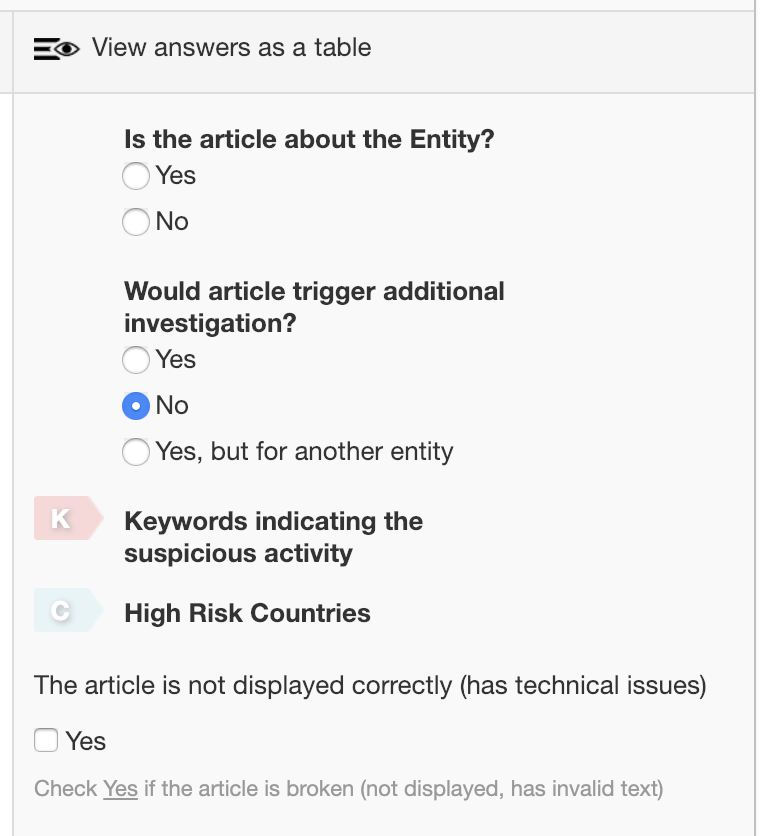
Note that the other fields colors will be assigned automatically using the build-in palette.
Customize documents menu
Default implementation expects documents to be classified by the document type. To display documents of different types in a user-friendly way, top horizontal menu is used:
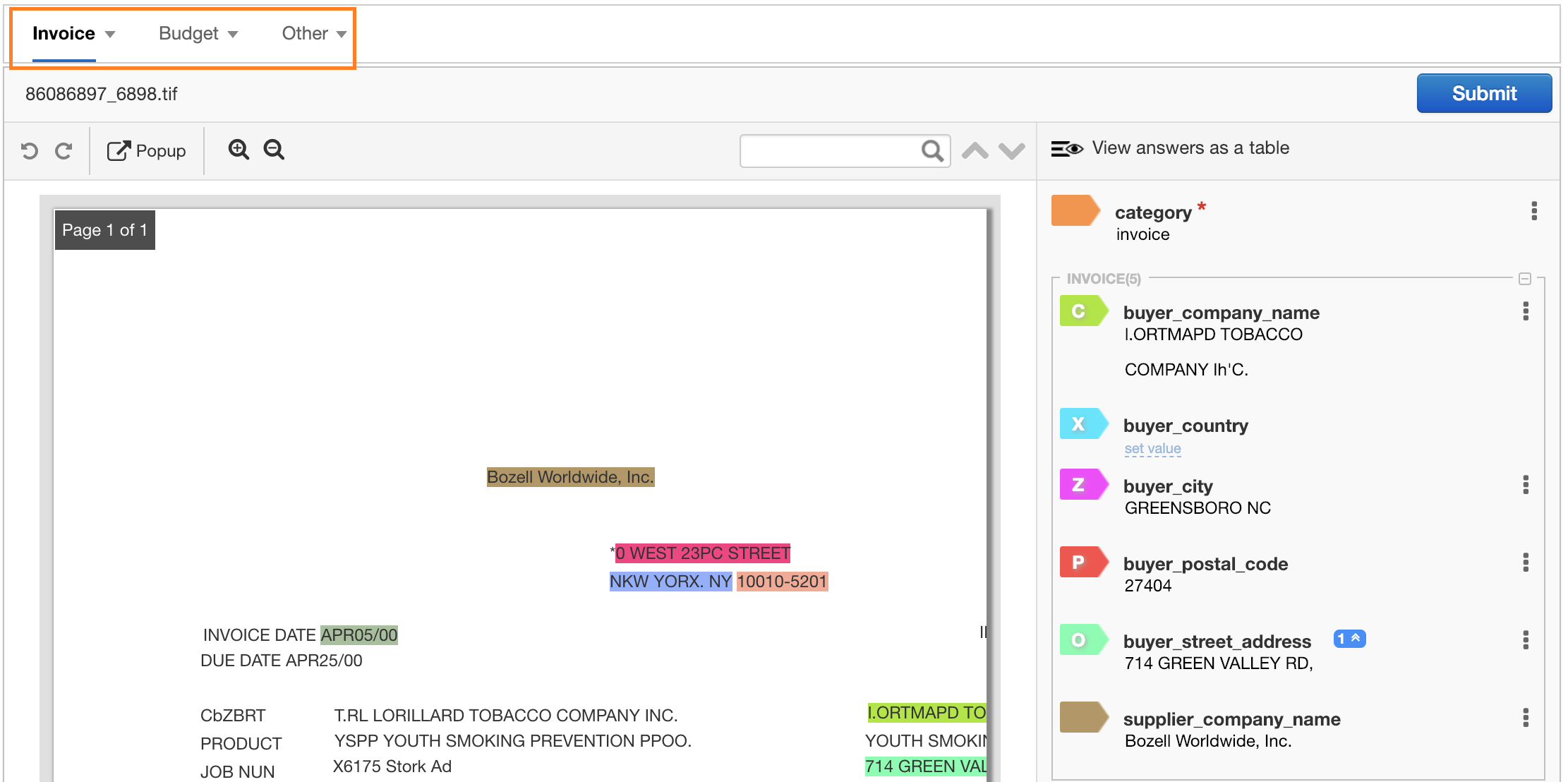
To offer better readability in particular cases, the menu UX needs to be customized.
For example, in the Negative News Review Manual Task below, all the documents comprising a transaction are of the same type. So, the menu is customised to render them in the right panel:
To customize the enhanced version of IE Manual Task, override/extend the following public methods:
MultiDocumentMenuClass.drawDocumentsMenu(documents)MultiDocumentMenuClass.createMenuGroups($menu, documents)MultiDocumentMenuClass.createMenuItem(document, $menu)