
Bot Sources
Control Tower provides the capability to create or edit bot source configurations, giving a business process developer full control over the bot task execution settings, e.g. available time, proxy, concurrency, etc. The best practice is to set a specific Bot Source for every Bot Task within a BP. Tuning of "Concurrency Settings" is crucial for optimal process performance and working with limited resources like RPA Manager.
You can define execution settings for Bot configs: available time, proxy, concurrency, etc. It can be done via System Settings > Bot Sources.
Bot Source should be linked to a Bot config.
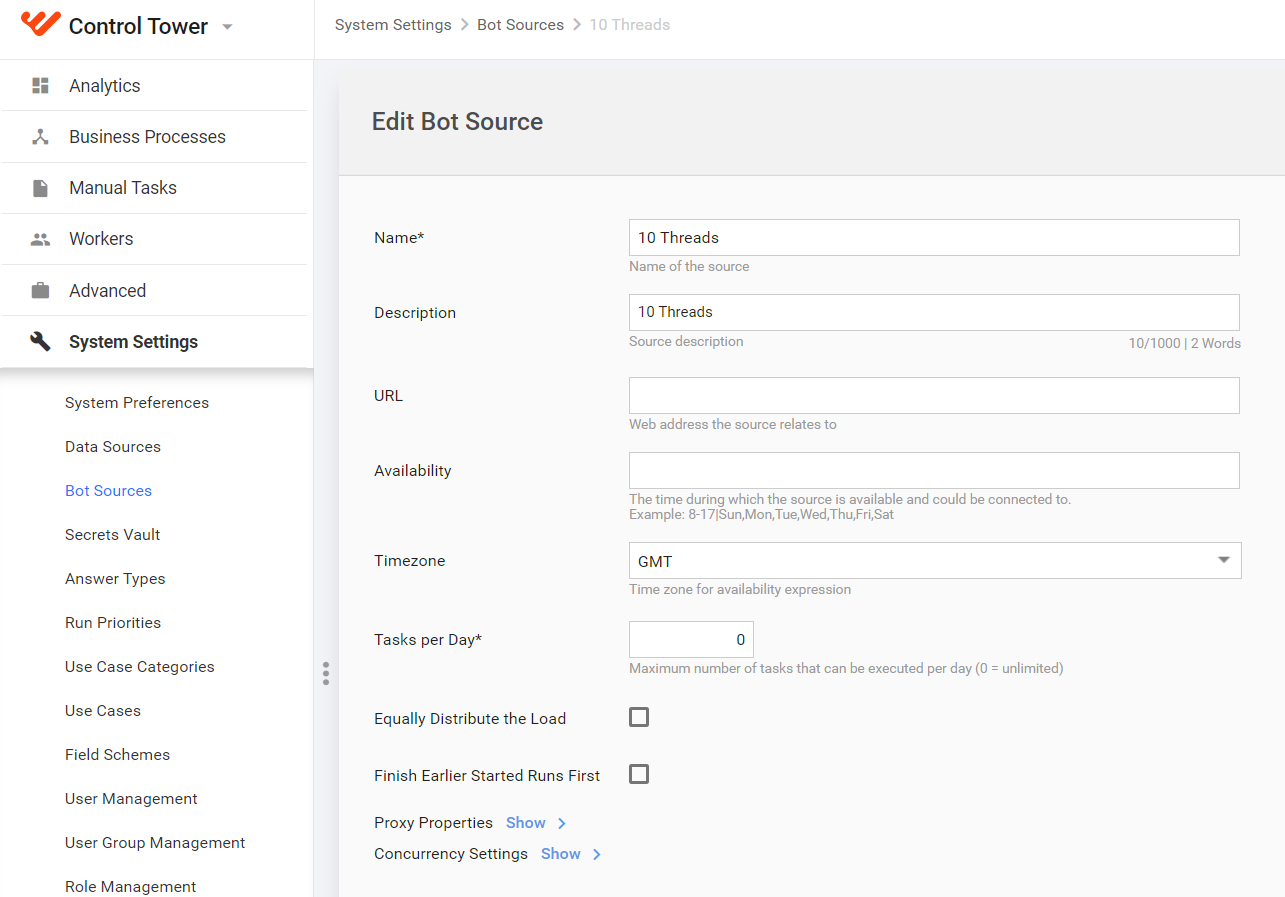
Using Name and Description, you can simplify further lookup and usage of a Bot Source.
Availability, Timezone and Tasks per day options give you an opportunity to limit execution to a certain schedule or flow.
Equally Distribute the Load is built to support a case when you have a limitation like Tasks per Day and at the same time it's needed to distribute tasks gracefully over time.
Finish Earlier Started Runs First is giving a priority to the record or transaction execution rather than a BP step. Check when the time between concrete start and finish of BP is above the overall execution progress.
For example, you have 10 records and 3 steps within a BP. Without this setting enabled, the situation will look more like 7 records finished only the first step and another 3 records finished the first and second steps.
From the other hand, checking this flag will most likely lead to situation where 3 records will finish all 3 steps, 1 record finish 2 steps and last 2 records finish only 1 step.
Concurrency settings
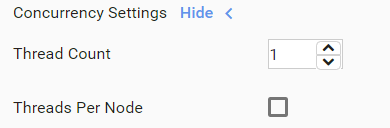
These settings allow you to limit the number of threads that will access the Data Source. This feature is useful if the Data Source allows a certain number of requests from one server.
You should set the following concurrency settings:
Thread Count. Critical to set when Bot Task interacts with limited resource (for example, RPA Manager).
Threads per Node. Check when limit should be applied for each node of HA cluster (for example, hardware constraint). Uncheck when it is some external constraint (for example, throttling policy of the used external API).
Proxy properties
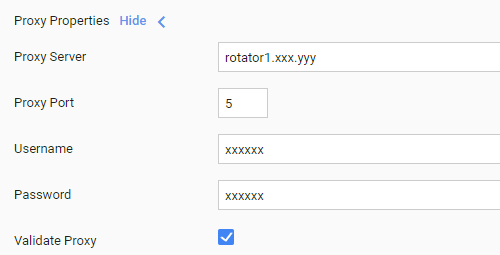
The properties allow you to define a Proxy Server for accessing the Data Source. This feature is useful if the Data Source does not allow certain incoming requests to access it.
For example, if your Bot is trying to access data on a foreign government website that permits requests only from within its country. You should set the following proxy settings:
- Server
- Port
- Username
- Password
Create Bot Source
See the instruction to create a new bot source below.
Go to System Settings > Bot Sources (optional) and click Add New Source.
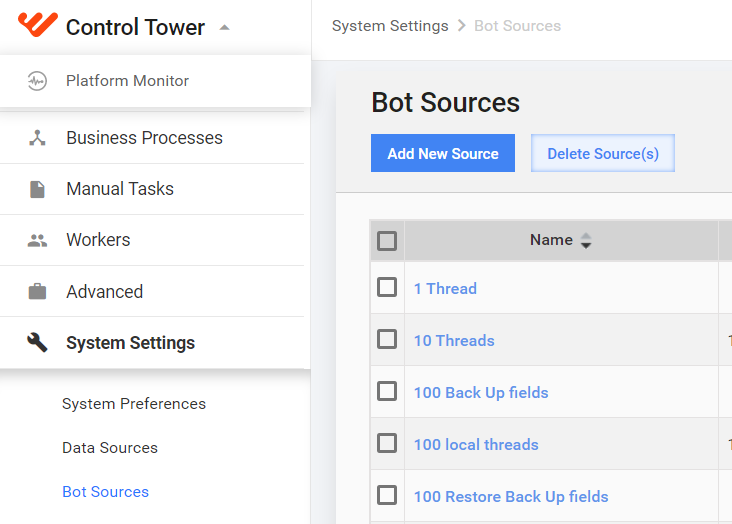
Enter information about your bot source in the fields provided.
Name is the bot source name and a required value to fill in.
Description refers to the bot source description and can be up to 1000 characters long. Both Name and Descriptionsimplify further lookup and usage of the bot source.
URL is the web address the bot source relates to.
Availability refers to the time during which the bot source could be connected to. The format to be used is as follows:
8-17|Sun,Mon,Tue,Wed,Thu,Fri,SatTimezone is specified for availability expression.
Tasks per Day is actually the maximum number of tasks that can be executed per day, where 0 corresponds to the unlimited number. Availability, Timezone and Tasks per day enable you to limit execution to a certain schedule or flow.
Equally Distribute the Load is used to support a case when you have a limitation like Tasks per Day, and at the same time it's needed to distribute tasks gracefully over time.
Finish Earlier Started Runs First gives a priority to the record or transaction execution rather than business process step. Make sure to check it when the time between concrete start and finish of business process is above of overall execution progress.
For example, you have 10 records and 3 steps within a business process. Without Finish Earlier Started Runs First enabled, the situation will look more like 7 records finished only the first step and another 3 records finished the first and second steps.
On the other hand, checking this flag will most likely lead to the situation where 3 records will finish all 3 steps, 1 record finishes 2 steps and the last 2 records finish only 1 step.
Expand Proxy Properties by clicking Show.
The proxy properties allow you to define a proxy server for accessing the data source. The feature is useful if the data source does not allow certain incoming requests to access it. For example, if your bot is trying to access data on a foreign government website that permits requests only from within its country.
The values to be specified are as follows.
- Proxy Server or the proxy server address:
- Proxy Port
- Username
- Password
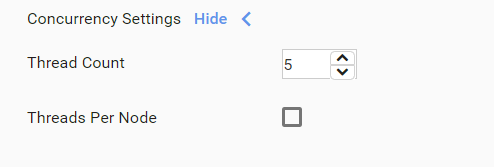
Expand Concurrency Settings by clicking Show.
Setup of Concurrency Settings is crucial for optimal process performance and working with limited resources like RPA Manager. The settings allow you to limit the number of threads that will access the data source. The feature is useful if the data source allows a certain number of requests from one server.
Thread Count is critical to set when the bot task interacts with limited a resource (for example, RPA Manager).
Threads Per Node is not applicable to RPA Express as it has 1 node.
On having entered all the data, press Save to create a new bot source.
All the created bot sources are available in System Settings > Bot Sources. There you, you can either edit or delete them.
Apply Bot Source to Business Process
As soon as bot sources have been created and tuned, the best practice is to set a specific bot source for each bot task within a business process. See how it is done below.
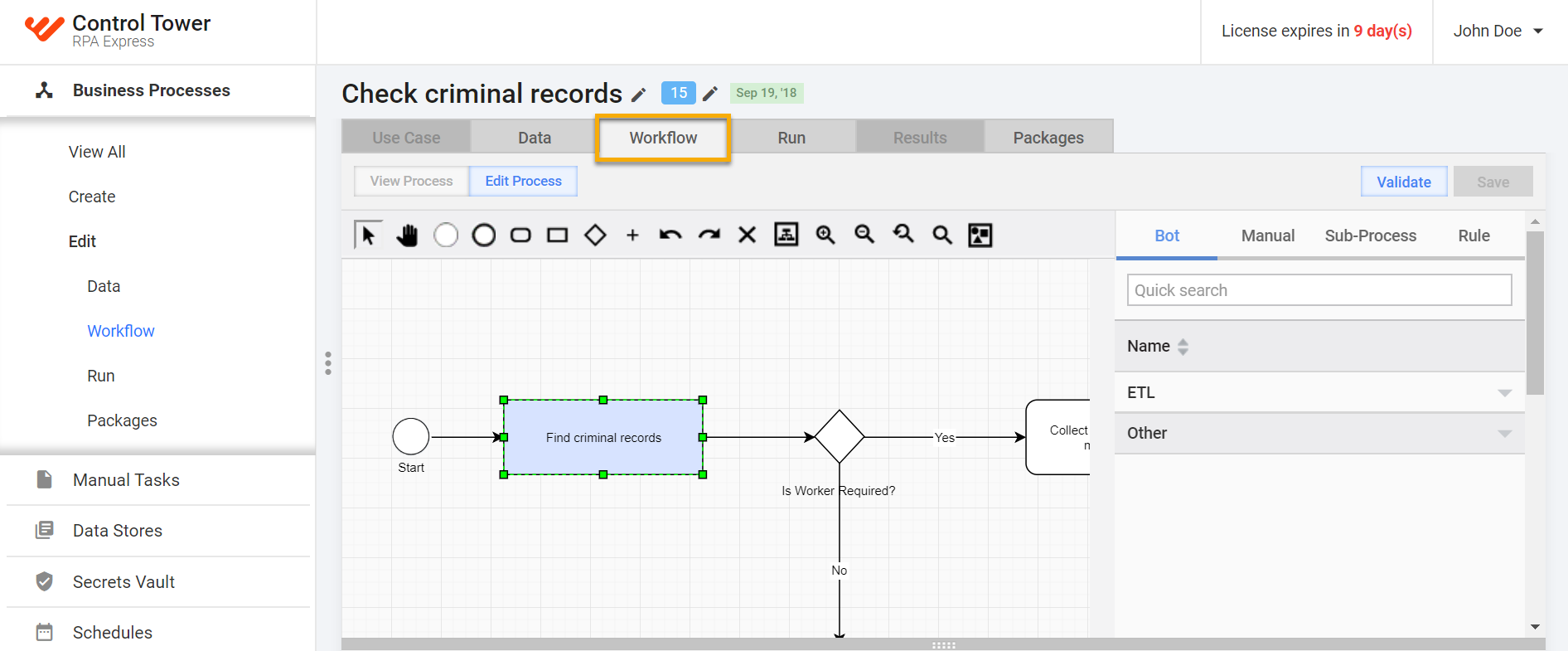
Go to Business Processes and select a business process to add a bot source to.
Proceed to Workflow of the selected business process and double-click a bot task to link to the bot source.
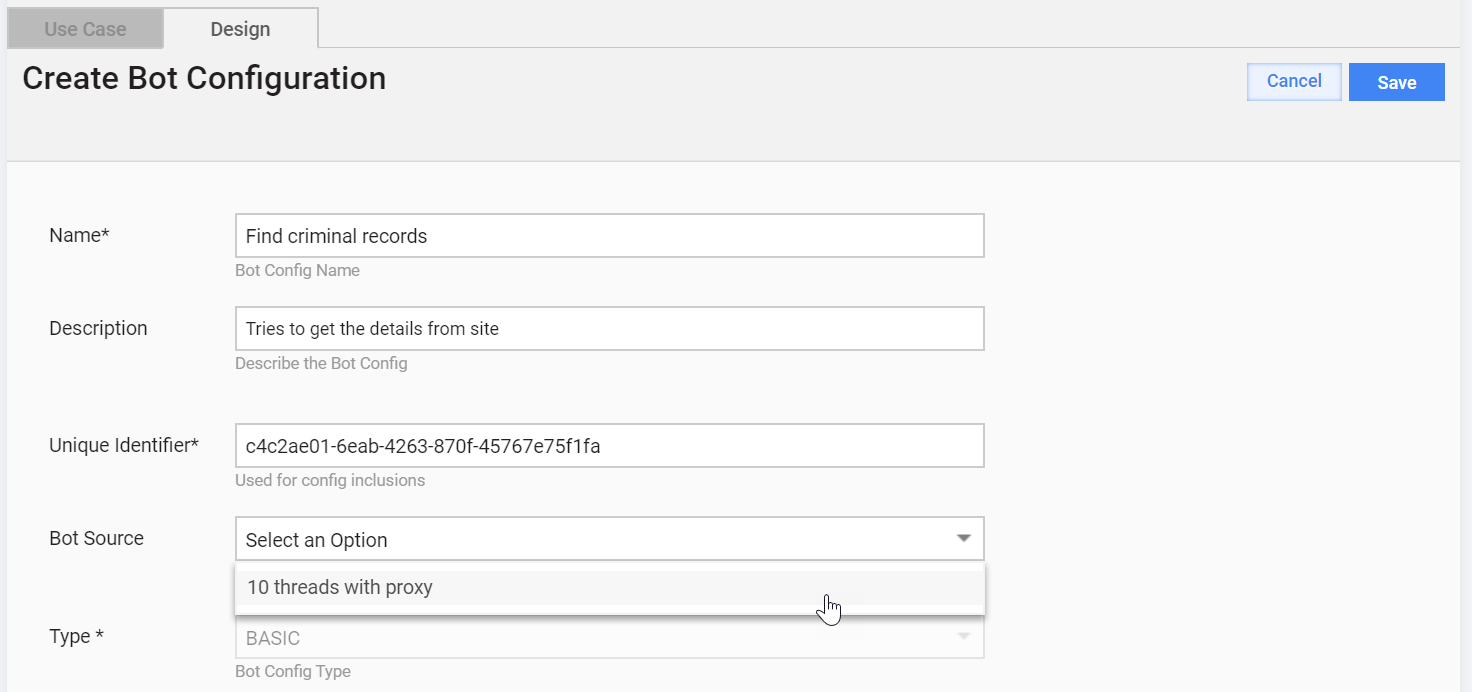
On the Design tab within the Create Bot Configuration options, select a bot source in the Bot Source dropdown.
Click Save.