
Activity log
Control Tower provides audit functionality to track user and system actions (login sessions, creation of Tasks, editing Use Cases, etc.)
To view the history of actions, go to Configuration > Activity Log.
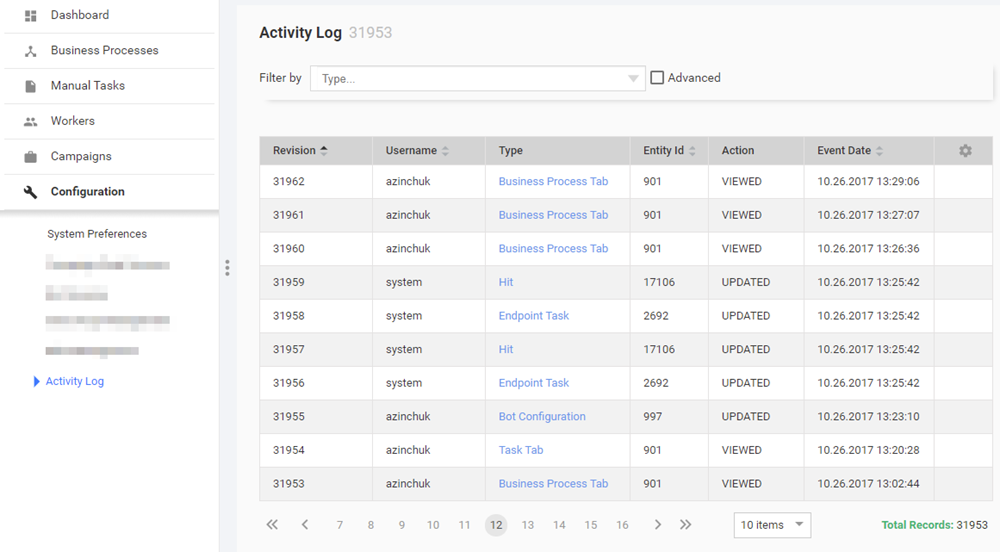
The Activity Log page displays a grid with the following information:
- Revision number
- Username: user (or System) who performed particular operation
- Action: operation performed by user (e.g. create, update)
- Type: target operation object (e.g. User session, License, Template, Task). This field is clickable.
- Entity ID: unique identifier of the object
- Creation Date: event time
- IP Address: IP address of the user
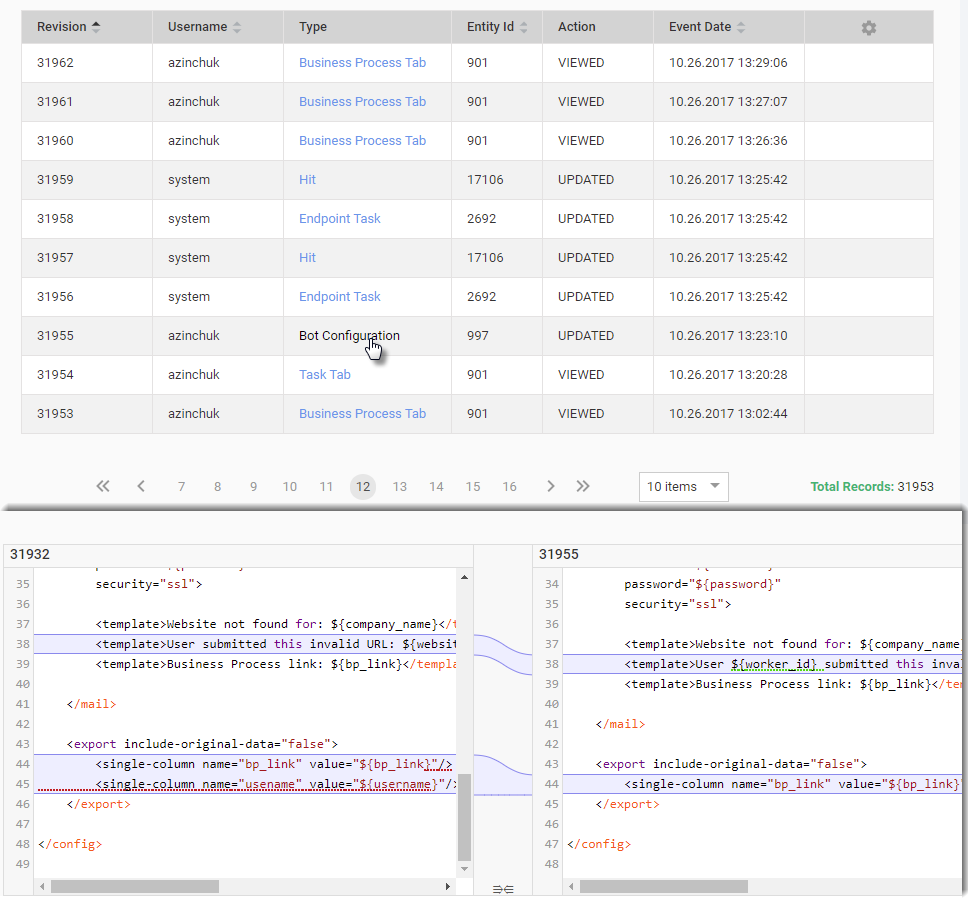
To see the changes made in files (Rules, Bot Configs, Templates, etc.), click the appropriate link in the Type column.
As a result, the file comparison dialog will be displayed under the grid.
Activity types
| Type name | Description |
|---|---|
| Account | Tracking changes of the default workspace Mturk license. |
| Answer Type | Tracking changes of the Answer Type entries. |
| Bot Configuration | Tracking changes of the Bot Configuration. |
| Business Process | Tracking changes of the Business Process. |
| Business Process Export (XML) | Tracking export of the Business Process. |
| Business Process Preview | Tracking the Business Process preview. |
| Business Process Tab | Tracking of the Business Process Designer tabs. |
| Campaign | Tracking changes of the business process definition. |
| Campaign Export | Tracking export of the Business Process definition. |
| Campaign Structure | Tracking changes of the XML structure of Business Process workflow. |
| Custom Qualification | Tracking changes of the custom qualifications. |
| Data Store | Tracking changes of the Data Store entries. |
| Endpoint Task | Tracking changes of the manual task internal entity. |
| Export (XML) | Tracking export of the entity. |
| Hit | Tracking changes of the manual task internal entity. |
| Inconsistent Assignment | Tracking exception with assignment of the Manual Tasks. |
| License | Tracking changes of the WorkSpace Mturk licenses. |
| Preferences | Tracking changes of the preferences. |
| Preview | |
| Question | Tracking changes of the manual task configuration. |
| Role | Tracking changes of the role. |
| Rule | Changing of the composite, adjudication, qualification and other types of rules. |
| Scheduled Campaign Upload | Tracking changes of the schedulers. |
| Secrets Vault | Tracking changes of the Secure Vault entries. |
| Task | Tracking changes of the Manual Task. |
| Task Export (XML) | Tracking export of the Manual Task. |
| Task Preview | Tracking of the Manual Task preview feature use. |
| Task Tab | Tracking changes of the Manual Task. |
| Template | Tracking changes of the Templates. |
| Training Set | Tracking changes of the Training Set entries. |
| User | Tracking changes of the users in the system. (Unsuccessfull login attempts count does not supported for LDAP and SSO ) |
| User group | Tracking changes of the user groups in the system. |
| User password | Tracking the fact of the password change. |
| User session | Tracking sessions of the user logins and logouts. |
| Worker Qualification | Tracking changes of the qualifications assigned to worker. |
Filters
Since there are thousands of logged records, there are two types of filters that can be applied to the list of activities to facilitate your search.
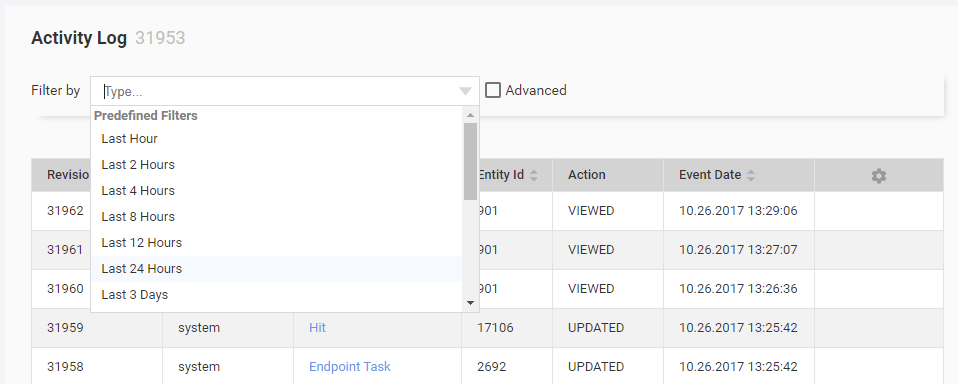
Predefined filter
A predefined filter allows to apply a timeframe to the list.
Advanced filter
Using an advanced filter you can filter the records by Type, Entity ID, or Username.
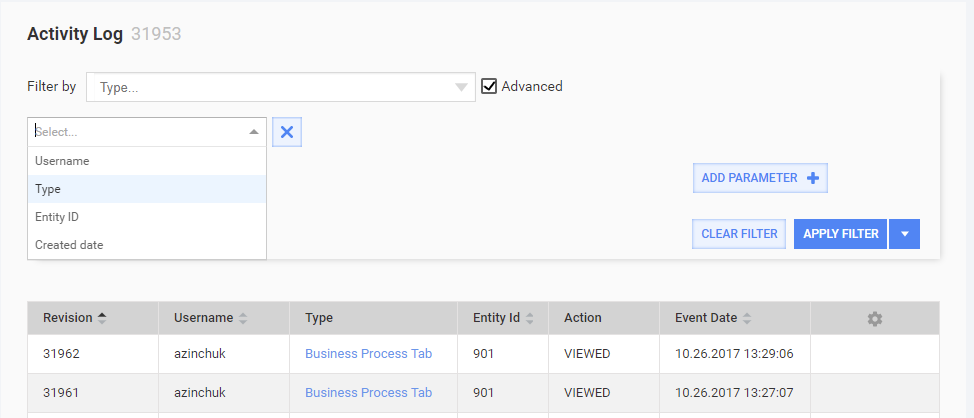
For each parameter you can specify a condition (contains or doesn't contain) for the filter criteria to include or exclude them from the result respectively.
Save filter
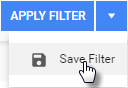
You can save the filter for future use. Click the arrows and select Save Filter in the drop-down.
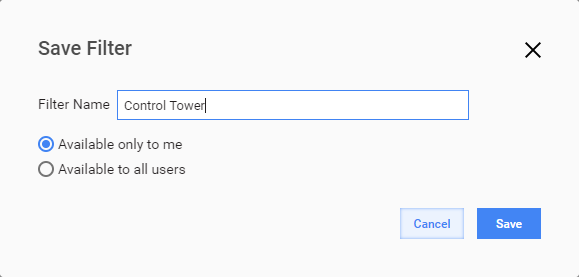
Key in the name for your filter and choose, if the filter is your private or it's available for the other users.
Clear or refine filter
If a filter is applied the yellow box is displayed in the filter area.

You can remove or edit the filter by clicking Clear filter or Refine filter there respectively.
Database objects
All of data are stored in the table AuditData.See columns description
in Activity Log page information above.
Query sample: show changes for Roles and Users:
select case a.`action`
        when 0 then 'CREATED'
        when 1 then 'UPDATED'
        when 2 then 'DELETED'
        when 3 then 'DOWNLOADED'
        when 4 then 'VIEWED'
        else 'N/A'
        end as "action"
     , a.content
     , a.createdDate
     , a.entityId
     , a.username
     , a.threadName
  from AuditData as a
 where a.entityType in( 'ROLE', 'USER')
 order by a.createdDate desc
;