TOD OCR Business Process
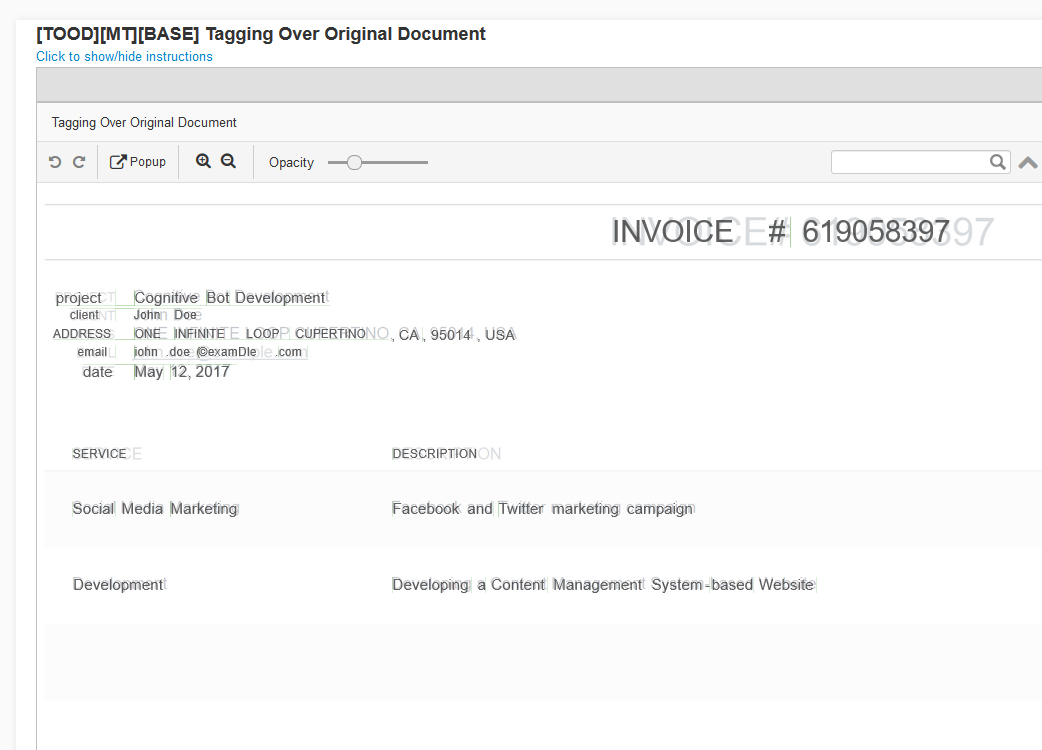
The TOD approach is now part of publicly available BP for SPA 9.x series. This TOD process uses standard OCR xml output to split text into words, calculates absolute positioning coordinates for each word and generates HTML where original page is used as background while the html words are put as overlay on top of the image.
Features
The Standard OCR BP:
- Implements asynchronous model for OCR Rest API calls.
- Uses a Data Store to cache OCR results. You will have to configure a Data Store name for an OCR process to run successfully. When caching is not necessary, you may skip
_ocr_cachevariable. - Uploads all intermediate OCR-related results to S3 bucket. You should configure the S3 bucket for the successful OCR process run.
- Provides an opportunity to use either Standard OCR approach or TOD OCR approach.
Prerequisites
SPA v9.0+
ocr_urlandconvert_lib_pathvariables are configured in the Global Variables Data StoreExample:
convert_lib_path = convertocr_url: https:// instance name ocr1.workfusion.com/api/v1/cloudImageMagick installed to perform multi-page document split (if the TOOD OCR type is used)
Input data must contain
original_document_urlTagging Over Document option requires the following settings to be set for all documents:
Export Format =xmlForCorrectedImage,
CharPosition =true
BP assembling instructions
Import Standard OCR BP suitable for your version from the Artifacts into Control Tower.
Configure OCR parameters via ETL Settings in the OCR Settings step.
Artifacts
| Version | Artifact |
|---|---|
| Version 9.0 | OCR+2.5.1+v+9.0.zip |
| Version 9.2 | OCR+2.5.1.zip |
OCR settings
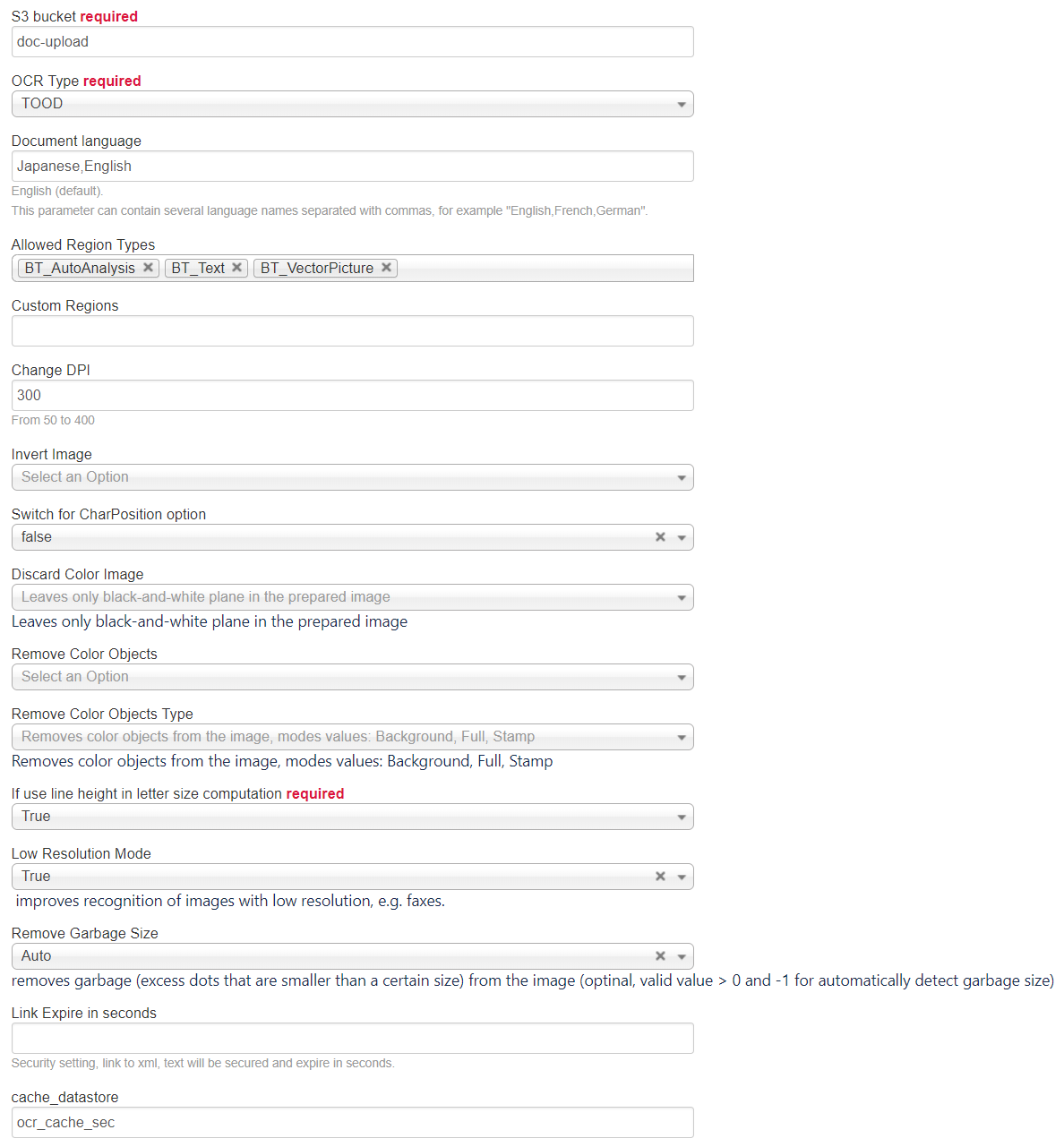
Bot Config Name: OCR settings 2.5.1
S3 bucket: doc-upload
OCR Type: TOOD
Document language: Japanese,English. This parameter can contain several language names separated with commas, for example, "English,French,German".
Allowed Region Types:
BT_AutoAnalysis,BT_Text,BT_VectorPictureChange DPI: 300
Switch for CharPosition option: false
Discard Color Image: Leaves only black-and-white plane in the prepared image
Remove Color Objects Type: Removes color objects from the image, modes values: Background, Full, Stamp
If use line height in letter size computation: True
Low Resolution Mode: True
Remove Garbage Size: Auto
cache_datastore: ocr_cache_sec
Barcode recognition is not working with TOOD OCR: page is empty with the Barcode region specified.
Use Standard OCR for this case.
Securing links
All links in OCR BPs can be secured using secure S3 bucket.
Note that when generating secure links using s3-put plugin, the expires-in-seconds parameter denotes the time after creation when the link will stay live. If this parameter is used, the OCR BP does not cache any documents.
If expires-in-seconds is empty, secure links are not created.
Output
The Business process contains Manual Tasks for both Standard and TOOD branches.
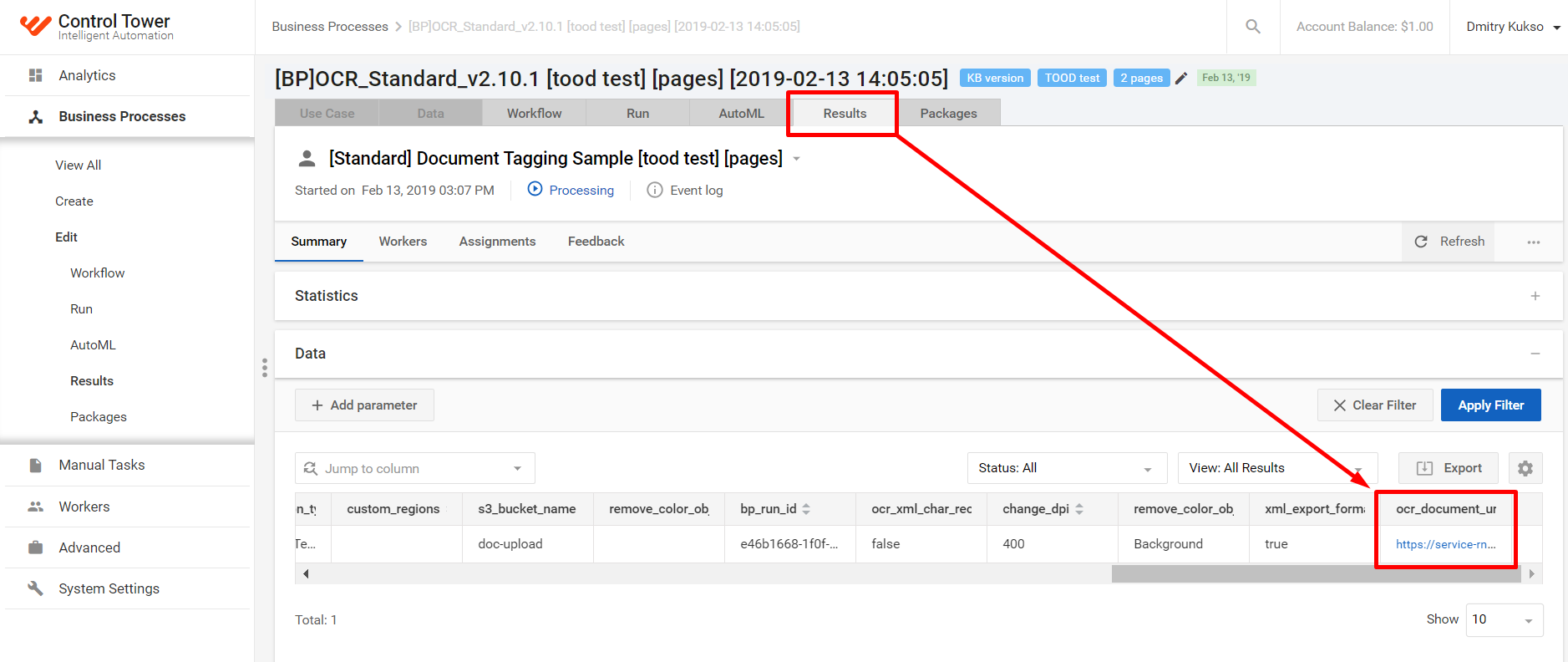
ocr_document_url can be found in the Results tab of these Manual Tasks, or in the Results tab of the previous Prepare URL step.