
Perform detailed model analysis
Model quality improvement
If model's results are worse than expected the first thing to check is training set errors. The Tableau dashboard is a good tool to do training set quality analysis.
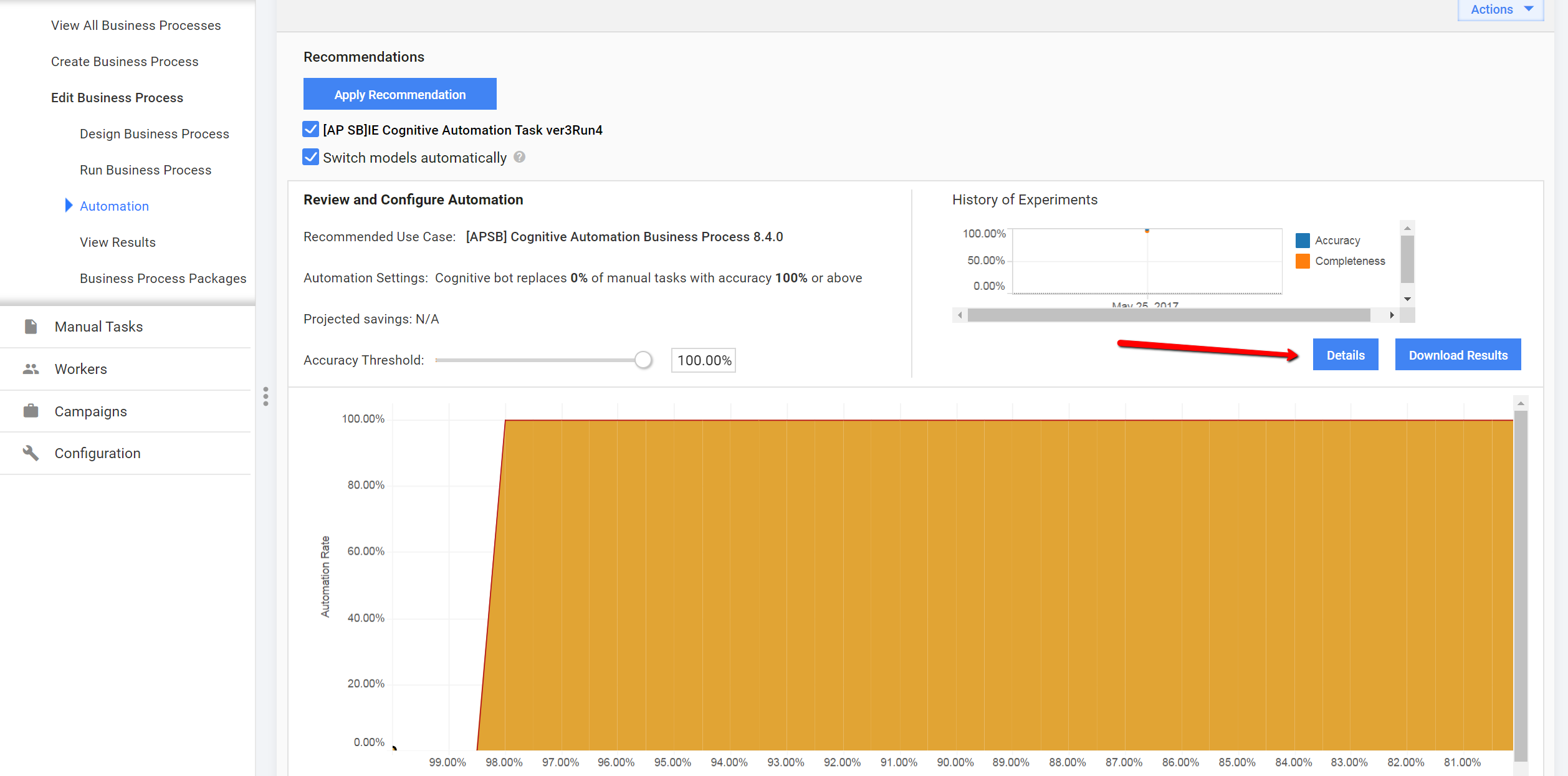
Open a Manual Task, switch to automation tab and click Details.
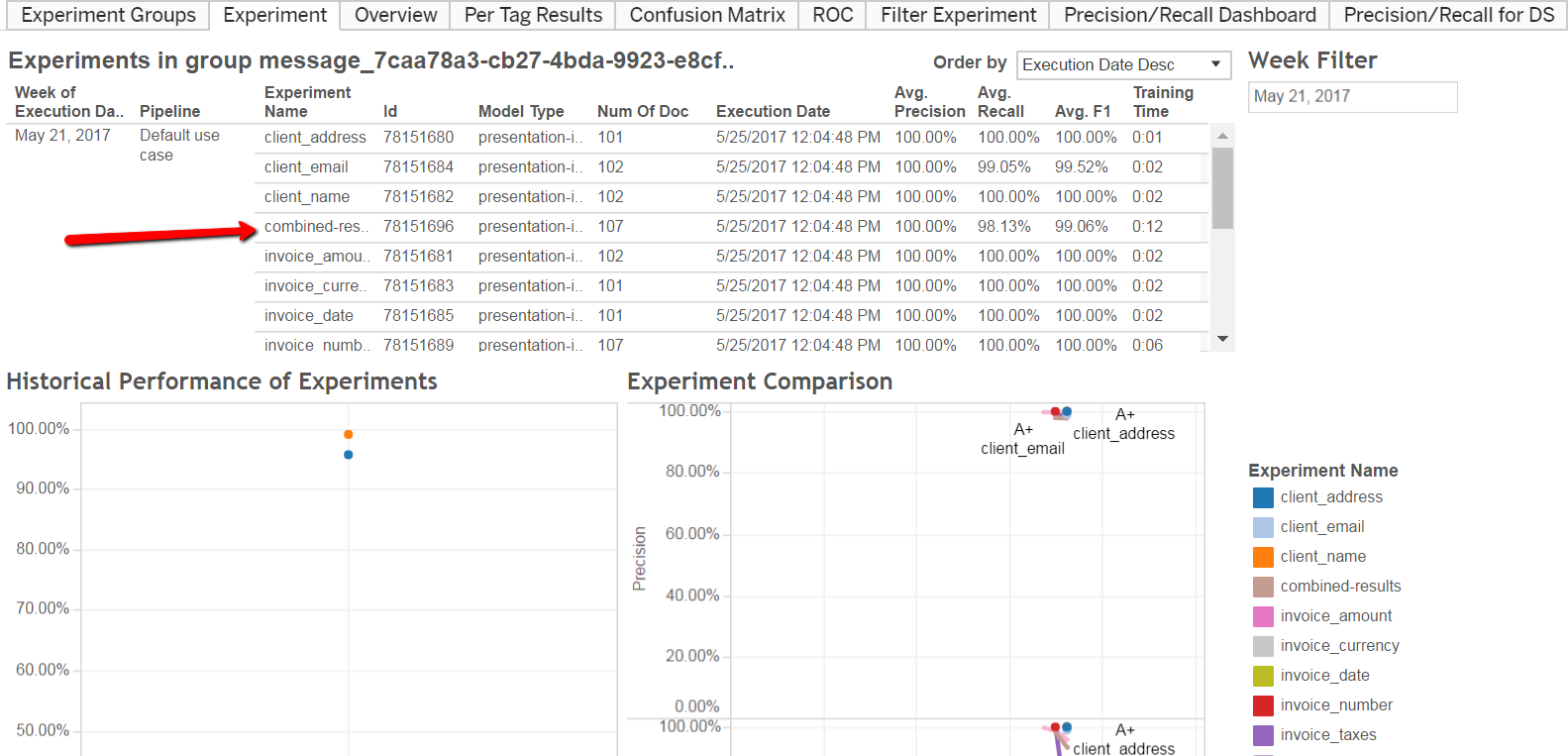
Click some experiment in the Experiment tab. combined result is a good choice for extraction models:
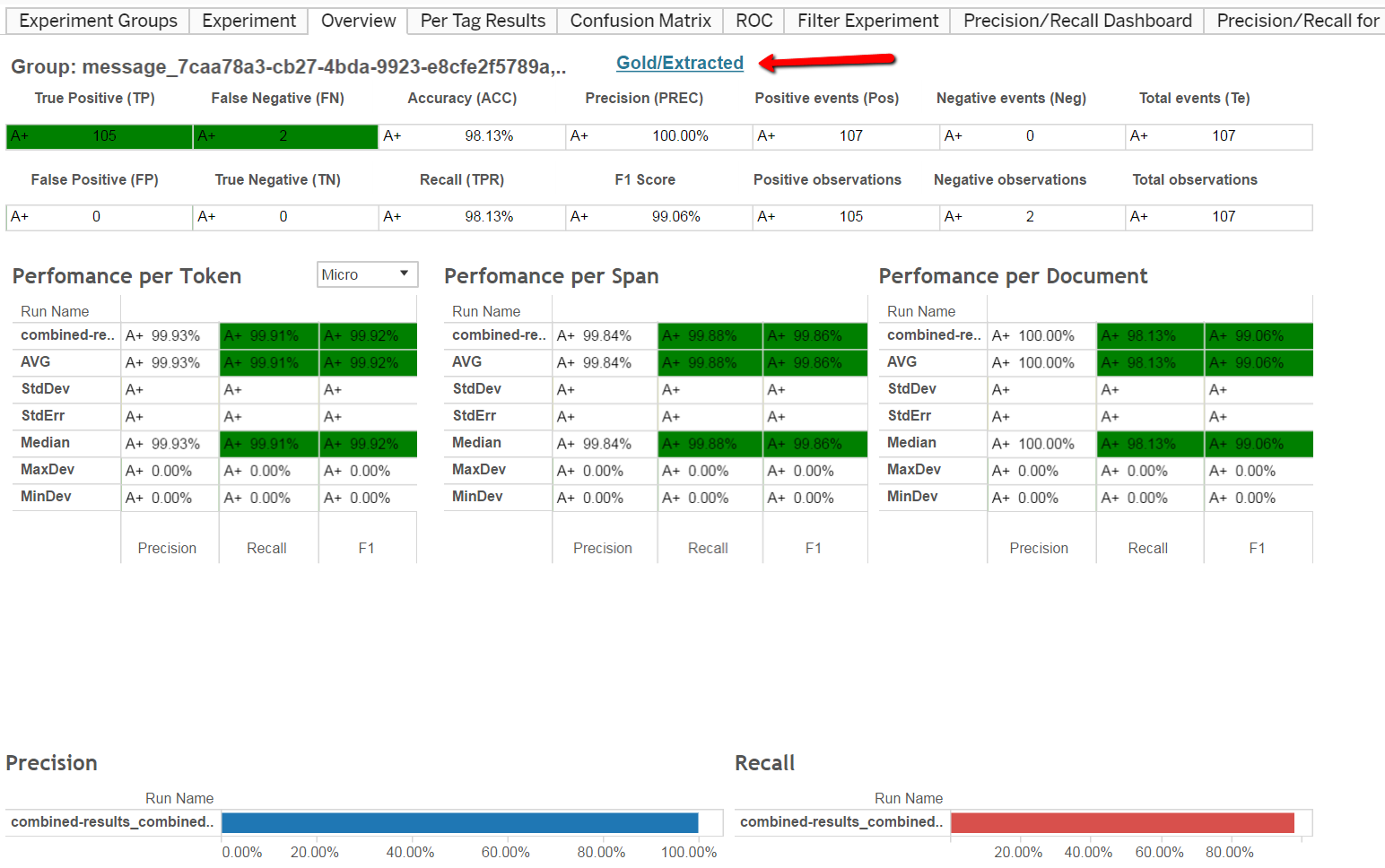
On the Overview screen, click the Gold/Extracted link.
The dashboard you need is opened in a new tab:
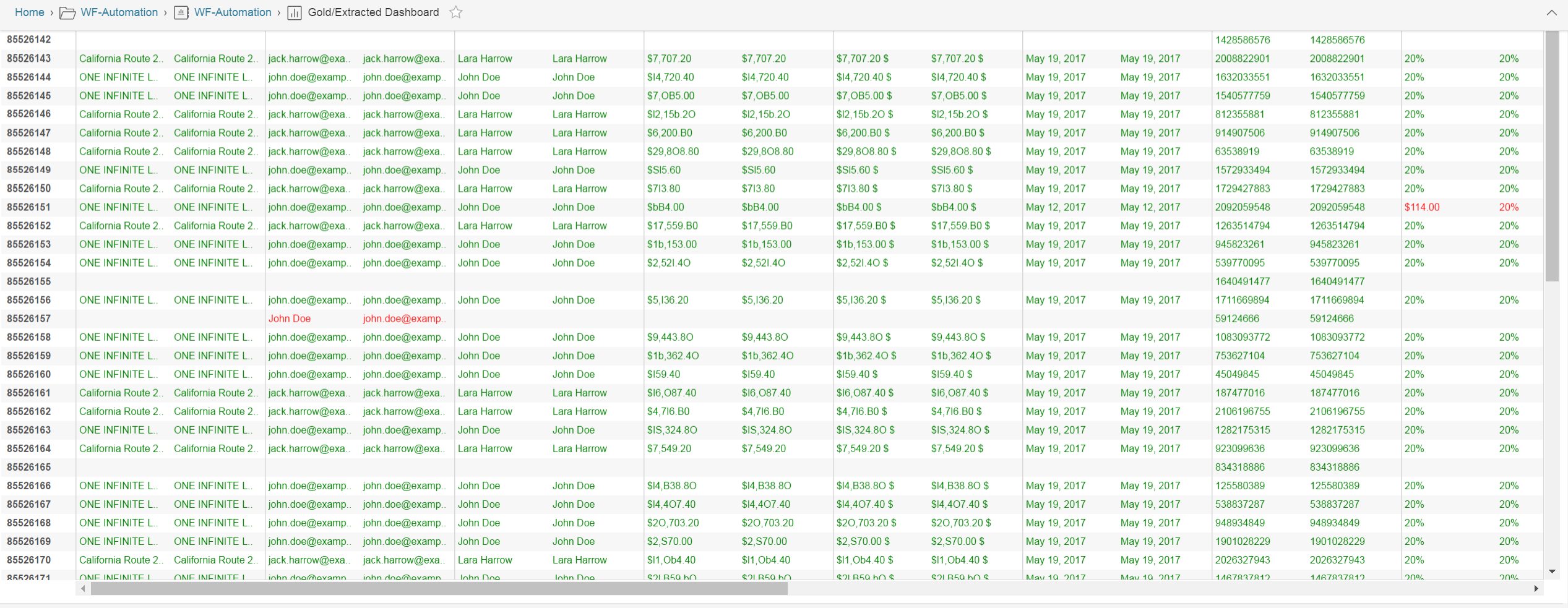
This widget shows detailed evaluation statistics. The example of bad gold data in the training set:
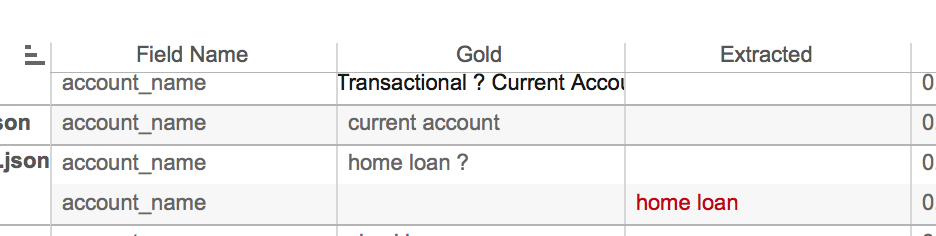
Find a wrong document in the training set and fix it:
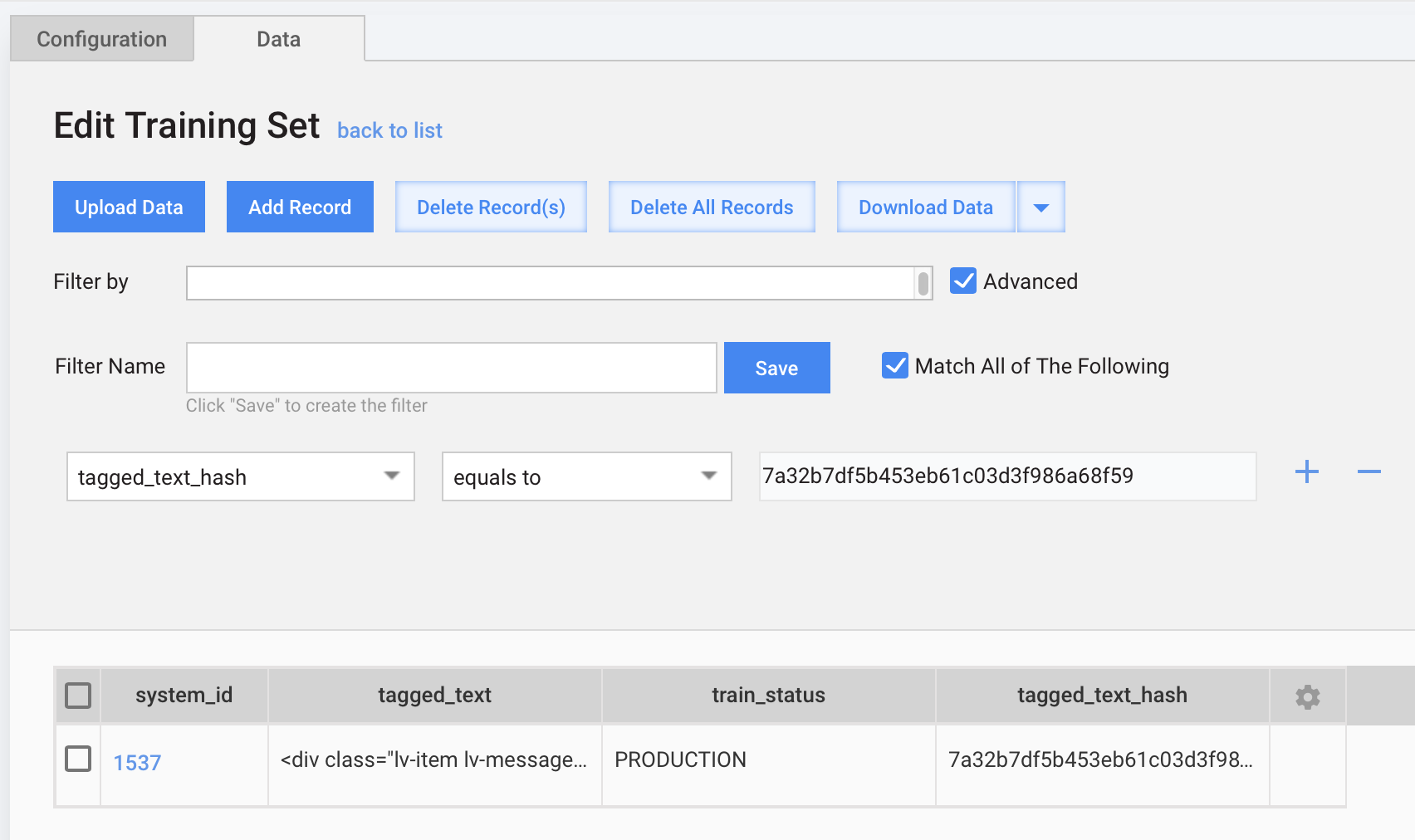
- Identify a "bad" document hash:

- Open the corresponding automation training set Data Store and filter out the document by hash:
- OR (Recommended) Import the Fix training set Business Process. As input data, it uses hash for the middle Manual Task to fix bad records. The Business Process looks like:

Package to download:[Extraction]+fix+training+set+16-6-2017.zip.
Reporting
After a Model training completed, you can find calculated results on S3. Look into the vds-resources bucket folder > message_UUID/output and find avg-evaluation-results.txt.
To make a proper report, you need to know the following indicators:
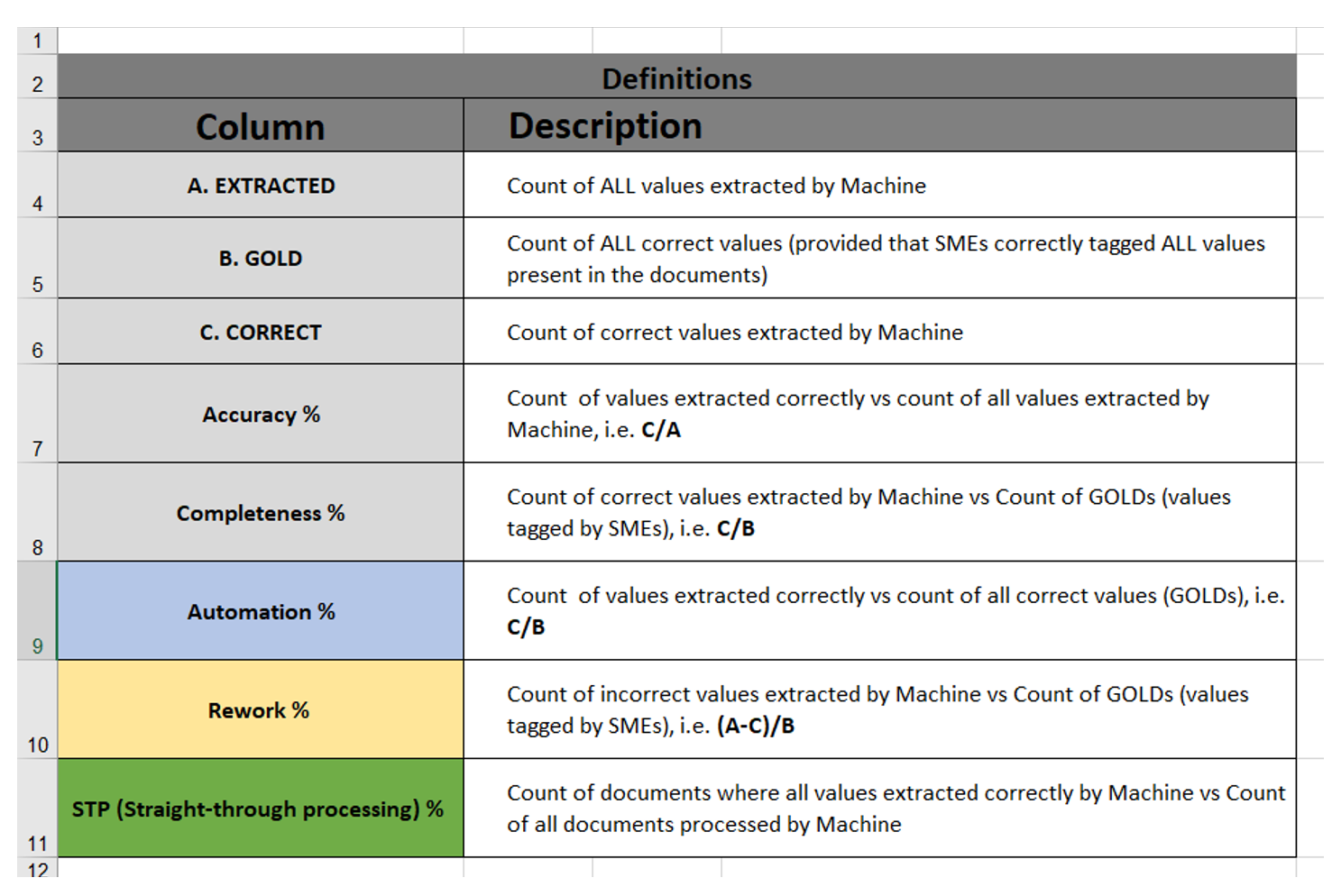
Below, you can find the calculation formulas of
- Accuracy:
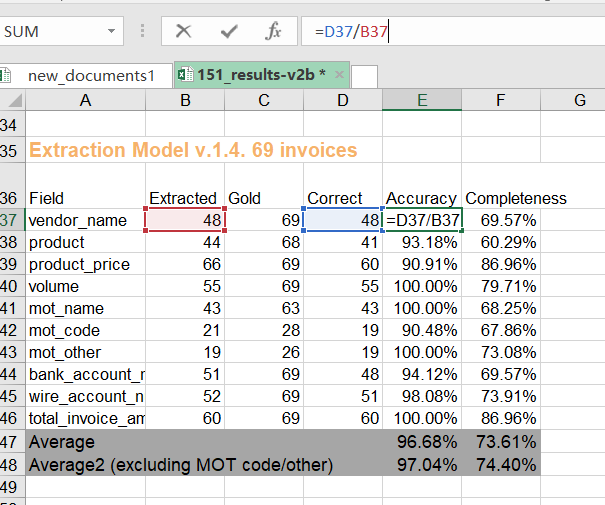
- Completeness:
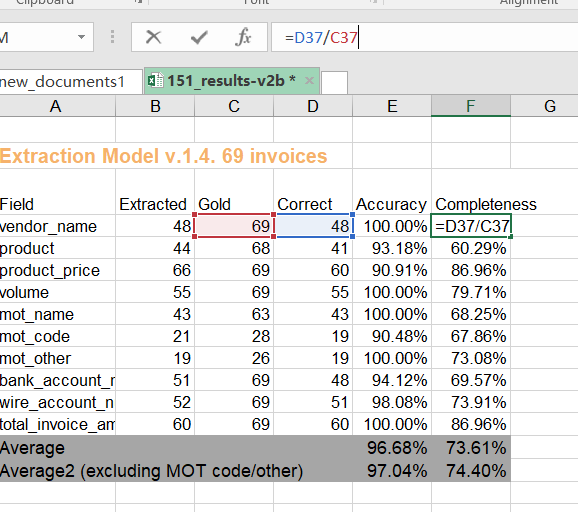
- Accurate Automation:
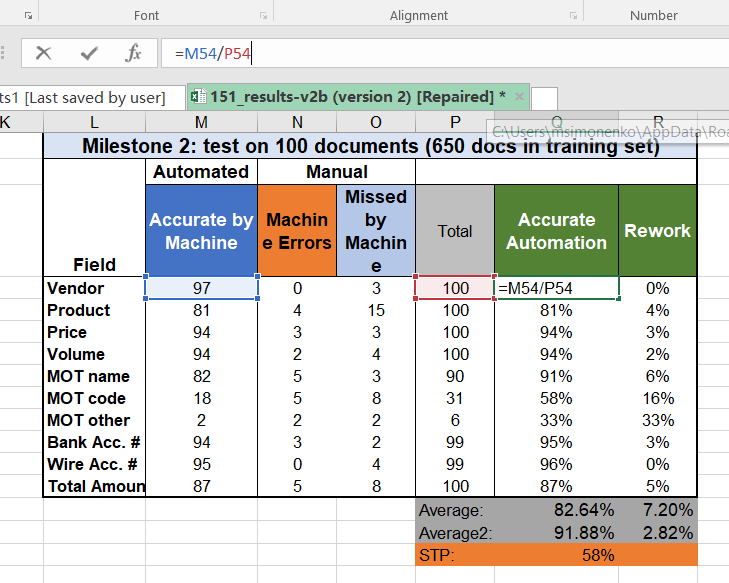
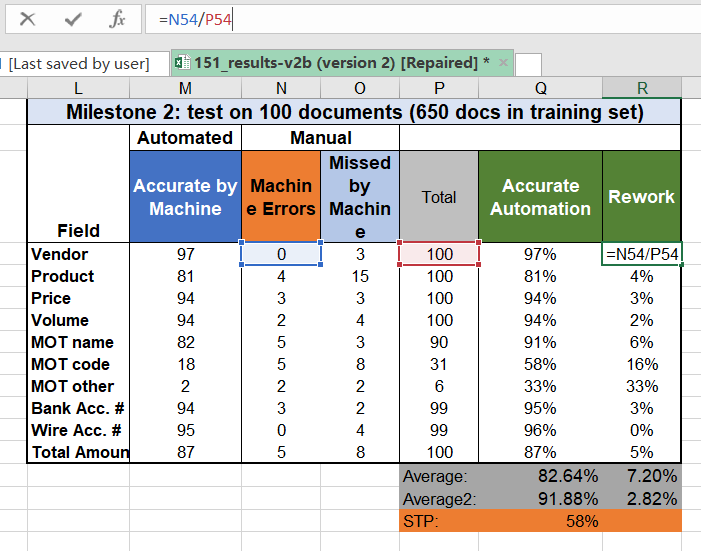
- Rework:
Usually, there are several steps to reach the result. To see the difference between improvements analysts, build the diagrams.
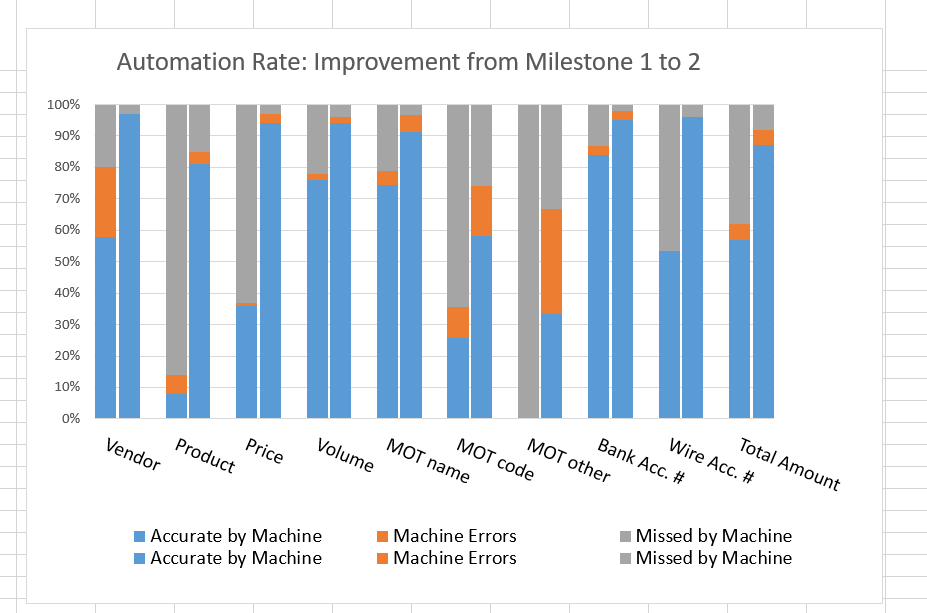
Example of report to download: example_of_report.xlsx
Correction tools
Message tagging and moderation:
Correct records in training set:
- Correct+Records+in+Training+Set+19-7-2017.zip
- Input data: correct-ts_training.csv
- Training set: invoices_training.csv