
Configure secure access to dashboards
The guide describes Analytics dashboards secure access configuration in Smart Process Automation.
To limit access to different dashboards to those with a need to know, create separate Tableau sites for different lines of business (LOBs), areas, or Use Cases.
- The setup is fully manual.
- The access to dashboards is provided via Tableau Server.
- A Tableau license per server user is required.
To configure separate Tableau sites, follow these steps:
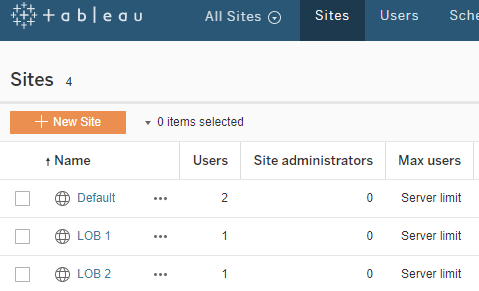
On the Tableau main page, select Sites > New Site:
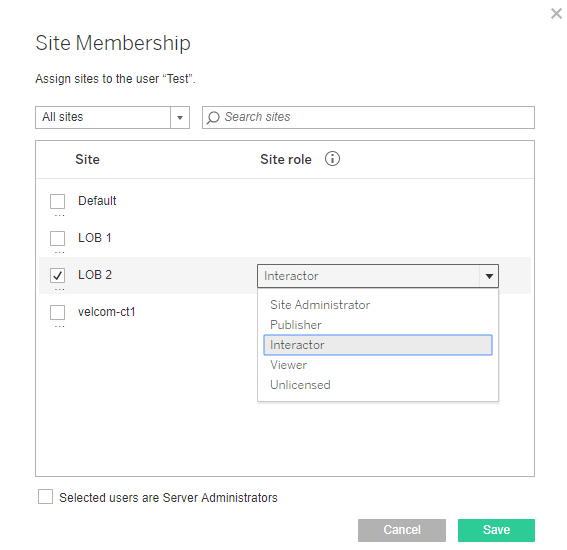
Assign acces to site to specific users:
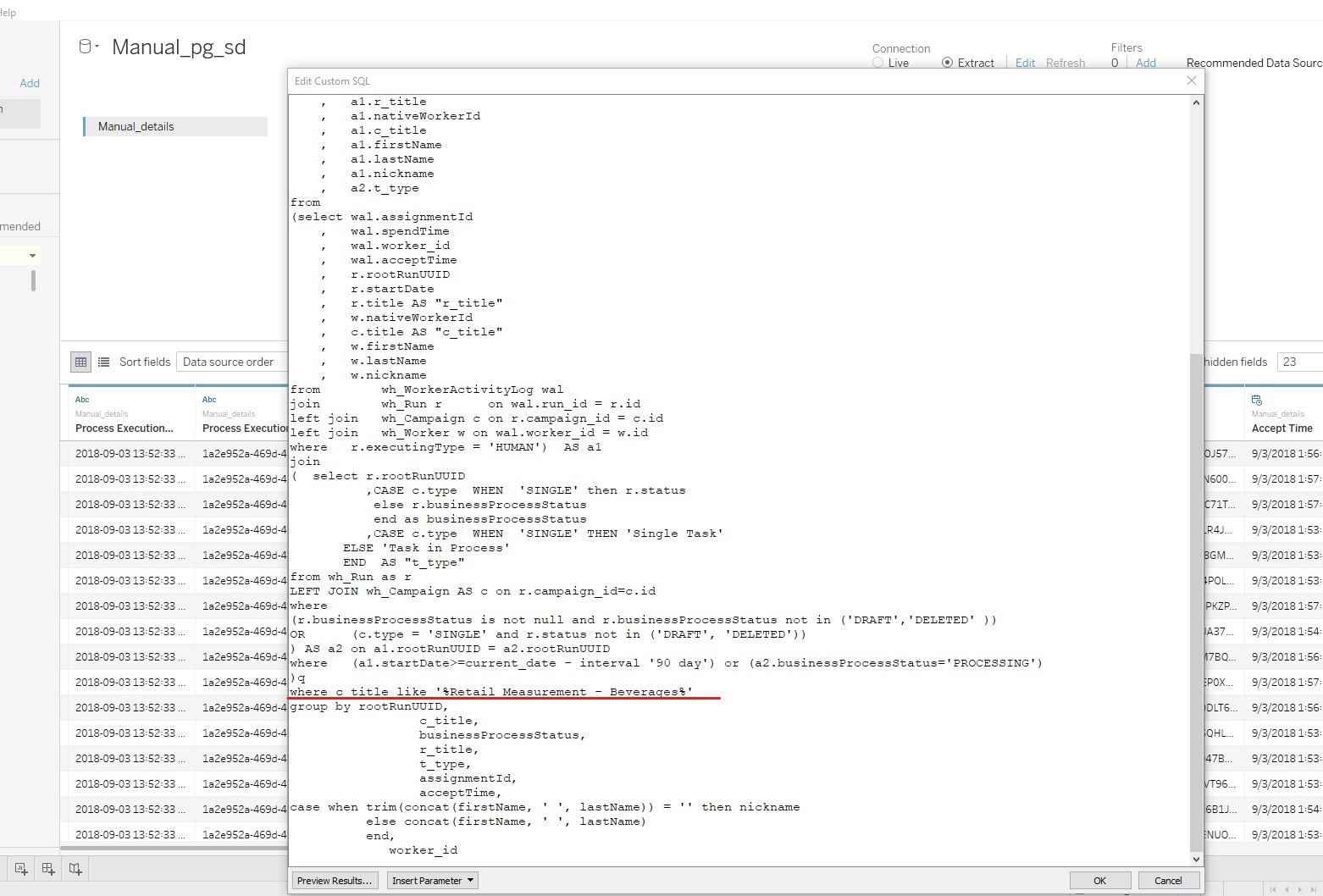
Limit access to the data within dashboards using custom SQL query. Use the following syntax for a group of business processes:
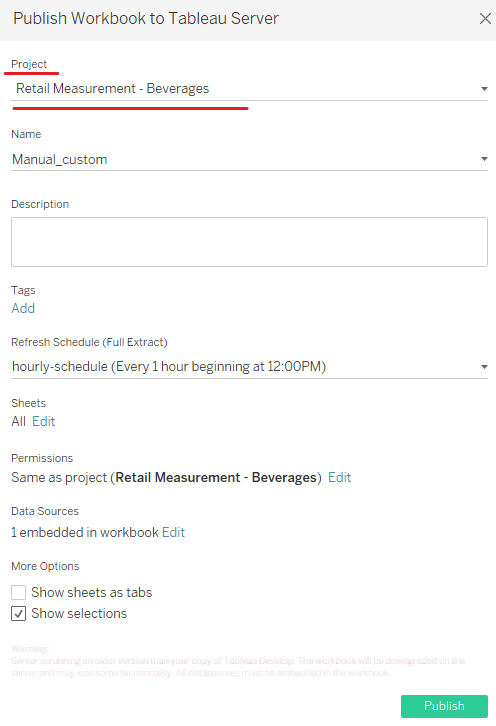
Publish a dashboard with additional filtering to a proper Tableau Site:
Ensure the restricted access limited to certain users is in place.