Set up Automation Use Case
To use a new Automation Use Case or create copy of the existing Use Case, follow the steps:
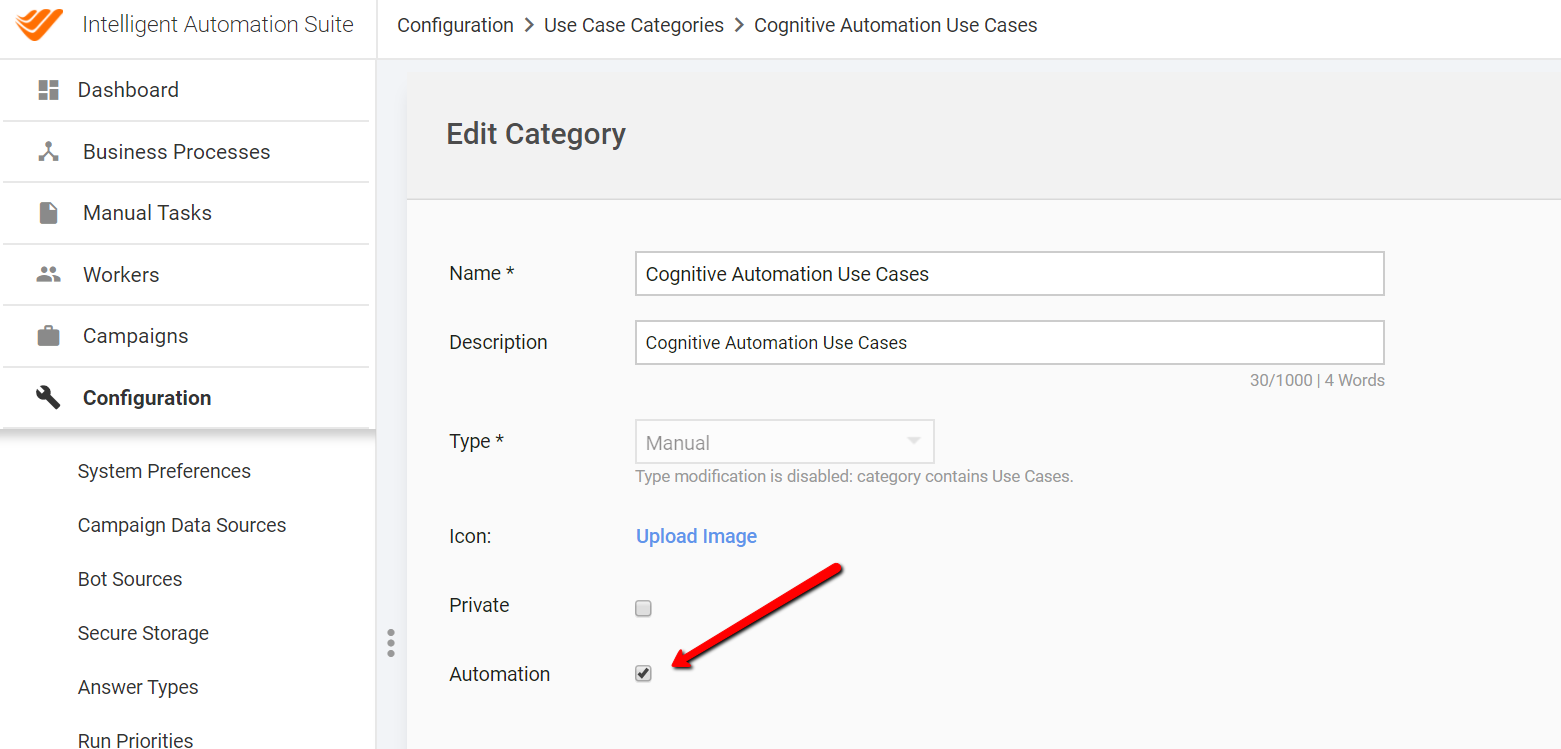
Make sure that Use Case category with the Automation checkbox exists on your instance.
Get a correct automation Business Process bundle (zip file) and import it into your instance. This will create BP or Campaign with the automation flow.
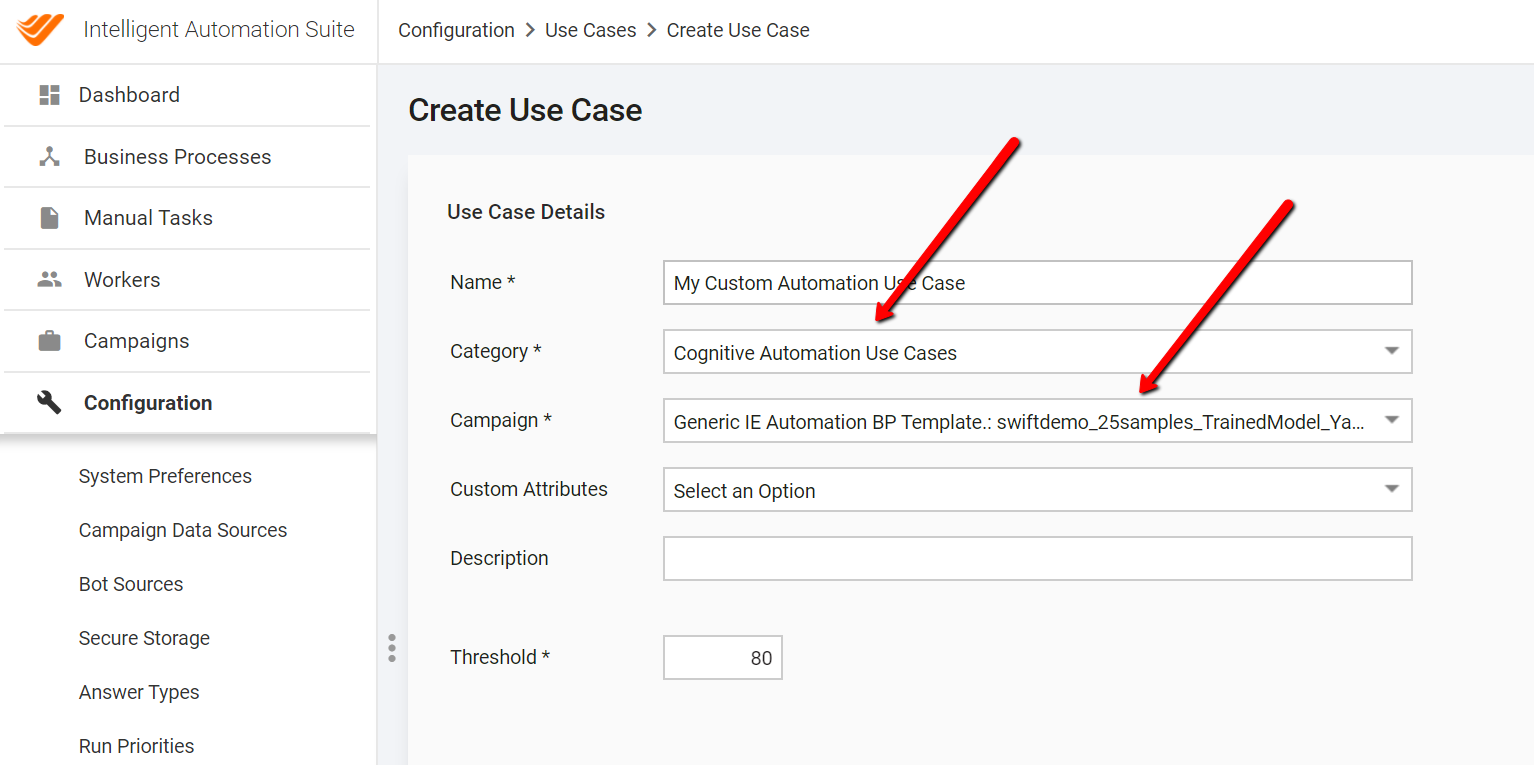
Create a new Business Process type of the Use Case. Select a category for which Automation is checked and the campaign you got on step 2.
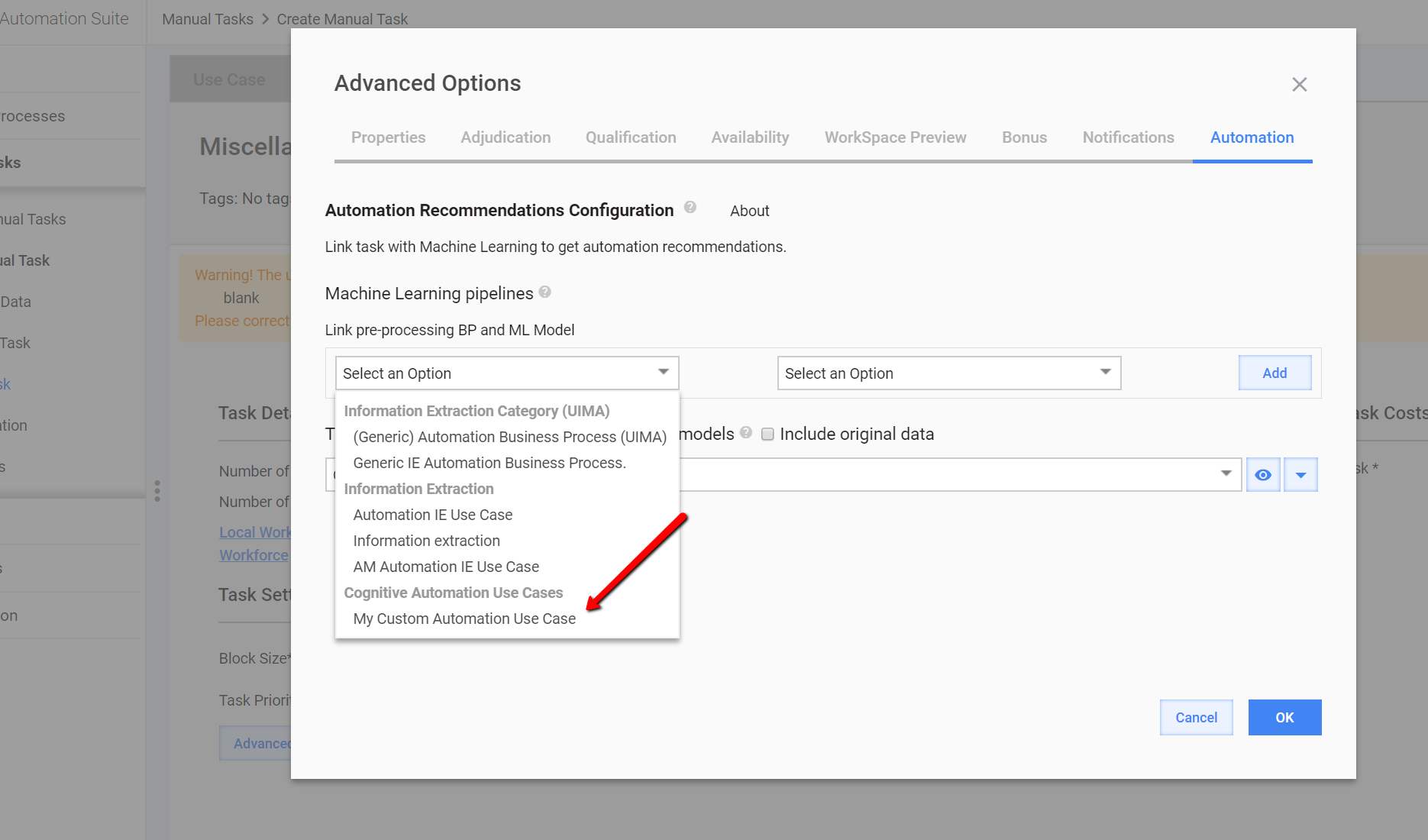
At this point, you will have your Use Case available on the Automation tab of your Manual Task.